About ora
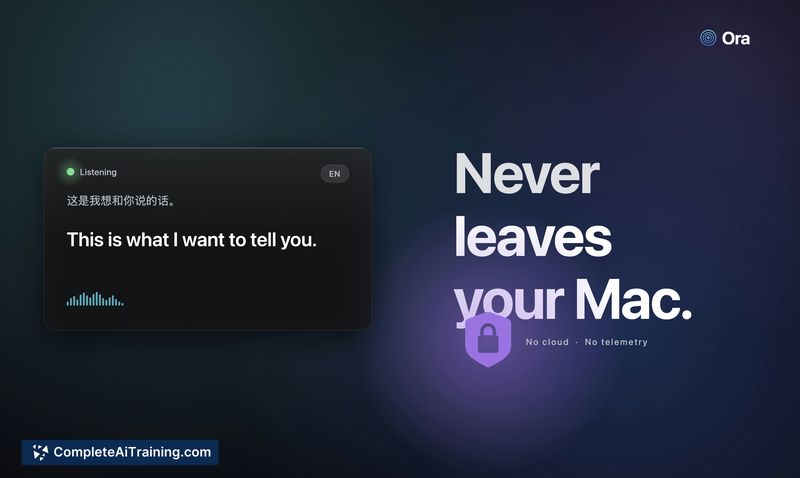
ora is a macOS app that provides live, on-device simultaneous interpretation and streaming translated captions. It runs locally on a Mac and shows translations in a floating caption card, requiring no account or ongoing subscription after the initial model download.
Review
ora brings low-latency translation directly to the menu bar, aiming to show translated text while the speaker is still talking. The app focuses on privacy and convenience by doing speech recognition and translation on local hardware, with options to balance speed and accuracy.
Key Features
- Simultaneous interpretation with rolling partial updates so translations appear while speech is ongoing.
- On-device processing for speech recognition and translation, avoiding cloud-based inference after the first model download.
- Floating caption card accessible from the menu bar and a keyboard shortcut for quick activation.
- Multiple language pairs supported and selectable quality tiers so users can choose higher accuracy or lower latency.
- Companion tools including a mobile helper and a reference Python CLI for scripting or testing the pipeline.
Pricing and Value
ora is offered for free with no subscription required. The value proposition centers on providing live interpretation without recurring fees or account setup, which can be especially attractive for users who need occasional or regular translated captions without relying on cloud services. Keep in mind there is an upfront model download and the app requires compatible Mac hardware and a recent macOS version.
Pros
- Live, rolling translations that appear quickly during speech, closer to simultaneous interpreting than batch translate-then-display.
- Runs locally for stronger privacy and the ability to work without an internet connection after models are downloaded.
- No account or subscription required, making it straightforward to install and use.
- Lightweight UI: menu-bar access and a minimal floating caption card make it unobtrusive during calls or presentations.
- Quality-tier control lets users prioritize latency or translation nuance based on context.
Cons
- Platform limitations: requires recent Mac hardware and an up-to-date macOS, which excludes other desktops and older machines.
- Initial model downloads consume disk space and larger quality tiers increase resource use and latency.
- Translation accuracy can vary with model size and noisy environments; higher-fidelity results may come at the cost of responsiveness.
ora is a strong fit for people who need quick, private translated captions on a Mac - such as during meetings, travel conversations, talks, or family calls - and for those who prefer local processing over cloud services. Users who rely on other platforms or need the absolute highest translation fidelity for specialized terminology should evaluate hardware compatibility and model quality settings first.
Open 'ora' Website
Your membership also unlocks: