About Piktochart AI
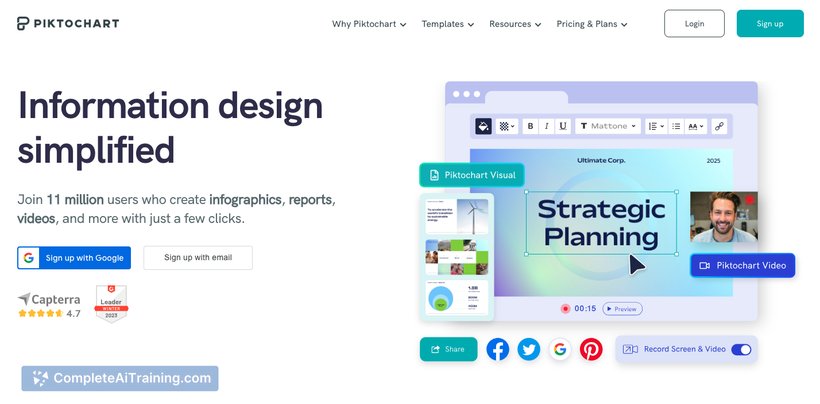
Piktochart AI is a tool designed to simplify the creation of visual content through artificial intelligence. It assists users in generating infographics, presentations, and reports quickly by automating design suggestions and layout adjustments.
Review
Piktochart AI offers an accessible way for individuals and teams to produce visually appealing content without extensive design experience. The tool leverages AI to streamline the design process, making it easier to translate data and ideas into clear visual formats. It is particularly useful for those who need to create professional visuals efficiently.
Key Features
- AI-powered templates that adapt to content input for faster design creation
- Customizable infographic, presentation, and report templates
- Automated layout adjustments to maintain visual balance and readability
- Integration with data sources for dynamic chart and graph generation
- Export options in various formats including PNG, PDF, and interactive HTML
Pricing and Value
Piktochart AI offers multiple pricing tiers, including a free plan with limited access to templates and export options. Paid plans provide expanded template libraries, higher resolution exports, and advanced collaboration features. The pricing is competitive for the features offered, making it a good option for individuals, educators, and businesses seeking an affordable design assistant.
Pros
- User-friendly interface suitable for beginners and non-designers
- Time-saving AI features that reduce manual design effort
- Wide variety of professional templates covering different use cases
- Good export flexibility supporting multiple formats
- Collaboration tools available in higher-tier plans
Cons
- Some AI-generated layouts may require manual tweaking for optimal results
- Limited features on the free plan can restrict usage for more complex projects
- Occasional lag when handling very large files or complex designs
Piktochart AI is well-suited for educators, marketers, and small business owners who need to create engaging visual content without investing heavily in design software or skills. It works best for users looking for quick, clean designs with some degree of automation to speed up their workflow.
Open 'Piktochart AI' Website
Your membership also unlocks: