AI tool
Redlight Greenlight for Claude Code
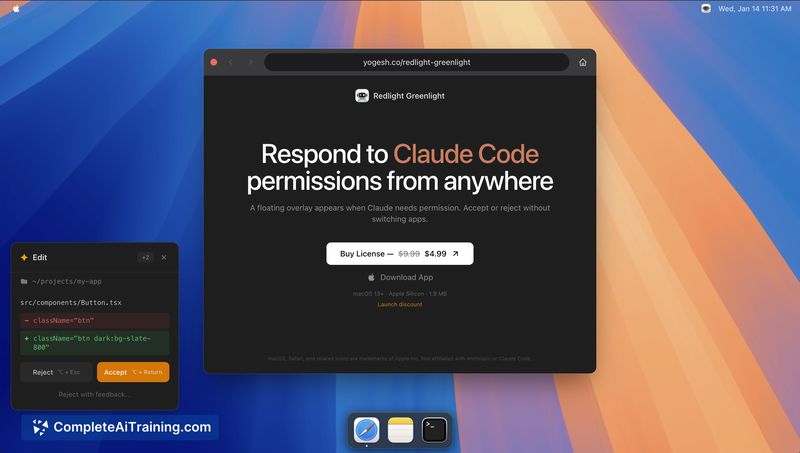
Redlight Greenlight for Claude Code provides an on-screen overlay showing Claude Code's requested shell command and directory. Accept, reject or dismiss with keyboard shortcuts, manage queued requests, and skip terminal context switches.

About Redlight Greenlight for Claude Code
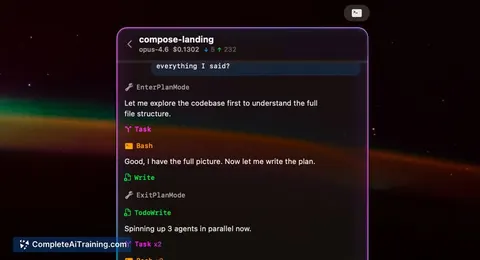
Redlight Greenlight for Claude Code is a native macOS menu bar app that surfaces Claude Code permission requests in a floating overlay so you can respond without switching to the terminal. It displays the exact command and working directory, supports queued requests, and can be positioned anywhere on the screen.
Review


This app targets a specific friction point for developers who use Claude Code: interrupted workflows caused by terminal permission prompts. By moving approvals into a lightweight overlay with keyboard shortcuts and queue handling, it reduces the number of context switches and speeds routine approvals.
Key Features
- Accept or reject Claude Code permission requests from anywhere on macOS via a floating overlay
- Keyboard shortcuts for quick responses (Opt+Return to accept, Opt+Esc to reject, Opt+D to dismiss)
- Visible details of each request: exact command and current working directory
- Support for multiple queued requests so approvals can be handled in order
- Movable overlay that can be kept anywhere on the screen to avoid blocking work
Pricing and Value
The product page indicates payment is required; exact pricing and billing model are listed on the product website. For users who frequently run Claude Code, the tool offers clear value by saving time and reducing interruptions, so it can pay for itself quickly in improved flow and fewer context switches.
Pros
- Reduces terminal context switches, which saves time during repeated approvals
- Fast keyboard-driven actions make approvals low-friction
- Covers important context (command and directory) so decisions can be made quickly
- Handles queued requests rather than forcing one-at-a-time interactions
- Lightweight menu bar approach keeps the app unobtrusive
Cons
- Requires payment and pricing details are not embedded in the listing
- macOS-only; not available for other operating systems
- Built specifically for Claude Code, so it has limited use outside that tool
Overall, this is a practical productivity utility for macOS developers who use Claude Code and want fewer interrupts from terminal permission prompts. It works best for people who approve commands frequently and prefer keyboard-driven workflows; it is less useful for occasional users or those on other platforms.
Jobs Redlight Greenlight for Claude Code suits
We checked Redlight Greenlight for Claude Code against 500+ jobs; these get the most out of it.
Alternatives to Redlight Greenlight for Claude Code
Other tools that do the same main job. Our AI compared Redlight Greenlight for Claude Code with similar tools and kept the ones you could use instead.