About RenameClick
RenameClick is an offline-first AI file renamer and organizer for Mac and Windows that analyzes file content locally (no uploads). It generates clean, descriptive filenames and can automatically sort files into folders using built-in presets or user-defined categories.
Review
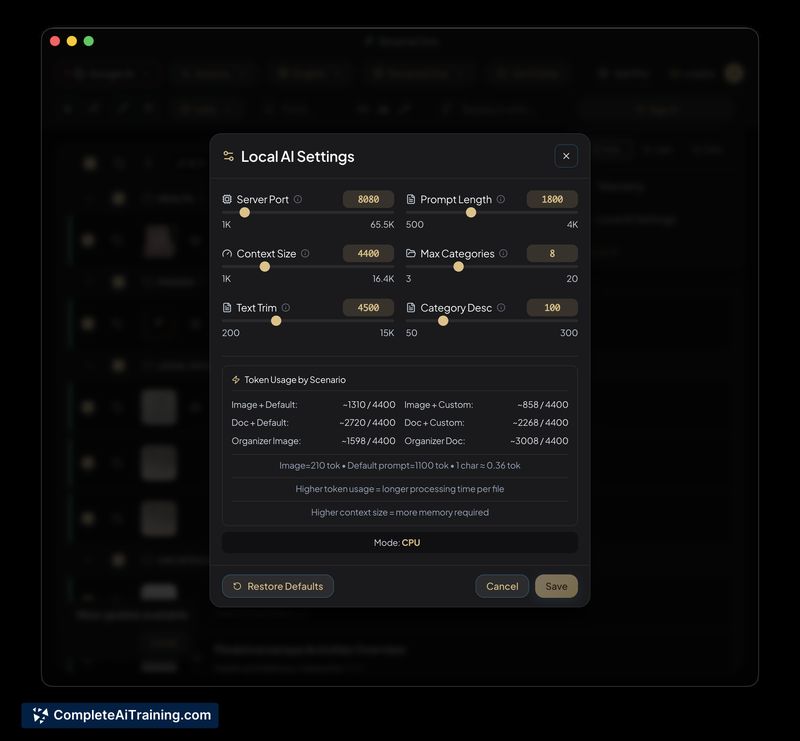
RenameClick focuses on privacy and desktop workflows by keeping content analysis on-device while offering optional connections to cloud or local LLMs (Ollama, LM Studio). It ships with two presets out of the box and expands flexibility with custom prompts, multilingual output, batch processing, and a preview/apply workflow.
Key Features
- Offline content analysis so files are processed locally with no uploads required.
- Automatic file organization into category folders using built-in and custom presets.
- Custom prompts and a non-LLM naming layer (filename format presets and metadata parsing such as EXIF).
- Batch processing with a preview step, transactional apply, and collision handling (incremental suffixes).
- Support for multilingual output and optional integrations with local or cloud models (Ollama, LM Studio, or cloud providers).
Pricing and Value
The product listing shows free options, though detailed paid tiers and limits are not specified on the page. Expect that optional cloud LLM usage or third-party services may introduce additional costs. The main value proposition is privacy-minded, customizable desktop renaming and organization for users who want local processing and flexible naming rules.
Pros
- Processes content locally by default, which helps protect sensitive files and keeps data off external servers.
- Flexible naming workflows: defaults for consistency plus custom prompts for specific extraction tasks.
- Integration options for local LLMs (Ollama, LM Studio) as well as cloud models if desired.
- Batch preview and transactional apply reduce the risk of accidental changes; collisions are handled automatically.
- Multilingual output and separate metadata parsing (EXIF/PDF metadata) increase accuracy for many file types.
Cons
- Large-scale runs (for example, tens of thousands of files) can expose performance and throughput limits during content extraction and may slow processing.
- Filename generation can be non-deterministic by nature of LLM outputs, so consistency may require lower temperature settings or additional review.
- No built-in exportable renaming manifest for reproducibility across runs, and the app is focused on desktop (no iOS version announced).
Overall, RenameClick is a solid option for Mac and Windows users who need privacy-preserving, AI-assisted renaming and organization of mixed file collections and who are comfortable iterating on presets or prompts for consistent results. It works best for desktop workflows and for teams or individuals willing to test presets and review previewed changes before applying them at scale.
Open 'RenameClick' Website
Your membership also unlocks: