AI tool
Scarlett.
Scarlett is an AI colleague that works alongside teams to handle daily tasks. It can also run company operations on autopilot for business owners.
About Scarlett.
Scarlett is an AI co-worker that operates inside Slack and iMessage. It handles tasks using multiple AI models, with an autopilot mode that can run company workflows on its own. The tool is built around the idea of acting as a team member rather than a standalone chatbot.
Review
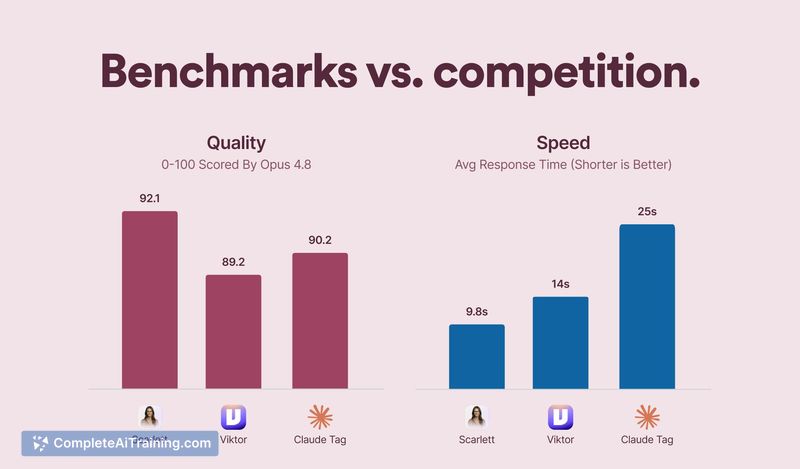
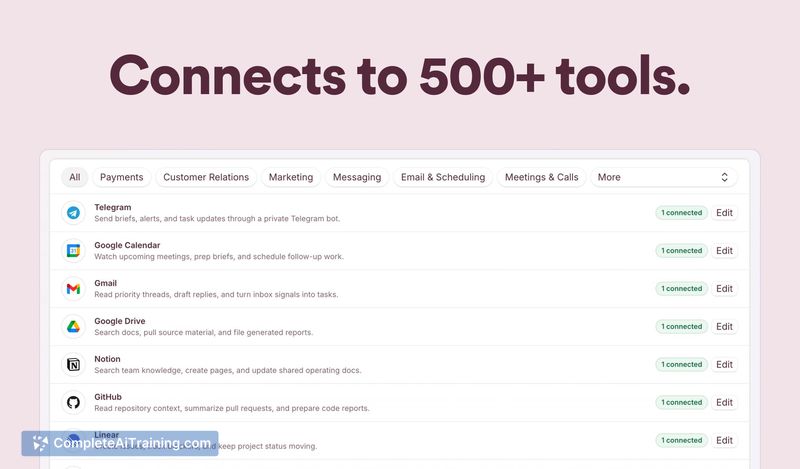
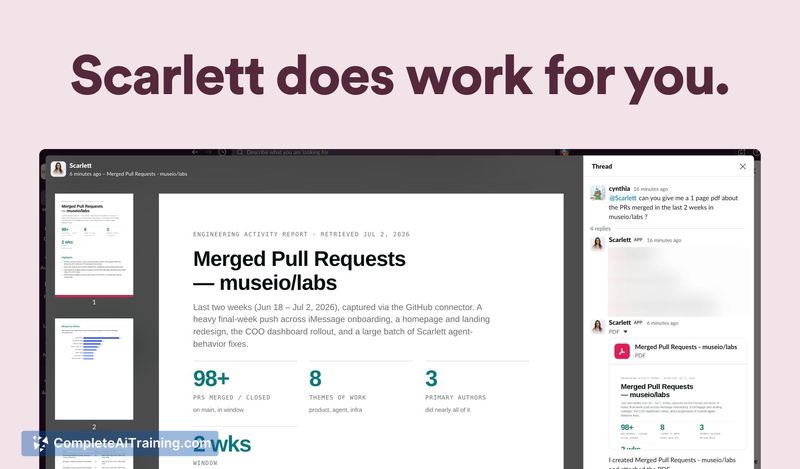

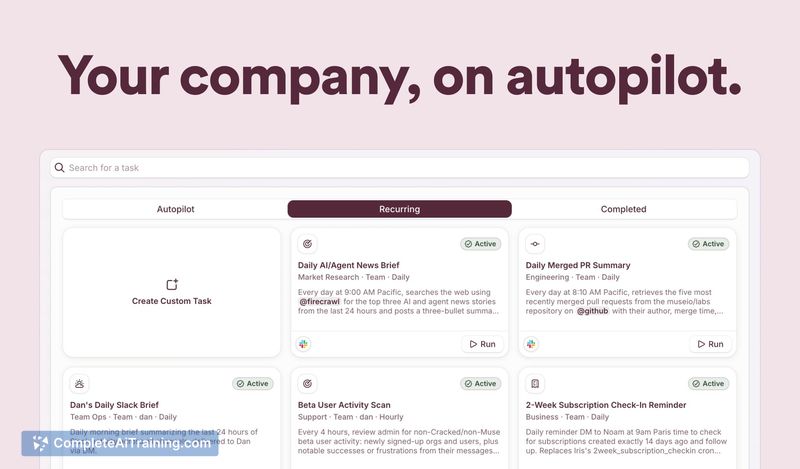
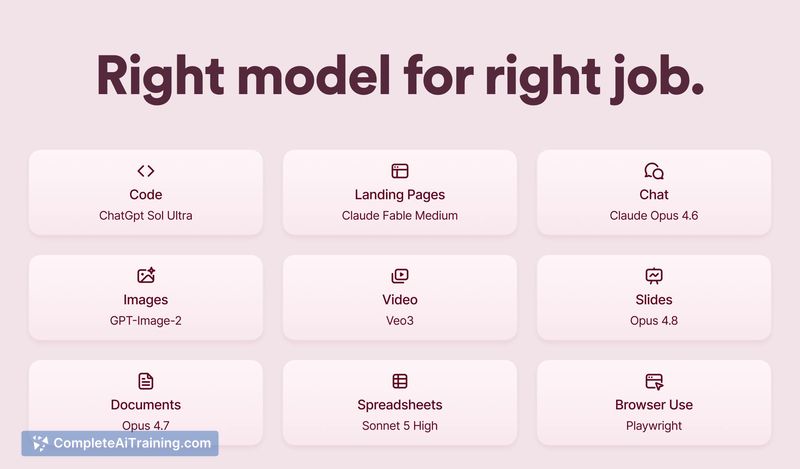
Scarlett integrates directly into messaging platforms where teams already communicate. The system routes different types of work-coding, design, chat-to specialized models, and it can take autonomous actions when autopilot is enabled. This review looks at what the tool does today, what's on the roadmap, and where it fits.
Key Features
- Autopilot mode. Trained on 50+ business and growth books, Scarlett can run marketing, support, and other workflows without being prompted. Autopilot asks for approval when it determines help is needed, and users can toggle it on or off and adjust its frequency.
- iMessage and Slack support. The tool works in both platforms, making it accessible for solopreneurs who don't use Slack.
- Shared API keys. Instead of requiring separate subscriptions for services like HeyGen or XAI, Scarlett lets users route through the developer's keys and passes along the cost.
- Multi-model routing. Users pick the right model for a given task-Opus for chat, Sol for coding, Fable for design-so less expensive models handle simpler jobs.
- Hybrid memory architecture. Conversation history and long-term facts are stored in SQL with lexical and vector search layered inside the same engine. A wiki-style compiled memory keeps entity-scoped facts without re-scanning raw messages.
Pricing and Value
The product page lists a "Free Options" tag, but specific pricing tiers or subscription details are not defined publicly. Scarlett's cost structure revolves around passing through third-party API charges when you use its shared keys. This consolidates billing for multiple AI and media services, removing the need to manage separate accounts and keys.
Pros
- Native Slack and iMessage integration cuts down on switching between apps and dedicated browser tabs.
- Multi-model routing prevents overpaying for high-end models on routine tasks.
- Autopilot can handle daily reports, customer triage, and social media posting without manual prompts.
- Shared keys and pass-through billing simplify access to external tools like video generation APIs.
- The SQL-based memory design keeps context retrieval fast and avoids the noise that pure vector search sometimes introduces.
Cons
- Role-based access control and permission management are limited, especially in iMessage threads where structured channel environments don't exist.
- Autopilot actions lack transparent execution logs, making it hard for team members to audit what the agent plans to do before it executes on external platforms.
- Not well suited for organizations that require granular compliance controls and detailed audit trails for autonomous agent behavior.
Scarlett fits solopreneurs and small teams who want an AI co-worker inside their messaging tools and are comfortable with a degree of autonomy. The iMessage option and shared key billing address friction points for founders who don't want to juggle multiple subscriptions. Teams with strict security and audit requirements will likely find the current access-control and logging capabilities insufficient.
Jobs Scarlett. suits
Useful in almost any job. We checked Scarlett. against 500+ jobs; these get the most out of it.
Alternatives to Scarlett.
Other tools that do the same main job. Our AI compared Scarlett. with similar tools and kept the ones you could use instead.