AI tool
Seamcult
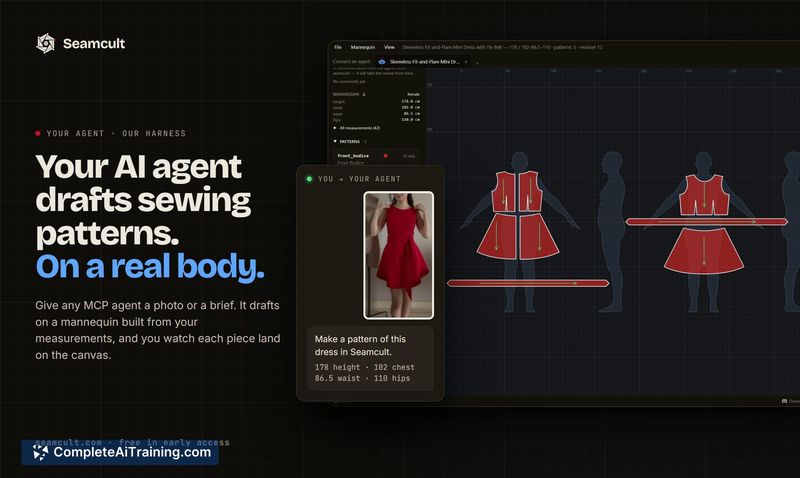
Seamcult lets your existing AI agent draft sewing patterns. You describe a garment, review the drawn pieces, and mark corrections directly on the design. It is for home sewists and designers who want printable or plotter-ready pattern files.
About Seamcult
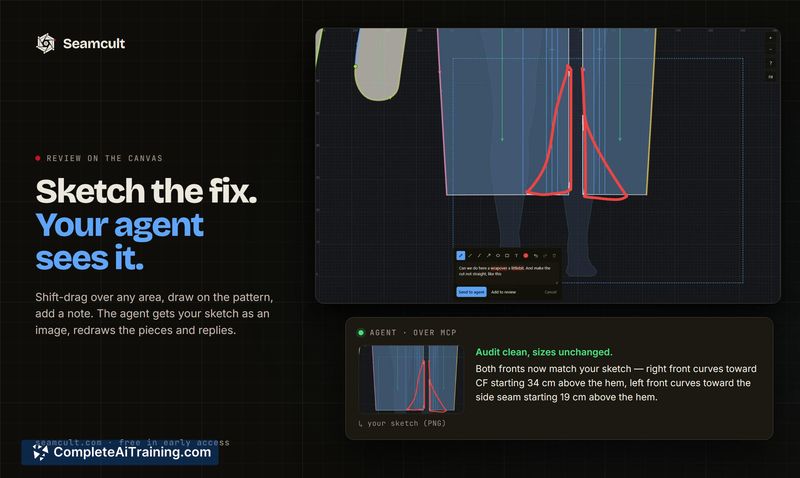
Seamcult is a pattern design tool that lets AI agents draft sewing patterns on a digital mannequin. Users connect an MCP agent - Claude, ChatGPT, Gemini, or Mistral - and can supply a photo, a paper pattern, or a text brief. The tool audits the geometry of the draft so the agent works from measured facts, and users can sketch corrections directly on the canvas.
Review
Seamcult approaches pattern making by pairing an external AI agent with a dedicated drafting canvas. The product is in early access and has no built-in chat - it relies on the user's existing MCP-compatible assistant. This separation means the tool focuses on geometry auditing and visual editing rather than conversation management.
Key Features
- MCP agent integration with Claude, ChatGPT, Gemini, and Mistral for drafting patterns from photos, paper patterns, or briefs.
- A digital mannequin that adapts to the user's own measurements for on-screen drafting.
- Canvas-based sketch input: circle an area and the agent receives the sketch as an image for corrections.
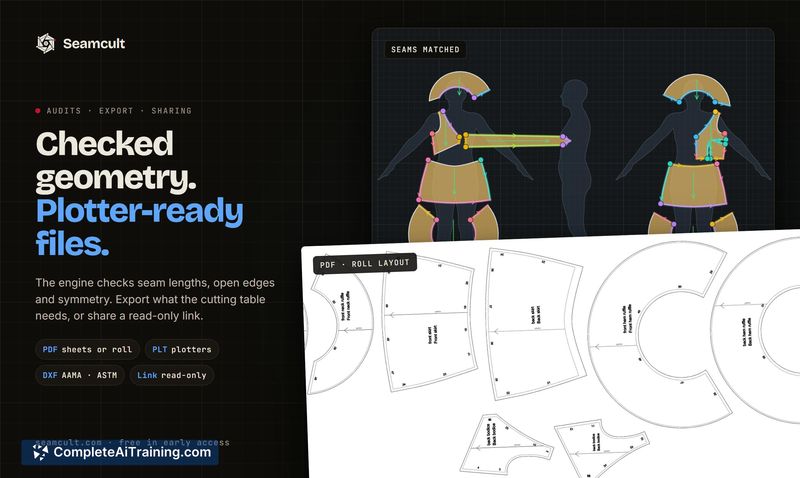
- Geometry auditing that supplies the agent with factual measurements rather than estimated guesses.
- Export options include A4 home printing, PLT, DXF, and read-only share links.
Pricing and Value
Seamcult is free during its early access period, with no credit card required. The makers state that avoiding a built-in chat layer also avoids charging users for a second layer of AI usage through a proprietary interface. Pricing beyond the early access phase has not yet been defined.
Pros
- Works with the AI assistant and model the user already has, preserving conversation history and preferences.
- Geometry auditing grounds the agent's output in measurements, reducing guesswork in pattern dimensions.
- Direct sketch-on-canvas input gives a fast way to communicate visual changes without text descriptions.
- Multiple export formats support both home printing and professional plotting workflows.
Cons
- Requires a separate MCP-compatible agent and its associated account; there is no standalone chat interface.
- The tool depends on the capabilities of the connected model, so output quality varies with the user's chosen agent.
- Not well suited for users who want an all-in-one drafting and AI chat experience inside a single application.
Seamcult fits users who already work with an MCP agent and want to extend that assistant into pattern drafting with measurement-backed geometry. It's a practical option for home sewists comfortable with AI tools, as well as small designers who need quick drafts and visual corrections without switching between separate design and communication apps. Those who prefer a contained, single-interface experience will find the agent-connection requirement a shift in workflow.