AI tool
SlimSnap
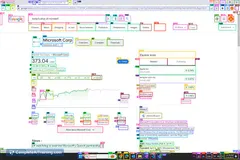
SlimSnap converts screenshots into structured JSON specs for AI coding tools to parse screen elements accurately. This helps developers avoid raw pixel guessing by providing exact coordinates and OCR text.
About SlimSnap
SlimSnap is a free Mac application built with Tauri that converts annotated screenshots into structured JSON for AI coding assistants. It addresses the issue of AI models misidentifying UI elements by attaching unique IDs, bounding box coordinates, OCR text, and target references to screen elements. The tool runs entirely on-device and ships with an open-source schema and a specific skill for Claude Code.
Review
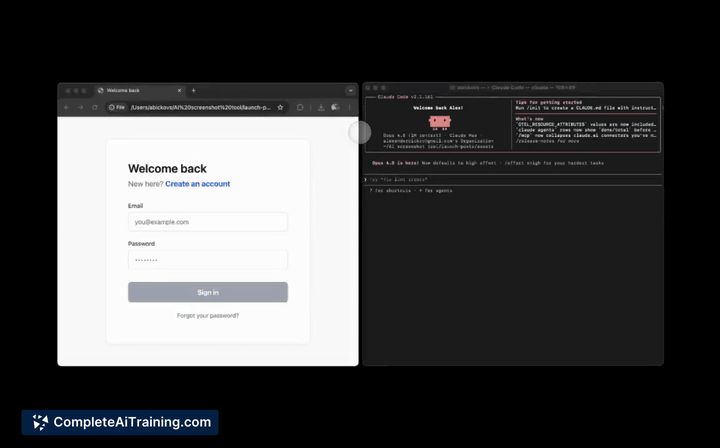
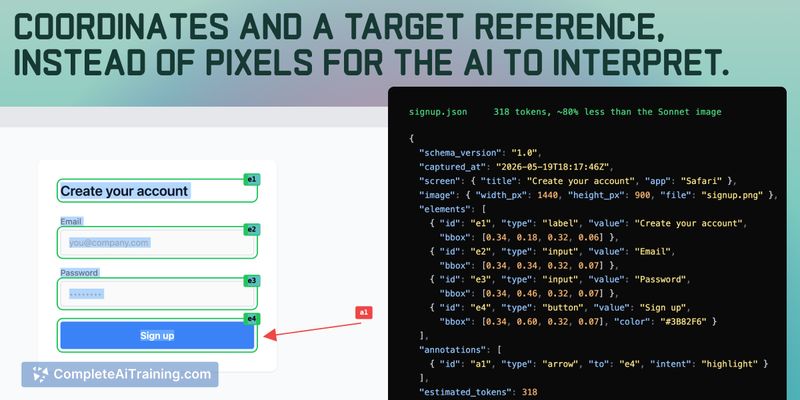

AI coding assistants frequently misinterpret raw pixel data from screenshots, leading to unwanted changes in the wrong UI components. SlimSnap intercepts this process by generating a machine-readable specification that explicitly identifies the user's intended target. This approach reduces token usage and grounds the AI's modifications in concrete data rather than visual guesses.
Key Features
- Structured JSON Output: Generates element specifications containing unique IDs, bounding box coordinates, OCR text, and color values.
- Target Reference: Allows users to draw arrows on screenshots, which the application translates into a precise target_ref field for the AI to follow.
- Claude Code Integration: Includes a bundled, open-source MIT skill that automatically loads the latest JSON capture into the agent without manual pasting.
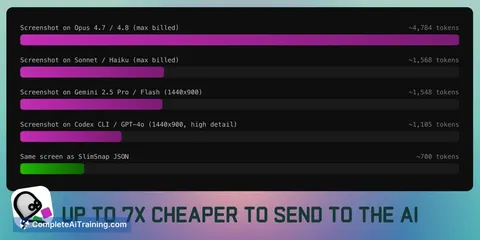
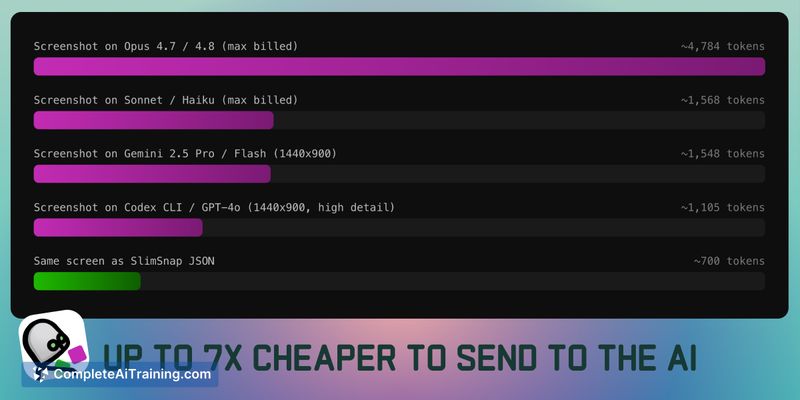
- Token Reduction: Compresses visual data to approximately 700 tokens, compared to 1,568 raw tokens for standard screenshot processing on Sonnet.
Pricing and Value
The Mac application is free to download and runs entirely on-device. The underlying JSON schema and the Claude Code skill are both released under an open MIT license. Users save API costs by sending structured text instead of raw image data to AI models.
Pros
- Reduces AI misidentification by assigning unique identifiers to visually similar UI elements.
- Lowers API costs through a significantly smaller token footprint per request.
- Automates the data transfer process for Claude Code users via a dedicated skill.
Cons
- Manual copying and pasting is required when using tools like Cursor or claude.ai, as the auto-loader currently supports only Claude Code.
- The application struggles to disambiguate identical floating elements that lack a surrounding container or distinguishing text.
- Windows users are not well suited for this tool, as the developer confirmed a Windows port is not in the short-term roadmap.
SlimSnap serves developers who regularly prompt AI assistants to fix specific UI bugs shown in screenshots. It works best on complex layouts where multiple overlapping components require precise identification. While teams using Claude Code experience a direct workflow, users of other environments must accept a manual paste step.
Jobs SlimSnap suits
We checked SlimSnap against 500+ jobs; these get the most out of it.
Alternatives to SlimSnap
Other tools that do the same main job. Our AI compared SlimSnap with similar tools and kept the ones you could use instead.