About StreamAlive
StreamAlive is an add-in that brings interactive elements-polls, word clouds, interactive maps, quizzes and spinner wheels-directly into PowerPoint slides. Audience members participate using the meeting chat (Teams, Zoom, Google Meet), and the tool's AI can scan slides and suggest appropriate interactions. It requires PowerPoint v16.100 or later.
Review
StreamAlive focuses on making live presentations more participatory by keeping interactions inside the presenter's existing PowerPoint workflow. Instead of asking attendees to use a separate app or QR code, participants type responses in the meeting chat and StreamAlive visualizes those responses on the slide. The result is a lower-friction experience for attendees and a streamlined flow for presenters who rely on PowerPoint.
Key Features
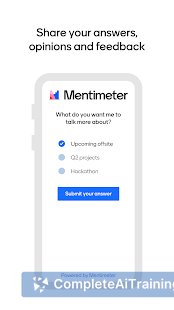
- Chat-powered interactions: audience votes and inputs via the meeting chat (no second screen required).
- In-slide widgets: polls, word clouds, interactive maps, quizzes and spinner wheels embed inside PowerPoint slides.
- AI-driven suggestions: the AI reads slides and recommends interactions that fit the content and flow.
- Cross-platform compatibility: works with Teams, Zoom, Google Meet and in-person presentations when using PowerPoint.
- Session analytics: basic analytics per session with plans to expand cross-session insights.
Pricing and Value
StreamAlive offers a free option to try core features; additional functionality such as team analytics, expanded interaction types and broader deployment is available through paid plans. For presenters who already use PowerPoint heavily, the free tier is a low-risk way to evaluate the tool, while paid tiers are likely the best fit for organizations that want centralized reporting and advanced controls. Check the product website for current plan details and limits.
Pros
- Reduces attendee friction by keeping voting and input inside the meeting chat.
- Integrates directly into existing PowerPoint decks, so presenters don't have to switch tools mid-session.
- AI suggestions can speed up preparation by recommending where interactions make sense.
- Works across common meeting platforms and supports both virtual and live events.
- Free option lets small teams or individual presenters test the core experience.
Cons
- Requires PowerPoint v16.100 or later, so it won't work for presenters who rely on older PowerPoint versions or platforms without embed support.
- Some presenters and attendees may need a short onboarding period to adopt the chat-based interaction model.
- Advanced analytics and enterprise features likely sit behind paid plans, which may be a consideration for larger teams.
StreamAlive is best suited for educators, team leads, event hosts and trainers who present primarily with PowerPoint and want simple, low-friction audience participation. It's a practical choice for anyone who wants to add live interactions without forcing attendees onto a separate app or voting platform. For organizations that need cross-session analytics or broader integrations, evaluate the paid plans after testing the free tier.
Open 'StreamAlive' Website
Your membership also unlocks: