AI tool
SurgePix
SurgePix is a design tool that lets you edit AI-generated images directly instead of starting over. It is built for marketers and designers who need to tweak visuals and keep them on-brand across presentations and decks.

About SurgePix
SurgePix is an AI visual tool that moves beyond one-shot image generation. It lets users edit individual layers within a generated or uploaded image, repaint specific regions, extract and retype text, and apply a brand kit across multiple visuals. The tool also ships with open-source agent skills so that developer tools like Claude Code and Cursor can generate and edit visuals directly from a terminal.
Review

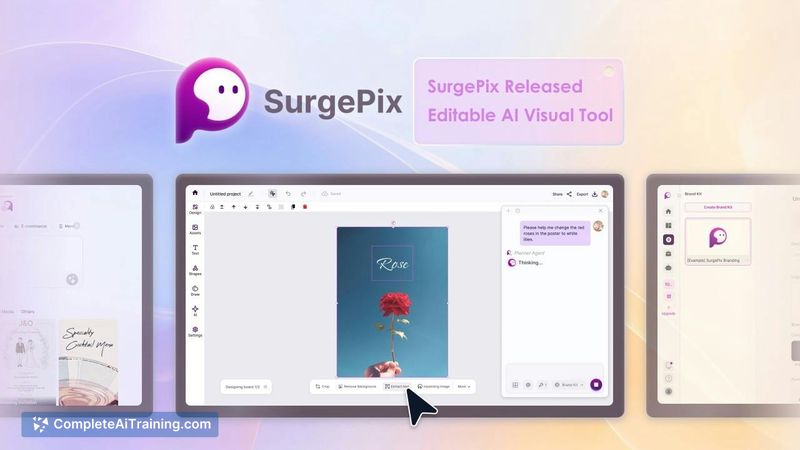




SurgePix launched this week and positions itself as an answer to a common workflow gap: most AI image tools produce a single output, but editing that output usually means starting over. The makers built the tool around the idea that you shouldn't have to regenerate an entire deck or graphic just to fix a headline or swap a chart. It's a practical premise, and the feature set reflects it - though the tool is still early and shipping updates fast.
Key Features
- Layer-based editing: Splits a flat image into editable layers so you can modify individual elements without regenerating the whole visual.
- Inpainting brush: Circle any area of an image to repaint or refine it. The maker notes this works without needing a detailed prompt.
- Text extraction and editing: Pulls text off an image and lets you retype it in a format the maker compares to editing in Google Slides. The text stays in a .tff format rather than becoming rasterized.
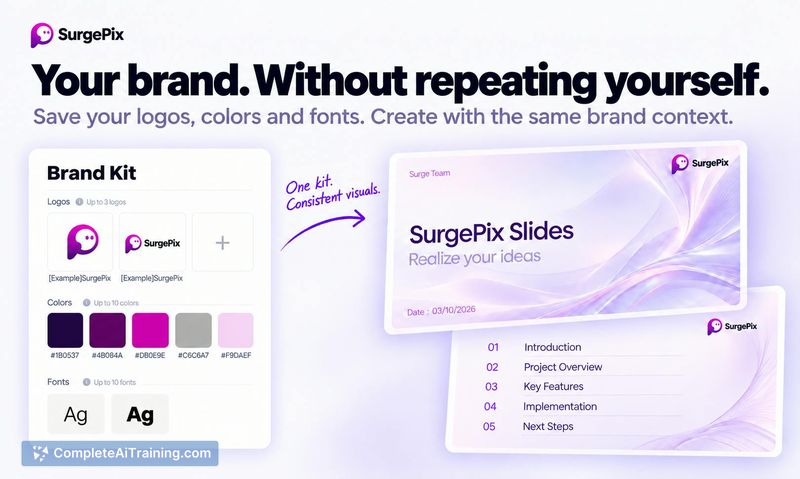
- Brand kit: Upload brand assets once, and subsequent outputs stay aligned with those brand elements. The brand kit carries across both slides and standalone images.
- Open-source agent skills: Ships as callable skills for Claude Code, Cursor, and other AI agents. Developers can generate and edit visuals from a terminal without opening a browser.
Pricing and Value
SurgePix is available with a free tier, though the exact limits of that tier aren't specified in the launch material. Credits are consumed only for image generation. Splitting an image or presentation into layers, extracting text, and other editing operations don't cost extra credits - those processes run on SurgePix's own technique. A specific per-credit cost or subscription model beyond the free option is not yet defined in the available information.
Pros
- Lets you edit specific regions or layers of a visual instead of regenerating from scratch.
- Layer splitting and text extraction don't consume any generation credits.
- Works with both AI-generated images and user-uploaded files.
- Brand kit applies consistently across slides and standalone images.
- Agent skills are open-source, so developers can wire visuals directly into their existing coding workflows.
Cons
- The tool is very new - launched this week - so documentation, community support, and long-term stability aren't yet established.
- Editing happens inside a canvas referred to as "Canva," which may cause confusion with the unrelated design platform of the same name.
- Not well suited for users who only need quick one-shot image generation and don't require iterative editing or brand consistency features.
SurgePix fits teams and solo creators who regularly produce branded visual sets - presentation decks, app store screenshots, marketing graphics - and need to make granular edits without rebuilding everything. Developers who want to automate visual generation through agent-based workflows may find the open-source skills useful. It's less relevant for someone who generates a single image, downloads it, and moves on.