AI tool
Ulika
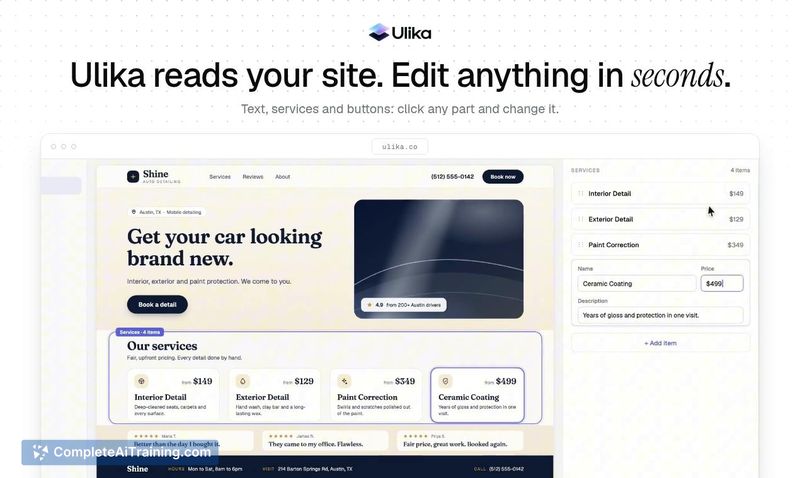
Ulika is a visual editor that lets teams edit copy and images on React, Vite, or Next.js sites directly in the browser. It connects to GitHub and Vercel so non-developers can publish changes without opening the repository.
About Ulika
Ulika is a visual editor for websites built with AI coding tools like Claude Code, Cursor, or Codex. It connects to a project's GitHub repository and Vercel deployment, then lets team members edit on-page copy and images without touching the underlying code. The tool is currently in open beta and free to try.
Review
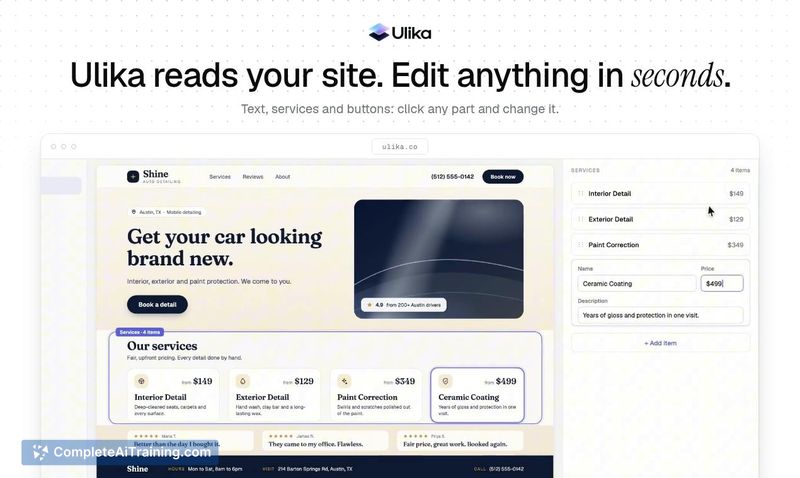
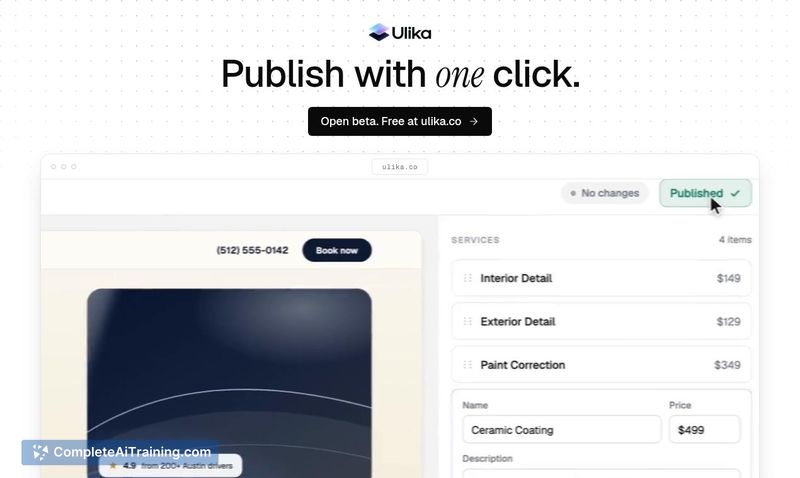
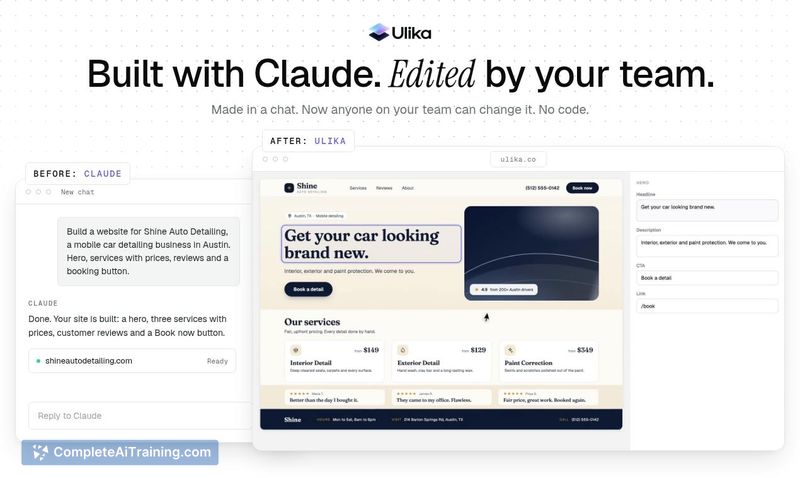
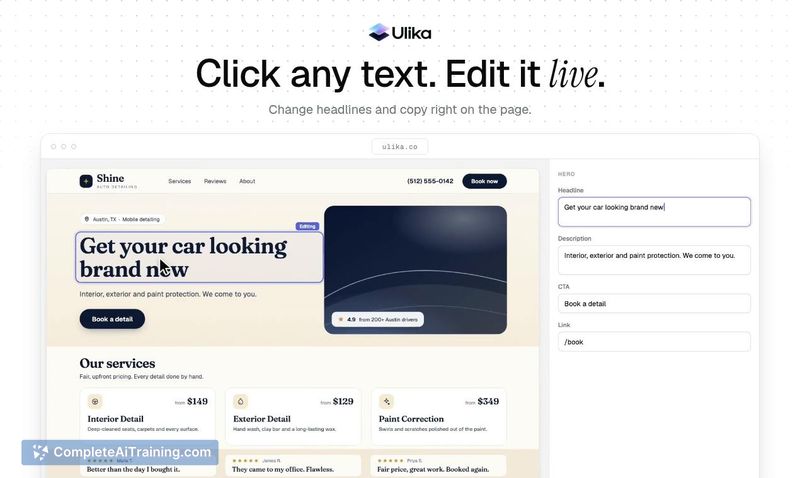
Ulika addresses a specific friction point that emerges right after an AI agent ships a React, Vite, or Next.js site. The site is live, but any copy tweak or image swap still requires someone to open the repo and make a code change. Ulika gives non-developers a direct editing surface for those content updates, and it commits changes back to the repo as a normal pull request so the next AI coding session stays in sync.
Key Features
- On-page visual editing for copy and images. A teammate clicks on text or an image directly in the rendered site, edits it, and publishes the change.
- Git-native publishing that writes edits as a regular commit on a branch with a pull request. The commit includes a "Published-by" line identifying who made the change.
- Repeating item management for components like cards, testimonials, or FAQ entries. Users can add, edit, remove, or reorder these items when the site structure supports it.
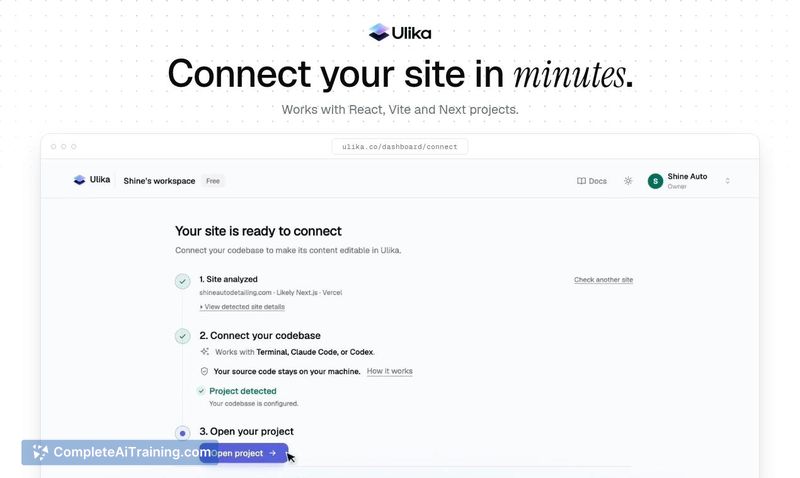
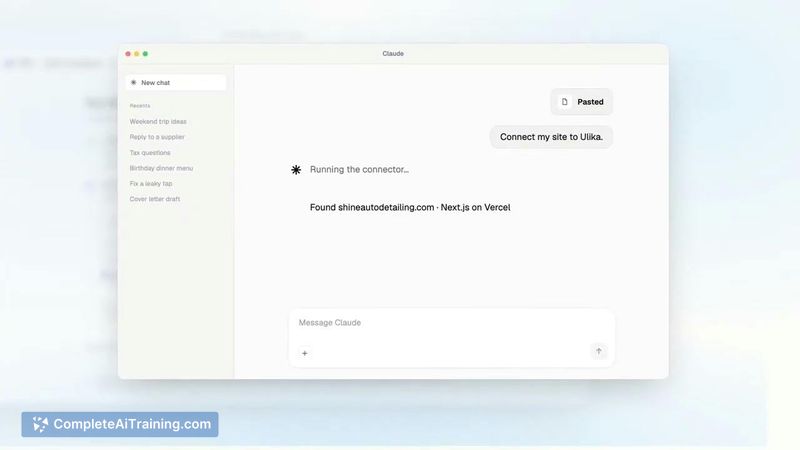
- GitHub + Vercel integration that auto-detects the project setup during connection. Ulika reads the current files directly, so edits don't live in a separate database invisible to AI agents.
Pricing and Value
Ulika is in open beta and currently free to use. The maker has not announced pricing tiers, subscription models, or a timeline for when the free period ends. For teams already shipping AI-generated sites and fielding content change tickets, the tool removes a recurring bottleneck at no cost during this phase.
Pros
- Edits land as standard git commits with pull requests, so the repo's history and the AI agent's next session both reflect the latest content.
- No CMS migration or database layer is required; the tool works with the existing GitHub and Vercel setup.
- Team members who don't code can update copy and images without filing a developer ticket.
- The connection process is reported by early users to be quick, taking less time than expected.
- Reordering and adding repeating items like testimonials works directly from the visual interface.
Cons
- Moving whole sections around on a page is not supported. Each section maps to a component in code, so layout changes still require a developer or an AI agent session.
- Onboarding may have rough edges; the maker notes they are still smoothing the initial connection experience, and some users could hit confusing steps.
- Ulika is not well suited for teams that need full layout redesign capabilities or a traditional CMS with content modeling, media libraries, and draft workflows.
Ulika fits teams where an AI agent ships the initial site quickly, but ongoing content edits keep pulling a developer back to the repo. It's most practical for marketing sites and landing pages built with React, Vite, or Next.js where the main post-launch changes are headlines, body copy, and image swaps. Teams that need to reposition entire page sections or manage complex content structures will still need to work in code.