About Velo
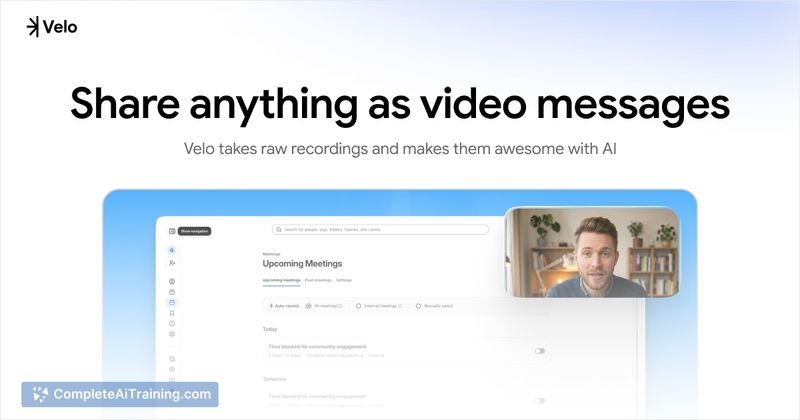
Velo is an AI-powered tool that converts raw screen recordings, uploaded videos, links, and slide decks into polished, ready-to-share video messages. It combines automated script refinement, voiceover enhancement, and visual editing to produce a first-cut video quickly.
Review
Velo targets a common friction: turning an informal or rough recording into something people will actually watch. The service generates an automated edit and enhanced voiceover, then exposes an editor for fine-tuning so you can iterate rather than starting from scratch.
Key Features
- Multiple input methods: record your screen, upload recordings or files, paste a live URL for automatic browser capture, or import slides and images.
- Script and voiceover automation: transcribes audio, rewrites and tightens scripts, and generates synced, enhanced voiceovers you can adjust.
- Auto-editing and smart effects: uses voice activity detection and intent signals to cut and arrange footage, with auto zooms, callouts, cursor highlights, and spotlights.
- Brand and presentation tools: brand kit for colors, logos and intros, background swap, music, intro cards, and public avatars (free tier offers a limited set of avatars).
- Export and sharing: generate shareable links or download final files for distribution.
Pricing and Value
Velo offers a free tier with basic functionality and a limited set of public avatars. Paid plans (such as Pro and Ultra) add advanced features like more customization, higher-quality exports, and expanded avatar or language options; there is a promotional discount available for the first month on higher tiers. For teams and creators who frequently produce demos, walkthroughs, or course modules, Velo can reduce the time spent juggling multiple tools by producing a solid first draft that you can quickly refine.
Pros
- Speeds up the path from raw recording to a shareable video, saving time compared with a multi-tool workflow.
- Multiple ways to create content (screen, upload, URL, slides) suit a range of use cases.
- Automated script rewriting and synced voiceovers improve clarity and pacing without manual re-recording.
- Built-in brand kit and editor let you apply consistent styling and make detailed adjustments after the automated pass.
Cons
- AI-driven rewrites and polish can sometimes reduce the spontaneous, human feel of a recording; manual edits may be needed to preserve tone.
- As a newly launched product, some features such as avatar variety and multilingual support are still expanding and may be limited for some users.
- Uploading sensitive recordings requires attention to privacy and data handling policies before use.
Overall, Velo is well suited for founders creating product demos, teams producing async updates, educators building course videos, and support staff making walkthroughs. It is most valuable for users who want a fast, automated first cut with the option to refine the final output in an integrated editor.
Open 'Velo' Website
Your membership also unlocks: