About Whisper Snapper for Mac
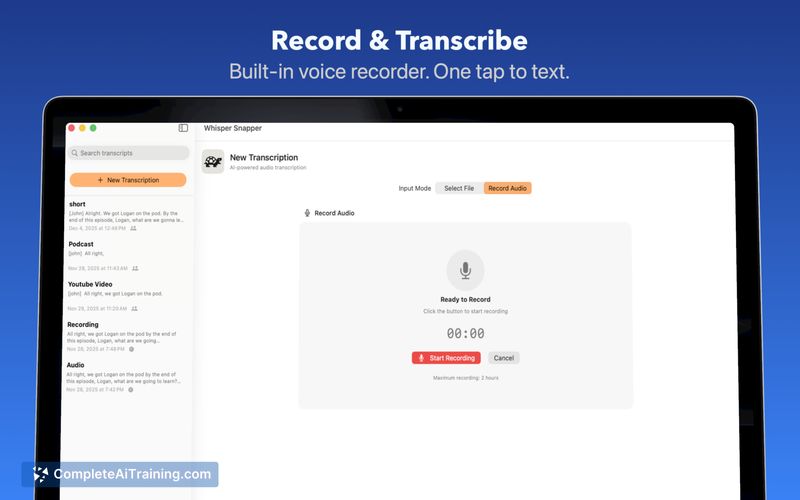
Whisper Snapper for Mac is a transcription application that runs on macOS and offers both local and cloud-based processing options. It creates speaker-labeled transcripts with timestamps and supports multiple export formats for video and audio workflows.
Review
This app focuses on making transcription flexible and accessible for Mac users by letting you choose between offline processing and cloud-based models using your own API keys. The interface is straightforward, and the feature set targets common needs like speaker identification, timecoded output, and easy exports for editors and note-takers.
Key Features
- Local offline transcription so audio can be processed entirely on your Mac for greater privacy.
- Option to use cloud models with your own API keys for faster or more advanced model choices.
- Speaker labels and timestamps (speaker diarization) to separate participants and mark moments in the recording.
- Export to common formats such as SRT/VTT for video, Markdown for notes, and PDF for sharing.
- Permanent free tier plus an optional one-time Pro upgrade for additional features.
Pricing and Value
The product offers a generous free tier that remains available indefinitely, and a one-time Pro upgrade priced at $9.99. That one-time fee is attractive compared with subscription-based transcription tools, and it provides a clear value proposition for regular users who want the extra features without ongoing costs. Be aware that using cloud-hosted models requires your own API keys and may lead to separate usage charges from the cloud provider you choose.
Pros
- Flexible workflow: choose between local processing for privacy or cloud for speed and model updates.
- Useful export options for editors and content creators (SRT/VTT, Markdown, PDF, etc.).
- Speaker labeling and timestamps are included, which simplifies post-production and note-taking.
- One-time Pro purchase is budget-friendly for frequent transcribers.
Cons
- Mac-only app, so users on other platforms cannot use it directly.
- Local performance and speed vary with your Mac's hardware; older machines may run slower.
- Cloud mode requires setup of your own API keys and may incur additional costs beyond the app payment.
Overall, Whisper Snapper for Mac is well suited to podcasters, video editors, reporters, and researchers who use Macs and want control over privacy and processing. It fits users who prefer a simple, affordable transcription tool with clear export options and the flexibility to run locally or via cloud services.
Open 'Whisper Snapper for Mac' Website
Your membership also unlocks: