About X-Pilot
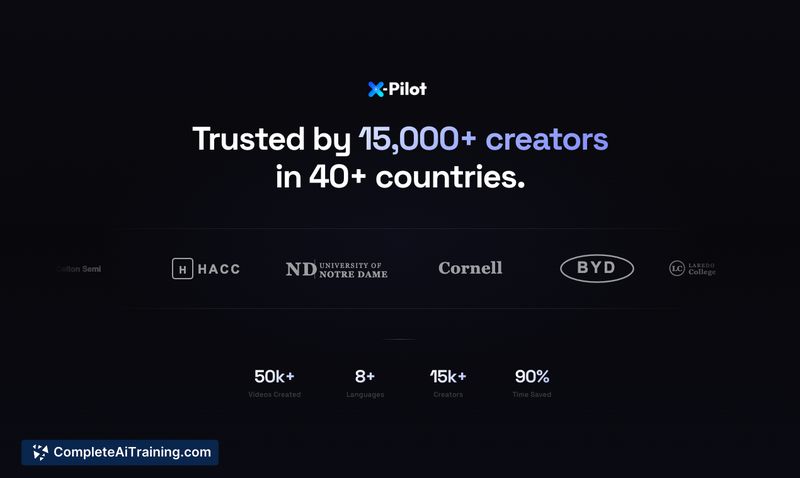
X-Pilot converts documents into multi-module video courses, focusing on faithful visual reproduction of formulas, diagrams, charts, and code. It uses programmatic rendering in isolated sandboxes to ensure visuals match the source material rather than relying on generative image synthesis.
Review
X-Pilot targets educators, trainers, and subject-matter experts who need accurate, publishable video lessons from existing documents. The product streamlines course creation by turning PDFs, PPTs, and markdown into a structured timeline you can refine through plain-language edits.
Key Features
- Programmatic rendering of visuals in isolated sandboxes to keep charts, formulas, and code consistent and accurate.
- Automatic conversion of documents into multi-module courses with a syllabus and learning objectives.
- Natural-language editing so creators can request changes to tone, pacing, or specific segments without timeline dragging.
- Multilingual output and expressive text-to-speech / voice cloning for narration across many languages.
- Component-based treatment of charts and diagrams to avoid drifting or visual artifacts across frames.
Pricing and Value
The product offers a free-to-start option (no credit card required) and a modest free tier for quick testing. Paid plans are available for creators and teams who need more minutes, higher-resolution exports, or broader usage. The main value proposition is time saved converting technical documents into accurate, publish-ready video lessons and reducing manual fixes typically required by generative video tools.
Pros
- High fidelity: visuals reflect source content precisely, which is essential for technical or educational material.
- Fast iteration: plain-language feedback speeds up revisions compared with manual timeline editing.
- Good for technical content: formulas, code, and charts are handled as structured elements rather than blurry imagery.
- Supports multilingual output and natural-sounding narration across a wide set of languages.
- Free entry point makes it easy to evaluate real workflow without a credit card.
Cons
- Free tier limits (short monthly minutes) can be too small for regular course production.
- Very ambiguous or poorly-structured source documents may still require manual clarification or rewriting.
- Creators who want highly stylized generative visuals or avatar-driven talking heads may find the focus on deterministic visuals less aligned with their needs.
Overall, X-Pilot is best suited for educators, trainers, and technical authors who prioritize accuracy and efficient course production. It works well for converting lectures, tutorials, and documentation into publish-ready videos quickly; teams producing large volumes of content should plan for a paid tier to cover higher export needs.
Open 'X-Pilot' Website
Your membership also unlocks: