About Youtube To PPT
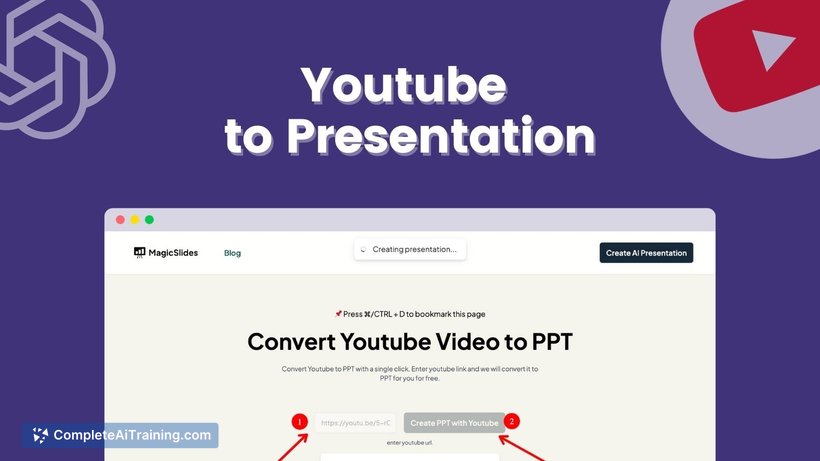
Youtube To PPT is an AI-powered tool that converts YouTube video content into presentation slides. By simply entering a YouTube video URL, users can quickly generate a structured PowerPoint presentation based on the video's information, saving time on manual content creation.
Review
Youtube To PPT offers a straightforward way to transform video content into slide decks, which can be particularly useful for educators, students, and professionals looking to repurpose video material. The tool leverages AI to extract key points and organizes them into a visually coherent presentation format.
Key Features
- Generate PowerPoint presentations directly from YouTube video URLs.
- AI-driven content extraction to highlight important information from videos.
- Simple and user-friendly interface requiring minimal input.
- Supports creation of educational and assignment presentations efficiently.
- Free tier available with limited monthly presentations, with paid plans for extended use.
Pricing and Value
The tool offers a free tier that allows users to create up to three presentations per month, making it accessible for occasional users like students or casual educators. For those requiring more frequent use, paid subscription plans are available through the associated MagicSlides platform. Considering the time saved in presentation preparation, the pricing provides reasonable value for educators and professionals who work with video content regularly.
Pros
- Quick and easy conversion of video content into slides.
- Helpful for teachers and students needing structured presentations.
- Free usage option with a generous number of presentations per month.
- Reduces manual effort in creating presentation content.
- Supports a variety of topics covered in YouTube videos.
Cons
- Output quality can vary depending on the video content complexity.
- Lack of extensive customization options within the generated presentations.
- Limited examples available on the landing page to preview results before use.
Overall, Youtube To PPT is well-suited for educators, students, and professionals who want a quick start on creating presentations from existing video content. It is ideal for those who prioritize speed and convenience over deep customization, especially when working with educational or explanatory videos from YouTube.
Open 'Youtube To PPT' Website
Your membership also unlocks: