
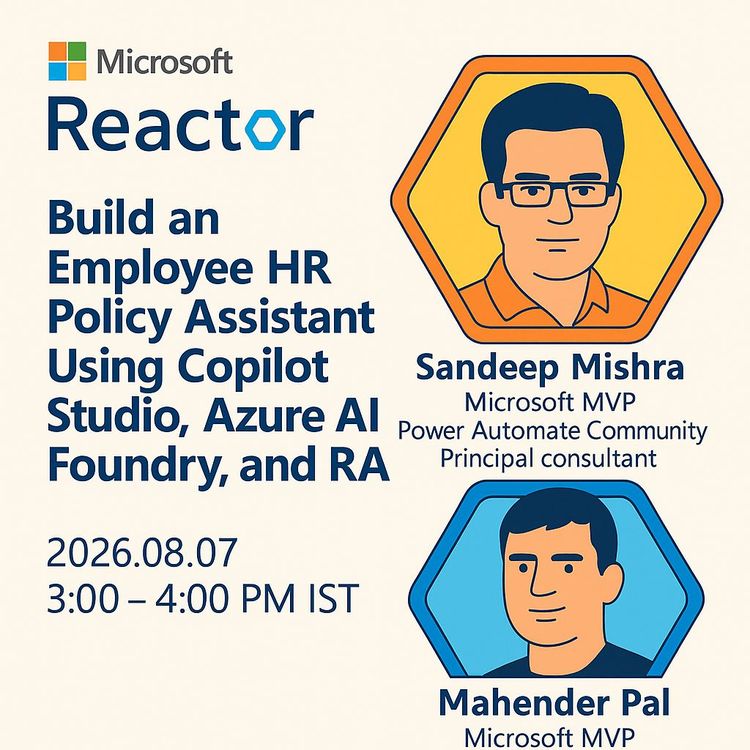
Build an HR Policy Assistant with Azure AI Foundry and RAG (Video Course)
Tired of answering the same HR questions? Build an assistant that pulls accurate answers straight from your policy docs. Using Copilot Studio, Azure AI Foundry, and RAG, you'll create a 24/7 employee resource that actually works.
Related Certification: Certification in Building RAG-Powered HR Policy Assistants with Azure AI
Also includes Access to All:
What You Will Learn
- Build a retrieval-augmented HR assistant with Azure AI Foundry
- Index and retrieve HR policies using Azure AI Search
- Configure Foundry IQ for permission-aware knowledge retrieval
- Deploy and orchestrate agents in Microsoft Copilot Studio
- Manage roles, permissions, and troubleshoot cross-platform integration
Study Guide
Alright, let's dive into this. This isn't just another tech tutorial. This is about solving a real, everyday pain point that exists in every single organization on the planet. We're going to build a system that answers the questions you're tired of answering, finds the policies that are buried in folders, and gives your employees instant access to the information they need to do their jobs. We're going to get our hands dirty with the actual Microsoft stack,Azure AI Foundry, Copilot Studio, and the magic of Retrieval-Augmented Generation (RAG). This is going to be a deep dive, so let's get started.The Problem: Why HR Needs a 24/7 Assistant
Let's start with the fundamental issue. Every company, no matter its size, has an HR department that maintains a complex web of policies. We're talking about leave and vacation rules, sick leave procedures, work culture expectations, reporting hierarchies, travel allowance guidelines, and a whole host of other company-specific regulations. New employees get a briefing when they join, but life happens. They forget the specifics. They encounter a new situation. They need a quick answer. The traditional approach is to email or call HR. But what happens when the HR person is out of office, in a meeting, or just swamped with other work? The employee waits. Decisions get delayed. Friction builds. And the HR team? They spend a huge chunk of their time answering the same five questions over and over again. It's a massive bottleneck. This isn't just an inconvenience; it's an operational inefficiency. Think about the cost of that delay. An employee waiting to book a flight because they don't know the travel allowance. A manager unsure about the disciplinary process. These delays add up. The solution we're going to build is an intelligent HR Policy Assistant. This is an AI agent that employees can query directly, at any time, and get accurate, grounded answers pulled directly from your official policy documentation. It's not a chatbot that makes things up; it's a retrieval system that finds the truth in your own knowledge base and presents it in a conversational way. This is the core value proposition: instant answers, consistent responses, and a massive reduction in the burden on your HR staff.Deconstructing the Solution: The Four-Layered Architecture
This isn't a single tool. It's a symphony of four distinct Microsoft technologies, each playing a critical role. Understanding how they fit together is the first step to mastering this build. Think of it as an assembly line. You need a source of parts, a machine to assemble them, a quality control system, and a shipping department to get the final product to the customer. The four layers are: - **Agent Platform:** This is where the "brain" lives. We'll use **Azure AI Foundry** to create and manage the core AI agent. This is where we have granular control over the model, its instructions, and its logic. - **Knowledge Access:** This is the "librarian." **Foundry IQ** connects the agent to your organizational knowledge bases, understanding the query and retrieving the relevant data while respecting user permissions. - **Search & Indexing:** This is the "catalog." **Azure AI Search** takes your raw documents, indexes them, and provides a fast, accurate way to search and retrieve relevant chunks of information. - **Deployment & Orchestration:** This is the "front door." **Microsoft Copilot Studio** is where we publish the agent, make it available to users, and integrate it with other Microsoft 365 services. This modular approach is powerful. You can swap out components, scale them independently, and troubleshoot issues in isolation. Let's break down each layer in detail.Component 1: Azure AI Foundry , The Agent's Brain
Azure AI Foundry is Microsoft's platform for building, configuring, and managing AI agents. If you need deep technical control, this is your home base. It's not a low-code tool; it's a developer's playground. Here's what it gives you: - **Pre-trained AI Models:** You get access to powerful foundation models, like GPT-5, that you can deploy on demand. You don't need to train a model from scratch; you just pick the right one for the job. - **Fine-tuning Capabilities:** If the pre-trained models don't quite fit your needs, you can fine-tune them on your own data. This is for when you need the model to understand specific jargon, tones, or internal processes. - **Data Source Connectivity:** The agent is only as good as the data it can access. Foundry lets you connect to a huge variety of sources, including file systems, data warehouses, ERP systems, and more. This is how the agent gets its knowledge. - **Agent Construction Tools:** You can build agents that don't just answer questions, but perform multi-step processes. They can call APIs, trigger workflows, and interact with other systems. - **Document Handling:** The agent can even generate or process documents as part of its response. **The Key Differentiator:** The main reason to choose Azure AI Foundry is **control**. You control the model, the logic, and the data connections. This is in contrast to Copilot Studio, which we'll get to, that prioritizes ease of use and Power Platform integration over deep technical control. **Example:** Imagine you need an agent that not only answers "What is my travel allowance?" but also initiates a pre-approval workflow by creating a task in a project management system. That complex, multi-step logic is where Foundry shines. You can code the agent to handle this orchestration. **Example:** If you're in a highly regulated industry and need to ensure your AI model's responses are consistent and auditable, you might want to fine-tune a model on your specific policy documents. Foundry gives you that capability.Component 2: Foundry IQ , The Knowledge Librarian
Foundry IQ is the layer that bridges the gap between the agent's intelligence and your organization's data. It's the "knowledge retrieval" engine. It's not just about searching; it's about smart, permission-aware retrieval. Here's what Foundry IQ does for you: - **Connects to Knowledge Bases:** It can connect to a wide variety of sources, like SharePoint sites, Azure Blob Storage, databases, and, crucially for us, Azure AI Search indexes. - **Extracts Relevant Data:** When a user asks a question, Foundry IQ goes into the connected sources and extracts the data that is most relevant to the query. It doesn't just do a keyword match; it understands the semantics. - **Supports Multi-Agent Scenarios:** You can have multiple agents pointing to the same data source. This avoids duplicating data and ensures consistency across different assistants (e.g., an HR assistant and an IT assistant both referencing the same employee handbook). - **Enforces Permission-Based Access:** This is a critical security feature. Foundry IQ respects the permissions of the user asking the question. If an employee doesn't have permission to see a certain document, the agent will not retrieve data from it, even if it's in the knowledge base. This is non-negotiable for enterprise deployments. - **Organizes Data in Knowledge Bases:** A knowledge base is a container that aggregates one or more knowledge sources. It also holds the configuration for how retrieval and answer generation should work. **The "Container" Concept:** Think of a knowledge base as a folder that holds all the relevant data for a specific purpose. Inside that folder, you have knowledge sources, which are the actual data connections. So, you might have a "Contoso HR Data" knowledge base that contains a connection to the Azure AI Search index we'll build, and another connection to a SharePoint site with HR forms. **Example:** An employee asks, "How much vacation time do I have?" Foundry IQ takes that query, searches the connected knowledge sources, and returns the specific policy document or chunk of text that discusses vacation time. It does this while checking that the employee has permission to view that particular HR policy. **Example:** Let's say you have a senior executive asking about a confidential compensation policy and a junior employee asking the same question. Foundry IQ will retrieve the document for the executive but will return a "no information found" or a generic response to the junior employee, because their permissions don't grant them access to that data.Component 3: Azure AI Search , The Indexing and Retrieval Engine
Azure AI Search is the workhorse that makes retrieval fast and accurate. It's a dedicated search service that's distinct from the agent itself. It's responsible for: - **Indexing Documents:** It takes your raw HR policy documents (which could be in JSON, PDF, or Word format) and creates a structured, searchable index. Think of it like the index at the back of a book, but far more sophisticated. - **Executing Full-Text Searches:** When a query comes in, it can perform a traditional keyword-based search across the entire index. - **Interpreting Query Semantics:** More importantly, it can understand the intent behind a query. If you ask "How many sick days do I get?", it doesn't just look for the words "sick" and "days"; it understands you're asking about a specific policy. - **Returning Relevant Data Chunks:** Instead of returning an entire 50-page policy document, it returns only the most relevant chunks of text. This makes the final answer precise and grounded in the specific sections that apply. **The "Index" Concept:** An index is a data structure that allows for fast and efficient searching. In our case, we'll create an index called `hr-index` from a JSON file containing the HR policies. This index becomes the single source of truth that the agent will query. **Example:** You have a policy document that says, "Employees are entitled to 20 days of paid vacation per year, accrued at a rate of 1.67 days per month." The search index will break this down into searchable chunks. When an employee asks "How many vacation days do I get?", the search service will retrieve that specific chunk, not the entire document. **Example:** If an employee asks, "What is the process for filing an expense report for a business trip?", the search service will use its semantic understanding to identify the relevant sections of the travel and expense policy, even if the employee didn't use the exact keywords "travel allowance."Component 4: Microsoft Copilot Studio , The Deployment and Orchestration Layer
Finally, we have the user-facing layer. Microsoft Copilot Studio is a low-code/no-code environment that lets you build, publish, and manage agents. It's the bridge between the complex AI you built in Foundry and the real world of your employees. Here are its core building blocks: - **Instructions:** This is where you define the agent's personality, scope, and boundaries. You tell it what it is and what it should do. For example, "You are an HR assistant for Contoso Corporation. You answer questions about HR policy." - **Knowledge Bases:** This is where you connect the agent to information sources. In our case, we'll be connecting it to the Foundry agent we build, which will have its own knowledge base. - **Topics:** These are the conversational flows. You can structure the agent's behavior into logical groups. For example, you might have a "Leave Policy" topic and a "Travel Policy" topic. - **Tools/Connectors:** This is where the agent can integrate with other applications, like Outlook, Dataverse, or any other Microsoft or third-party service. This is how you turn a Q&A bot into an action-taking assistant. - **Generative AI:** This setting enables the agent to use its underlying language model to generate responses, even when it can't find a direct match in the knowledge base. - **Channels:** This is where you publish the agent so users can access it. You can deploy it to a website, Microsoft Teams, or other platforms. - **Analytics:** This is your dashboard for monitoring the agent's performance, seeing what questions are being asked, and identifying gaps in the knowledge base. - **Settings:** This is where you configure authentication, model selection, and other behavioral parameters. **The Key Differentiator:** Copilot Studio is all about **speed and integration**. It's designed for business users and developers who want to deploy an agent quickly and connect it to the Microsoft 365 ecosystem without writing a lot of code. **Example:** You can use Copilot Studio to trigger a Power Automate flow that opens a ticket in your HR ticketing system when an employee asks a question that the agent can't answer. This is a powerful way to handle escalations. **Example:** You can publish the HR assistant as a bot within Microsoft Teams, making it instantly accessible to all employees in the channel where they already collaborate.The Integration Strategy: When to Use What
A critical architectural decision is understanding when to use Foundry and when to use Copilot Studio. It's not an "either/or" situation; it's a "both/and" strategy. - **Use Copilot Studio when:** You need to leverage Power Platform features, such as triggering flows, using Microsoft 365 capabilities, or publishing to a variety of channels quickly. It's your go-to for user-facing deployment and orchestration. - **Use Azure AI Foundry when:** You need granular control over the AI models, you're dealing with complex logic, or you need to fine-tune a model on your own data. It's your go-to for building the core intelligence. **The Best Practice:** Create the core agent in Azure AI Foundry for technical control. Then, integrate that agent into Copilot Studio to handle scenarios that require Microsoft 365 or Power Platform functionality. You can even add the Foundry agent as a "child agent" within a main Copilot Studio agent to create a hybrid, multi-agent architecture. **Example:** You build a sophisticated "Policy Oracle" agent in Foundry that has access to all your policy documents and can reason over them. Then, in Copilot Studio, you build a "Main HR Assistant" that handles general greetings, directs users to the right resources, and, when it detects a policy question, hands it off to the "Policy Oracle" child agent to get the detailed answer. **Example:** If your HR department uses Dynamics 365 for case management, you'd build the main assistant in Copilot Studio so you can easily connect to that system and create cases. The actual policy lookup, however, would still be handled by the Foundry agent.The Implementation Workflow: A Step-by-Step Guide
Now we're getting to the hands-on part. This is the end-to-end process, broken down into six distinct phases. Follow these steps carefully, and you'll have a working assistant.Phase 1: Foundation Setup
This is about preparing the ground. **Step 1: Create a Resource Group.** In Azure, a resource group is a logical container that holds all the related resources for a project. It's how you manage and bill for everything together. Use a descriptive name like `demo-hr-policy-project`. The beauty of a resource group is that you can delete the entire group to clean up all the resources within it, which is great for testing and avoiding surprise bills. **Step 2: Prepare the HR Data.** You need your policy documentation in a format that can be indexed. For our reference implementation, we'll use a structured JSON file containing the HR policy data for the fictional Contoso Corporation. This data is part of Microsoft's publicly available demo project and is perfect for learning. It contains policies on leave, vacation, sick days, travel, and more. In a real-world scenario, you'd need to convert your existing documents into a structured format like this.Phase 2: Azure AI Search Index Creation
This is where we create the searchable catalog of our policy data. **Step 3: Execute the Deployment Script.** Microsoft provides a shell script, often named `deploy-search.sh`, that automates the creation of the search service and index. This script does the heavy lifting for us. Here's what it does: - **Sets the Correct Subscription:** It uses `az account set --subscription [name]` to ensure all commands target the right Azure subscription. This is crucial if you have multiple subscriptions. - **Clones the Project Repository:** It clones the demo project that contains the HR data and the script itself. - **Creates the Azure AI Search Service:** It provisions a new search service. For testing, you can use the free SKU. - **Builds the Search Index:** It creates the index, for example, `hr-index`, and populates it with the data from the JSON file. **Step 4: Verify the Index.** After the script runs, you should verify in the Azure portal that your index was created successfully. Go to your search service, look under "Search Management" and then "Indexes," and you should see `hr-index` listed with the correct number of documents. This is your source of truth for the retrieval layer.Phase 3: Azure AI Foundry Project Setup
Now we need to set up the platform where our agent will live. **Step 5: Create the Foundry Resource.** In the Azure portal, search for "Foundry" in the marketplace. Select "Azure AI Foundry," give it a name, choose a region, and deploy it. This creates the foundational resource. **Step 6: Access the Foundry Portal and Create a Project.** Once the resource is deployed, open it and select "Go to Azure AI Foundry." Inside, you'll create a project. This project will be the workspace for your agent. **Step 7: Configure Permissions.** This is a critical step that often gets missed. Without the correct role, you won't be able to create an agent. You need to assign the **Azure AI Foundry User** role to yourself (or any team member who needs to build agents). You do this in the project's "Access Control (IAM)" settings. This role grants the necessary permissions to create and manage agents within the project.Phase 4: Agent Creation in AI Foundry
Now we build the brain of our assistant. **Step 8: Create the Agent.** In the Foundry project, select "Start Building." Give your agent a name. The platform will automatically deploy a default foundation model for you. In our reference implementation, it's GPT-5. This is the core intelligence that will understand queries and generate responses. **Step 9: Define Agent Instructions.** This is where you define the agent's "personality" and scope. The instructions are crucial for setting boundaries. Here's the exact instruction used in the reference implementation: > "You are an AI agent in the HR department of Contoso Corporation. You answer employees' questions about HR policy and process. Always respond politely and professionally. Do not engage in conversation beyond the subject of HR policy and process." This instruction does two things: it tells the agent what it *should* do (answer HR policy questions) and what it *should not* do (engage in off-topic conversation). **Step 10: Remove the Web Search Tool.** By default, the agent might have a "web search" tool enabled. We want to remove this. This ensures the agent only answers from the organizational knowledge base we provide and doesn't rely on general internet search results. This is a crucial step for data governance and accuracy. You don't want your HR assistant pulling random information from the web. **Step 11: Test the Agent's Boundaries.** Before we add any data, test the agent's instructions. Ask it a non-HR question, like "What is the capital of France?" A well-configured agent should politely decline, saying something like, "I'm here to help with HR policy and process." This confirms your instructions are working.Phase 5: Knowledge Base Configuration with Foundry IQ
Now we give our agent the knowledge it needs to be useful. **Step 12: Connect to the AI Search Resource.** In the Foundry project, navigate to Foundry IQ. Select "Connect to an AI Search resource." Choose the search service you created earlier. You'll need to select an authentication method: - **API Key:** A simple key-based authentication. It's easy to set up but requires managing the key securely. - **Azure Active Directory (Azure AD):** Identity-based authentication, which is more secure and integrates with your organization's identity management. - **Project Managed Identity:** This is the most secure option. It allows the project to authenticate to the search service without storing any credentials in code. **Step 13: Create a Knowledge Base.** A knowledge base is a container that links to your search index. Here, you configure how the agent retrieves and uses the data. Key settings include: - **Model Selection:** Choose the foundation model to be used for answer generation. You'll align this with the model used in your agent (e.g., GPT-5). - **Retriever Reasoning Effort:** This controls how deep the retrieval analysis goes. Options include Minimum, Low, and Medium. For direct policy questions, "Low" is often sufficient and faster. - **Output Mode:** This is a critical decision. - **Answer Synthesis:** The model retrieves the relevant data, synthesizes it into a coherent, natural-language answer, and returns that to the user. This is the best mode for an employee-facing assistant. - **Extractive Data:** The system returns the raw chunks of data that were retrieved. This is useful when a downstream application needs to process the data further. **Step 14: Attach the Knowledge Base to the Agent.** Once your knowledge base is created and configured, you need to link it to your agent. You'll see an option like "Use in an agent." Select this and choose the agent you created in Phase 4. **Step 15: Validate Retrieval.** Now, test the full flow. Ask the agent a policy question like, "How many vacation days do I get?" The agent should now retrieve the relevant information from the search index and synthesize a grounded answer. If it works, you've successfully implemented RAG.Phase 6: Copilot Studio Integration
This is the final step to make the assistant accessible to users. **Step 16: Create an Agent in Copilot Studio.** Log in to Copilot Studio and create a new agent using the standard template. **Step 17: Configure Agent Details.** Give it a name and description. In the instructions, you'll tell it to route HR policy questions to the Foundry agent. For example: "For leave-policy-related questions, always call the Foundry agent and answer." Also, set the model to GPT-5 to align with the Foundry agent. **Step 18: Connect to the External Foundry Agent.** This is where the magic happens. - Navigate to "Agents" and select "Connect to an external agent." - Choose "Microsoft Foundry" as the external agent source. - Create a new connection. You'll need to provide a connection name and select an authentication type (e.g., Entra ID). - You'll also need the **Azure project endpoint** from your Foundry project's overview page. **Step 19: Enter the Agent ID.** This is a critical step. You need to copy the exact **Agent ID** from the Foundry agent's home page. This is the unique identifier that links Copilot Studio to the correct agent in Foundry. Verify the connection and add the agent. **Step 20: Activate the Connection.** Finally, go to "Settings" -> "Connected Agents" -> "Connection Settings." Select the connection you just created and click "Connect." Submit the changes. Your connection is now active.Troubleshooting the Integration: The "Activity Not Supported" Error
This is a common issue that trips up many developers. You might have everything configured correctly, but when you test the connection between Copilot Studio and your Foundry agent, you get an error message: *"This activity is not supported by your agent."* This is frustrating, but it's solvable. The root cause is almost always a permissions issue. The UI connection alone doesn't always grant the necessary permissions for the two services to communicate. The fix involves two steps: 1. **Run a Permission-Granting PowerShell Script.** Microsoft provides a script that programmatically grants the necessary API connection permissions. This script takes the project endpoint and agent name as inputs. It authenticates you via a device login link and code, selects the correct subscription, and then establishes the necessary permissions. 2. **Assign the Azure AI Developer Role.** In addition to the Azure AI Foundry User role, you need to assign the **Azure AI Developer** role in the Foundry project's Access Control (IAM) settings. This role provides the higher-level permissions needed for the cross-platform integration. **Critical Consideration:** The script must reference the exact agent name you are integrating. If you use an incorrect or outdated agent name, the script will grant permissions to the wrong agent, and the connection will continue to fail. Double-check this value before running the script.Key Insights and Best Practices
Let's distill everything we've learned into some core principles. - **HR Policy Automation is a High-Value Use Case:** It solves a universal problem and delivers immediate, tangible value by freeing up HR staff and providing instant support to employees. - **The Architecture is Modular:** Each technology has a specific role. This modularity makes the system easier to build, debug, and scale. Don't try to force one tool to do everything. - **Tool Selection Depends on Control Requirements:** Use Copilot Studio for its ease of use and Power Platform integration. Use Azure AI Foundry when you need fine-grained control over models and logic. The most robust solutions combine both. - **Permission Configuration is Critical:** This is not an afterthought. It's a core part of the design. Without the correct role assignments, you will hit roadblocks at every stage, from agent creation to cross-platform integration. Security permissions also gate end-user data access, ensuring employees only see what they're authorized to see. - **Agent Instructions Enforce Scope:** A well-crafted system instruction is your first line of defense against off-topic or inappropriate responses. It defines the agent's world and boundaries. - **Knowledge Base Configuration Affects Answer Quality:** The choice of output mode (answer synthesis vs. extractive), the retriever reasoning effort, and the explicit retrieval instructions directly influence the accuracy and presentation of responses. Don't just accept the defaults. - **Integration Challenges are Solvable:** The "activity not supported" error is a classic example. It's solved with a combination of role assignments and a specific permission script. Documenting these steps is essential for successful deployment and future troubleshooting. - **Low-Code Environments Accelerate Deployment:** Copilot Studio's no-code interface allows you to deploy sophisticated AI agents without deep programming expertise. This democratizes access to AI automation.Real-World Applications and Implications
This architecture isn't just for HR. It's a template for any document-grounded question-answering system in your enterprise. - **For HR Departments:** The most obvious application. 24/7 policy support, consistent answers, and a massive boost in staff productivity. It also accelerates onboarding for new hires. - **For IT and AI Implementation Teams:** This is a reference architecture for building RAG-based enterprise agents. The permission-based access control model demonstrates how to deploy AI without compromising data governance. The troubleshooting knowledge is invaluable for future projects. - **For Educational and Training Contexts:** This is a perfect case study for teaching RAG, agent design, and enterprise AI integration. The step-by-step workflow and publicly available demo data make it perfect for hands-on workshops. - **For Organizational Policy and Governance:** You can apply this same architecture to automate access to other policy domains: IT security policies, expense guidelines, procurement procedures, and compliance documentation. The strict instruction boundaries demonstrate a governance model where AI systems operate within clearly defined scopes.Action Items for Your Deployment
If you're planning to deploy this, here's a checklist to guide you. 1. **Conduct a Policy Inventory:** Identify the HR policies and documents most frequently queried by employees. Prioritize these for the initial knowledge base. 2. **Establish a Resource Group Strategy:** Plan your resource groups carefully for billing management and simplified cleanup. Use consistent naming conventions. 3. **Prepare Data in Structured Formats:** Convert policy documentation into structured formats (like JSON) to facilitate efficient indexing and retrieval. 4. **Implement a Phased Permission Model:** Start with the minimum roles needed (Azure AI Foundry User) and add higher-level roles (Azure AI Developer) only when required for integration. Define end-user data access permissions to align with your data governance policies. 5. **Develop Comprehensive Agent Instructions:** Invest time in crafting clear, specific instructions that define the agent's role, behavioral expectations, and boundaries for out-of-scope queries. 6. **Disable General Web Search:** Ensure the agent relies exclusively on the organizational knowledge base to prevent inaccurate or unauthorized information from external sources. 7. **Document the Integration Process:** Save and version all shell scripts and PowerShell scripts used for deployment and permission configuration. These are critical for reproducibility. 8. **Create a Troubleshooting Runbook:** Document known issues (like the "activity not supported" error) and their resolutions for your operations team. 9. **Test Thoroughly Across Query Types:** Test simple factual questions, complex multi-part questions, out-of-scope questions, and permission-gated queries to ensure all your controls are working. 10. **Establish Monitoring and Analytics:** Configure Copilot Studio analytics from day one to track usage patterns and identify gaps in your knowledge base.Conclusion
We've covered a lot of ground, from the initial business problem to the granular details of a multi-platform implementation. The key takeaway is that building an intelligent HR Policy Assistant is not just about creating a chatbot. It's about architecting a solution that combines the power of a flexible AI platform (Azure AI Foundry), the security of permission-aware knowledge retrieval (Foundry IQ), the efficiency of a dedicated search service (Azure AI Search), and the accessibility of a low-code deployment environment (Copilot Studio). This isn't a theoretical exercise. The reference implementation we discussed uses publicly available demo data, meaning you can replicate this entire build in your own Azure subscription. The journey is as important as the destination. You'll learn about RAG, agent design, permission management, and cross-platform integration,all highly valuable skills in the current AI landscape. More broadly, this pattern has significant transfer value. The same architecture can be applied to IT support, facilities management, finance, or any other domain where employees need quick, accurate answers from a body of documents. As you continue integrating AI into your operations, the pattern demonstrated here offers a proven path toward practical, secure, and scalable AI deployment. It's a foundational capability for any modern enterprise looking to transform its operational efficiency. Now, go build something.Frequently Asked Questions
Introduction
This FAQ collects the practical questions that surface most often when technical teams build an employee HR policy assistant on Microsoft's AI stack. It covers the business case, the role of each service, the implementation sequence, permission requirements, common troubleshooting scenarios, and the operational decisions that separate a working demo from a production deployment. Each entry progresses from basic concepts to advanced implementation details, so you can read straight through or jump to the section that matches the problem you are facing right now.
Business Fundamentals
What problem does an HR Policy Assistant solve in an organization?
Every organization maintains HR policies covering leave, work culture, reporting structures, travel allowances, and more. Employees receive policy briefings at onboarding, but they frequently need to revisit specific details later, often with urgency. HR staff are not always available on demand, so employees wait, decisions slow down, and HR people get buried in repetitive questions.
An HR Policy Assistant automates responses to those queries. Employees ask in natural language and receive accurate, sourced answers instantly. This removes the dependency on individual HR staff for routine questions, keeps answers consistent every time, and gives employees around-the-clock access to policy information. It does not replace HR people; it removes the repetitive layer so they can focus on the casework that actually needs human judgment.
Why automate HR answers instead of just hiring more HR staff?
Adding headcount does not scale with the volume of repetitive policy questions. Most inquiries follow a pattern: how many vacation days, what is the sick leave process, what is the travel reimbursement limit. A single assistant handles these consistently across the entire organization, at any hour, without fatigue.
Consistency is the hidden benefit. Two different HR people can give slightly different answers to the same question, which creates confusion and perceived unfairness. An assistant grounded in the same knowledge base gives every employee the same answer every time. It also tracks which questions go unanswered, so you can close gaps in your policy documentation.
Can the HR assistant handle employee-specific data, like individual leave balances?
The architecture as described answers questions about company policy, not personal records. It can tell an employee how many vacation days the policy allows, but it cannot tell them their personal remaining balance unless you connect it to an HR system of record such as Workday, SAP SuccessFactors, or an internal database.
Foundry IQ supports permission-based retrieval, so the assistant can be extended to answer personal queries if you connect a data source that exposes individual records and the user has the appropriate access. Without that integration, the assistant stays policy-only, which is the correct scope for most initial deployments.
Architecture and Components
What is Azure AI Foundry and how does it fit into this solution?
Azure AI Foundry is Microsoft's platform for building AI agents and AI-powered applications. It provides access to pre-trained models, fine-tuning capabilities, and connections to data sources including file systems, data warehouses, and ERP systems.
In this solution, Foundry is where the core agent is created and configured. You set the system instructions, choose the model, connect the AI Search resource, and attach knowledge bases through Foundry IQ. Foundry supports complex agent logic and orchestration, which lets you move beyond simple question-answer chatbots into agents that retrieve data, reason over it, and respond with grounded answers.
Why use Azure AI Foundry instead of building the agent directly in Copilot Studio?
Copilot Studio alone is sufficient when your requirements fit inside the Power Platform ecosystem. When you need more granular control over AI models, the ability to fine-tune on proprietary data, or complex agent logic that connects to multiple data sources with permission awareness, Foundry is the better foundation.
The strongest architecture uses both. Foundry builds the agent with full customization and control, then Copilot Studio publishes it, connects it to Microsoft 365, creates workflows, and exposes the agent to end users. You get fine-tuned AI control in Foundry and the low-code publishing advantages of Copilot Studio. This hybrid approach is the pattern demonstrated throughout this build.
What is Foundry IQ and what role does it serve?
Foundry IQ is the knowledge layer within Azure AI Foundry that connects agents to organizational knowledge bases. When an employee asks "How many paid vacation days do I get per year?", Foundry IQ locates the relevant policy documents, extracts the pertinent information, and feeds it to the model for answer generation.
Foundry IQ handles several critical functions: connecting to multiple data sources like SharePoint and Azure Blob Storage, respecting user permissions during retrieval, supporting multiple agents that share the same data source connections, and processing complex queries against indexed data to produce concise, relevant responses.
How does Azure AI Search contribute to answering employee queries?
Azure AI Search is the retrieval engine that finds the specific information needed to answer a question. When an employee asks about travel allowances or sick leave, the system does not need the entire HR manual; it needs the subsection that answers that exact question.
AI Search uses indexes built from the HR documentation to perform full-text searches, semantic query understanding, and targeted result extraction. The search service consults the index, identifies the most relevant chunks, and returns them to the agent. The agent then synthesizes a natural language response using that retrieved context.
What is RAG and how does it apply here?
Retrieval-Augmented Generation combines a retrieval system with a generative AI model. Instead of relying on the model's pre-trained knowledge, which can be outdated or generic, RAG first retrieves relevant information from an authoritative source and then generates a response grounded in that content.
In this assistant, the employee's question triggers a retrieval step through Azure AI Search against the HR policy index. The retrieved document segments are passed to the generative model, which forms a coherent answer based on the retrieved content. This approach ensures accuracy, accountability, and the ability to provide source-based answers to employees.
What are the main building blocks available in Copilot Studio for this solution?
Copilot Studio provides the publishing and orchestration layer with several key building blocks. Instructions define agent behavior, boundaries, greeting patterns, and rules. Knowledge supplies the data sources the agent uses to answer. Topics structure conversations into discrete flows for different categories of questions.
Tools and connectors integrate external applications like Outlook and Dataverse. Generative AI refines retrieved data and creates original responses, including fallback answers when an exact match is not found. Channels publish the agent across web, Teams, and custom applications. Analytics monitors performance and user satisfaction, and Settings manages model selection, security, and configuration options.
What is the difference between a knowledge base and a knowledge source?
A knowledge source is the underlying data store, such as the Azure AI Search index created from your HR policy documents. A knowledge base is a Foundry IQ container that connects to one or more of those sources.
This separation gives you modularity. You can create a single knowledge base that aggregates several sources, or create separate knowledge bases for different departments like HR, finance, and IT, then connect each to the appropriate agents. It also lets you apply different retrieval instructions and answer settings to different bodies of data.
What is the difference between a foundation model and a fine-tuned model?
A foundation model is a large pre-trained model like GPT-5 that generates responses based on its general training data plus your system instructions. A fine-tuned model has been further trained on your organization's data to improve performance on a specific domain, such as HR terminology or policy language.
In this architecture, you use the foundation model as-is and ground it with RAG. The retrieval step supplies the specific knowledge, so the model does not need fine-tuning to answer accurately. Fine-tuning becomes relevant when you want the model to adopt a specific writing style or handle specialized terminology that retrieval alone cannot capture.
Knowledge Retrieval and Design Decisions
What is the difference between full-text and semantic search in Azure AI Search?
Full-text search matches keywords and tokens in the index. It is fast and reliable when the user's wording aligns exactly with the document terms. Semantic search interprets the intent behind a query, so it can find relevant results even when the wording differs from the document text.
For example, an employee asking "How much time off can I take?" may not use the word "vacation," but semantic search understands the intent and returns the vacation policy. Azure AI Search supports both approaches, and a hybrid strategy that combines keyword matching with semantic understanding produces the most reliable results for an employee-facing assistant.
What are answer synthesis and extractive data output modes in Foundry IQ?
These two modes control how retrieved information is presented to the user. Answer synthesis retrieves the most relevant data chunks and uses the generative model to synthesize a coherent, conversational answer. This is the preferred mode for employee-facing assistants because it produces natural-language responses with appropriate tone and detail.
Extractive data returns the raw chunks from the index, similar to what you get in a basic RAG implementation. This mode suits programmatic consumption where downstream logic needs the unfiltered retrieved passages. For the HR assistant, answer synthesis is the practical choice because employees expect a direct, useful answer rather than document excerpts.
How does the reasoning effort setting affect the agent's responses?
The reasoning effort setting in Foundry IQ controls how much computation the retrieval and generation process invests in each query. You can set it to minimum, low, or medium levels.
Lower efforts produce faster responses with lower compute costs, which works well for well-structured queries and straightforward policy questions. Higher efforts are useful for complex, ambiguous, or multi-part questions that require deeper reasoning about what information is relevant. For HR policy assistance with clear and direct policy data, low reasoning effort is usually sufficient and gives you a good balance between speed, cost, and answer quality.
What does permission-aware retrieval mean in practice?
Foundry IQ enforces data access at retrieval time based on the user's identity. When an employee asks a question, the system returns only data from sources for which that employee holds permission, regardless of what exists in the underlying knowledge base.
This is a significant enterprise feature. Two employees asking the same question can receive different answers if they sit in different permission tiers. It also means the assistant remains compatible with data governance policies, because the same access controls that protect your documents apply to the AI agent. When designing your knowledge sources, you need to know that permission checks happen at retrieval time, not just at the document access level.
Implementation and Setup
How do you prepare HR policy documents for use in the system?
The HR policies need to be converted into a searchable format before the agent can use them. The typical workflow stores policy data in a structured format like JSON, then uses an automated script to create an Azure AI Search index from that data.
The script execution process includes setting the active Azure subscription, cloning the project repository that contains the HR data and deployment script, executing the script with the resource group name and desired service name, waiting for the search service to provision, and confirming that the index was created. The resulting index becomes the knowledge source that the agent queries when answering employee questions.
What is the step-by-step process for building the complete solution?
The full implementation follows a specific sequence that cannot be skipped. First, create a resource group to contain the services. Second, create the Azure AI Search service and index using the deployment script. Third, provision an Azure AI Foundry project inside the resource group.
Then assign the Azure AI Foundry user role so agent creation is enabled. Create the agent in Foundry, configure its system instructions, and connect the AI Search resource through Foundry IQ. Create a knowledge base, attach the index, and configure retrieval and answer settings. Connect the Foundry agent to Copilot Studio, configure the connection with the correct agent ID and endpoint, then publish and test with real HR questions.
What is the purpose of the resource group in this architecture?
A resource group is a logical container in Azure that bundles related resources for unified management and billing. The search service, the Foundry resource, and any related components all live in the same resource group.
This makes lifecycle management straightforward: deleting the resource group deletes all resources inside it, which simplifies cleanup during testing. It also gives you a single place to monitor costs and apply access policies across the entire assistant deployment.
Why must Azure resource names be globally unique?
Azure requires certain resource names, like search service names, to be globally unique across all Azure customers. If someone else already uses the name you want, Azure rejects the request.
A common practice is to add a suffix or identifier, such as "contoso-hr-aisearch-7f3k", to avoid collisions and make the resource identifiable. This becomes relevant when you run the deployment script, because the script prompts you for a service name that must be available. Descriptive, unique names also help when you need to find resources later in the portal.
Certification
About the Certification
Become certified in building AI-powered HR policy assistants with Azure AI Foundry and RAG. You'll create a 24/7 employee resource that pulls accurate answers directly from policy documents using Copilot Studio.
Official Certification
Upon successful completion of the "Certification in Building RAG-Powered HR Policy Assistants with Azure AI", you will receive a verifiable digital certificate. This certificate demonstrates your expertise in the subject matter covered in this course.
Benefits of Certification
- Enhance your professional credibility and stand out in the job market.
- Validate your skills and knowledge in cutting-edge AI technologies.
- Unlock new career opportunities in the rapidly growing AI field.
- Share your achievement on your resume, LinkedIn, and other professional platforms.
How to complete your certification successfully?
To earn your certification, you’ll need to complete all video lessons, study the guide carefully, and review the FAQ. After that, you’ll be prepared to pass the certification requirements.
Other AI Video Courses

Video Course: What is Generative AI and how does it work?

Video Course: How to Use ChatGPT from Beginner to Professional

Video Course: How to Use Google Gemini for Google Workspace to Boost Productivity

Video Course: How to Use Claude 3.7 AI - Tips for Beginners!

Video Course: ChatGPT for Data Analytics: Full Course - from Beginners to Professional

Video Course: Generating Images and photos With ChatGPT?

Video Course: Generating Images & Photo's with MidJourney

Video Course: Generating Design's with Microsoft Designer and AI

Video Course: Generating Design's with Canva.com and AI
Join 20,000+ Professionals, Using AI to transform their Careers
Join professionals who didn’t just adapt, they thrived. You can too, with AI training designed for your job.







