
Build Your First Agentic AI Workflow in VS Code (Claude Code) (Video Course)
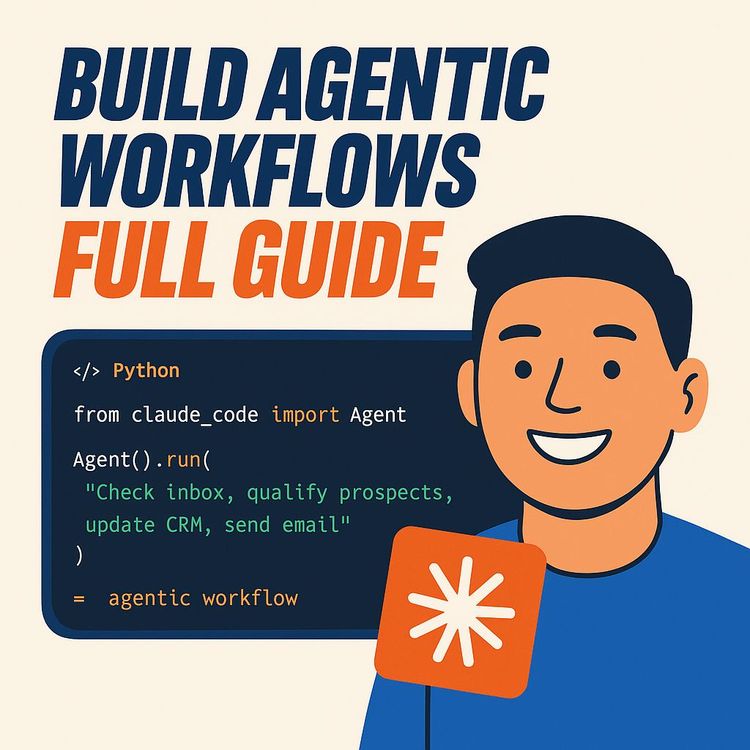
Go from blank screen to a working, self-correcting AI workflow in 26 minutes. In VS Code with Claude Code, you'll use the WAT framework to ship a real competitor analysis with a branded PDF,and pick up reusable patterns for everyday ops. No endless wiring.
Related Certification: Certification in Building Agentic AI Workflows in VS Code with Claude Code
Also includes Access to All:
What You Will Learn
- Build a working agentic AI workflow in VS Code using Claude Code
- Apply the WAT framework to structure Workflows, Agent behavior, and Tools
- Develop modular Python tools for discovery, research, analysis, and PDF generation
- Create a branded competitor-analysis PDF from autodiscovery to charts
- Harness agentic self-correction to debug, iterate, and improve builds
- Manage cost, reliability, and safety with caching, dry-runs, and rate limits
Study Guide
From Zero to Your First Agentic AI Workflow in 26 Minutes (Claude Code)
If you're tired of building automations that crumble the moment real life shows up, this course is your shortcut. You'll go from blank screen to a working, agentic AI workflow that thinks, plans, fixes itself, and ships a clear business outcome,without wiring every node by hand.
We'll cover the core principles behind agentic workflows, the WAT framework (Workflows, Agent, Tools), and a step-by-step build inside Visual Studio Code using Claude Code. You'll see how to scope a project in natural language, let the agent plan and implement the stack, and guide it with fast iterations until the deliverable is sharp. By the end, you'll have a real competitor analysis system that researches, analyzes, and produces a branded PDF report,plus the mental model to replicate this for any business process you care about.
What you'll walk away with: a working foundation, repeatable patterns, and a new way to think about automation that finally handles the "messy middle" of real operations.
What Agentic AI Actually Is (and Why It Matters)
Agentic AI workflows are a leap beyond traditional point-and-click automations. With traditional automation, you wire every step: calls, conditionals, retries, logging, and if something breaks,you debug. With an agentic workflow, you define the outcome. The agent (Claude Code) handles the how, creates the steps, and adapts mid-flight.
Here's the difference that makes the difference:
- Traditional: deterministic. Same input, same output, every time. Great for fixed, predictable processes.
- Agentic: built for non-deterministic tasks. The agent reasons, plans, researches, clarifies, and executes toward the goal with autonomy.
Analogy:
Traditional is a paper map,you plan every turn and you're responsible for corrections. Agentic is a GPS that adapts to traffic, detours, and errors in real time.
Examples:
1) Traditional example: Export CRM contacts to a CSV every night at 1 AM, then email that CSV to sales. That's deterministic, a perfect fit for a standard automation tool.
2) Agentic example: Launch a new product and need a market snapshot by morning,competitor positioning, pricing pages, social chatter, and a PDF brief. That's variable and judgment-heavy. An agentic workflow thrives here.
More agentic examples:
1) Customer support triage that summarizes threads, pulls context from docs, routes priority, and drafts a helpful reply.
2) Lead research that surfaces ICP-matched accounts, enriches them, and generates custom first-touch copy tailored to each lead's context.
Tip:
Think "I define the what, the agent creates the how." Your job shifts from writing code to writing clarity.
Deterministic vs. Non-Deterministic: The Real Boundary
Deterministic processes are predictable. Same input, same output. Non-deterministic processes are not. They involve judgment, creativity, and shifting data. AI falls into the second category, so the strategy isn't to force it into rigid boxes,it's to wrap it with structure that nudges it toward consistent outputs.
There's a line in this space that's worth internalizing: "Our job as AI automation builders is to make a non-deterministic process as deterministic as possible." In practice, that means clear scopes, repeatable workflows, and tight loops of feedback and refinement.
Examples:
1) Deterministic: Generate an invoice PDF from a known schema and template,zero ambiguity.
2) Non-deterministic: Write a persuasive email that adapts to each buyer's motivation, objection, and industry lingo,context matters, so the output varies.
Best practice:
Use agentic for research, synthesis, and creative analysis. Use traditional for recurring data migrations, time-based triggers, and rigid compliance steps. They coexist, and together they cover more ground than either method alone.
Meet the WAT Framework: Workflows, Agent, Tools
Agentic systems get messy fast without structure. The WAT framework solves that. It keeps your logic clean, your assets reusable, and your projects scalable. WAT = Workflows, Agent, Tools.
W: Workflows (The Instructions)
Workflows are high-level instructions written in plain Markdown. Think SOPs for your agent. They define the process, expected inputs, required outputs, and quality checks,without dictating code.
Key points:
- Natural language first. You're writing for the agent's reasoning engine.
- Versioned and dynamic. The agent can update them as it learns from feedback.
- Outcome-focused. You tell it what a "good" result looks like, and what to do when something goes off track.
Examples:
1) competitor_analysis.md outlines: discover competitors, gather data from five sources, extract pricing/features/positioning, analyze gaps, and produce a branded PDF with charts and recommendations.
2) content_cluster.md details: keyword discovery for a target niche, SERP scrape for intent, outline five pillar posts and fifteen supporting articles, and produce a calendar-ready content plan.
Tips:
- Write workflows like a job description for a smart contractor: clear scope, deliverables, constraints, and acceptance criteria.
- Include fallback paths (e.g., "If scraping fails, search for cached pages or use an alternative data source").
A: Agent (The Coordinator)
The agent is the brain and the project manager. Claude Code reads your workflows, evaluates what tools exist (or are needed), creates a plan, asks clarifying questions, writes code, runs it, observes the results, and corrects itself.
Key capabilities:
- Planning and sequencing tasks toward the goal.
- Researching unknowns on the fly.
- Self-correcting errors (read stack traces, try fixes, retry).
- Updating workflows and tools based on feedback.
Examples:
1) It reads competitor_analysis.md, realizes it needs discover_competitors.py, research_competitors.py, analyze_data.py, and generate_pdf.py, then writes, runs, and iterates on them.
2) It hits a rate limit on a web search API, so it switches to a backup provider, staggers calls, and caches results locally for future runs.
Best practice:
Feed it context once, then let it own the execution. When it asks questions, answer with specifics (formats, limits, budget). Your clarity compounds into better outputs.
T: Tools (The Workers)
Tools are modular Python scripts that each perform one precise action. They don't try to do everything,they do one thing ridiculously well. The agent orchestrates them.
Key points:
- Single responsibility per tool (e.g., scrape_website.py only scrapes, it doesn't parse).
- Reusable across workflows (a generate_pdf.py can be used by five different workflows).
- Agent builds, tests, debugs, and upgrades them automatically.
Examples:
1) scrape_website.py: Given a URL, return clean text, metadata, and basic structure with retries and polite headers.
2) generate_pdf.py: Given structured data and brand assets, output a properly formatted PDF with charts, headings, and a table of contents.
Tips:
- Keep I/O explicit (clear arguments, predictable outputs).
- Add lightweight logging to each tool (the agent can read logs and self-diagnose).
- Make tools idempotent where possible so retries don't cause duplicates.
Why Claude Code in VS Code
Claude Code is an agent that lives inside your editor. It reads your repo, reasons about structure, writes files, runs commands, and edits code,then explains what it did. You guide it with plain English, and it builds the parts.
Benefits you'll feel immediately:
- No context juggling. It sees the folder structure and knows where things belong.
- Natural language as your primary interface. You speak requirements, not boilerplate.
- Faster feedback loops. It runs code, hits an error, patches the script, and tries again,without you chasing down every detail.
Examples:
1) "Initialize a WAT-style project and scaffold workflows, tools, and brand_assets. Create a .env.example and install dependencies." It does the grunt work.
2) "Refactor generate_pdf.py to fix font embedding and add a table for pricing comparisons." It edits the right file, preserves structure, and tests the result.
Tip:
Keep your messages crisp. One clear request at a time outperforms a scattered essay of twenty competing asks.
Environment Setup (3 Minutes)
Here's the fastest path to your first agentic build.
- Install VS Code. Open it.
- Install the Claude Code extension. Sign in with your Anthropic account.
- Create a new folder: MyFirstAgenticWorkflow. Open it in VS Code.
- Make sure you have Python installed (the agent will handle packages).
Example:
"Hey Claude, we're starting fresh. I want to build agentic workflows using the WAT model. I'll give you an onboarding file. Please initialize everything you need once I add it."
Tip:
Don't overthink runtime details. The agent will propose a stack and create a requirements file. You confirm, then it handles installs.
Initialize the Project with an Onboarding File
Your agent needs its ground rules. Create claude.md (or claw.md as referenced in the brief,either name works) at the project root. This file shares the working model: WAT structure, naming conventions, error-handling approach, and how you want iterative improvements captured.
What to include:
- WAT definitions and folder structure (/workflows, /tools, /brand_assets, /data, /temp).
- Error-handling rules (read error, research fix, patch tool, retry, log what changed).
- Update policy (agent can edit workflows and tools, but should summarize diffs in the chat).
- Cost and rate-limit etiquette (prefer cached data, pace API calls, ask before expensive operations).
- Branding instructions (where to find logo, fonts, colors, and how to apply them).
- File I/O standards (UTF-8; handle emoji; sanitize filenames; save intermediate artifacts).
Example:
"When you encounter an exception, paste the error, propose two fixes, implement the safer one, retry the exact step, and record the patch in /temp/change_log.md. If both fixes fail, escalate with a summary."
Tip:
Make this file explicit. The more you define here, the less you repeat yourself later.
Kickoff: Let the Agent Scaffold the Project
Open the Claude Code chat and say:
Example:
"I've added claude.md at the root. Please initialize the project: create /workflows, /tools, /brand_assets, /data, /temp; add .env.example with keys you expect (Anthropic, Firecrawl, search APIs); generate requirements.txt; and verify Python is ready. Share a brief plan before editing."
Expect Claude to:
- Parse claude.md and propose a plan.
- Create the folder structure and empty placeholders for assets.
- Generate dependency files and environment templates.
- Explain next steps and any assumptions.
Tip:
Prefer clarity over speed here. Confirm the scaffold once, and then the rest of the build flows faster.
Plan Mode: Build the Right Thing Before Building Anything
Planning is where you turn a vague desire into a tight scope. Use natural language. Claude will ask smart questions. Answer them precisely.
Start with a clear ask:
"I want a competitor analysis workflow that outputs a branded PDF. It should find competitors based on my business, analyze their pricing, features, messaging, and traffic signals, then give recommendations. I'll provide a logo and brand colors. Keep costs low."
Expect questions like:
- Competitor discovery: user-provided seed list or autodiscovery?
- Data sources: public web, review sites, social, product listings?
- Business profile: what do we store (name, ICP, product description, pricing model, target geos)?
- Analysis scope: prioritize pricing vs features vs messaging vs channels?
- Output: which charts, which sections, how long, what tone?
- Budget: max API spend for a single run?
- Branding: logo format, background colors, fonts, header/footer style?
- Caching: how long to keep data, when to refresh?
Examples:
1) "Autodiscover 8-12 direct competitors by querying our category keywords and cross-referencing 'alternatives to' pages."
2) "For output, include: Executive Summary, Top 5 Insights, Pricing Comparison Table, Feature Gap Heatmap, Positioning Punchlines (one-liners), and Action Plan (90-day roadmap)."
Tip:
Lock the plan before execution. Tell Claude: "Summarize your plan as a checklist, estimate API costs, then wait for my approval."
Tech Stack: What the Agent Will Likely Propose
Claude Code typically suggests a pragmatic Python stack:
- Scraping: Firecrawl (API-first crawling/scraping), Requests, BeautifulSoup (backup).
- Parsing/Analysis: Python standard lib, pandas, regex where helpful.
- PDF: ReportLab for layout; Matplotlib for basic charts; optional WeasyPrint if HTML-to-PDF is preferred.
- Storage: JSON for business_profile.json; CSV/JSON in /data for scraped artifacts; simple cache in /temp.
- Config: dotenv (.env) with a .env.example template.
Examples:
1) Firecrawl to pull pricing pages at scale, then BeautifulSoup fallback for edge cases.
2) ReportLab to assemble the final PDF using brand colors, with Matplotlib rendering bar charts inline.
Tip:
Ask for cost estimates: "How many pages will you crawl? What's the expected cost? Propose a low-cost mode and a full mode."
Execution: Let the Agent Build the System
Once you approve the plan, switch to Auto-Edit or Bypass Permissions so Claude can create and modify files. It will write the tools, the main workflow, and wire everything together.
Files you'll likely see:
- /workflows/competitor_analysis.md (the SOP).
- /tools/discover_competitors.py (finds viable competitors).
- /tools/research_competitors.py (scrapes and structures data).
- /tools/analyze_competitors.py (turns data into insights).
- /tools/generate_report.py (builds the branded PDF).
- /data/business_profile.json (persists your business info).
- /brand_assets/ (logo, fonts, color map).
- requirements.txt and .env.example.
Example direction:
"Please implement discover_competitors.py to accept a short business description and ICP, search for alternatives, compile a list of 10-15 real competitors with URLs and brief blurbs, and save to /data/competitors.json. Add retry logic and politeness delays."
Best practices:
- Tools should accept inputs and absolute paths, return structured dicts or file paths, and write minimal logs.
- Avoid unnecessary complexity early. Prove the core loop, then expand scope.
Self-Correction in Action: Real Issues, Real Fixes
Agentic workflows shine when things go wrong. You'll see Claude read a stack trace, propose a fix, edit the tool, and retry,fast.
Examples (from the case study):
1) Logo invisibility: a white PNG on a white PDF header. You say, "We can't see the logo." Claude diagnoses it, adds a contrasting background block, or positions the logo over a colored header, and regenerates the PDF.
2) Unicode encoding error: scraped emojis broke the report generator. Claude detects the UTF-8 issue, normalizes the text (e.g., using .encode("utf-8", "ignore").decode), updates generate_report.py, and the run completes.
More self-correction scenarios:
1) Rate limits while scraping: Claude staggers requests, swaps providers, or enables cached reads.
2) Website blocks a scraper: Claude introduces a headless browser fallback or uses an alternative source (e.g., cached page or a third-party database).
Tip:
When you hit issues, give short, direct feedback: "Chart missing on page 3," "Feature heatmap misaligned," "Headings too small for print." The agent turns those into fast iterations.
Run the Workflow with Natural Language
You don't "run a script." You ask for an outcome, and the agent runs the right workflow with the right tools, asking for missing info if needed.
Example prompt:
"Run a competitor analysis for 'Get Leads with AI',we help companies scrape leads and do personalized outreach at scale. I want a branded PDF with pricing comparisons, features, messaging, and a 90-day action plan. Keep costs under $10."
Claude will:
- Ask for missing business details (saved to business_profile.json).
- Discover competitors (autodiscovery + seed hints if provided).
- Scrape selected sources (pricing pages, product pages, G2/Capterra, social).
- Analyze and synthesize structured findings.
- Generate a branded, well-formatted PDF with charts and practical recommendations.
Tip:
Keep a "preferences" section in business_profile.json (tone, length, brand voice, data freshness window). The agent will reuse it.
Final Output and Iteration Loop
When the first draft is done, you review. Expect to iterate once or twice to reach "client-ready."
You should see:
- /data/business_profile.json with reusable company info.
- /data/competitors/ with per-company JSON snapshots.
- /reports/ with a branded PDF (charts, tables, key takeaways, recommendations).
- Faster subsequent runs because of caching (agent only fetches what's new).
Example feedback:
"This is solid. Fix the header contrast, add a table for feature parity with icons, and move the action plan to the front as a one-pager."
Best practices:
- Lock a v1 report template (fonts, colors, layout). Iterations get faster when the format is stable.
- Add a small changelog to /temp/change_log.md so you can track improvements.
Minute-by-Minute: The 26-Minute Speedrun
Use this when you want a working v1 fast.
- Minutes 0-3: Setup VS Code, install Claude Code, create project folder, add claude.md.
- Minutes 4-6: Ask Claude to scaffold WAT folders, requirements.txt, and .env.example.
- Minutes 7-10: Plan Mode,answer discovery, analysis, output, budget, and branding questions.
- Minutes 11-16: Approve the plan. Let Claude write tools and the main workflow.
- Minutes 17-20: First run. Provide brand assets. Approve API installs and keys.
- Minutes 21-23: Review output. Give targeted feedback (layout, charts, clarity).
- Minutes 24-26: Regenerate final report. Save and commit. You have a working agentic workflow.
Tip:
Don't try to perfect v1. Ship, then iterate. The point is momentum plus structure.
Case Study (Complete Walkthrough): Competitor Analysis
This mirrors the briefing's example and ties it all together inside VS Code with Claude Code.
1) Project Initialization:
- Create claude.md (or claw.md) with WAT definitions, desired file structure, and rules for errors and iteration.
- Ask Claude to read the file and set up /tools, /workflows, /brand_assets, /data, /temp.
- Provide your logo and brand colors inside /brand_assets.
2) Planning Phase (Natural Language):
- State the goal in plain English: branded PDF that analyzes competitors and reveals opportunities.
- Answer Claude's clarifying questions: discovery method, required business fields, analysis dimensions (pricing, features, messaging, channel mix), and budget.
- Approve the agent's architecture proposal: Firecrawl for scraping, ReportLab for PDFs, Matplotlib for charts, approximate API costs, and exact tools to be built.
3) Execution and Self-Correction:
- Claude generates Python tools (discover_competitors, research_competitors, analyze_competitors, generate_report) and the main workflow file.
- During the first run, you encounter two common issues: invisible white logo and a Unicode error. Claude diagnoses and fixes both, then regenerates the report successfully.
4) Final Output and Iteration:
- business_profile.json persists your business details.
- /data stores competitor artifacts for faster, cheaper re-runs.
- The branded PDF includes well-formatted sections, charts, and a clear action plan.
- Next runs reuse cached data and only fetch new deltas, so speed and cost improve.
Tip:
Ask Claude to write a short README.md with usage instructions so anyone on your team can run the workflow without you.
Key Insights that Guide Everything
These ideas thread through the entire build:
- Paradigm shift: agentic workflows move you from prescribing how to declaring what.
- Structure is non-negotiable: WAT keeps the system understandable and reusable.
- It's a collaboration: you're not "using a tool," you're managing a capable partner.
- Autonomy matters: self-correction removes the grind of manual debugging.
- Natural language is the interface: you lead with plain English, not boilerplate.
- Iteration compounds: the system improves every run through cached data, refined tools, and updated workflows.
Quotes worth remembering:
"Instead of telling the system how to do something step by step, you're just telling it what you want and then the agent figures out the rest."
"Deterministic means predictable... Non-deterministic means that given an input and you don't know exactly what the output will be. There's variability, there's judgment, there's AI."
"Our job as AI automation builders is to make a non-deterministic process as deterministic as possible."
Practical Applications Across the Business
Once you see how this works for competitor analysis, you'll spot dozens of use cases.
Business:
- Dynamic lead generation: discover ICP-matched companies, enrich with firmographics, and write custom intros.
- Personalized content creation: research audience pain points and generate campaign assets tuned to each segment.
Development:
- Agent as co-developer: scaffold services, generate tests, refactor modules, and fix build issues while you direct the architecture.
- Data pipelines: ingest semi-structured inputs, normalize, and generate dashboards,autonomously handling edge cases.
Education and Training:
- Interactive system design lessons: students describe the goal and watch the agent plan, build, and debug in real time.
- Case-method learning: "Here's the messy problem. Work with the agent to solve it and explain your choices."
Tip:
Start with processes that hurt today: research, synthesis, and creative analysis. Automate clarity before you automate clicks.
Action Items: Individuals, Teams, and Orgs
For individuals and small teams:
- Pick a bounded project (like competitor analysis) to learn the loop.
- Use Plan Mode deeply,specs beat surprises.
- Give precise feedback. The more you interact, the smarter the system gets.
For organizations:
- Identify high-value processes blocked by rigid tools (market research, tailored outreach, support triage).
- Train teams in prompt craft, structured thinking, and agentic patterns.
- Build an internal library of reusable tools and workflows. Name, document, and share them across teams.
Tip:
Treat tools like microservices. Version them. Reuse them. Keep their responsibilities tight.
Naming, Structure, and Style Conventions
Consistency saves you hours later. Standardize now.
Recommendations:
- Folder names: lowercase, snake_case (/workflows, /tools, /brand_assets, /data, /temp, /reports).
- Tool names: action_noun.py (scrape_website.py, analyze_text.py, generate_pdf.py).
- Workflow names: outcome_based.md (competitor_analysis.md, content_cluster.md).
- Config: .env and .env.example; never commit secrets; use dotenv in tools.
- Logging: minimal and structured (timestamp, module, message).
Example:
"In generate_report.py, log start/end and chart creation success. On error, write a short note to /temp/report_errors.log so Claude can pinpoint the fix."
Cost, Reliability, and Safety
Agentic systems are powerful. Add guardrails so they stay affordable and safe.
Cost control:
- Cache aggressively (store scraped pages with a freshness window).
- Ask before expensive runs ("Estimated cost is $8-$12,proceed?").
- Use low-cost mode for drafts (fewer competitors, fewer pages per site).
Reliability:
- Retries with backoff for API calls.
- Fallback sources (secondary search or cached pages).
- Idempotent writes and consistent filenames.
Safety:
- Keep keys in .env; never hardcode credentials.
- Respect robots.txt and site terms when scraping; add polite user agents and delays.
- Sanitize inputs and outputs (encoding, path handling, HTML stripping).
Tip:
Ask Claude to add a "dry run" mode that simulates calls and prints planned actions before executing.
Deep Dive: Building Each Tool
Let's break down the four core tools for the competitor analysis workflow.
discover_competitors.py
- Input: brief business description, category keywords, ICP (industry, size, region).
- Action: search queries (e.g., "best [category] tools"), parse "alternatives to" pages, dedupe by domain, shortlist 10-15 direct competitors.
- Output: /data/competitors.json with name, url, and short summary.
Examples:
1) For a B2B outreach SaaS, it finds 12 tools that match ICP and filters out agencies or marketplaces.
2) For a DTC analytics app, it prioritizes platforms with similar data features rather than generic trackers.
research_competitors.py
- Input: /data/competitors.json.
- Action: scrape pricing, features pages, home page claims, and a few third-party reviews; normalize the data.
- Output: /data/competitors/{slug}.json (structured, comparable fields).
Examples:
1) Extracts pricing tiers, trial terms, and discounts and standardizes currencies.
2) Pulls feature bullets and maps them to a unified feature list so comparisons are apples-to-apples.
analyze_competitors.py
- Input: all competitor JSON plus your business profile.
- Action: compute pricing parity, feature gaps, messaging angles, and channel mix heuristics; surface top 5 insights.
- Output: /data/analysis.json with structured insights and chart-ready data.
Examples:
1) Identifies a mid-market pricing gap where you can undercut highest-tier plans with a bundled feature set.
2) Flags a messaging opportunity: competitors lead with "automation," while your unique angle "human-like personalization at scale" is underrepresented.
generate_report.py
- Input: analysis.json, brand assets, and preferences.
- Action: assemble a professional PDF,cover page, executive summary, tables, charts, and 90-day action plan.
- Output: /reports/competitor_analysis_{timestamp}.pdf.
Examples:
1) Produces a pricing comparison table with color-coded deltas.
2) Inserts a feature heatmap and a final page with prioritized actions and expected impact.
Tip:
Ask Claude to add unit-like checks to each tool (e.g., "ensure competitor count >= 6" or "ensure pricing table is non-empty"). The agent will self-police quality.
Your First Conversation Scripts (Copy/Paste)
Use these to accelerate your first build.
Initialization:
"I added claude.md describing WAT, folder structure, error handling, and improvement rules. Please initialize the project: create required folders, generate requirements.txt and .env.example, and propose a plan. Wait for my approval before editing files."
Planning:
"Goal: a competitor analysis workflow that produces a branded PDF. Autodiscover competitors from our category keywords and ICP. Analyze pricing, features, messaging. Charts: pricing comparison, feature heatmap. Keep cost under $10. Confirm plan with a checklist and cost estimate."
Execution:
"Approved. Build discover_competitors.py, research_competitors.py, analyze_competitors.py, generate_report.py, and workflows/competitor_analysis.md. Then run a draft with low-cost mode. Ask for brand assets if missing."
Iteration:
"The logo is invisible on the header. The feature heatmap is missing labels. Please fix both and regenerate."
Common Pitfalls and How to Avoid Them
Pitfall: Vague outcomes ("Make it look nice").
Fix: Define acceptance criteria (pages, sections, charts, table styles, tone).
Pitfall: Over-scraping on v1 (blowing budget and time).
Fix: Add low-cost mode and cache. Expand later.
Pitfall: Tools doing too much (hard to debug).
Fix: Keep single responsibility. Smaller tools iterate faster.
Pitfall: Ignoring brand assets until the end.
Fix: Provide logo, fonts, and color map early. Save them in /brand_assets.
Tip:
Ask for "plan, then build." The agent's plan is where you prevent 90% of rework.
Extend the System: Two More Workflows You Can Build Next
Once your competitor analysis is humming, reuse the same structure.
1) Dynamic Lead Generation Workflow:
- Discover ICP-fit accounts via search and directory APIs.
- Enrich with firmographics and tech stack signals.
- Generate personalized first-touch messages and a CSV for upload.
Examples:
"Find 200 SaaS companies using Stripe and segment by ARR."
"Draft 3 intros per segment with different angles, ready for A/B testing."
2) Customer Support Triage Workflow:
- Pull conversations from your helpdesk.
- Summarize threads, detect sentiment and urgency, suggest responses, and tag categories.
- Output daily digest plus template replies for agents.
Examples:
"Highlight top 10 issues, with links, summaries, and recommended fixes."
"Draft a calm, accurate reply for each P1 ticket referencing docs."
Tip:
Reuse tools wherever possible. The more modular your library, the faster you ship new workflows.
Practice to Lock It In
Multiple Choice:
1) Primary role of the Agent in WAT?
a) Perform a single, specific action like scraping a website.
b) Store high-level instructions written in Markdown.
c) Coordinate tasks, make decisions, and delegate to the appropriate tools.
d) Store API keys and configuration settings.
2) Which file provides initial instructions and structure to Claude Code?
a) config.json
b) main.py
c) readme.md
d) claude.md
3) A process that may produce different outputs with the same input is:
a) Deterministic
b) Static
c) Non-deterministic
d) Abstract
Answers:
1) c
2) d
3) c
Short Answer:
1) Explain the difference between a Workflow and a Tool in WAT.
2) Describe the five main steps,initialization, planning, building, running, iterating.
3) Why is Plan Mode essential before building?
Discussion:
1) Name two other business processes suited for agentic workflows and explain how variability makes the agent valuable.
2) Explain how the self-improvement loop works and why it beats static automations that break and require manual fixes.
Additional Pointers and Best Practices
Prompt craft:
- One clear ask per message. If you have five asks, send them in sequence.
- Anchor the agent with constraints (budget, time, sources, brand rules).
- Confirm assumptions before execution.
Observability:
- Keep a /temp directory for logs, diffs, and error snapshots.
- Ask Claude to summarize changes after each iteration in plain English.
Quality guardrails:
- Define minimum viable data (e.g., "At least 6 competitors with pricing").
- Add sanity checks (e.g., "If a chart is empty, replace with a written summary").
Resource References (Search or Bookmark)
- Visual Studio Code: code.visualstudio.com
- Anthropic's Claude and Claude Code: anthropic.com/claude
- Markdown basics: markdownguide.org/basic-syntax/
- Python for beginners: wiki.python.org/moin/BeginnersGuide
- ReportLab (PDFs) and Matplotlib (charts): official docs via a quick search
Verification: Have We Covered the Brief (Yes)
Paradigm Shift:
We contrasted traditional vs agentic automation with analogies and multiple examples, highlighting deterministic vs non-deterministic work.
WAT Framework:
We covered Workflows (Markdown SOPs), Agent (coordinator, planner, self-corrector), Tools (single-responsibility Python scripts), with at least two examples each and best practices.
Case Study:
We walked through competitor analysis end to end: initialization with claude.md (also noted "claw.md"), planning with clarifying questions, execution with tool creation, self-correction (logo issue and Unicode error), and final outputs including business_profile.json, competitor data, and a branded PDF.
Key Insights & Quotes:
We included the core insights and the three key quotes. We emphasized natural language as the interface and iterative improvement.
Implications/Applications:
We detailed business, development, and education use cases with concrete examples.
Action Items:
We gave recommendations for individuals/teams and organizations, including training and asset management for reuse.
Study Guide Depth:
We integrated terminology, setup in VS Code with Claude Code, planning/execution loops, and self-improvement mechanics, plus practice questions and resources.
Conclusion: Your New Default for Complex Work
You don't need to wire every node anymore. You define outcomes, feed the agent a crisp plan, and it does the heavy lifting,reasoning, building, correcting, and improving. The WAT framework gives you structure so the system stays coherent as it grows. Workflows set the intent, the Agent coordinates and learns, and Tools deliver precise actions you can reuse everywhere.
Start with the competitor analysis build you just learned. Ship a v1 in under half an hour. Review, refine, and lock a repeatable pattern. Then point the same system at lead generation, support triage, or content planning. Each win compounds your library of tools, your clarity, and your leverage.
Write the what. Let the agent create the how. And keep iterating until "non-deterministic" feels almost predictable.
Appendix: Quick Prompts You Can Use Right Now
Setup:
"I created claude.md with WAT instructions. Please scaffold /workflows, /tools, /brand_assets, /data, /temp; create requirements.txt and .env.example; confirm plan before making changes."
Plan Mode:
"Goal: competitor analysis report. Autodiscover 8-12 competitors, analyze pricing/features/messaging, generate branded PDF with charts. Propose stack, estimate costs, and list your steps. Wait for approval."
Execution:
"Approved. Build discover_competitors.py, research_competitors.py, analyze_competitors.py, generate_report.py, and workflows/competitor_analysis.md. Then run a low-cost draft."
Iteration:
"Logo contrast is off, feature heatmap missing labels, and executive summary should be page 2. Please fix and regenerate."
Frequently Asked Questions
This FAQ is a living reference for anyone building their first agentic AI workflow with Claude Code. It cuts through fluff, answers practical questions in plain language, and scales from basic concepts to advanced implementation. Use it to clarify terminology, set up your environment, avoid common pitfalls, and make confident decisions as you design, test, and ship agentic workflows that actually move business metrics.
What is an agentic AI workflow?
Key idea:
An agentic AI workflow lets you define the outcome while the AI decides the steps. You set the "what," the agent handles the "how."
Instead of wiring every step, you set a goal like "produce a competitor report." The agent can reason, plan, ask clarifying questions, use tools, and fix its own mistakes during execution. Think of it like assigning work to a capable teammate: you share the objective and constraints, and they handle the details.
Why it helps businesses:
Many workflows involve judgment, research, and changing inputs. Agentic systems excel here because they adapt in real-time, reduce manual oversight, and compound improvements with every run. Example: request "summarize customer feedback and propose product fixes," and the agent will gather data, analyze patterns, draft recommendations, and format outputs to your standards.
How do agentic workflows differ from traditional automations?
Contrast:
Traditional = step-by-step, brittle flows you configure manually. Agentic = goal-first, adaptive flows that plan and self-correct.
In a traditional tool (e.g., Make or n8n), you specify each node, mapping, and error path. If anything shifts,an API response, a page layout,you fix it yourself. In an agentic system, you state the objective, constraints, and resources. The agent figures out the plan, selects tools, handles exceptions, and tries alternative paths when things break.
Practical example:
Traditional: "Scrape URL A, parse field B, send to Sheet C." Agentic: "Find the top five competitor prices and create a PDF summary." The agent searches, scrapes multiple sources, reconciles conflicts, and builds the PDF,without you hand-coding every hop.
What do the terms "deterministic" and "non-deterministic" mean in AI automation?
Quick definitions:
Deterministic = same input, same output. Non-deterministic = variability by design.
Traditional automation favors deterministic behavior,great for repetitive tasks like syncing CRM fields. AI is naturally non-deterministic because it uses reasoning, heuristics, and changing data. Your job is to make non-deterministic systems reliable enough for business by adding structure: clear instructions, guardrails, validation steps, and review checkpoints.
Tip:
Stabilize outputs with strong workflow docs (Markdown), reusable tools, test prompts, and comparison checks (e.g., unit tests for parsers). Many teams run a final validation tool that rejects outputs outside set rules (such as missing fields or off-brand tone) before sending results to customers or leadership.
When are agentic workflows most useful?
Use them for ambiguity and change:
They shine when tasks require research, judgment, or creative synthesis across messy data and shifting requirements.
Good fits: market and product research, dynamic content production, exploratory analysis, or complex customer support that references knowledge bases and external sources. If the process you want to automate often breaks in traditional tools due to variability, an agentic approach likely works better.
Real-world example:
A growth team needs weekly insights: "What's trending among top competitors? What content angles are performing?" An agent can discover new sources, score relevance, summarize findings, and produce an executive-ready brief,without rebuilding a rigid pipeline each time something online changes.
What are some examples of tasks suitable for agentic workflows?
Four proven use cases:
Market research, lead generation, content creation, and advanced support.
- Market Research: Identify competitors, analyze positioning, and deliver a strategy brief with sources cited.
- Lead Generation: Find accounts that match your ICP, enrich contacts, and prepare personalized outreach drafts.
- Content Creation: Research, outline, draft, and format assets to brand standards with an approval loop.
- Advanced Support: Parse complex tickets, consult docs, propose resolutions, and draft replies for agent review.
Business impact:
These workflows reduce manual research time, increase throughput, and keep quality consistent by encoding your best practices directly in the workflow files and tools.
What is the "WAT" framework and why is it used?
WAT = Workflows, Agent, Tools.
It's a clean separation of concerns so your system stays understandable, scalable, and maintainable.
- Workflows: High-level instructions and acceptance criteria in Markdown.
- Agent: The coordinator (Claude Code) that reads workflows, plans, asks questions, and orchestrates tools.
- Tools: Focused Python scripts that do one job (scrape, analyze, render, send).
Why it matters:
Clear layers prevent sprawl. You get reuse across projects, easier debugging, and faster onboarding for teammates. When something fails, the agent knows which tool to fix and how to update the workflow for next time.
What does 'W' (Workflows) represent in the WAT framework?
Workflows = SOPs in Markdown.
They tell the agent what "good" looks like and outline a repeatable process with checkpoints.
A workflow might specify: discovery steps, required sources, analysis depth, formatting rules, and acceptance criteria. Example: for "Competitor Analysis," steps include source gathering, cross-checking, insight synthesis, and PDF generation with branding.
Pro tip:
Treat workflows as living documents. The agent can update them based on your feedback,tightening criteria, adding data checks, and improving prompts so every subsequent run is better than the last.
What does 'A' (Agent) represent in the WAT framework?
Agent = coordinator and problem-solver.
Claude Code reads the workflow, plans the path, chooses tools, handles sequencing, and adapts to issues.
It asks clarifying questions, decomposes goals, updates tools, and documents its decisions. Think of it as a technical project manager who also writes code.
Why this reduces friction:
You brief once and iterate with feedback. The agent minimizes context-switching and reduces the need for you to manually script every branch or error case.
What does 'T' (Tools) represent in the WAT framework?
Tools = focused Python scripts.
Each tool does one specific thing well,scrape a page, parse text, clean data, generate a chart, create a PDF, send an email.
Modularity is the point. A well-written scraping tool can support multiple workflows. If a tool breaks, the agent updates just that script and retries.
Maintainability win:
Small, single-purpose tools are easier to test, benchmark, and reuse. You'll spend less time hunting bugs and more time improving outcomes.
How do Workflows, Agents, and Tools work together in a practical example?
Orchestration in action:
Ask: "Research Company X's pricing and create a branded PDF." The agent reads the workflow, plans the path, then chains tools.
Sequence: web_search → scrape_website → analyze_findings → generate_pdf. The workflow defines criteria (e.g., verify at least five sources, include screenshots). Tools execute. The agent monitors progress, resolves errors, and ensures the final PDF matches your brand assets and acceptance checks.
Outcome:
You get consistent, documented outputs with traceability: which sources were used, what logic was applied, and how issues were resolved.
What software is required to start building agentic workflows with Claude Code?
Minimum setup:
Install Visual Studio Code and the Claude Code extension from the VS Code Marketplace.
VS Code gives you the editor, terminal, and extensions you'll need. The Claude Code extension enables the agent to read files, plan, edit code, run tools, and maintain project structure.
Optional extras:
Python (for tools), package managers (pip/uv/poetry), Git for version control, and virtual environments for clean dependencies. These aren't required to start, but they make teams faster and projects cleaner.
Are there any subscription requirements to use Claude Code?
Yes,paid Anthropic access is required.
Claude Code functionality depends on a paid subscription (e.g., Pro or higher). The free tier doesn't include coding capabilities inside VS Code.
Why this matters:
Agentic workflows involve iterative code generation, debugging, and file operations,capabilities tied to the paid plan. For business use, the time saved typically outweighs the subscription cost quickly once your first workflow ships.
Certification
About the Certification
Get certified in agentic AI workflow development in VS Code (Claude Code). Build self-correcting pipelines using the WAT framework, ship branded competitor analyses to PDF, and apply reusable patterns to automate research and everyday ops.
Official Certification
Upon successful completion of the "Certification in Building Agentic AI Workflows in VS Code with Claude Code", you will receive a verifiable digital certificate. This certificate demonstrates your expertise in the subject matter covered in this course.
Benefits of Certification
- Enhance your professional credibility and stand out in the job market.
- Validate your skills and knowledge in cutting-edge AI technologies.
- Unlock new career opportunities in the rapidly growing AI field.
- Share your achievement on your resume, LinkedIn, and other professional platforms.
How to complete your certification successfully?
To earn your certification, you’ll need to complete all video lessons, study the guide carefully, and review the FAQ. After that, you’ll be prepared to pass the certification requirements.
Other AI Video Courses

Video Course: What is Generative AI and how does it work?

Video Course: How to Use ChatGPT from Beginner to Professional

Video Course: How to Use Google Gemini for Google Workspace to Boost Productivity

Video Course: How to Use Claude 3.7 AI - Tips for Beginners!

Video Course: ChatGPT for Data Analytics: Full Course - from Beginners to Professional

Video Course: Generating Images and photos With ChatGPT?

Video Course: Generating Images & Photo's with MidJourney

Video Course: Generating Design's with Microsoft Designer and AI

Video Course: Generating Design's with Canva.com and AI
Join 20,000+ Professionals, Using AI to transform their Careers
Join professionals who didn’t just adapt, they thrived. You can too, with AI training designed for your job.







