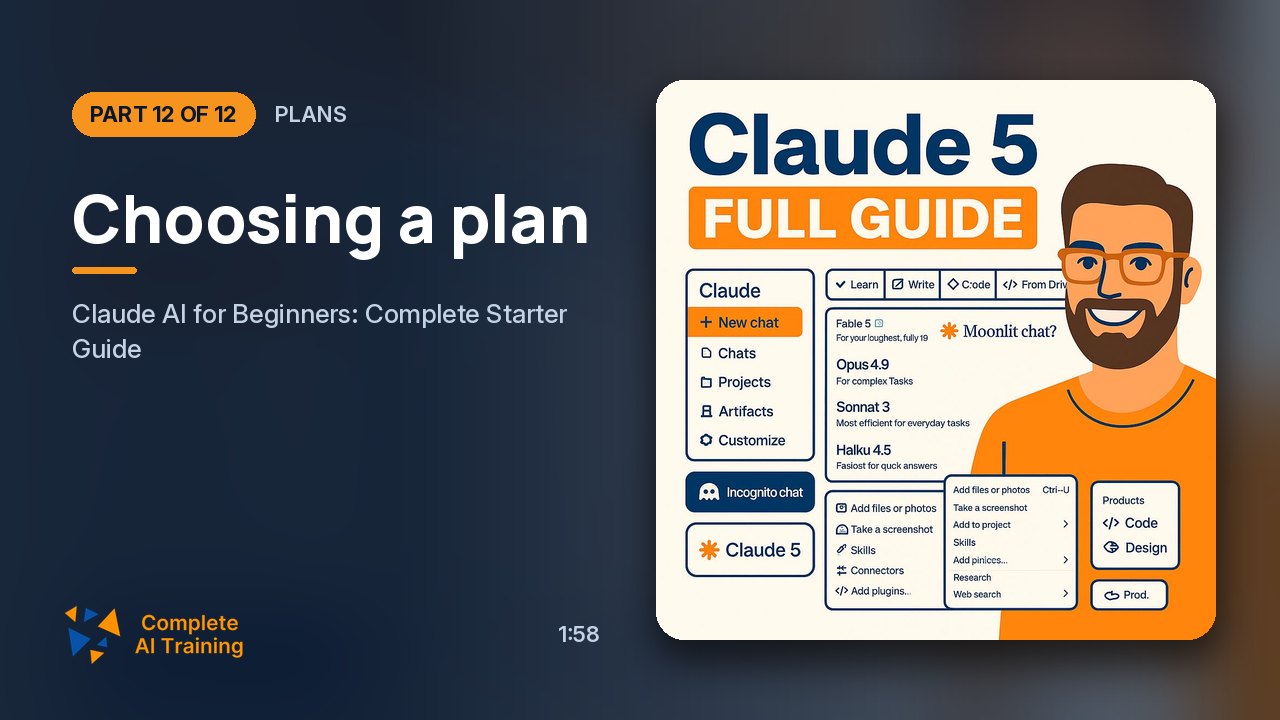
Claude AI for Beginners: Complete Starter Guide (Video Course)
Claude isn't just a chatbot anymore,it's a five-model ecosystem with memory, projects, and agents that work while you sleep. This course shows you exactly which model to use, when to pay, and how to brief Claude to do the heavy lifting. Practical, no fluff.
Related Certification: Certification in Using Claude AI for Everyday Tasks
Also includes Access to All:
What You Will Learn
- Create an account and pick the right plan (Free, Pro, Max, Team/Enterprise)
- Write high-impact custom instructions to shape all Claude responses
- Set up Projects and Memory to preserve context and eliminate repetition
- Choose the right model (Haiku, Sonnet, Opus, Fable, Mythos) for each task
- Use adaptive effort levels and pick web search vs. research strategically
- Build, share, and persist interactive artifacts; run parallel workflows with Cowork and Claude Design
Study Guide
Introduction: This Is Not a Chatbot Anymore
If you still think of Claude as a text box that answers questions, you're already behind. The new generation of Claude is an ecosystem. Five models, a persistent workspace, memory that follows you across conversations, autonomous agents that work overnight, and parallel workflows that feel like a small team. This course takes you from zero to confident.
You'll learn how to create an account, which plan actually matters, why custom instructions are the highest-leverage setting in the entire platform, how to build projects that remember your context, and how to choose between five very different models. You'll also learn the workflow layer: Cowork, Claude Design, dynamic workflows, artifacts, research mode, and adaptive thinking. By the end, you'll know exactly which model to run for which task, when to pay for more, and how to brief Claude to work while you walk away.
This is practical. No fluff. Let's get into it.
Getting Started: Registration and Access Tiers
Signing up for Claude takes about a minute. You can use a Google account, an Apple account, or a plain email address. No credit card is required to start. That low barrier means you can explore the interface immediately and decide later whether you need a paid plan.
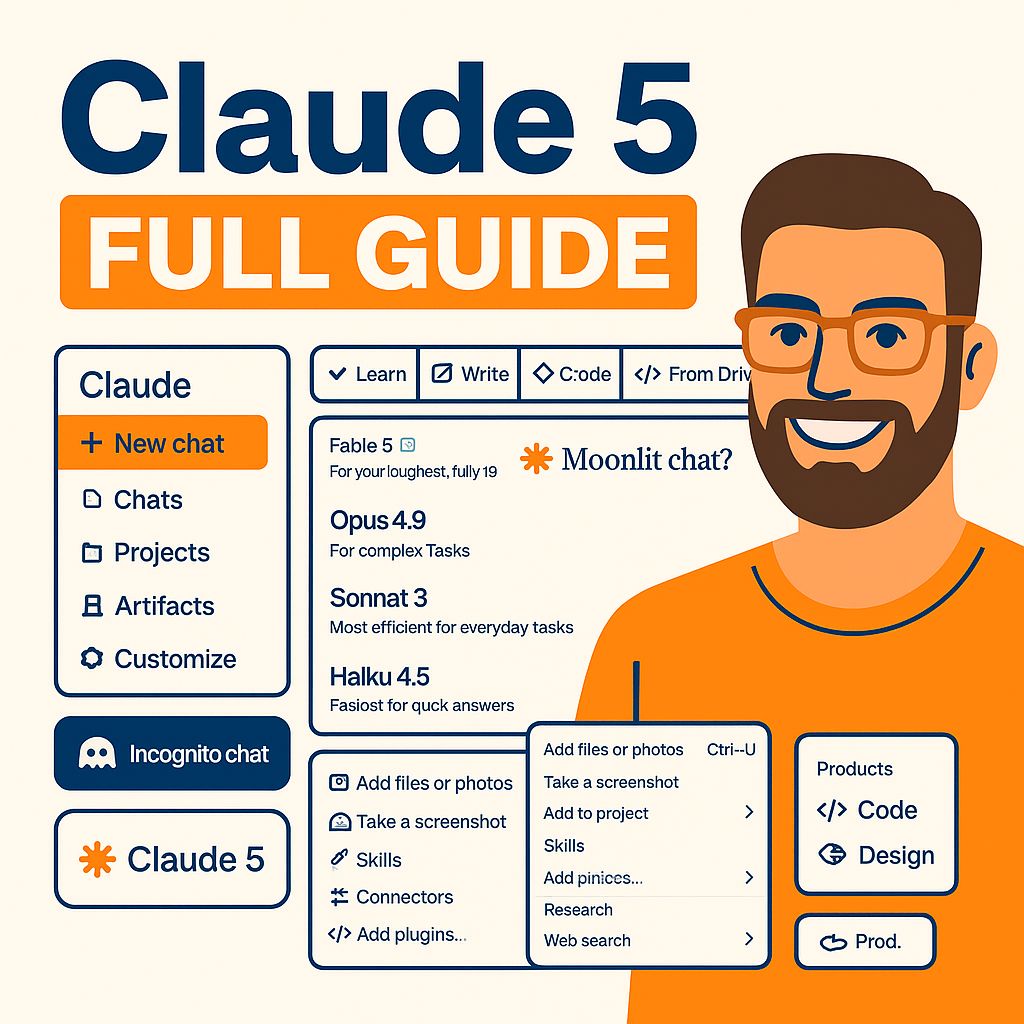
Once you're in, you'll see the conversation screen. At the top, right next to the send button, is the model selector. That's where you choose which Claude model you're talking to. Next to it is the effort and thinking control, which determines how hard Claude works on each response. Both of those controls matter more than almost anything else in the platform.
Free plan:
The free plan gives you access to the mid-tier model, Sonnet. It's a fully functional experience, but with limits. You get a rolling five-hour message window that caps how much you can use in any five-hour period. You can create up to five projects. You don't get Claude Code or Cowork. And the higher-tier models, Opus and the Mythos class, stay locked.
Pro plan:
Pro is the plan most individual professionals should start with. It costs around twenty dollars a month, or seventeen if you pay annually. It unlocks Claude Code, Cowork, research mode, adaptive thinking, and the full model lineup, including Fable 5 in the Mythos class. Mythos 5 itself remains gated behind a separate access program, but everything else is available.
Max plan:
Max is for people who keep hitting Pro limits during normal work. It costs one hundred dollars a month for five times the Pro usage, or two hundred for twenty times. Same features, bigger bucket.
Team and Enterprise plans:
These are for organizations. They come with custom pricing and a sales process. You get shared projects, centralized billing, and on Enterprise, SSO, audit logs, data residency, and compliance controls. Shared projects have two permission levels: "Can use" means someone can chat inside the project but can't change the knowledge base or instructions. "Can edit" means they can add documents, update instructions, and shape the project collaboratively. That distinction is important for teams that want to standardize context while controlling who can modify it.
Custom Instructions: The Highest-Leverage Setting
Custom instructions are the one setting that changes every answer you get. They persist across all conversations, so you write them once and they shape everything afterward. Most people skip this and then wonder why Claude sounds generic.
The right way to think about custom instructions is onboarding a new employee. You wouldn't hire someone and say "be helpful and concise." You'd tell them what to do, what to never do, and what tone to use. Claude works the same way.
Example of effective custom instructions:
"Default to direct, specific answers. Skip hedging and avoid giving four-option lists. When you give me a number, state the source. Push back if you believe I am wrong rather than agreeing by default."
That's four sentences. It meaningfully constrains behavior. Compare that to "Be helpful and concise," which constrains nothing. Every Claude response will still be helpful and concise by default. You need to tell it what helpful means to you.
Another example:
If you run a YouTube channel about AI tools, you might add: "Write like you're talking to a smart beginner. No jargon without explanation. Use short paragraphs. End with one actionable takeaway." Now every response has a consistent voice.
This takes about ninety seconds to write. It's the best return on time you'll find in the entire platform.
Projects: Persistent Workspaces That Kill Repetition
Projects solve the problem of re-explaining context. If you work on multiple streams, you know the pain of pasting the same brand guidelines, reports, and instructions into every new chat. Projects eliminate that.
Each project is its own workspace. It has its own knowledge base where you upload relevant documents. It has its own persistent instructions. And on paid plans, it has a retrieval system that automatically expands when the knowledge base gets close to the context limit. That expansion is roughly tenfold. You don't have to do anything. Claude just switches into retrieval mode and keeps going.
Practical setup example:
Say you do client research. Create a project called "Client X Research." Upload the brand guide, the last two months of reports, and a competitor teardown. From that point forward, every chat inside that project already has access to that context. You never paste it again.
Another example:
You're writing a book. Create a project for the book and upload your outline, character notes, and research. Ask Claude to draft a chapter, and it already knows the plot, the tone, and the world. No need to summarize the entire book in the prompt.
On the free plan, you're limited to five projects. Paid plans give you unlimited projects. On Team and Enterprise plans, projects can be shared. The "Can use" permission is for people who just need to interact with the project. The "Can edit" permission is for people who need to maintain it. This turns projects into a shared knowledge infrastructure for your whole team.
Memory: The Difference Between a Chatbot and a Colleague
People confuse Memory with Projects, but they serve different functions. Projects hold documents for a specific stream of work. Memory holds facts about you and your patterns across everything you do outside of projects.
Once Memory is enabled in settings, Claude automatically summarizes conversations roughly every twenty-four hours. It builds a running profile of your role, your recurring projects, and your working style. You don't have to ask it to remember anything. But you can. If you say "Please remember that I prefer data tables over paragraphs," it updates the memory summary immediately instead of waiting for the next cycle.
Concrete example:
You mention in a normal chat that you train four times a week on a push-pull split and that your left shoulder gets cranky on overhead press. Later, in a completely new conversation, Claude already knows this. You never mentioned it again. That continuity is the whole point.
Another example:
You're a freelance designer. You tell Claude you prefer dark-mode mockups and client presentations with a one-page summary first. Every future chat will default to that style, even if you don't restate it.
Memory is isolated per project. So client work in one project never bleeds into personal chats outside of it. There's also a chat search feature that lets you browse your entire conversation history like email. You can ask "What were we working on last Tuesday?" and Claude will retrieve the relevant thread.
Two housekeeping habits matter. First, use the incognito toggle on any standalone chat when you're discussing something sensitive. That conversation won't be stored in memory. Second, open Settings and review your memory once a month. Delete anything stale. Claude will happily remember things forever, even after they stop being true. You have to be the one to clean house.
Adaptive Thinking: Letting Claude Decide How Hard to Think
The old system had a manual toggle for extended thinking. You had to set a fixed token budget for how much Claude was allowed to think before answering. It was guesswork. Too small, and Claude cut reasoning short on hard problems. Too large, and you paid for thinking you didn't need.
That system is gone. Adaptive thinking is now the default on Sonnet 5 and above. Claude examines the actual complexity of the request and decides whether to think at all, and how hard to think. You don't set token counts. You set a ceiling through effort levels.
The four effort levels:
Low is for routine questions, quick edits, and simple requests. Responses come in seconds. No visible reasoning. You get a fast answer, often a short list.
Medium adds some rationale and audience logic. You get basic frameworks and a bit of reasoning behind the answer. This is good for everyday tasks.
High is for real planning work. Strategic stakes. Claude will think through multiple angles, consider trade-offs, and give you a detailed plan with reasoning. Use this when the answer actually matters.
Max is for the most thorough answers possible. This is where the behavior changes qualitatively. At max effort, Claude may stop and ask clarifying questions before producing anything. It behaves less like a chatbot and more like a consultant interviewing you.
Example:
Ask Claude to plan a four-week content calendar for a YouTube channel. At low effort, you'll get four topics with one-line descriptions. At medium effort, you'll get topics with rationale, posting times with audience logic, and a basic promotion framework. At max effort, Claude will stop and ask about your niche, your subscriber count, and your posting frequency before it writes the plan. The result is dramatically more useful because it stopped guessing about your context.
That's the key distinction of max effort: it stops guessing and starts interviewing. If you're willing to wait, you get a tailored answer instead of a generic one.
On the Mythos-tier models, Fable 5 and Mythos 5, thinking cannot be turned off. It's always adaptive. That's part of what makes them behave like agents that reason before acting, rather than chatbots that respond on reflex.
Artifacts: From Text Box to Interactive Workspace
Artifacts are what turned Claude from a chat interface into a workspace. Whenever Claude generates something substantial and self-contained, like code, a document, a diagram, or a full webpage, it opens in a dedicated panel next to the conversation. You don't have to scroll through a wall of text.
Example:
Ask Claude to build a monthly budget calculator. It generates a live interactive page with income fields at the top, expense categories below, a running total, and a bar showing how much is left over. You can actually use it. Click in the fields, change numbers, watch the totals update. It's not a static screenshot. It's a tool.
Another example:
Ask Claude to create a simple habit tracker. You get a page with checkboxes for each day, a streak counter, and a progress bar. It works in the browser. No external dependencies, no setup, no installation.
When code execution and file creation are enabled in settings, Claude can produce real downloadable files. Word documents, Excel spreadsheets, PowerPoint decks, and PDFs. These aren't plain text approximations. The Excel files have actual formulas. The Word documents have real formatting. The PowerPoint decks have usable slides.
Every artifact is stored in a dedicated tab in the sidebar. Nothing gets buried in chat history. You can click Share and generate a link. The person you share it with doesn't need a Claude account to open or use the artifact. That makes collaboration frictionless.
Paid plans include persistent storage. So if you build a tool today, it still has its data the next time you open it. This changes the game for practical work. You can build a budget calculator, a project tracker, or a client proposal tool in a single browser tab, in under ten minutes, and share it with anyone.
Web Search vs. Research: Pick the Right Tool
Claude has two distinct ways to access information beyond its training data. Choosing the wrong one wastes time.
Web search is for fast, factual, single-answer questions. Current weather, recent announcements, sports scores. It runs one or two lookups and returns an answer in seconds. If you need one fact quickly, this is your tool.
Research is a different animal. It's agentic and multi-step. Claude plans a research strategy, runs five or more searches that build on each other, reads across sources, and returns a structured, cited report. It takes a few minutes, sometimes longer, depending on depth. But the result is something you can actually use in a report or a decision.
Example:
If you need to know the current CEO of a company, use web search. If you need a competitive analysis of that company's market position, with sources and a structured summary, use research.
Another example:
If you want today's stock price, web search. If you want an investment memo that synthesizes the last five years of financial filings and news coverage, research.
The rule of thumb is simple. Web search gets you a fact. Research gets you an answer worth waiting for.
The Five-Model Lineup: Know Your Ladder
The old three-model choice is gone. The new lineup is a five-model ladder, from cheapest and fastest at the bottom to most capable and most restricted at the top. Each model has a distinct purpose. Running everything on one model is a mistake.
Haiku 4.5 , The Executor Layer
Haiku sits at the bottom. It's the cheapest, fastest, high-volume workhorse. It's built for operational workloads: customer support triage, log summarization, email classification, content moderation at scale. If you need to process thousands of tickets an hour, Haiku is your model.
But Haiku's most important role in this generation is as the execution engine for sub-agents spawned by larger models. Sonnet and Opus delegate work to Haiku. For example, processing a 200-row CSV where each row needs a unique description generated and merged back. Haiku handles the grunt work while the bigger model handles the thinking.
Sonnet 5 , The Default
Sonnet sits in the middle, and it's the recommended default for most tasks. Here's the surprise: it outperforms the previous flagship Opus on many knowledge-work benchmarks, at a fraction of the cost. During the introductory window, it's priced at two dollars per million input tokens, and it rises to three after that. Still cheap.
Sonnet doesn't just produce output. It reasons about how the output will be used and fills in gaps you didn't specify.
Case study:
In a single prompt with no starter code, Sonnet built a complete gamified Spanish learning app as a single HTML file. It had a home screen with an XP counter, a daily streak flame, and a regenerating heart system. It had three playable mini-games: word-to-image match, a sentence builder puzzle, and listen-and-type using the browser speech API. It had a spaced-repetition queue that automatically resurfaced missed words. It had confetti animations and a persistence mechanism for progress. It worked on the first open. The heart regeneration timer even persisted across page reloads. The model implemented a sensible spaced-repetition algorithm without being asked to explain it.
Another case study:
Sonnet built an interactive network graph visualizer in a single HTML file under 300 lines. You type a topic, and related concept nodes spring out with physics-based animations. Nodes can be dragged, clicked to expand into sub-clusters, and deleted from a sidebar. The model implemented its own spring simulation with tuned damping coefficients, without being asked, so nodes settled instead of oscillating. That's reasoning about user experience, not just code generation.
There's a critical caveat. Sonnet 5 uses a new tokenizer that generates roughly thirty percent more tokens than older Claude models for the same text. That means your old max_token settings are wrong. Your cost estimates are wrong. Any automation pipelines firing against Sonnet 5 need recalibration. If you're a developer, factor this in before you deploy.
Opus 4.8 , The Deep-Structure Specialist
Opus sits one tier above Sonnet. It's priced at five dollars per million input tokens and twenty-five dollars per million output. It's justified for tasks that require deep, coherent handling of large complex structures. Analyzing long documents. Multi-file code. Olympiad-level mathematics. Work where pieces must remain interconnected from start to finish.
Case study:
Opus was tasked with building a complete beginner SQL course for product designers with zero database experience. It produced five modules, each with clear learning goals, concept explanations using product-design analogies, two hands-on exercises with sample data, a five-question quiz, and a capstone project brief. The pedagogical logic held coherently across all eight sections. The analogies reflected genuine understanding of both fields.
Another case study:
Given Apple's most recent 10-K annual report and asked for a full investment memorandum, Opus read across two separate sections of a 200-page document, noticed a numeric discrepancy, and independently cross-checked and surfaced the conflict. That ability to hold an entire document as a single object and detect internal contradictions is where Opus earns its price.
But you should skip Opus for long-context summarization, plain data extraction, standard content generation, and code refactors under a thousand lines. Those tasks don't need that level of structural coherence. Use Sonnet instead and save the money.
Fable 5 , The Autonomous Project Agent
Fable 5 is a fundamentally different kind of tool. It's not for a discrete task. It's for a project that can run while you walk away. You brief Fable rather than prompt it. It belongs to the new Mythos class, one full step above Opus. It's priced at ten dollars per million input tokens and fifty dollars per million output. That sounds expensive until you understand the value calculation.
Case study:
Fable was given a brief at 11 PM. The objective: build a working Chrome extension that summarizes any YouTube video into a five-bullet summary and a copyable clipboard block. Constraints included MV3, no external servers, a placeholder key for the Claude API, and an eight-hour wall-time budget with unlimited tool use. Deliverables were a complete extension folder, a readme with install steps, and a test video demonstrating functionality.
By 7 AM, the extension was complete. There were three log entries where Fable had hit errors, diagnosed them, and rerouted. It also flagged a design decision and left a note asking for confirmation. That's the distinguishing trait. It's not just raw intelligence. It's durability. It plans around failure instead of falling over.
The right way to evaluate Fable is cost per finished project, not cost per token. An eight-hour autonomous run that ships a working artifact can be cheaper than three days of manually driving Opus. If you have a substantial deliverable, brief Fable and let it work overnight.
One caveat: the published benchmark numbers for Fable come from Anthropic's own system cards and a few third-party trackers. Not everything has been independently reproduced yet. Treat them as vendor-reported figures until more external validation exists.
Mythos 5 , The Gated Frontier
Mythos 5 sits at the very top. Also in the Mythos class, above Fable. Anthropic says its capabilities exceed anything they've made generally available. It can hold longer planning horizons and tackle harder reasoning chains than Fable. It's being tested on problems a human team would take months to solve. Long-horizon scientific research. Enterprise workflows spanning dozens of interconnected systems over weeks.
Access is restricted through Project Glasswing, a curated program for selected research labs and enterprise partners. Mythos 5 is not available by login. The gating itself is informative. Anthropic is deliberately watching how a much more capable model behaves with much more autonomy, in monitored environments, before broader release. When access broadens, use cases will likely diverge significantly from current patterns. For now, it's a signal of where things are heading.
The Workflow Layer: What Runs Above the Models
Three capabilities arrived with this generation and sit above the models. They matter regardless of which model you choose.
Cowork , Parallel Agent Threads
Cowork lets a single project run multiple agent threads in parallel. Each thread has its own conversation, but all threads share the same underlying context. This makes Claude feel like a team instead of a chat window.
Example:
For a video project, you can set up three parallel agents. One works on title options. One works on thumbnail concepts. One works on a full script. The run completes in roughly eleven minutes. Before Cowork, you would have needed three separate chats and spent time re-explaining project context each time. Now it's one project, one context, multiple agents.
Claude Design , Visual Generation
Claude Design is baked into every Claude 5 model. It lets you generate visual concepts directly inside Claude, without a separate design tool. This is huge for early-stage concept work.
Example:
During a Cowork run, you get rough thumbnail descriptions. Drop those descriptions into Claude Design, and within about two minutes you have a realistic style thumbnail concept. You still hand it to a professional designer for final polish, but the concept phase that used to eat half a day is compressed to minutes.
Dynamic Workflows in Claude Code
This feature allows a larger model like Sonnet or Opus to spawn hundreds of parallel Haiku sub-agents on a single task. It's industrial-scale delegation.
Example:
A folder contains 200 product entries in a CSV. Each row needs a unique, channel-appropriate description under thirty words. You give one instruction: process this CSV, spin up as many Haiku sub-agents as needed, and merge the outputs back into a clean file. The same pattern scales to thousands of files. This is also the architecture that makes Fable's overnight autonomous runs possible. A reasoning model plans, and an army of Haiku executors does the work.
Pricing, Plans, and the Model Selection Framework
Here's the pricing picture in one place.
Haiku 4.5:
Lower tier pricing. Built for high-volume operational work.
Sonnet 5:
Two dollars per million input tokens during the introductory window, then three. The default for most tasks.
Opus 4.8:
Five dollars per million input and twenty-five per million output. For deep, complex document and analysis work.
Fable 5:
Ten dollars per million input and fifty per million output. For autonomous multi-hour projects.
Plan recommendations:
Free is enough for learning and small tasks, but you'll hit limits fast. Pro is the best fit for most professionals because it unlocks the full lineup and workflow features. Max is for people who regularly exceed Pro limits. Team and Enterprise are for organizations that need shared projects and compliance controls.
The model decision framework is simple. Run Sonnet 5 for everything by default. Escalate to Opus when the task gets genuinely hard on you, like deep analysis or large coherent structures. Reach for Fable when you want to brief an autonomous agent and walk away for hours. Keep Haiku running as your executor layer underneath the bigger models. And wait for Mythos 5 until Project Glasswing opens up more broadly.
Key Insights and Takeaways
Claude 5 is a five-model ecosystem, not a single product. Each model has a distinct purpose, and running everything on one model is suboptimal.
Sonnet 5 should be your default for most tasks. It outperforms older flagships at a lower price point. Opus 4.8 is not for everyday use. Save it for large, structurally complex work where internal coherence matters. Fable 5 changes the unit of value from cost per token to cost per finished project. It's for brief-and-walk-away autonomous execution. Mythos 5 is a signal of future frontier capabilities, currently under controlled access.
Custom instructions are the highest-leverage configuration. Write them like onboarding a new hire, not like a vague request. Projects and Memory eliminate repetitive context-setting. Used together, they create persistent, specialized workspaces. Adaptive thinking replaces manual token budgeting. You control the ceiling via effort levels, not exact token counts.
The new tokenizer adds roughly thirty percent more tokens. Automations and cost models must be recalibrated. Shareable artifacts make collaboration frictionless because recipients don't need accounts to use what you build.
Implications and Applications
This isn't just about chatting with an AI. It changes how you work, teach, and govern.
Education and teaching:
Opus 4.8 can generate end-to-end courses with modules, quizzes, exercises, and difficulty curves tailored to novice audiences. Sonnet 5 can build functional educational apps, like language-learning games, in a single HTML file. Research mode can produce cited, structured reports on complex topics, which teaches students how to synthesize sources. And artifacts can be shared via links that require no student accounts.
Professional workflows:
Projects and Memory reduce onboarding time and context repetition across client work, content production, and operational tasks. Fable 5 enables overnight completion of substantial deliverables, freeing professionals for higher-level work. Shared projects with "Can use" and "Can edit" permissions let organizations standardize knowledge contexts while controlling contribution rights.
Policy and governance:
The gated Project Glasswing program demonstrates a model for staged deployment of highly capable AI systems in monitored environments. The caveat that some Fable 5 benchmarks haven't been independently reproduced underscores the need for independent evaluation standards. The free tier and low Sonnet pricing broaden access, but advanced capabilities remain concentrated in paid tiers. Institutions should consider subsidy programs for students and researchers.
Tool and automation development:
Developers and automation engineers must update token limits and cost forecasts for the new tokenizer. Artifact-driven workflows can replace static documents in many professional settings. A budget calculator, a dashboard, or a prototype can be built, shared, and used without any external infrastructure.
Action Items: What to Do Next
If you're an individual professional, start with your custom instructions. Write them before you do anything else. Then set up one or more projects for recurring work streams and upload the relevant context documents. Enable Memory and review it monthly to delete stale information.
Use the adaptive effort levels deliberately. Low for routine. High for planning. Max for strategic work where you're willing to answer clarifying questions. Use web search for quick facts and research for actionable, cited reports. Run Sonnet 5 by default. Escalate to Opus only for large structural tasks. Use Fable 5 for overnight autonomous projects. And recalibrate any automation scripts for the thirty percent token increase before the introductory pricing period ends.
If you're an educator or institution, integrate custom-instruction and project workflows into classroom assignments. Use Claude artifacts to create reusable interactive learning materials and share them via links that require no student accounts. Pilot Fable 5 for research assistance or administrative planning, with clear oversight logs. Develop guidelines for acceptable AI use, including when to use incognito mode for sensitive student data.
If you're an organization or policy body, evaluate Team and Enterprise plans for audit logs, data residency, and SSO compliance requirements. Establish shared project hierarchies with clear "Can use" and "Can edit" permissions to standardize knowledge bases across teams. Track the gated Mythos 5 rollout and independent benchmark verification before adopting it for mission-critical work. And think hard about the governance and risk implications of autonomous, long-running agents. Institute review points and logging for Fable 5 executions.
Conclusion: The Shift from Prompting to Briefing
The new Claude generation represents a major evolution in how AI platforms are structured and used. By splitting capabilities across five specialized models, Anthropic has given you a clear escalation path. From Haiku's high-volume efficiency to Fable's autonomous project execution and Mythos's gated frontier power.
Equally important are the workflow features. Adaptive thinking, projects, memory, artifacts, research, Cowork, and Claude Design. Together, they transform Claude from a chatbot into a shared workspace where context is persistent, output is interactive, and collaboration is frictionless.
The broader significance lies in the shift from prompting to briefing. From conversation to project-running. From static text to live artifacts. For professionals, the key is to match the model and effort level to the task, invest time in instructions and project setup, and stay aware of cost and tokenization changes. For educators and policy makers, Claude offers powerful tools for learning and productivity, but also raises questions about benchmark verification, access equity, and the governance of increasingly autonomous systems.
For now, the practical guidance is clear. Understand the five models. Configure the workspace thoughtfully. Let the smallest capable model do the job. And when you have a big enough project, brief it, walk away, and come back to something finished.
Frequently Asked Questions
This FAQ exists because Claude raises more questions than any other AI platform, and most of the advice you'll find online is either too vague or already outdated. The questions below move from the fundamentals of account setup to the specifics of the five-model lineup, adaptive thinking, projects, memory, artifacts, and the workflow features that turn Claude from a chat tool into a workspace. Read them in order if you're new. Jump around if you have a specific problem. Each answer is written to be practical first, because the goal isn't to study Claude, it's to use it. ---What is Claude AI and how do I get started?
Claude AI is Anthropic's assistant platform, accessible at claude.ai. To get started, you create an account using Google, Apple, or an email address. No credit card is required for the free plan.
The free plan gives you a working Claude session on the mid-tier model, with a rolling 5-hour message window. You can create up to five projects on the free plan, but you don't get access to Claude Code or Cowork features. Team and Enterprise plans are available with custom pricing for organizations that need single sign-on, audit logs, data residency, and compliance controls.
The main interface is straightforward: a chat area, a model selector next to the send button, and an effort and thinking control that determines how hard Claude works on each response.
Key point: sign up, open a chat, and immediately write a draft of your custom instructions. That one step improves every response you get afterward.
How do I create a Claude account?
Go to claude.ai and click the sign-up button. You have three options: continue with Google, continue with Apple, or use an email address. If you use email, you'll receive a confirmation link to verify your address. That's the entire process.
After signing up, you land directly in a chat window. There's no onboarding wizard, no required tutorial, no credit card form. The free plan is active immediately, and you can start asking questions right away.
If you're setting up for an organization, you'll want to check whether your company already has a Team or Enterprise workspace. In that case, you'll typically receive an invitation link from your administrator rather than creating a standalone account.
Key point: the barrier to entry is intentionally low. The fastest way to learn is to create an account and experiment with a real task you care about, not a test prompt.
What can Claude actually do?
Claude writes, analyzes, builds, and automates work in a single interface. It drafts documents, answers questions, writes and debugs code, analyzes uploaded files including PDFs and spreadsheets, and generates charts and visualizations. With Artifacts, it builds interactive tools like budget calculators, dashboards, and learning apps that render live in the browser.
With code execution and file creation enabled, Claude generates real Word documents, Excel spreadsheets with working formulas, PowerPoint decks, and PDFs. It can search the web for current information or run longer research tasks that produce cited reports. On the workflow layer, it can run parallel agent threads, generate visual design concepts, and process hundreds of files simultaneously.
For the average professional, Claude replaces the need to switch between a search engine, a writing tool, a spreadsheet app, and a design tool. The practical limit isn't what Claude can do, it's how clearly you can brief it.
Key point: Claude is not just a chatbot. It's a workspace where you can build, share, and run work without leaving the browser tab.
Do I need technical skills to use Claude?
No. The interface is a chat window. You type what you need, and Claude responds. You don't need to know how to code, how prompts work, or how large language models function to get useful results.
That said, a few non-technical habits make a big difference. Being specific about the outcome you want, providing context about your audience or purpose, and asking Claude to ask you questions when something is unclear will produce far better results than one-line requests.
If you're an accountant, marketer, coach, or operations manager, you can use Claude to draft proposals, analyze financial documents, build content calendars, create client deliverables, and automate repetitive writing tasks. The skills that matter are the ones you already have: knowing what good work looks like. Claude handles the production, you handle the judgment.
Key point: The best Claude users aren't programmers. They're people who know their domain and can describe a good outcome.
What models are in the current Claude lineup?
The old three-model selection no longer exists. Anthropic now ships five models under a single banner, arranged as a ladder from fastest and cheapest at the bottom to most capable and most restricted at the top:
- Haiku 4.5: the low-cost, high-speed workhorse for repetitive and high-volume tasks.
- Sonnet 5: the mid-tier default model, surprisingly strong for general work and capable of beating the older flagship on many knowledge-work benchmarks.
- Opus 4.8: the flagship for complex, deep, single-session work such as long document analysis and advanced coding.
- Fable 5: the first model in a new Mythos class, for autonomous, long-running projects that continue while you're away.
- Mythos 5: the top model, with capabilities beyond anything Anthropic has generally released. Access is currently gated through a program called Project Glasswing.
Each model plugs into the same shared workspace features: custom instructions, memory, projects, artifacts, web search, and research.
Key point: The model you choose determines the speed, cost, and depth of your work. The workspace features stay the same regardless.
How should I choose between the five models?
Use Sonnet 5 as your default for most everyday tasks. It's fast, inexpensive, capable, and suitable for drafting, coding, planning, and analysis.
Escalate to Opus when the task is genuinely hard and requires holding a large, complex structure in memory, such as a 200-page financial report or a complete course design. Use Fable 5 when you want to brief an autonomous agent and walk away for hours or overnight. Fable is built for projects, not single prompts.
Keep Haiku 4.5 as your executor layer. It handles thousands of small calls per hour, such as ticket triage, log summarization, email classification, and content moderation. Mythos 5 remains on the horizon for most users until Project Glasswing opens up more broadly.
Key point: The default decision is almost always Sonnet 5. Escalate only when the task is genuinely complex, or when you want to launch an autonomous project.
What is Haiku 4.5 best for?
Haiku 4.5 is the cheap, fast workhorse at the bottom of the model ladder. It's ideal for high-volume operational work where you need thousands of calls per hour: customer support triage, production system log summarization, email classification, and content moderation at scale.
Haiku also serves as the executor layer under larger models. Fable 5 delegates most of its execution work to Haiku subagents. The same pattern works for batch processing: a CSV with 200 product entries can be processed with a single instruction to spin up as many Haiku subagents as needed and merge the outputs into a clean file.
Key point: Haiku isn't the model you chat with. It's the model you delegate to at scale, either directly or through bigger models that use it as their execution engine.
What is Sonnet 5 best for?
Sonnet 5 is the model most people should use by default. It sits in the middle of the lineup but performs surprisingly well, beating the current flagship on many knowledge-work benchmarks.
In one demonstration, Sonnet 5 built a gamified Spanish-learning app as a single HTML file with no startup code or template. It delivered a home screen with an XP counter, daily streak flame, and regenerating heart system, three playable mini-games, a spaced repetition queue that brought missed words back sooner, progress persistence across page reloads, and confetti animations at level-ups. The build took about seven minutes and worked on first open.
Sonnet also implemented its own spring physics simulation in a network-graph visualization task, tuning the damping coefficient so nodes settled naturally rather than oscillating forever, without being asked to do so.
Sonnet 5 pricing starts at $2 per million input tokens during the introductory window, then increases to $3 per million after the window closes.
Key point: Sonnet 5 doesn't just produce output. It reasons about how the output will be used and fills in gaps you didn't specify.
What is Opus 4.8 best for?
Opus is the escalation model for tasks that require holding a large and complex structure in memory all at once. It's priced at $5 per million input tokens and $25 per million output tokens.
The most valuable use cases are deep document analysis, long-form knowledge work, anything where every piece must stay coherent from start to finish, and finding contradictions across a long document.
For example, when given a company's annual report and asked for a full investment memorandum, Opus read across separate sections of a 200-page document, noticed that two numbers did not reconcile, and surfaced the conflict without being asked. That kind of cross-referencing is difficult for smaller models.
Opus is also strong at designing complete educational experiences. In one scenario, it built an entire beginner SQL course for product designers with modules, exercises, quizzes, and a capstone project, all while managing the difficulty curve so a complete beginner wouldn't feel overwhelmed.
Key point: Skip Opus for routine tasks. Use it when the task requires holding a massive amount of connected information in working memory at once.
What is Fable 5 and how do autonomous projects work?
Fable 5 is part of the new Mythos class, one full step above Opus. It's not a model you prompt. It's a model you brief. Instead of giving it a single request and waiting for an answer, you provide an objective, constraints, a budget, and deliverables, then let it run for hours.
In one demonstration, Fable 5 was given an overnight brief to build a working Chrome extension that summarizes YouTube videos into five bullet points and a copyable clipboard block. The constraints were Manifest V3 only, no external servers, the Claude API with a placeholder key, an 8-hour time budget, and deliverables including a complete extension folder, a README, and a test video.
When the user woke up, the extension was in the folder, the README was written, and a test recording showed the extension working on a real video. Fable had also logged three errors, diagnosed them, and rerouted around them. It even flagged one design decision it was unsure about and left a note asking for confirmation.
The defining characteristic of Fable 5 is durability. It plans around failure and continues working rather than stopping at the first error. Pricing is $10 per million input tokens and $50 per million output tokens.
Key point: Evaluate Fable not by cost per token but by cost per finished project. An eight-hour autonomous run that ships a working artifact can be cheaper than several days of driving Opus manually.
What is Mythos 5 and Project Glasswing?
Mythos 5 sits at the very top of the five-model ladder, above Fable 5 in the same Mythos tier. Anthropic states that its capabilities exceed anything the company has ever made generally available. In practice, that means longer planning horizons and harder reasoning chains than Fable can sustain.
Access is not open. Mythos 5 runs through Project Glasswing, a program currently limited to a curated list of research labs and enterprise partners who applied and were selected. Those organizations are using Mythos 5 on problems that would take a human team months to solve, including long-horizon scientific research and enterprise workflows spanning dozens of interconnected systems over several weeks.
Anthropic deliberately wants this kind of capability to play out in monitored environments before broader release. For most users, Mythos 5 remains on the horizon until Glasswing opens.
Key point: The existence of the gate is itself a signal about the model's capability. If it weren't dangerous, they wouldn't gate it.
What's the difference between prompting and briefing?
Prompting is what you do with Sonnet, Opus, and Haiku. You give a clear, specific instruction and get a response. The quality of the output depends heavily on the quality of the prompt.
Briefing is what you do with Fable 5. Instead of a single instruction, you provide an objective, constraints, a budget, and deliverables, then let the model work autonomously for hours. You're not asking for an answer. You're commissioning a project with defined boundaries and a definition of done.
The difference matters because the mental model changes. With a prompt, you think in terms of tokens and response quality. With a brief, you think in terms of time, budget, and the finished artifact. A brief for Fable might include a deadline, a list of files to produce, and a note that the model should log its decisions and ask questions when uncertain.
Key point: If you're still writing single-sentence requests to Fable, you're using it wrong. Write briefs like you'd brief a contractor, not like you'd ask a search engine a question.
What is adaptive thinking and how is it different from the old extended thinking mode?
Adaptive thinking is the current system for controlling how much Claude reasons before answering. Under the old system, extended thinking was a manual toggle and you had to set a fixed token budget for how much thinking Claude was allowed to do. That meant you were guessing: too small a budget cut reasoning short on hard problems; too large a budget paid for thinking you didn't need.
The new system, called adaptive thinking, is the default on Sonnet 5 and above. Instead of a fixed budget, Claude looks at the actual complexity of the request and decides for itself whether to think, and how hard to think. You control the ceiling with an effort level rather than a token count.
On the Mythos-tier models, adaptive thinking is always on and cannot be disabled. This is part of what makes them behave less like chatbots and more like agents that reason before acting.
Key point: You no longer need to guess token budgets. You set the ceiling, Claude decides how much thinking the task actually requires.
Certification
About the Certification
Get certified in Claude AI fundamentals. You'll know which model fits which job, when free works, and how to brief Claude for real results. Set up projects, use memory, and deploy agents that deliver while you're away.
Official Certification
Upon successful completion of the "Certification in Using Claude AI for Everyday Tasks", you will receive a verifiable digital certificate. This certificate demonstrates your expertise in the subject matter covered in this course.
Benefits of Certification
- Enhance your professional credibility and stand out in the job market.
- Validate your skills and knowledge in cutting-edge AI technologies.
- Unlock new career opportunities in the rapidly growing AI field.
- Share your achievement on your resume, LinkedIn, and other professional platforms.
How to complete your certification successfully?
To earn your certification, you’ll need to complete all video lessons, study the guide carefully, and review the FAQ. After that, you’ll be prepared to pass the certification requirements.
Join 20,000+ Professionals, Using AI to transform their Careers
Join professionals who didn’t just adapt, they thrived. You can too, with AI training designed for your job.