
Claude Code Complete Guide: From Setup to Advanced Workflows (Video Course)
Claude Code is an AI teammate, not just autocomplete. It reads your codebase, writes features, fixes bugs, runs tests, and opens PRs. This course covers MCP servers, skills, plugins, and hooks,so you can build complete workflows and manage context.
Related Certification: Certification in Building Advanced Workflows with Claude Code
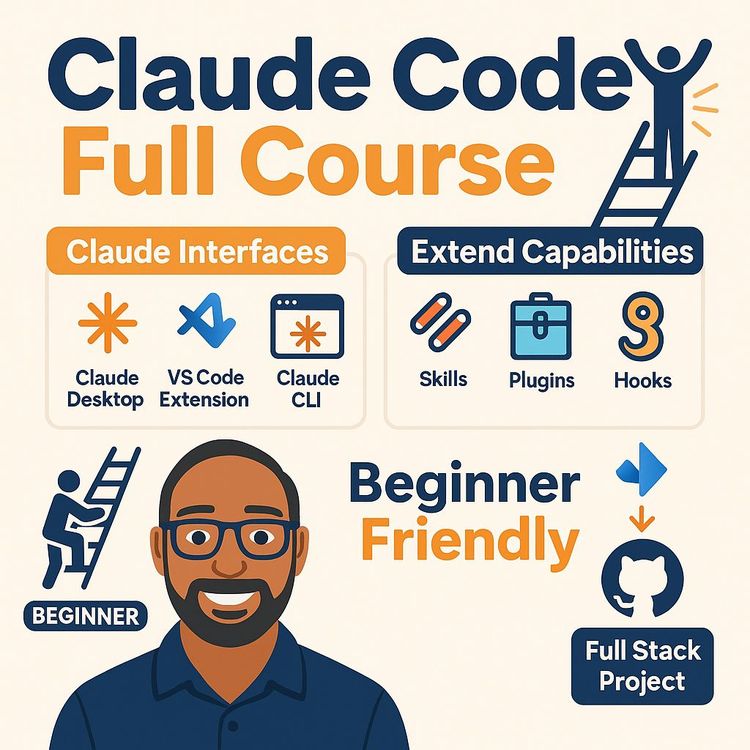
Also includes Access to All:
What You Will Learn
- Configure Claude Code across Desktop, IDE, CLI, and SDK
- Manage tokens and context windows with /context, /compact, and /clear
- Create and maintain agents.md to encode project conventions
- Integrate GitHub, Jira, databases and tools via MCP servers, skills, plugins, and hooks
- Run end-to-end workflows: implement features, run tests, and create pull requests
- Apply security and professional best practices (secrets, permissions, feature branches)
Study Guide
You're about to learn one of the most valuable skills in modern software development. Claude Code isn't just another AI tool that autocompletes your code,it's a full engineering agent that can read your entire codebase, understand your architecture, write new features, fix bugs, run tests, and even create pull requests. All from natural language instructions. This course takes you from absolute beginner to expert, covering everything from the basic concepts to advanced extensions like MCP servers, skills, plugins, and hooks. By the end, you'll know how to configure Claude Code for your projects, manage context windows like a pro, connect external systems, and run complete end-to-end workflows. Let's get started.
What Claude Code Actually Is
Claude Code is an AI agent developed by Anthropic that understands your codebase and helps you build, modify, test, and manage entire software projects using natural language. That's the official definition, but let me translate that into something more practical. Think of it as an AI software engineer working alongside you,not a fancy autocomplete tool. Traditional AI coding assistants suggest the next line or two of code based on what you've already written. Claude Code operates at a completely different level. It reads your entire project, understands how different files relate to each other, and can execute multi-step tasks autonomously.
Here's what that looks like in practice. You could say something like "Create a classic snake game with good visuals" and Claude Code will build a complete, playable game from scratch. It figures out where to save files, what structure makes sense, and how to implement the game logic. It can even test the result automatically. That's not autocomplete,that's engineering.
The core features break down into four main categories. First, project understanding. Claude Code reads entire codebases, including architecture and cross-codebase dependencies. It answers project-specific questions and makes decisions that align with your project's conventions. Second, code writing and modification. It creates new features from scratch, refactors existing code, fixes bugs automatically, and implements changes based on your instructions. Third, development task execution. It runs terminal commands, executes test suites, deploys code, and tests applications including UI interactions in browsers. Fourth, external system integration. Through MCP servers, it connects to GitHub, Jira, databases, Slack, browsers, and thousands of other external systems to automate complex workflows.
Here's a concrete example. Let's say you have a bug in your React app where state updates aren't reflecting properly. You could ask Claude Code to investigate the issue, trace the data flow, identify the root cause, fix it, and run your test suite to verify. That's a multi-step workflow that would normally take you an hour or more of manual debugging. Claude Code handles it in minutes while you watch the process unfold and approve each step.
The Rise of Claude Code and Its Market Position
Claude Code started as an internal project at Anthropic in September 2024, initiated by an engineer named Boris Cherny. It was a side project that nobody expected to become an industry standard. But the trajectory has been remarkable. In February 2025, it was released as a research preview,the first CLI-based coding agent available for research purposes. By May 2025, it hit general availability with the Claude 4 model families. The ecosystem expanded significantly in September 2025 with version 2.0, which brought the VS Code extension, checkpointing, hooks, skills, background tasks, and SDKs. Then came the Opus 4.5 model release in November 2025, which marked a real inflection point in code understanding and generation quality. Claude Cowork launched in January 2026, extending automation beyond coding into knowledge work. By May 2026, the platform hit a revenue run rate of $2.5 billion,doubling within five months. That's not just growth; that's market dominance.
The competitive landscape is worth understanding. Anthropic leads as the market innovator and standard-setter. OpenAI offers Codex CLI as a competitive coding agent. Google provides Gemini CLI and has developed the Antigravity IDE. Cursor AI from Anysphere remains popular as an AI-based coding tool. But many of these competitors have adopted similar agentic formats following Claude Code's lead. The platform essentially defined the category.
The VS Code extension alone has over 21.4 million downloads. That number tells you something about adoption. When you combine that with the revenue figures and the ecosystem that's grown around MCP servers and skills, you're looking at the de facto standard for AI coding agents.
The Four Ways to Access Claude Code
One of the smartest things about Claude Code is that it offers multiple access methods designed for different user needs and expertise levels. You're not locked into one interface. Let me walk you through each one.
Claude Desktop is the beginner-friendly option.
It's a standalone application available for Windows and Mac. It combines chat functionality and coding capabilities in one interface. You don't need to open a separate IDE or terminal. It has a built-in browser for testing applications. This is perfect for initial exploration and simple development tasks. The trade-off is that it has limitations compared to the IDE and CLI versions,fewer advanced configuration options and less control over the underlying processes. If you're brand new to Claude Code, start here. Build a simple project, get comfortable with how the AI responds, and understand the workflow before moving to more powerful tools.
IDE Integration is for daily development work.
Anthropic offers official extensions for VS Code and IntelliJ. The VS Code extension has over 21.4 million downloads, which speaks to its popularity. It lets you edit, review, and debug without leaving your editor. You can open Claude in the sidebar using command shortcuts, attach file context, manage conversations, and switch between models. Sessions synchronize with CLI sessions, so you can move seamlessly between interfaces. The IDE integration is the sweet spot for most professional developers,you stay in your familiar environment while gaining all the AI capabilities.
The CLI is the core and most powerful interface.
This is where Claude Code started, and it remains the heart of the platform. You launch it with the claude command, optionally with --resume to return to previous sessions. The CLI provides the complete agentic development experience. It works with any repository and any tech stack. It's ideal for automation, scripting, and advanced workflows. All the commands are available here,/context, /compact, /clear, /init, /permissions, /mcp, /skills, and /plugins. It's keyboard-first with numbered options for confirmations. If you want to use advanced features not available in the extension, you need the CLI. Here's a tip: when working in VS Code, use the built-in terminal to access the CLI alongside the chat interface. That hybrid approach gives you the best of both worlds.
The SDK enables building custom applications.
This is for a more advanced use case. The Software Development Kit lets you embed Claude Code functionality into your own software. You can create wrappers, custom services, or products based on Claude Code. For example, you might build an internal tool that automatically processes code review requests using Claude Code at the backend. This is distinct from direct coding assistance,you're building applications that leverage Claude Code's capabilities. Most developers won't need the SDK, but it's good to know it exists for when you or your organization wants to build something custom.
The Claude Ecosystem and Foundation Models
Claude Code operates within a broader Claude platform ecosystem. Understanding this ecosystem helps you make better decisions about which tools to use and when.
Four model families power the platform, each optimized for different needs. Haiku is the fastest and most efficient model,perfect for quick, simple tasks where speed matters more than complexity. Sonnet offers balanced speed and power, and it's the default model for daily work. It's your workhorse. Opus is the most powerful model, but it consumes more tokens. Use it for complex, high-stakes tasks where output quality is critical and cost is less of a concern. Fable is a top-tier model that requires separate credits,it's for very high-end workloads that go beyond what the standard plans offer.
The ecosystem includes more than just models. On the consumer and productivity side, there's the Claude.ai website, the mobile application, Claude Design for front-end design capabilities, browser extensions, and Microsoft Office extensions. On the developer platform side, you have Claude Code for agentic coding, Claude Cowork as an AI teammate for knowledge work, and the API/SDK for programmatic model access. All of these can be extended using MCP servers, skills, connectors, and schedules.
One important note: Claude Code requires a paid Pro plan. There's no free version. The Pro plan provides access to Haiku, Sonnet, and Opus models. Plans include usage limits with visibility into consumption and reset schedules. Make sure you understand your plan's limits before starting large projects, because running out of tokens mid-task can be frustrating.
Understanding Tokens and Context Windows
Tokens are the fundamental unit of measurement in AI models. Every input you send and every output the model generates is measured in tokens. A token can represent a piece of text, part of a word, a symbol, a code fragment, or even parts of images, video, or audio. The exact breakdown varies by model architecture,there's no fixed word-to-token ratio. For example, "Hello" might be one token, while "Claude Code" might be two or three tokens depending on the model. A full sentence could be anywhere from four to six tokens.
All LLM pricing, limits, and comparisons are measured in tokens. The key metrics include context window size, input costs, output costs, generation speed, and latency. Input tokens cost less than output tokens. For example, with Claude Opus 5, input costs $5 per million tokens while output costs $25 per million tokens. That's a significant difference, so you want to be mindful of generating unnecessarily long responses.
The context window defines the maximum tokens a model can accept as input in a single interaction. Claude Code supports approximately 1 million tokens in the context window,that's enormous compared to what was available just a few years ago. Everything goes into that window: your prompts, the model's responses, relevant source code, documentation, terminal output, attached files, and tool results. When you hit the limit, the oldest information gets dropped in favor of newer content. That's why context management is such a critical skill.
Here's how to manage your context window effectively. Use the /context command to see current token usage, system prompt size, tool usage, and free space. When you're running low, use /compact to summarize the existing context and keep only the summary, freeing up tokens. Use /clear to completely clear conversation history and start fresh. Start new threads for unrelated tasks to prevent unnecessary history transmission. And keep your agents.md file concise,it's loaded into every conversation, so a bloated file wastes tokens on every single interaction.
Let me give you a practical example. You're working on a large refactoring task. You've been chatting with Claude Code for an hour, and the conversation history is eating up context. You check /context and see you're at 80% usage. Run /compact to condense the history into a summary. Claude Code will create a distilled version of what you've discussed, free up space, and continue working. It's like cleaning your desk mid-project so you have room to spread out new documents.
The Agents.md File: Your Project's Instruction Manual
The agents.md file,formerly known as CLAUDE.md,is arguably the most undervalued asset in AI-assisted development. This file provides project-specific instructions, guidelines, and conventions to AI coding agents. It's included automatically in every conversation with Claude Code, which means the AI always has access to your project's context without you having to repeat yourself.
What should go in this file? Start with a project overview,what the project does and its purpose. Include the core project structure, listing main folders and important files. Document your coding standards: naming conventions, patterns, and practices. Specify testing procedures and commands. Include build and run commands. Define workflow standards and GitHub operation conventions. Add rules for library and framework usage. And crucially, list things to avoid,like not reading secrets or requiring virtual environments before running commands.
Here's a concrete example. Your agents.md might say something like: "This is a Python FastAPI backend with a React frontend. Run tests with 'pytest'. Build with 'npm run build'. Use type hints throughout. Never commit API keys,they live in .env files. Always create feature branches for new work. Follow PEP 8 style guidelines." That single file gives Claude Code everything it needs to work on your project correctly from the first interaction.
The strategic importance here is hard to overstate. Create this file at project initiation and keep it continuously updated. It should be reasonably sized but comprehensive,a few hundred lines is acceptable for complex projects. The agents.md standard is now followed by multiple coding agents including VS Code Copilot, Gemini, and Claude Code, so it's an industry-standard convention. Have senior team members review it regularly to ensure quality. When your team shares this file via version control, everyone,human and AI,stays in sync on project standards.
Let me give you another example of why this matters. Imagine you join a new project with a complex codebase. Without agents.md, Claude Code has to figure out the architecture, conventions, and standards from scratch,and it might guess wrong. With a well-written agents.md, the AI immediately knows the project structure, understands the testing requirements, and follows your coding conventions. The quality difference is dramatic.
Extending Capabilities: MCP Servers
MCP stands for Model Context Protocol, an open standard released by Anthropic in November 2024. It enables AI agents to connect with external systems,GitHub, databases, Slack, browsers, Jira, and thousands of other services. Think of MCP like a USB cable. The protocol itself has no capability, but it enables connections to anything that implements it. This standard has been adopted industry-wide by OpenAI, Google, and other AI companies, making it a universal way to extend AI agent capabilities.
MCP servers run as small processes on your machine and connect Claude Code to specific systems. They're loaded at session startup, which means they occupy context window space. That's an important consideration,every MCP server you add consumes tokens from your context window. Newer versions include optimizations to load tools on demand, but you should still be selective about which servers you install.
One of the most useful MCP servers is Context7. It fetches the latest documentation from official library sources, which solves a common problem: AI models have knowledge cutoffs and may generate outdated code for API calls. With Context7 installed, Claude Code can query current documentation and write code that matches the latest library versions. The installation command looks like this: claude mcp add context7 -- npx -y @upstash/context7-mcp. Once installed, Claude Code automatically uses tools like query_docs and resolve_library_id to fetch current documentation before writing code.
The GitHub MCP server is another essential. It enables repository operations, code pushes, branch management, and pull request creation. You authenticate with a personal access token,ideally a fine-grained token restricted to the specific repository you're working on. That's a security best practice: grant the minimum permissions necessary.
The Jira or Atlassian MCP server enables reading tasks, updating statuses, and commenting on tickets. This is how Claude Code connects to your project management workflow. You can tell Claude to read a Jira task, implement the changes, and update the task status,all through the MCP connection.
Configuration scopes determine where MCP settings are stored and who can use them. There are three scopes. User scope is stored in the user root directory and applies across all projects for a specific user. Project scope is stored in the current project directory and gets shared with the team via committed files. Local scope is project-specific settings that are not committed,only for the current user on the current project. The precedence order is Local (highest), then Project, then User (lowest). So if you have conflicting configurations, the more specific one wins.
Here's a practical example. Your team uses GitHub and Jira. You install the GitHub MCP server with project scope so everyone on the team has access. You install the Jira MCP server with user scope because only you need it for your workflow. And you install a personal calendar MCP server with local scope because that's specific to your machine. Each server is configured at the appropriate level.
Installation commands include claude mcp add [name] [options] and claude mcp remove [name]. The -s flag specifies scope,project, user, or local. You can manage servers through the /mcp command in the CLI.
One more thing about MCP servers: they're heavier on context window usage than skills. Server details are loaded at session start, and each tool definition consumes tokens. In a fully configured development environment, you might have 83 MCP tools accessible. That's powerful, but it's also a lot of context being consumed. Be intentional about which servers you keep active.
Extending Capabilities: Skills
Skills teach Claude Code how to perform specific repeatable tasks. They're lightweight,only loaded when relevant, thanks to an on-demand architecture. Unlike MCP servers that run as separate processes, skills are simple folders and standard files. They're very easy to create and share, and they focus on team-specific processes and methodologies. Skills are also portable across Claude Code, Codex, Gemini, and other coding agents, following open standards.
The skill structure is refreshingly simple. You create a folder named after the skill. Inside, you place a required SKILL.md file containing the name, description, and instructions. Optionally, you can add folders: scripts for executable code, references for documentation, and assets for templates and files.
Let me give you a concrete example. Say you want a skill that formats unformatted JSON files to make them readable. You'd create a skill folder called "format-json" with a SKILL.md file that describes what the skill does and provides step-by-step instructions for formatting JSON. When Claude Code encounters a task that matches the skill's description, it loads the full instructions and applies them.
Another example is the Agent Browser skill. This enables persistent browser automation with session continuity. Claude Code can navigate websites, take screenshots, test front-ends, and extract data,all while maintaining browser sessions across interactions. This is incredibly useful for testing web applications or scraping data from sites that require multi-step navigation.
Creating a skill is straightforward. You can even have Claude Code generate skills for you. Just say something like "I want to create a skill for this project that can format a JSON file which is not formatted." The system creates the folder structure and SKILL.md with appropriate instructions.
At session start, only the skill name and description are loaded into context. When a relevant task comes up, the full skill is loaded. That's the on-demand architecture working efficiently,you don't pay the token cost for skills you're not using.
Skills are available from multiple marketplaces. Anthropic has an official skills page, and community platforms like Skills.sh offer a wide range of community-developed skills. When you install a skill, you can select the scope,project or user level,similar to MCP servers.
Here's a practical tip: prefer skills over MCP servers when both options exist. Skills are lighter on context window usage and simpler to maintain. If you have a repeatable internal process, create a skill for it. Your team will benefit from consistent execution every time.
Extending Capabilities: Plugins
Plugins bundle multiple capabilities into a single installable package. They combine skills, MCP servers, agents, and hooks into one entity that you can install with a single command. Plugins are best for sharing complete setups with teams,instead of configuring five different components individually, you install one plugin and everything works.
Here's an important distinction: plugins are currently specific to Claude Code. They're not portable to other coding agents like skills and MCP servers are. A plugin is essentially a distribution wrapper rather than a new capability type. It packages existing components into a convenient, shareable format.
Several notable plugins are worth knowing about. The Front-End Design plugin provides front-end design capabilities and guidelines. It applies professional UI design principles to generated interfaces. The Feature Dev plugin embodies Anthropic's internal feature development lifecycle,discovery, codebase exploration, clarifying questions, architecture design, implementation, quality review, and summary preparation. It's a structured approach to building features that ensures nothing gets missed. The Code Simplifier applies simplified code practices and standards, using parallel review processes to identify and eliminate unnecessary complexity.
Let me walk through the Feature Dev workflow in more detail because it's a great example of what a plugin can do. First, discovery,the plugin understands the task requirements. Second, codebase exploration,it reads relevant files to understand the existing architecture. Third, clarifying questions,it asks you about ambiguous requirements before proceeding. Fourth, architecture design,it plans the implementation approach. Fifth, implementation,it writes the feature. Sixth, quality review,it runs parallel review agents to check the work. Seventh, summary,it provides implementation details and next steps. That's a complete software development lifecycle encoded into a plugin.
The practical benefit here is consistency. When your team uses the same plugins, you get the same quality standards and workflows applied across all projects. That's valuable for organizations that want predictable outcomes.
Extending Capabilities: Hooks
Hooks provide deterministic event-based triggers for guaranteed rule execution. This is a critical distinction from skills. Skills are instructional,they teach Claude Code how to do something, but the AI follows them flexibly. Hooks, on the other hand, fire automatically when specific events occur. There's no model judgment involved. When the event happens, the hook executes. Period.
The hook events include PreToolUse (before external tools are called), PostToolUse (after tool execution), Notification (when Claude needs user input), SessionStart, SessionEnd, and others. The action types include command or script execution, LLM prompt calls, agent delegation, and HTTP calls.
Here's a practical example. You want to be notified when Claude Code needs your input during a long-running task. You create a notification hook that triggers a Python script to send an email whenever Claude requests permission. When Claude hits a point where it needs user input, the hook fires, the script runs, and you get an email alert. This is verified in practice,when Claude requested permission for an action, the email script executed automatically, confirming the hook fired reliably.
Another use case: a PostToolUse hook that automatically reviews every tool call for security violations. Or a SessionEnd hook that triggers tests whenever a session concludes. The possibilities are extensive.
Configuration happens through the settings file. Here's an example structure for a notification hook:
{
"hooks": {
"Notification": [
{
"hooks": [
{
"type": "command",
"command": "python send-email.py"
}
]
}
]
}
}
You manage hooks through the /hooks command, which lets you review events and configure hooks.
Now, a word on safety. Hooks provide powerful automation, but they should be configured carefully. The --dangerously-skip-permissions CLI option exists for fully automated operation,it bypasses all permission prompts. The name includes "dangerously" for a reason. This should only be used in isolated environments with backups, never on personal machines or production systems. If you're running fully automated workflows, use a virtual machine or container that you can afford to lose.
Comparing MCP Servers, Skills, and Plugins
Let me give you a clear comparison to help you choose the right tool for each situation. MCP servers are live connection processes,they're best for live APIs, databases, and external systems. They're heavy because they load at session start and consume context window space. They're portable across any MCP-compatible agent. Creation is complex because you're building a server.
Skills are instruction-based guides. They're best for repeatable processes and standards. They're lightweight because they load on demand. They're portable across coding agents. Creation is simple,just folders and files.
Plugins are bundles of other capabilities. They're best for one-click complete setups. Their weight varies by contents. They're Claude Code specific, not portable. Creation is intermediate,you're packaging multiple components.
Here's a selection rule of thumb. If you need one specific capability for live external systems, use an MCP server. If you're creating a repeatable internal process, use a skill. If you want to share a bundle of capabilities with your team, use a plugin. And prefer skills when they're available because they're lighter on context window usage.
End-to-End Project Demonstration: Resume Analyzer
Now let me show you what Claude Code can actually do in a real-world scenario. We're going to build a full-stack Resume Analyzer where users upload a resume and job description to receive a compatibility analysis. The architecture uses React with Vite for the front-end, Python FastAPI for the back-end, SQLite for the database, and the Gemini API for LLM functionality. The tasks are created in Jira, and Claude implements them end-to-end, creating GitHub pull requests automatically.
The setup phase requires some preparation. First, create a GitHub repository and clone it to your local VS Code. Verify the connection with a test commit. Generate a GitHub token,a fine-grained personal access token restricted to the specific repository with permissions for actions, code, commits, and pull requests. Then install the GitHub MCP server with that token. Set up a Jira account and workspace with tasks that have descriptions and acceptance criteria. Configure the Atlassian MCP server with authentication via browser approval. Verify the connection by reading and updating task statuses. Install the plugins we discussed,front-end design, feature dev, and code simplifier. Finally, create an agents.md file that defines the project overview, architecture, conventions, and standards.
The Jira tasks should follow a logical progression. Task one is project scaffolding with working frontend and backend and Gemini API integration. Task two is core functionality: resume upload, job description input, and analysis report generation. Task three is database persistence for analysis history.
Now here's where it gets interesting. The execution starts with a single-line prompt: "Read the task details of RUM-2. Complete the task and create a pull request in GitHub." That's it. Claude Code then does the following automatically. It reads the task from Jira via the MCP connection. It analyzes the existing codebase. It asks clarifying questions if needed. It creates the file structure. It installs dependencies. It tests the application end-to-end, including browser testing. It commits to a feature branch. It creates a pull request in GitHub. It comments on the Jira task with the PR link. And it transitions the task status to "In Review."
Let me walk through what happened with Task One. Claude read the Jira task description, created the back-end and front-end structure, set up the Python virtual environment and Node.js configuration, integrated the Gemini API for LLM access, and tested end-to-end connectivity. Then it created a pull request with comprehensive details, automatically commented on the Jira task, and moved it to "In Review."
Task Two used the Feature Dev plugin for structured development. Claude asked clarifying questions about database scope, UI design, and output format. Then it implemented the resume upload, job description input, and analysis functionality. It conducted automated testing including UI interactions in headless browsers. During testing, it identified and fixed a PDF parsing issue by switching from PyPDF to PDF Plumber. Then it applied the front-end design skill to create a professional, elegant interface with progress bars, keyword highlighting, and skill gap visualization.
Task Three added SQLite persistence for analysis history and implemented archiving functionality. Claude conducted automated testing of the complete user flow. It ran quality review processes with parallel sub-agents. During review, it identified and fixed a database connection leak. Then it created a pull request, merged it, and transitioned the Jira task to "Done."
A few key observations from this demonstration. The entire workflow operated from a single-line prompt. Human oversight remained essential for accepting permissions, reviewing PRs, and resolving merge conflicts. And the platform demonstrated careful security practices by excluding API keys from commits and creating .gitignore entries.
There were also some common pitfalls worth noting. Generated PDFs sometimes lack selectable text if they're image-only,you need to convert them properly or use OCR. File parsing errors can occur,switching libraries like PyPDF to PDF Plumber solved that. Merge conflicts can happen after manual merges,you need to pull remote changes before further work. MCP authentication can expire,you re-authenticate via /mcp → Atlassian → "Re-authenticate." And if the UI looks basic despite the design skill, you need to explicitly invoke the front-end design skill in your prompts.
Security Considerations and Best Practices
Security isn't an afterthought with AI coding agents,it's a core requirement. Let me walk through the essential practices.
First, restrict API tokens. When you set up GitHub MCP, use a fine-grained token limited to the specific repository you're working on. Don't grant broad repository access. The principle of least privilege applies to AI agents just as it does to human users.
Second, never hardcode secrets. API keys and credentials must live in environment files like .env, which are excluded from version control. Your agents.md file should explicitly instruct Claude Code not to read secrets. And you should verify .gitignore coverage before committing anything.
Third, review access scopes. Understand what the AI can access. When Claude Code asks for permission to install libraries globally, access sensitive data, or modify unrelated code, say no. Question unnecessary actions.
Fourth, be selective with plugins and MCP servers. Verify the source and reputation of marketplaces and plugins. Third-party MCP servers and plugins introduce supply chain considerations that require vetting processes.
Fifth, use local scope for personal settings. This keeps your personal configurations from being committed to shared repositories.
Sixth, understand the --dangerously-skip-permissions flag. It bypasses all permission prompts. Use it only in disposable environments like virtual machines or containers with full backups. Never on personal machines or production systems.
Seventh, always review before merging. Treat AI-generated code like any teammate's contribution. Read the diff, verify functionality, and maintain human-in-the-loop review. Even thoroughly tested code can fail when run manually in certain environments.
Eighth, use feature branches. Ensure Claude Code works on dedicated branches and creates pull requests rather than committing directly to main. This gives you a review point before changes enter the main codebase.
Best Practices for Professional Use
Let me consolidate the best practices that emerged from practical implementation. These are the habits that separate effective Claude Code users from those who struggle.
Invest in a comprehensive agents.md file.
Spend 30 to 60 minutes initially documenting your project overview, standards, commands, and conventions. Then maintain it continuously. This file is included in every conversation, so it improves all subsequent interactions.
Keep MCP servers lean.
Since MCP servers consume context window space, only install what you need. Prefer skills over MCP servers when both options exist. Monitor your context usage with /context and adjust accordingly.
Scope tasks clearly.
Provide concise, clear instructions with specific expectations for output and acceptance criteria. Vague prompts produce vague results. The more specific you are about what you want, the better Claude Code performs.
Use plugins and skills systematically.
Skills are lightweight and reusable. Plugins bundle multiple capabilities for efficient setup and team sharing. Build a library of skills for your team's common processes.
Always review before merging.
This cannot be overstated. Read the diff, understand the changes, test locally, and verify functionality in real environments. AI-generated code deserves the same scrutiny as human-generated code.
Never hardcode secrets.
Use environment variables exclusively. Verify .gitignore coverage before committing. Instruct AI agents not to read secrets.
Use feature branches.
Ensure Claude Code works on dedicated branches and creates pull requests rather than committing directly to main.
Leverage vertical industry standards.
Use recognized file conventions like agents.md, protocols like MCP, and folder structures to maximize interoperability across tools and agents.
Rename sessions for navigation.
Give sessions meaningful names so you can easily return to previous work. Use /rename to name or rename the current session.
Start new threads for new tasks.
This prevents context window bloat and unnecessary history transmission. Each new task gets a clean slate.
Core Commands Reference
Let me give you a quick reference of the essential commands you'll use daily. /init initializes the project,Claude reads the codebase and creates a CLAUDE.md file. /context views current context window usage. /compact condenses conversation history into a summary. /clear resets the conversation completely. /model switches between available models. /mcp views, connects, and manages MCP servers. /skills lists available skills and their token usage. /plugins manages installed plugins and marketplaces. /permissions reviews and modifies granted permissions. /hooks reviews events and configures hooks. /rename names or renames the current session. /config opens configuration settings.
Master these commands and you'll navigate Claude Code with confidence. Each one serves a specific purpose in your workflow, and together they give you complete control over your AI coding environment.
Implications for Teams and Organizations
The implications of Claude Code extend far beyond individual productivity. For software development teams, this platform accelerates feature development dramatically. Teams can reduce the time from requirement specification to pull request creation from days to hours. Claude Code handles scaffolding, implementation, testing, and documentation while humans focus on architecture, complex problem-solving, and creative work.
The plugin system enables teams to encode their specific development processes, ensuring consistent quality across projects. New developers can leverage agents.md files and conversational AI assistance to understand codebases faster. AI-generated pull requests with comprehensive descriptions and automated testing provide reviewable artifacts rather than opaque changes.
For engineering managers and organizations, the resource allocation implications are significant. AI agents handle routine development tasks, freeing human engineers for higher-value work. Developers can build full-stack applications even when lacking expertise in specific front-end or back-end technologies, with AI guidance filling knowledge gaps. The subscription model represents a predictable cost structure versus token-based pricing for direct API usage.
Organizations should develop adoption strategies and governance frameworks now rather than reactively. That means defining which repositories, operations, and workflows are appropriate for AI assistance, establishing review requirements, creating standardized agents.md templates, implementing MCP server governance with an approved server list, and configuring hooks for critical events.
For educational institutions, the implications are equally significant. AI coding agent literacy should be incorporated into computer science programs, teaching both usage and responsible oversight. Evaluation methods must adapt to distinguish between AI-generated work and genuine student understanding. Working professionals need structured training programs that cover AI coding platform capabilities, best practices, and safety considerations.
Conclusion
Claude Code represents a fundamental advancement in software development methodology. It combines natural language understanding with comprehensive codebase awareness, autonomous execution capabilities, and sophisticated extensibility mechanisms. This transforms the developer's role from manual coder to AI-guided orchestrator. The platform's evolution from an internal project to an industry-standard tool demonstrates both its technical excellence and the market's readiness for agentic development tools.
The practical demonstrations we've covered,from simple game creation to complex full-stack implementations with Jira integration and automated pull request delivery,illustrate that Claude Code is not merely a code suggestion tool but a genuine autonomous engineering partner. However, effective adoption requires more than technical proficiency. It demands disciplined context management, thoughtful configuration of agents.md files, careful selection of MCP servers and skills, strategic use of plugins and hooks, and rigorous human oversight.
The future of software development is not AI replacing human developers, but AI amplifying human capability. Claude Code provides a concrete, production-ready example of why that future is already here. Start with Claude Desktop to build simple projects. Progress to the VS Code extension and CLI for daily work. Create an agents.md file for every project. Learn token economics. Master at least one MCP server. Explore skills and plugins systematically. Always review AI-generated code. Never put secrets in prompts or files. And above all, maintain human-in-the-loop review.
These principles,comprehensive project context, lean tooling, deterministic automation, and human oversight,will remain central to successful AI-powered software engineering as the platform continues to evolve. The skills you've learned in this course will serve you well regardless of which AI coding tools you use in the future, because the underlying concepts are universal. Context management, extensibility, security, and review processes apply to any AI-assisted development workflow.
Now go build something. Open your terminal, launch Claude Code, and start experimenting. The best way to learn is by doing, and Claude Code is one of the most capable learning companions you'll ever have.
Frequently Asked Questions
This FAQ section serves as a complete reference for anyone working with Claude Code, whether you're just starting out or already building advanced workflows. The questions below are organized to take you from fundamental concepts through to advanced extensions like MCP servers, skills, plugins, and hooks. Each answer gives you practical, actionable information you can apply directly to your own projects.Getting Started & Basic Concepts
What is Claude Code and what can it do?
Claude Code is an AI agent that reads and comprehends your entire codebase, including its architecture, dependencies, and project structure. Using natural language, it can help you build new features from scratch, refactor existing code, fix bugs automatically, execute terminal commands, run tests, and even deploy code end to end.
For example, Claude Code can create an entire playable Snake game from a single one-line prompt, complete with graphics, keyboard controls, built-in testing, and deployment readiness. It handles the entire software development lifecycle without requiring you to specify every detail yourself. Once you provide a simple prompt,such as "create a classic snake game with good visuals that I can play with arrow keys",Claude Code automatically decides the technology stack, generates the code, tests it, and presents the working product.
What was the origin story of Claude Code, and how did it become so popular?
Claude Code began when Boris Cherney, an engineer at Anthropic, started it as an internal project. Anthropic released it as a research preview,the first CLI-based coding agent on the market. It then reached general availability, making the tool available worldwide with the Claude 4 model family.
Version 2.0 expanded the ecosystem considerably, adding a Visual Studio Code extension, checkpointing, hooks, and SDKs. A critical inflection point came with the release of the Opus 4.5 model, which delivered breakthrough code comprehension capabilities. Anthropic then released Cowork, which extended the AI assistant beyond coding into general task automation. Claude Code reached a run rate of $2.5 billion in revenue and became the de facto standard for AI coding tools, a benchmark that the rest of the industry follows.
What are the main ways to access Claude Code?
Claude Code offers four primary access interfaces:
Claude Desktop App: A native application for Windows and Mac that provides a built-in code editor experience. This is the easiest and most beginner-friendly option, ideal for trying out Claude Code.
IDE Extension: A plugin for popular IDEs such as Visual Studio Code or IntelliJ. This integration lets you work directly within your favorite editor, review diffs, run commands, and debug code without switching windows.
CLI (Command Line Interface): The original and most capable interface. The CLI works with any repository, supports automation and scripting, and provides the complete agentic experience. It is the recommended choice for advanced configurations.
SDK (Software Development Kit): Intended for developers who want to build their own applications that leverage Claude Code under the hood, rather than using it directly as an end user.
For day-to-day development, most users combine the VS Code extension with the CLI, using the friendly chat UI for routine tasks and the CLI for advanced commands and configurations.
Do I need a paid subscription to use Claude Code?
Yes. Claude Code requires a paid Pro or Max plan. There is no free tier or trial for Claude Code specifically. The Pro plan is the minimum requirement and allows the full Claude Code experience with access to foundation models such as Haiku, Sonnet, and Opus.
While some alternative models or third-party interfaces might be available for free, those approaches won't provide the same integrated experience, and quality can vary significantly,which can lead to a false impression of Claude Code's capabilities. For that reason, it's recommended to purchase the Pro plan and test Claude Code with the actual Claude models.
What is the relationship between Claude models and Claude Code?
Claude Code runs on foundation models hosted in Anthropic's data centers; nothing runs on your local machine in terms of model inference. The models are organized into families based on performance characteristics:
Haiku: Fastest and most efficient,best for quick, simple tasks.
Sonnet: The default workhorse, balancing speed and capability for everyday work.
Opus: Most capable when tasks are complex and require deep reasoning; it consumes more tokens and needs more time.
Fable: A top-tier model available only if you purchase separate credits, required only for extremely complex tasks.
All these models are available to you as long as you have a qualifying subscription plan, with computational usage tracked against your plan's quotas.
Certification
About the Certification
Get certified in Claude Code workflows. Prove you can configure MCP servers, write custom skills and hooks, fix bugs, run test suites, and open pull requests,managing context across codebases with confidence employers notice.
Official Certification
Upon successful completion of the "Certification in Building Advanced Workflows with Claude Code", you will receive a verifiable digital certificate. This certificate demonstrates your expertise in the subject matter covered in this course.
Benefits of Certification
- Enhance your professional credibility and stand out in the job market.
- Validate your skills and knowledge in cutting-edge AI technologies.
- Unlock new career opportunities in the rapidly growing AI field.
- Share your achievement on your resume, LinkedIn, and other professional platforms.
How to complete your certification successfully?
To earn your certification, you’ll need to complete all video lessons, study the guide carefully, and review the FAQ. After that, you’ll be prepared to pass the certification requirements.
Other AI Video Courses

Video Course: What is Generative AI and how does it work?

Video Course: How to Use ChatGPT from Beginner to Professional

Video Course: How to Use Google Gemini for Google Workspace to Boost Productivity

Video Course: How to Use Claude 3.7 AI - Tips for Beginners!

Video Course: ChatGPT for Data Analytics: Full Course - from Beginners to Professional

Video Course: Generating Images and photos With ChatGPT?

Video Course: Generating Images & Photo's with MidJourney

Video Course: Generating Design's with Microsoft Designer and AI

Video Course: Generating Design's with Canva.com and AI
Join 20,000+ Professionals, Using AI to transform their Careers
Join professionals who didn’t just adapt, they thrived. You can too, with AI training designed for your job.







