
Claude Code Course: Zero to Advanced - Build Apps & Automations (Video Course)
Go from zero to advanced with Claude Code in just over 4 hours. Get set up, use Plan Mode and claude.md, and build a real full-stack proposal generator. Automate routine work, iterate fast, then deploy on Netlify and Modal.
Related Certification: Certification in Developing AI Apps and Automating Workflows with Claude
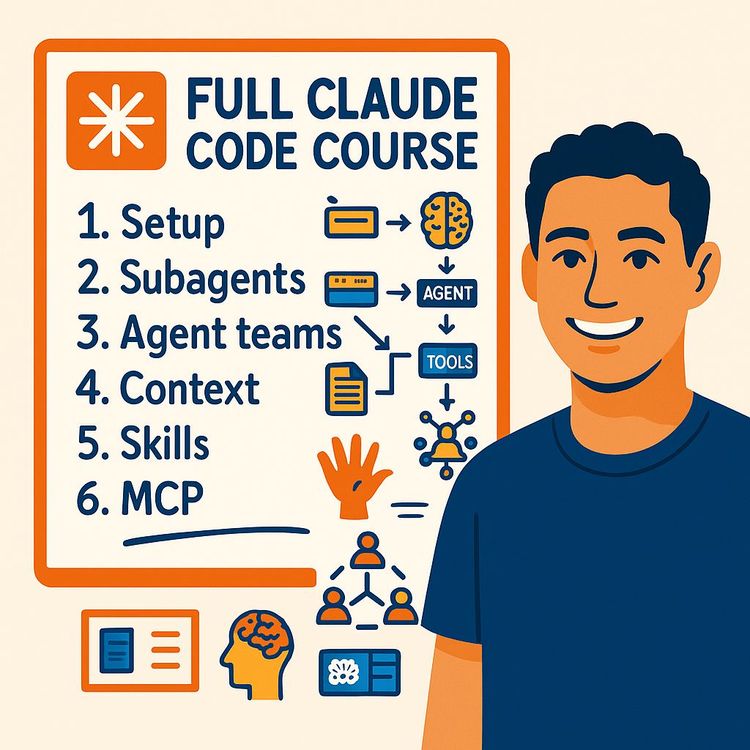
Also includes Access to All:
What You Will Learn
- Install, authenticate, and run Claude Code in the terminal and IDE (VS Code/Antigravity)
- Create and maintain claude.md and a .claude skills library to steer projects
- Use Plan Mode, permission modes, and the Task → Do → Verify loop to plan and verify work
- Manage context windows, /compact, and convert MCP prototypes into token-efficient Skills
- Parallelize tasks with sub-agents, agent teams, and Git worktrees for safe concurrent edits
- Build, test, and deploy a full-stack proposal generator (Stripe, e-sign, Netlify + Modal)
Study Guide
Claude Code Complete Course: Zero to Advanced (+4 Hours)
If you're serious about multiplying your output without multiplying your hours, this course is for you. You're going to learn Claude Code from the ground up and walk away with a repeatable way to plan, build, and ship software or automations,using an AI development environment that actually touches your files, executes scripts, and integrates with your stack.
Most people treat AI like a chat box. Claude Code is different. It runs locally, pairs with your file system, and evolves from "assistant" into "second brain" when you learn to steer it with project-level instructions, modular skills, and a bias for rapid iteration. You'll master the full operating system: setup, core concepts, Plan Mode, the claude.md system prompt, context management, custom skills and sub-agents, team-based parallelization, and deployment workflows that turn prototypes into production.
By the end, you'll build a real, full-stack proposal generator (think: proposals from templates, e-signature flow, Stripe payments), automate repeatable business processes, and set up a structure that lets you do in minutes what would normally take days. You'll also understand where to slow down (planning, security) and where to go fast (execution, iteration). That's how you unlock the compounding advantage of AI-assisted work.
What this course covers,and why it matters
You'll learn how to install and run Claude Code, wire it into an IDE, and use it as an end-to-end build system. You'll set up the claude.md "brain" for your project, understand permission modes (including Plan Mode and Bypass), use skills to compress complex workflows, and manage the model's context window so it stays sharp instead of foggy. You'll extend Claude Code with MCP tools when needed, and you'll parallelize heavy tasks with sub-agents or agent teams. Finally, you'll deploy to the web using services like Netlify and Modal, and know how to keep your builds secure and maintainable.
You're going to see a lot of examples. That's on purpose. Abstractions are useless if you can't apply them. The structure moves from basics to advanced so you always know what to do next.
Mindset: How to think about Claude Code
Think "Task → Do → Verify." The goal is not a perfect one-shot answer. The goal is speed of iteration plus a tight verification loop so the AI can catch its own mistakes, correct, and converge to quality. You will feed it objectives, let it execute, then tell it how to check itself,through automated tests, screenshot comparisons, or validation scripts.
Another lens: "Context is king." The model can only process a finite window of information at a time. Manage it like you manage your calendar,ruthlessly. Use claude.md for your standing rules, Skills for reusable checklists, and keep token-hungry integrations on a leash. That's how you maintain clarity and keep costs down.
Core definitions (so you never guess)
Integrated Development Environment (IDE):
A single interface combining file explorer, text editor, and AI chat. We'll use VS Code and Antigravity.
Terminal / Command Prompt:
Text interface to your operating system. Claude Code can run entirely here if you prefer.
Token:
A chunk of text the model processes (parts of words, words, symbols). Everything you show the model uses tokens.
Context Window:
The total amount of information the model can "see" at once (system prompts, tools, messages, files). Manage it well or performance drops.
claude.md:
The "brain" file in your project. Injected into every new conversation to set rules, goals, and constraints.
.claude directory:
A hidden folder that holds advanced configs: modular rules, skills, and agent definitions.
Permission Modes:
Controls what the AI can do to your files: Ask Before Edits, Edit Automatically, Bypass Permissions, and Plan Mode.
Plan Mode:
Read-only planning. Claude researches, reasons, and outputs a step-by-step plan before touching files.
Skills:
Reusable, human-readable workflows that execute complex tasks end-to-end.
Sub-agents:
Child agents with isolated context to parallelize or quality-check work.
Agent Teams:
A coordinated group of agents with a lead and shared scratchpad to tackle complex, collaborative problems.
Model Context Protocol (MCP):
Integrations that grant Claude access to external tools (e.g., Chrome DevTools, Gmail). Convenient but token-heavy.
Deployment:
Publishing your local projects or skills to the web (Netlify for frontends, Modal for backends/APIs).
Section 1 , Getting started: prerequisites, install, and your first session
Prerequisites
You'll need an active Claude subscription plan that includes Claude Code. Make sure your terminal is installed (Terminal on macOS/Linux, Command Prompt or PowerShell on Windows).
Installation and authentication
1) Open your Terminal (macOS/Linux) or Command Prompt/PowerShell (Windows).
2) Run the official install command from the docs. It's typically a curl-based script that sets up Claude Code locally.
3) Launch with "claude" in your terminal. First run will prompt authentication; you can also enter "/login". This opens a browser to link your account. Return to terminal to confirm.
The terminal interface in plain English
- Top Bar: Version, current model (e.g., Opus series), your plan, and the Current Working Directory (the folder you're operating in).
- Chat Window: Conversation history. Where you see the plan, steps, and tool outputs.
- Input Area: Where you type prompts and slash-commands.
- Status Line: Configurable; shows mode, token usage, and more.
- Modes: Cycle with Shift + Tab.
- Token Readout: Shows how much of the context window is used. Claude auto-compacts history when needed, but you can force it.
Useful commands you'll use immediately
- /login , Authenticate if you aren't already.
- /init , Generate a claude.md summarizing your project.
- /context , Inspect what's in context (system prompts, tools, messages).
- /cost , See token usage so you know when to compact.
- /compact , Force a summary of the conversation to free tokens.
- /clear , Reset the conversation when switching tasks.
Examples
Example:
"claude, I'm in my 'proposal-app' folder. What do you see?" Then run "/init" to let it scan files and bootstrap your claude.md in seconds.
Example:
Switch permission modes with Shift + Tab while asking, "What is the difference between Edit Automatically and Bypass here?" Let it explain and show where the toggle is in your IDE too.
Section 2 , IDE setup: VS Code and Antigravity
While the terminal is powerful, an IDE gives you a smoother flow: files, editor, and agent chat in one place. The two to know: Visual Studio Code and Antigravity.
VS Code setup
1) Download from the official site and install.
2) Open the Extensions Marketplace (square blocks icon).
3) Search and install the "Claude Code" extension from Anthropic (verified).
4) Open a project folder (File > Open Folder). Click the Claude Code icon on the right sidebar to open the chat interface.
Antigravity setup
1) Install from the official site.
2) Install the Claude Code extension like in VS Code.
3) Double-click the editor area, open the Claude panel on the right.
Interface anatomy (in an IDE)
- File Explorer (left): Folder and file structure.
- Text Editor (center): Where you edit files Claude generates or modifies.
- Agent Chat (right): Talk to Claude, set permission modes, attach files, view past conversations.
- Thinking Tab: A real-time peek into the model's internal monologue and reasoning. Use it to monitor plan steps, chain-of-thought structure, and when it pauses for verification.
Practical tips
- Attach screenshots or PDFs directly to the chat for visual tasks.
- Use the built-in voice-to-text on your machine to "voice dump" long specs. AI digests spoken detail better than vague one-liners.
- Keep the Thinking Tab open during complex builds so you can confirm it's following the plan before it executes.
Examples
Example:
Attach your brand guidelines PDF and say, "Use this typography and color system when you build the marketing site skeleton." Claude will reference it during code generation.
Example:
Paste a transcript: "We need a customer dashboard with usage analytics, invoice history via Stripe, and support tickets integrated with ClickUp." Claude will clarify, plan, and propose a stack based on your constraints.
Section 3 , The core: your claude.md file
The claude.md file is the high-leverage control panel of your project. It's your system prompt: always prepended to new chats in that directory. This is where you define goals, guardrails, code style, architecture notes, review checklists, and edge cases you don't want missed.
Function
- Automatically injected into every new session in its directory.
- Provides rules, standards, and context so you don't repeat yourself.
Purpose
- Steer behavior toward project goals and known constraints.
- Reduce token usage by summarizing architecture and key files.
- Improve consistency and quality across long builds and multiple contributors.
Best practices
- Initialization: Run /init in a new project so Claude can generate a draft claude.md summarizing purpose, architecture, and key files.
- Conciseness: Use bullet points and short headings; high information density over prose. Recommended length: 200-500 lines.
- Primacy bias: Put the most critical rules at the top. The model prioritizes earlier context.
- Living document: Review, prune, and update as your project evolves. Add rules when you see repeated mistakes.
Examples
Example:
Top-of-file guardrail: "NEVER delete '/config/production.env'. If an env var must be changed, request approval first." This prevents risky file operations during iterative refactors.
Example:
Code style snippet: "Use TypeScript strict mode, functional React components, Tailwind for styling, eslint-config-airbnb with overrides in .eslintrc. Commit messages: feat/fix/chore + scope + short imperative summary." Claude adheres automatically.
Tips
- Keep architecture notes fully updated: dependency graph, where secrets live, entry points, and known gotchas.
- If a rule is long, move it into .claude/rules/security.md or code-style.md and reference it from claude.md.
- When switching features, prune outdated guidance. Stale instructions create confusion and token bloat.
Section 4 , Permission modes you'll actually use
Permission modes control Claude's access to your local files. Pick the right one for the job.
Ask Before Edits (safest by default)
- Claude proposes changes and asks you to confirm before writing. Great for onboarding or sensitive repos, slower for large builds.
Edit Automatically (balanced)
- Automatically accepts edits to existing files, but prompts before creating new files. Good balance of autonomy and safety.
Bypass Permissions (maximum speed)
- Full permission to create, edit, and delete without asking. Use with caution. Enable it in the extension settings: "Allow Dangerously Skip Permissions."
Plan Mode (your force multiplier)
- Read-only. Claude researches, reasons, and outputs a detailed implementation plan before touching code. You review and approve first. This saves time, avoids rework, and reduces token burn during execution.
Examples
Example:
Start a complex build in Plan Mode: "Create a multi-tenant SaaS with Org -> Users -> Roles, payments via Stripe, docs via TipTap editor, and Supabase as the database." Approve the plan, then switch to Bypass for one-shot execution.
Example:
Using Ask Before Edits on a legacy codebase: "Refactor auth to JWT with rotation." You'll review each proposed diff before it writes, preserving stability while migrating.
Section 5 , Context management: how to stay sharp and fast
The context window is finite. If you overload it, clarity drops and costs rise. Keep your model's focus tight.
What consumes context
- System Prompt(s): global + local claude.md files.
- System Tools: built-in tool definitions (bash, web-search, etc.).
- MCP Tools: third-party tool definitions (often heavy).
- Memory & Skills: definitions for memory and your skills library.
- Messages: chat history and file snippets.
Control levers
- /context , See what's in play right now.
- /cost , Check token usage per section.
- /compact , Force summarization of history.
- /clear , Fresh start when changing tasks.
- Skills , Offload big instructions from claude.md to on-demand skills.
- Prune MCPs , Disable heavy tools outside of tasks that need them.
- Right model, right job , Use less expensive, larger-context models (e.g., Sonnet series) for data-heavy sub-tasks via sub-agents; keep the expensive model (e.g., Opus series) for synthesis and critical reasoning.
Examples
Example:
You're digesting 200 pages of transcripts. Spawn sub-agents with Sonnet to summarize each chunk in parallel, then feed the summaries to Opus to craft the final brief.
Example:
Your claude.md grew bloated with marketing copy rules. Move them into a "content-style.md" rule and reduce claude.md to a crisp index linking to it. Token usage drops and clarity increases.
Section 6 , Practical build: proposal generation platform (end-to-end)
This case study shows how to plan, build, verify, and deploy a real app. The workflow is repeatable.
1) Planning with Plan Mode
- Provide a high-level spec via voice transcript or a written dump. Include features: user accounts, AI-assisted proposal generation from templates, e-signature, Stripe payments, admin controls.
- Claude will ask clarifying questions: preferred front-end framework, user roles, database schema details, PDF generation approach, hosting preferences, and exact signature flow.
- If you have a PDF template, attach it. Claude analyzes structure: fonts, sections, variable placeholders, and layout constraints.
- Output is a detailed plan: stack, schema, file structure, API routes, user flows, dependencies, and a testing approach.
2) Execution with Bypass Permissions
- Approve the plan. Switch to Bypass. Provide API keys (Stripe, Anthropic, Supabase).
- Claude scaffolds the app: creates front-end, back-end, DB tables, migrations, auth logic, payment webhooks, PDF generation, and email notifications.
- You observe progress in the Thinking Tab and diff views if you want spot-checks.
3) Iterative refinement: Task → Do → Verify
- You run the app locally, click around, and report issues ("Email confirmation not sending," "Signature pad buggy on mobile," "Totals off in taxes").
- Claude patches issues, re-runs tests, and optionally captures screenshots to compare UIs across iterations.
- Repeat until it meets your standards. Consider adding automated tests to stabilize features before deployment.
4) Deployment
- Front-end to Netlify for quick hosting; connect your repo, set build command, and environment variables.
- Back-end functions to Modal; package as Python or Node functions, expose as API endpoints or webhooks.
- Store secrets in environment variables, not in code. Verify webhooks and secure admin routes.
Why this works
The compounding advantage is in iteration speed. You're not asking it to be right once; you're asking it to be fast to correct. Give it a verification mechanism and it gets better, quickly.
Examples
Example:
Attach your PDF template and say, "Extract all variable placeholders (client_name, project_scope, pricing_table) and map them to a Supabase schema. Generate seed templates and a CRUD UI to manage them." Claude wires the data model to the template engine for one-click proposal generation.
Example:
"Implement an e-signature flow with a signing link that expires in 48 hours, then sends a signed PDF to both parties and logs the event in an 'audit_trail' table." Claude builds the route, expiration logic, and audit logging.
Section 7 , The screenshot loop and visual matching
For visual builds (sites, dashboards), a screenshot-based verification loop is extremely effective.
Process
1) Choose an inspiration design you admire.
2) Open DevTools, use the command palette to "Capture full size screenshot."
3) Resize to under 5MB for efficient token use.
4) Copy CSS styles from the body element.
5) Attach the screenshot and paste styles into Claude. Ask it to replicate and iterate.
6) Claude generates the layout, takes a screenshot, compares to the reference, then refines until match is close.
Examples
Example:
"Recreate this landing page's hero: large headline, subheading, primary CTA, and screenshot frame. Use Tailwind and optimize for a 1440px container. Keep text and images customizable." It iterates visuals while preserving semantics.
Example:
"Now adapt for mobile: compress spacing, stack sections, and test on a 375px viewport. Provide before/after screenshots and note differences." It captures both, compares, and highlights deltas it fixed.
Section 8 , Advanced customization with the .claude directory
The .claude directory unlocks structure and scale. It centralizes advanced configuration so your project remains modular and maintainable.
What goes inside
- claude.md , Your core project system prompt.
- rules/ , Breakouts like code-style.md, security.md, data-governance.md, ui-guidelines.md.
- skills/ , Reusable workflows, each with a skill.md and optional scripts/ folder.
- agents/ , Definitions for specialized sub-agents with scoped permissions or roles.
Global vs. local configuration
- Global (~/.claude): Applies to all projects on your machine. Useful for your personal standards and defaults.
- Local (./.claude): Project-specific overrides. Team leads can set org-level standards globally; repos can override locally for project needs.
Examples
Example:
Global rule: "Prefer destructive actions behind explicit confirmation. Always create backups before mass refactors." Local override: "Bypass allowed only within 'sandbox/' and 'generated/' directories."
Example:
A project-specific security.md that mandates dependency scanning, input sanitization patterns, and required review steps for public endpoints. Claude follows it during every code change.
Section 9 , Skills: your automation library
Skills turn multi-step, error-prone processes into reliable, reusable checklists. They combine human-readable steps with scripts Claude can write, run, and maintain.
Skill structure
- skill-name.md , The orchestrator: name, description, preconditions, step-by-step checklist, error handling, verification steps, and success criteria.
- scripts/ , Supporting Python or Node scripts for scraping, parsing, API calls, etc.
How to create a skill
Describe the workflow in plain English. Claude will convert it into a structured skill, write the scripts, and wire verification. Place it in .claude/skills/ so it's discoverable and callable on demand.
Examples
Example:
scrape-leads: 1) Run a small test scrape; 2) Score lead quality with an LLM and a rubric; 3) Full scrape in parallel; 4) Deduplicate and enrich; 5) Upload to Google Sheets; 6) Email a summary with top 20 leads. Claude writes the scripts and handles retries.
Example:
weekly-report: Pull metrics from Stripe, Supabase, and Google Analytics; calculate MRR, churn, top cohorts; generate a PDF; post a summary to Slack with key deltas week over week. Verification: validate totals against yesterday's snapshot.
Tips
- Include "failure modes" and what to do: retries, fallbacks, alerts.
- Define a clear "done" condition. Skills shouldn't run forever.
- Start with an MCP for quick prototyping, then convert to a custom skill for token efficiency.
Section 10 , MCP (Model Context Protocol): quick integrations with a trade-off
MCP servers extend Claude with new tools quickly,like controlling a live Chrome browser or connecting to Gmail. Useful for prototyping; heavy on tokens.
How it works
- Add the MCP server config (JSON) and any required API keys.
- Claude now has new tools it can call in a session.
Examples
Example:
Chrome DevTools MCP: Automate a real browser session,navigate to competitor sites, fill forms, capture dynamic content, and export clean data. Faster than typical scraping on sites heavy with JS.
Example:
Gmail MCP: Read inbound inquiries labeled "Partnership," extract sender, company, ask, and urgency; then draft replies using templates and push a summary to ClickUp via another MCP.
Trade-off and best practice
- Many MCPs are token-heavy because their tool definitions eat context. Prototype with MCP to validate feasibility. If it works, convert the workflow into a custom Skill that hits the same API directly (lighter, faster, cheaper).
Section 11 , Sub-agents and agent teams: speed via parallelization
When a task can be split, parallelization gives you time back. Use sub-agents to isolate context and move faster. Use agent teams when the problem benefits from debate, diversity of approaches, or coordinated exploration.
Sub-agents
- Spawn child agents for focused tasks: research, bulk classification, code review.
- Run cheaper, larger-context models (Sonnet series) for heavy lifting; promote condensed results back to Opus for synthesis.
- Isolate review: create a "fresh eyes" reviewer without prior bias to evaluate code quality or security.
Agent teams (experimental)
- A team lead coordinates multiple agents. They share a scratchpad, debate, and collaborate on a shared checklist.
- Great for exploring multiple designs, stress-testing security, or parallelizing a creative search.
- Extremely token-intensive. Costs can spike fast. Use intentionally and time-box the work.
Examples
Example:
Email classification at scale: Split 10,000 emails into 10 shards; 10 sub-agents label them in parallel with a defined rubric; one parent agent merges results, runs QA, and outputs a final CSV.
Example:
Design exploration: A team of 4 agents each drafts a distinct landing page concept (minimalist, bold color, editorial, product-led). A fifth agent critiques and blends the best into a final hybrid.
Section 12 , Git worktrees: parallel development without collisions
Git worktrees let you check out multiple branches into separate directories at the same time. Perfect when multiple agents are making changes in parallel.
Workflow
- Create a worktree per agent task (feature/auth, feature/billing, fix/email).
- Claude edits in its assigned directory, preventing overwrites.
- Merge back into main via PRs with automated checks.
- If a branch goes sideways, delete its worktree safely without affecting others.
Examples
Example:
Three concurrent features: auth refactor, Stripe integration, dashboard UI revamp. Each lives in a separate worktree, minimizing merge conflicts and review chaos.
Example:
Isolation for risky refactors: A sub-agent attempts a migration in its own worktree, runs tests, and only merges if green. If not, discard without polluting the main repo.
Section 13 , Building websites quickly: three design methods
There are three high-yield ways to build UIs with Claude Code.
1) Inspiration & Screenshot Loop
- Provide a screenshot and styles; Claude replicates, screenshots, compares, and iterates until the match is good.
2) Voice Transcript Dump
- Speak your spec. Long-form inputs are faster by voice. Claude extracts requirements, proposes a stack, and plans the build.
3) Component-Based Design
- Use pre-designed web components (from libraries or galleries). Ask Claude to integrate and adapt them to your system (routing, state, styling).
Examples
Example:
Voice dump: "We need a pricing page with three tiers, a feature comparison table, CTA modals, and FAQs. Tone: trustworthy. Target: SMB." Claude builds the page with your brand tokens.
Example:
Component import: "Integrate this testimonial carousel and connect it to our CMS. Auto-rotate every 5 seconds, pause on hover, and make arrows keyboard-accessible." Claude stitches it in with accessibility in mind.
Section 14 , Managing permission modes in real life
Here's how to use modes intentionally across a full build.
Suggested pattern
- Plan Mode: Build the blueprint for any substantial project.
- Edit Automatically: Implement smaller features with guardrails.
- Bypass: Large scaffolding or bulk code-gen after approval; throttle it with directory-level constraints.
- Ask Before Edits: Sensitive migrations, schema changes, security hotspots.
Examples
Example:
Start a new microservice: Plan in read-only; once approved, Bypass to generate boilerplate, configs, Dockerfile, and CI scripts in one pass.
Example:
Schema evolution: Switch to Ask Before Edits for any change touching customer or payments data. Require explicit approval on the diff.
Section 15 , From MCP to Skills: token-efficient workflows
Use MCPs to get moving fast, then convert to Skills to run lean and local.
Pattern
- Prototype with MCP to validate: Does Chrome automation work on this site? Can we fetch Gmail safely?
- If yes, convert to a Skill that directly calls the APIs via scripts. Keep definitions small, lean on tokens only when called.
Examples
Example:
MCP Chrome → Skill: Prototype scraping a JS-heavy directory with MCP. Once it works, Claude writes a Playwright script plus a skill.md that runs the scrape headless with retries and HTML sanitization.
Example:
MCP Gmail → Skill: Prototype reading labeled emails. Convert to a Gmail API Python script under scripts/, with paging and incremental sync to a local SQLite. The skill orchestrates the fetch, parse, and export steps.
Section 16 , Deployment: Netlify and Modal
Deployment turns local wins into live systems.
Netlify (front-end)
- Connect repo, set build and publish directories, and environment variables.
- Automatic previews for pull requests.
- Rollbacks are one click if something goes wrong.
Modal (back-end functions & skills)
- Package a Python function and deploy as a webhook/API.
- Great for turning a Skill into a service triggered from forms, CRMs, or schedulers.
- Store secrets as environment variables; add logging for observability.
Examples
Example:
Deploy the proposal generator front-end on Netlify, then deploy a "generate-pdf" function on Modal. The front-end calls the Modal endpoint to produce signed PDFs on demand.
Example:
Turn your scrape-leads Skill into a webhook on Modal. Trigger it from a Notion button or a Zapier flow when a prospect list is updated; results push back to a Google Sheet.
Section 17 , Security: where you slow down and verify
Claude Code can move fast, but public-facing code,especially handling logins, personal data, or payments,needs deliberate review.
Practices
- Human review: Have a developer audit auth, payments, and data access controls before go-live.
- Secrets handling: Never commit secrets to code. Use environment variables. Rotate keys periodically.
- Input validation: Sanitize all user inputs, enforce rate limits, and validate payloads.
- Dependency hygiene: Keep dependencies updated; scan for known vulnerabilities.
- Logging and alerts: Capture errors, unusual events, and failed logins; notify your team.
Examples
Example:
Security review as a Skill: A checklist that runs dependency scans, lints for unsafe patterns, checks CORS, validates CSP headers, and surfaces a human-readable report for sign-off.
Example:
Sub-agent red team: Spawn a "devil's advocate" sub-agent with zero prior context to attempt common attacks (SQLi probes, XSS vectors, path traversal). It reports findings; you fix and re-run.
Section 18 , Practical context workflows you'll repeat
1) Fresh start protocol
- /clear to start clean when task switching.
- Attach only relevant files or summaries.
- Keep the goal tight and measurable.
2) Long-running project hygiene
- Weekly: /compact and prune. Move recurring instructions into Skills.
- Keep claude.md under control (200-500 lines). Split long rules into .claude/rules/.
Examples
Example:
Before a marketing sprint, /clear and attach a 1-page brief with success metrics. Claude focuses only on what matters.
Example:
As your team grows, move onboarding steps into a "onboard-dev" Skill: environment setup, repo access, conventions, test command. New devs ramp in hours, not days.
Section 19 , Business, engineering, and education implications
Professional development
Automate recurring tasks (lead gen, data analysis, reporting) with Skills. Free your calendar for high-leverage thinking.
Software engineering
Your role shifts from writing every line to architecting systems, designing prompts, and verifying outputs. You move faster by planning and orchestrating agents well.
Business and entrepreneurship
Prototype MVPs in hours. Validate ideas with real users quickly. Reduce risk and cost while maintaining momentum.
Education
Teach agent-based development, prompt design, verification strategies, and deployment. Focus on systems, not memorizing syntax.
Policy and security
Institutionalize reviews, vulnerability scanning, and deployment checklists. Build clear guidelines for AI-built apps.
Examples
Example:
A solo founder builds a niche CRM MVP over a weekend: auth, contacts, notes, simple billing. Launches to 20 test users and iterates with Claude as co-pilot.
Example:
An enterprise team creates a "compliance-audit" Skill that runs nightly checks on repos, flags deviations from data handling rules, and opens tickets automatically.
Section 20 , Case study encore: two more real builds
1) E-commerce mini-stack
- Plan Mode: cart, checkout, Stripe, product catalog, admin dashboard.
- Execute with Bypass: scaffold Next.js + Supabase, implement webhooks, and inventory sync.
- Verify: integration tests for checkout flow, screenshot loop for product pages.
- Deploy: Netlify front-end, Modal for stock-level webhooks.
2) Data pipeline and analytics
- Plan Mode: define ingestion from CSV and APIs, transform with dbt-like scripts, store in warehouse, build charts.
- Sub-agents: parallelize ingestion and normalization for multiple sources.
- Verify: sample-based QA on joins and metrics calculations.
- Deploy: Modal for scheduled ETL functions; front-end dashboard on Netlify.
Examples
Example:
For the e-commerce app, add a "refunds" Skill that validates eligibility, triggers Stripe refund, updates inventory, and emails the customer with return instructions.
Example:
For analytics, add a "KPI digest" Skill: pull yesterday's metrics, compute anomalies vs. trailing averages, and post a Slack summary with top 3 actions.
Section 21 , Turning skills into services
Once a skill proves valuable, turn it into a web-accessible tool.
Pattern
- Wrap the skill's orchestrator in a Modal function.
- Accept inputs as JSON from a form or CRM.
- Return results as a file (CSV, PDF) or structured JSON.
- Add logging and alerts for failures. Rate-limit if needed.
Examples
Example:
A "proposal-from-template" webhook: sales reps hit a form, select the template, enter client data, and receive a PDF in their inbox in under a minute.
Example:
A "monitor-hashtag" service: pulls posts from a social API, summarizes with a rubric, and sends a Slack digest daily at 9am. Errors are logged; retries are managed by the Skill.
Section 22 , The quotes to remember (and apply)
"A minute of planning saves you 10 minutes of building."
If you're tempted to skip Plan Mode, read that again. Planning is leverage.
The AI's value is speed and iteration.
Get to 80% fast, then use verification to close the gap. That's how you outpace traditional timelines.
Primacy bias is real.
Put your critical rules at the top of claude.md. Front-load what must not be forgotten.
Section 23 , Troubleshooting and best practices
When outputs feel "off"
- Check /context and /cost. You're likely out of room or flooded with irrelevant history.
- /compact or /clear. Re-attach only what's needed.
- Tighten the goal and success criteria. Ambiguity is the enemy.
When builds stall
- Use Plan Mode to reset the path. Ask it to articulate assumptions, blockers, and a revised sequence.
- Add verification. Tests or screenshot loops give the model a target to converge on.
When tokens explode
- Remove unused MCPs. Convert MCP prototypes into Skills.
- Move long-form instructions out of claude.md into .claude/rules/ or skills invoked on demand.
- Offload heavy summarization to sub-agents using cheaper models.
Examples
Example:
"Summarize the last 50 messages into a single, precise brief; remove marketing chatter; keep only acceptance criteria. Then proceed." Watch clarity return.
Example:
"Disable Chrome DevTools MCP for now; convert that login automation into a Playwright script under skills/browser-ops/scripts/ and call it from the Skill instead." Context use drops immediately.
Section 24 , Safety nets: verification everywhere
Verification converts guesswork into repeatable correctness.
Patterns
- Unit and integration tests for core flows (auth, payments, data writes).
- Screenshot diffs for UI parity across iterations.
- Schema checks before and after migrations.
- Sanity checks for ETL jobs (row counts, null checks, aggregation thresholds).
- Review sub-agent for unbiased code review.
Examples
Example:
"Generate Playwright tests for the signup and checkout flow. Fail the build if the happy path breaks." Claude writes and runs them locally and in CI.
Example:
"Before merging, spawn a reviewer sub-agent. It has no prior context; it only reads the diff and our security.md. It must either approve with rationale or block with a clear report."
Section 25 , End-to-end example: build, automate, and deploy a workflow
Goal
Monitor a niche hashtag, summarize top posts daily, and post to Slack.
Approach
- Plan Mode: define data source, frequency, summary rubric, and Slack channel formatting.
- Skill: "hashtag-digest" with steps,fetch posts, score relevance, summarize with examples, dedupe, and post to Slack. Scripts handle API calls and error retries.
- Sub-agents: parallelize scoring of posts across shards to speed up processing.
- Deployment: expose the skill as a Modal webhook; trigger on a schedule from a cron or an automation service.
Examples
Example:
Add guardrails: "Exclude low-quality giveaways or off-topic threads. Prioritize how-to content and case studies." Claude enforces the filter logic and explains edge-case handling.
Example:
Verification: "Keep a daily CSV archive of top posts with reasons for inclusion. If fewer than 5 posts meet the threshold, alert the Slack channel with a short note."
Section 26 , From zero to advanced: your training path
Stage 1: Fundamentals
- Install and authenticate in terminal.
- Run /init and get comfortable with claude.md.
- Toggle permission modes and watch how diffs are proposed.
Stage 2: Practical builds
- Use the screenshot loop to build 2-3 pages.
- Plan Mode for a small tool, then implement with Bypass.
- Add basic tests or visual diffs for verification.
Stage 3: Systems
- Create your first two Skills (reporting, scraping).
- Add one MCP for a quick win; then convert to a Skill.
- Manage context with /context, /compact, and pruning.
Stage 4: Scale
- Use sub-agents for parallel tasks.
- Try an agent team for design exploration (time-box it).
- Introduce Git worktrees and a CI pipeline with tests.
Stage 5: Production
- Deploy front-end to Netlify and back-end functions to Modal.
- Lock down security practices and run human reviews.
- Instrument logging, alerts, and backup strategies.
Section 27 , Everything from the brief, explicitly addressed
Local installation and system access
Claude Code runs locally, can read/write files, execute scripts, and interface with your OS. This creates a hands-on development loop you can't get with a web-only chatbot.
Iterative methodology
Task → Do → Verify. You don't need one-shot perfection; you need rapid iteration with verification (tests, screenshots) so the AI self-corrects quickly.
Plan Mode and advanced planning
Plan Mode gives you a read-only blueprint with fewer errors and lower costs later. Approve, then execute.
claude.md as the brain
Auto-injected system prompt with primacy bias. Keep it short, precise, and pruned. Use /init, bullets, and guardrails at the top.
Context window management
Use /context, /cost, /compact, /clear. Offload into Skills. Prune heavy MCPs. Split work with cheaper models via sub-agents.
Advanced customization via .claude
Modular rules, reusable skills, and scoped agents. Local overrides vs. global standards.
Skills
Expert checklists with scripts. Automate multi-step knowledge work: scrape-leads, weekly-report, compliance-audit, KPI-digest.
MCP extensions
Chrome DevTools MCP for browser control; ClickUp and Gmail MCPs for productivity. Prototype first; convert to Skills to save tokens.
Sub-agents and agent teams
Parallelize, isolate context, and use cost-efficient models. Agent teams coordinate via scratchpad for complex debates. Use sparingly due to token intensity.
Git worktrees
Parallel branches in separate directories so agents don't overwrite each other. Merge via PR with tests.
Full-stack build: proposal platform
Plan, execute (Bypass), refine (verify), deploy (Netlify + Modal). Integrate Stripe and AI text generation; wire a database like Supabase.
Security
Have a human review public apps. Use env vars, sanitize inputs, secure endpoints, and scan dependencies.
Applications
- Professionals: automate repetitive work with Skills.
- Engineers: move from line-by-line coding to orchestration, design, and verification.
- Entrepreneurs: prototype MVPs fast and reduce risk.
- Education: teach prompts, planning, agents, and deployment.
- Policy/Security: standardize reviews, scanning, and safe deployment practices.
Conclusion , Your operating system for building in the real world
If you've felt the friction of building: the back-and-forth, the context-switching, the rework,you now have a way to remove most of it. Claude Code is not just another AI chat,it's an integrated development environment that acts locally, reads and writes files, and follows your rules when you give it a brain (claude.md), a process (Plan Mode), and verification (tests, screenshots, or scripts).
You learned how to install, authenticate, and navigate both terminal and IDE workflows. You set guardrails with claude.md, controlled access with permission modes, and kept clarity high with context management. You saw how to build a production-grade app in hours using the Task → Do → Verify loop, then deploy it with Netlify and Modal. You learned to scale with .claude, Skills, sub-agents, and agent teams,trading a few tokens for a lot of time. And you saw where to slow down: security, human review, and clear rules at the top of your system prompt.
The compounding advantage is simple: plan for a minute, execute fast, verify relentlessly. Turn anything you do more than twice into a Skill. Parallelize when it's safe; prune when it's noisy. That's how you build more, better, and faster,without burning out. Now, pick one workflow you touch every week, convert it into a Skill, and deploy it. Momentum beats perfection. The rest follows.
Frequently Asked Questions
This FAQ exists to answer the most common and most useful questions about the Claude Code Complete Course: Zero to Advanced (+4 Hours). It moves from foundational setup to advanced automation, while addressing practical issues business professionals face,budget, security, speed, and ROI. Use it as a quick-reference guide before, during, and after the course to shortcut roadblocks and get working results faster.
Goal of this FAQ:
Help you install, build, automate, and deploy with Claude Code,confidently and safely,using real examples and clear next steps.
Getting Started and Core Concepts
What is Claude Code and how does it differ from web-based AI chat tools?
Claude Code is a local, AI-powered coding assistant that runs from your terminal or IDE, with permissioned access to your files and scripts. Unlike web chat tools that live in a browser, it can read, write, and refactor files, execute commands, and iterate on full projects on your machine.
Why it matters:
Local operation enables real build workflows,creating apps, automations, and documentation,without manual copy-paste between tools. For example, you can ask it to "create a Next.js app, set up auth, and scaffold product pages," then watch it generate files, run commands, and fix build errors. It's equally useful for non-dev tasks: batch-renaming assets, cleaning CSVs, or preparing client deliverables from templates. With an IDE integration, you chat, view files, and approve changes in one place, which reduces friction and speeds up feedback cycles.
Is Claude Code free to use?
No. Claude Code access requires a paid Anthropic plan (e.g., Pro, Team, Enterprise). IDEs like VS Code are typically free, but Claude Code's functionality is a premium feature.
Practical takeaway:
Treat the subscription as an operating expense that should pay for itself through time saved. Typical ROI examples include: reducing days of boilerplate coding to hours, automating lead research and enrichment, or turning SOPs into Skills that run on demand. Teams often justify cost by tracking reclaimed hours per week on code reviews, documentation, QA scripts, and administrative workflows. If you're budget-sensitive, start with high-impact use cases (e.g., internal tools, proposal generators, or repetitive data tasks) that convert directly into saved headcount time or faster sales cycles.
Certification
About the Certification
Get certified in Claude Code app development and automation. Prove you can use Plan Mode and claude.md, build and iterate a full-stack proposal generator, automate routine work, and deploy to Netlify and Modal,fast, production-ready.
Official Certification
Upon successful completion of the "Certification in Developing AI Apps and Automating Workflows with Claude", you will receive a verifiable digital certificate. This certificate demonstrates your expertise in the subject matter covered in this course.
Benefits of Certification
- Enhance your professional credibility and stand out in the job market.
- Validate your skills and knowledge in cutting-edge AI technologies.
- Unlock new career opportunities in the rapidly growing AI field.
- Share your achievement on your resume, LinkedIn, and other professional platforms.
How to complete your certification successfully?
To earn your certification, you’ll need to complete all video lessons, study the guide carefully, and review the FAQ. After that, you’ll be prepared to pass the certification requirements.
Other AI Video Courses

Video Course: What is Generative AI and how does it work?

Video Course: How to Use ChatGPT from Beginner to Professional

Video Course: How to Use Google Gemini for Google Workspace to Boost Productivity

Video Course: How to Use Claude 3.7 AI - Tips for Beginners!

Video Course: ChatGPT for Data Analytics: Full Course - from Beginners to Professional

Video Course: Generating Images and photos With ChatGPT?

Video Course: Generating Images & Photo's with MidJourney

Video Course: Generating Design's with Microsoft Designer and AI

Video Course: Generating Design's with Canva.com and AI
Join 20,000+ Professionals, Using AI to transform their Careers
Join professionals who didn’t just adapt, they thrived. You can too, with AI training designed for your job.







