
Flux Klein Virtual Influencer: Dataset, LoRA Training, ComfyUI (Video Course)
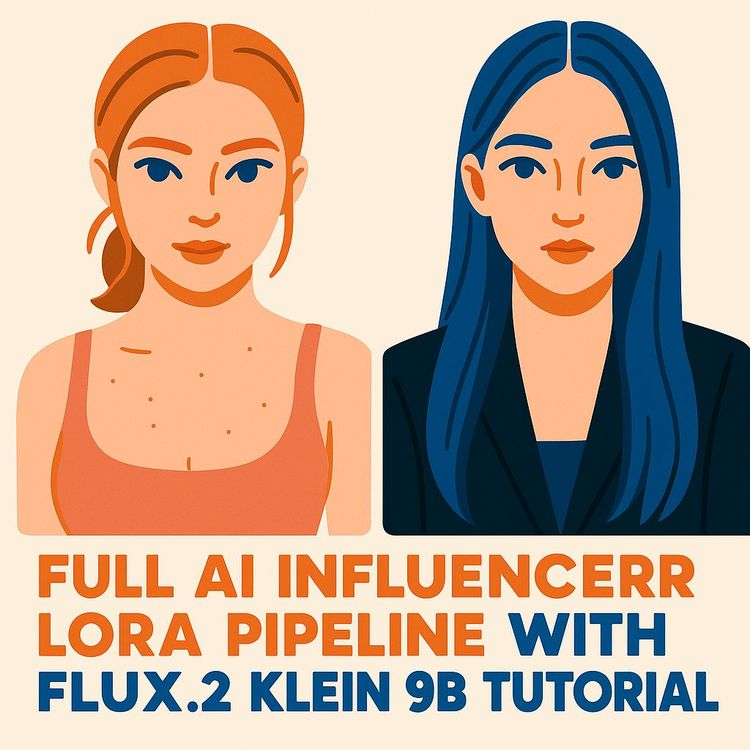
Create a consistent AI influencer from scratch,clean dataset with Flux Klein, quick LoRA training on Flux Line Base 9b, and a ComfyUI pipeline that just works. Same face across scenes, flexible hair and outfits. Practical settings and prompts included.
Related Certification: Certification in Building and Training LoRA-Based Virtual Influencers in ComfyUI
Also includes Access to All:
What You Will Learn
- Build the three-phase pipeline: Flux Klein dataset → LoRA training → ComfyUI generation
- Curate a 35-40 image dataset and remove artifacts to preserve likeness
- Train a LoRA on Flux Line Base 9b with Ostris (batch=2, 512 res, 600-800 steps)
- Apply a trigger word method to reliably activate the character in prompts
- Validate checkpoints (e.g., 400/600/700) to balance likeness and flexibility
- Generate on-brand variations in ComfyUI and upscale final assets for publishing
Study Guide
Introduction: Build a Consistent AI Influencer with Flux Klein, LoRA, and a Bulletproof Workflow
You're about to learn how to create a consistent, high-fidelity AI influencer from scratch,without wrestling with messy, inconsistent outputs. This course walks you through the full pipeline: generate a clean dataset with Flux Klein, train a custom LoRA on Flux Line Base 9b using the Ostris AI Toolkit, and deploy your model in ComfyUI to produce new, on-brand content quickly. If you've struggled to keep the same face across scenes, outfits, and lighting,this fixes that.
We'll go step-by-step, from concept to working model in minutes, not days. You'll get practical configurations, curation criteria, example prompts, and best practices to avoid the common landmines that derail most character LoRAs. By the end, you'll have a reusable system for building virtual personas,ready for marketing, storytelling, or personal branding. And yes, we'll validate flexibility: different hairstyles, poses, environments, and moods, while preserving the same face.
What you'll walk away with:
- A clear mental model of the three-phase pipeline: dataset, LoRA training, and content generation
- A working knowledge of Flux Klein for dataset generation and Flux Line Base 9b for LoRA training
- Exact training settings (steps, batch size, resolution), hardware guidance, and checkpoint strategy
- A simple "trigger word" method that replaces heavy captioning
- A content generation workflow to test likeness, style range, and prompt flexibility
Why This Pipeline Works (and Why It's Valuable)
Most image models can make incredible single shots, but stumble when asked to recreate the same face across dozens of scenes. The solution is to specialize a powerful base model with a small, efficient LoRA that teaches it your character's face. This pipeline is fast and reproducible:
Key benefits:
- Consistency: Your character's face remains recognizable across outfits, lighting, and framing.
- Speed: A usable LoRA trains in roughly 15-20 minutes on a strong GPU when you keep steps tight and the dataset curated.
- Control: A single trigger phrase cleanly activates the character, no heavy captioning required.
- Flexibility: You can prompt hairstyles, settings, and styles that weren't in the training set while preserving facial identity.
Core Tools and Concepts
Before we build, let's align on the tools and language we'll use throughout this course.
Flux Klein:
A Flux-series model that excels at generating realistic human-like figures. We'll use it for Phase 1: creating the initial dataset of images around one reference face.
Flux Line Base 9b:
A powerful, gated base model used for LoRA fine-tuning. You'll request access via Hugging Face and download it through your training environment.
LoRA (Low-Rank Adaptation):
A light-weight fine-tuning method that "teaches" your base model the look of a specific character or style without retraining the entire model. The LoRA becomes a small file you can load at inference time.
ComfyUI:
A node-based UI for building repeatable generation workflows. We'll use it to create the dataset and later to generate with your trained LoRA.
Ostris AI Toolkit:
A streamlined environment for setting up LoRA training jobs, organizing datasets, configuring parameters, and monitoring progress.
RunPod (Cloud GPUs):
An on-demand GPU platform. Ideal if you don't have a local GPU with 16GB+ VRAM.
Trigger word:
A unique token or phrase (e.g., "Remy L") that is assigned to your dataset during training. You'll include it in prompts to reliably activate your character.
Training steps:
The number of passes the training job takes through your batches. Too few → weak likeness. Too many → overfit and less flexible.
Learning Objectives
- Understand and execute the three-stage pipeline: dataset creation, LoRA training, and content generation.
- Curate a dataset for likeness and cleanliness (what to keep, what to delete).
- Configure and run a LoRA training job on local or cloud GPUs using the Ostris AI Toolkit.
- Choose key parameters: training steps, batch size, learning rate, and resolution.
- Generate consistent images using a LoRA with a trigger word, including flexible variations (e.g., hair, outfits, environments).
- Communicate the process to collaborators and stakeholders with confidence.
Phase 1: Dataset Generation and Curation with Flux Klein
This is where most people fail. Not because they can't generate images,because they don't curate. The model learns what you give it. Garbage in, garbage out. Clean in, consistent out.
Phase 1.1 Choose Your Reference Face
Start with one high-quality face that embodies your character's default look. The hairstyle in this image will become the model's default. You can override it later with prompts, but it will bias the generation.
Tip:
Use a sharp, well-lit reference with neutral expression and clear eyes. Avoid heavy makeup or extreme lighting unless that's core to your brand aesthetic.
Example:
- A mid-shot portrait with soft studio lighting and a natural hairstyle. Crisp iris detail, even skin tone, minimal accessories.
- A clean street-style photo with natural daylight and a simple background so the face reads clearly.
Phase 1.2 Generate Your Initial Batch (ComfyUI + Flux Klein)
Using a ComfyUI workflow, create approximately 40 images. You'll keep most of them if your prompting and setup are tight. Vary the scenes intentionally so the model learns the face under multiple conditions.
What to vary:
- Poses: front-facing, 3/4, slight profile; sitting vs standing; candid vs posed
- Lighting: soft indoor, warm golden hour, cool overcast
- Contexts: cafe, street, studio backdrop, desk, park
Example prompts:
- "A candid lifestyle portrait of [your concept], soft daylight, shallow depth of field, Fujifilm aesthetic"
- "Editorial fashion portrait, studio lighting, minimal background, high detail skin, neutral expression"
Practical setup notes:
- Batch ~40-50 images; aim to retain 35-40 after curation.
- Keep prompt variety wide enough to cover lighting and poses, but don't morph the face drastically with extreme styles at this stage.
- Save images with simple filenames so they're easy to review quickly.
Phase 1.3 Ruthless Curation: What to Keep vs. What to Delete
Review every image manually and delete anything that teaches the model the wrong lesson. You're training a face,not a bug collection.
Delete if you see:
- Anatomical artifacts: extra limbs, distorted hands, warped facial structure
- Compositional errors: nonsensical selfies (phone angles that defy physics), impossible reflections
- Visual glitches: transparency, broken textures, glassy or duplicated eyes
- Low-utility blur: overly blurry images that lack usable detail (unless your brand aesthetic is intentionally soft/foggy)
- UI remnants: fake social app overlays, fake "Instagram"-like text or elements produced by the model
Keep when:
- The face is clean and clearly recognizable
- There's slight motion blur that looks like realistic handheld photography
- Lighting variety adds robustness without distorting identity
Examples:
- Keep: a crisp 3/4 angle with warm indoor lighting; hands in frame but anatomically clean.
- Delete: a "selfie" where the phone appears behind the head or the hand count doesn't make sense.
Outcome target:
From ~40 generated images, you want ~35 high-quality keepers. No captions are necessary when you're using the trigger word approach in training.
Phase 1.4 Organize and Prepare the Dataset
Create a single folder that holds your curated images. You'll upload this folder to the Ostris AI Toolkit during training setup. Don't overcomplicate filenames,consistency beats cleverness here.
Best practices:
- Keep only the final curated set in the training folder.
- Store rejects separately so they don't accidentally get included later.
- Keep a copy of your original reference image,it's good for later QA comparisons.
Phase 2: LoRA Training on Flux Line Base 9b
This is where the generalized model learns your specific face. We'll use the Ostris AI Toolkit to keep setup clean and predictable. You can train locally if you have a GPU with at least 16GB VRAM or use RunPod for cloud GPUs.
Phase 2.1 Training Environment Options
Local GPU:
- Minimum: 16GB VRAM for a comfortable setup.
- Recommended: a high-end GPU decreases training time and increases batch size flexibility.
Cloud (RunPod):
- Recommended GPUs: NVIDIA 4090 or A5090 for fast training times.
- Use a template or image that includes the Ostris AI Toolkit to avoid dependency issues.
Hugging Face access (required):
- Flux Line Base 9b is gated. Request access on its Hugging Face page.
- Create a personal access token (PAT) in your Hugging Face account and paste it into the Toolkit so it can download the model.
Examples:
- Local: You have a 24GB GPU, install the Toolkit, set your HF token, and pull the base model directly for training.
- Cloud: Spin up a 4090 on RunPod, open the Toolkit UI in the browser, set HF token, and link your dataset folder.
Phase 2.2 Setting Up the Training Job (Ostris AI Toolkit)
Inside the Toolkit, you'll create a new dataset and a new training job. This is where we configure LoRA settings and the trigger word method that replaces detailed captions.
Step-by-step configuration:
- Training type: LoRA
- Base model: flux-line-base-9b
- Dataset: upload your curated 35-40 images
- Trigger word: a unique phrase for your character (e.g., "Remy L"),this will be auto-applied to all images
- Batch size: 2 (works well on strong GPUs, conservative on VRAM)
- Resolution: 512×512 (fast, stable, and effective for a face LoRA; you can still generate high-res later)
- Training steps: target 600-800 steps; don't rely on a 3,000-step default (that can overfit)
- Learning rate: a common starting point is 2e-4
- Checkpoints: save every 100 steps to allow early stopping and version testing
- Sampling: enable sample generation every 100 steps to visually monitor progress
Example job slate:
- Dataset: "remy_l_dataset_37imgs"
- Trigger: "Remy L"
- Steps: 800 (plan to test 400, 600, 700, 800 checkpoints)
- Batch size: 2
- Resolution: 512
- LR: 2e-4
- Checkpoint frequency: 100
Phase 2.3 Running the Job and Monitoring Progress
Start the job. The Toolkit will download the base model, prepare your dataset, and begin training. Watch the sample outputs at each checkpoint to evaluate likeness and flexibility.
What to look for at each checkpoint:
- 200-300 steps: emerging likeness, still a bit generic
- 400-500 steps: face starts to lock in, identity becomes recognizable
- 600-700 steps: often the sweet spot,strong likeness, still adaptable to different prompts
- 800+ steps: risk of overfitting,likeness may be great, but the model resists changes in style or pose
Examples of healthy progress:
- At 400 steps: your character appears in varied lighting, face is ~70% there.
- At 600 steps: strong facial identity under different prompts; hair defaults to the reference style, but other features vary as requested.
Phase 2.4 Preventing Overfit and Preserving Flexibility
Overfitting is when the LoRA memorizes the training set too tightly. You'll recognize it when the model refuses to take direction from prompts or replicates specific training images too closely.
Signs of overfit:
- The same angle or expression appears no matter what you prompt
- New hairstyles don't render well or revert to the default
- Clothing or backgrounds converge to training patterns
Preventative tactics:
- Prefer 600-800 steps for ~35-40 image datasets
- Stop at the checkpoint that balances likeness and range (often 600-700)
- Keep dataset clean,bad examples make the model "clingy" to safe patterns
Phase 2.5 Hardware, Time, and Practical Expectations
On a strong GPU (e.g., 4090 or A5090), a ~700-step job typically finishes in roughly 15 minutes. If you're slower, don't panic,VRAM, GPU speed, disk throughput, and concurrent jobs all matter. The key is: you don't need marathon training runs to get a usable character LoRA.
Noteworthy stats:
- ~35-40 curated images are enough for a consistent character LoRA
- ~700 steps completes in around 15 minutes on a high-end GPU
- Generation with the trained LoRA can take about a second per image on a compatible system
Phase 3: Image Generation and Model Validation (ComfyUI)
Now the fun part. You'll load the LoRA checkpoints into ComfyUI and run prompt experiments to evaluate likeness, flexibility, and default behavior. This phase proves whether your model is production-ready.
Phase 3.1 Load LoRA Files and Set Weights
Move your LoRA files (e.g., model_step_400.safetensors, model_step_600.safetensors, model_step_700.safetensors) into ComfyUI's loras folder. In your workflow, add a LoRA loader node and set an initial weight (e.g., 0.8-1.0). Include your trigger word in the positive prompt.
Prompt structure:
- "[Trigger word], [scene], [outfit], [lighting], [style cues]"
- Keep the trigger word near the front of the prompt for clarity.
Examples:
- "Remy L, editorial portrait, black hoodie, studio lighting, soft rim light, 85mm look, high detail skin"
- "Remy L, candid street photo, natural daylight, shallow depth of field, subtle grain, urban background"
Phase 3.2 Evaluate Across Checkpoints
Test 400, 600, and 700 step checkpoints to find your sweet spot. Likeness should be strong, and the model should follow prompt variations easily. The 600-step checkpoint often balances these best.
What to test:
- Pose range: front-facing vs 3/4 vs slight profile
- Lighting range: warm indoor vs cool outdoor vs soft studio
- Styling range: casual vs formal vs athletic
Examples to compare:
- 400 vs 600 steps: Does the 600-step version hold facial identity better under different lighting?
- 600 vs 700 steps: Does 700 feel a bit "stuck" in default looks compared to 600?
Phase 3.3 Flexibility Tests: Hair, Clothing, Environments
Even though the LoRA defaults to the original hairstyle from the reference, you should be able to override it easily with prompt direction.
Examples:
- "Remy L with a pixie cut, soft sunset light, minimal makeup, pastel background"
- "Remy L with long blue hair, cozy cafe, warm tones, depth of field bokeh"
- "Remy L with a straight haircut, monochrome outfit, studio softbox lighting"
Success criteria:
- The face remains consistent; hair changes are respected.
- Clothing and background follow prompts without collapsing identity.
- The model doesn't force elements from the training set that weren't requested.
Phase 3.4 Prompt Craft, Negative Prompts, and LoRA Weight
Small prompt tweaks often unlock big visual differences. Don't overload the prompt; think in modular chunks: subject, look, environment, and mood.
Tips:
- LoRA weight: start at ~0.9; raise if likeness is weak, lower if it feels too rigid.
- Negative prompts: use sparingly to avoid over-constraining; focus on removing common issues (e.g., "extra fingers, distorted hands").
- Seeds: fix a seed to compare checkpoints 1:1; unlock the seed after you've chosen a winner.
Examples:
- "Remy L, streetwear outfit, overcast daylight, 35mm vibe, subtle film grain"
- "Remy L, business casual, warm office light, sitting at a laptop, candid posture"
Phase 3.5 Image-to-Image and Upscaling
Once likeness is validated, you can push quality further.
Approaches:
- Image-to-image: feed a lower-res render into ComfyUI with a denoise strength between 0.3-0.6 to refine details without losing identity.
- Upscaling: use a good face-preserving upscaler in your workflow for social-ready outputs.
Examples:
- Generate at 768×1024 with moderate denoise for crisp fashion portraiture.
- Upscale a 512×512 headshot to 2048 on final export for a campaign graphic.
Quality, Consistency, and Curation: Why This Works
Let's connect the dots. Your curated dataset taught the LoRA the face. The trigger word lets you "switch on" that identity at generation time. Short, deliberate training (600-800 steps) keeps the LoRA flexible, so the base model can still express new hairstyles, outfits, and environments. Checkpoint testing ensures you stop training at the moment of maximum usefulness, not maximum memorization.
Key Insights and Takeaways (Reinforced)
Curation is non-negotiable:
High-quality training images equal a high-quality LoRA. Delete flawed images. Every one.
Efficient training is enough:
Generally 600-800 steps delivers a reliable character. Going to 3,000 steps is not only unnecessary,it can degrade flexibility.
Trigger words replace heavy captions:
One clean phrase per dataset keeps training simple and execution consistent.
Default vs. malleable:
The LoRA will lean toward the reference hairstyle by default, but still respond to prompt changes in hair, clothing, and setting.
Model selection matters:
Flux Line Base 9b is a strong foundation for high-fidelity human characters, and Flux Klein is excellent for initial dataset generation.
Implementation Deep-Dive: From Zero to Published Content
Here's a straightforward implementation path you can repeat for different characters, clients, or campaigns.
1) Gather your reference and concept notes:
- Personality keywords: confident, playful, minimalist, energetic
- Environments: cafe, street, studio, nature
- Style cues: streetwear, athleisure, modern casual
2) Generate 40 images in ComfyUI with Flux Klein:
- Keep face angles and lighting varied.
- Note which prompts yield the cleanest faces.
3) Curate ruthlessly down to ~35 images:
- Remove unrealistic selfies, extra limbs, and UI-esque artifacts.
- Keep only images with clean, readable faces.
4) Train LoRA on Flux Line Base 9b:
- Ostris AI Toolkit → LoRA type → flux-line-base-9b
- Trigger word: "Remy L" (or your unique token)
- Steps: 800 (checkpoints every 100)
- Batch size: 2 | Resolution: 512 | LR: 2e-4
5) Validate in ComfyUI:
- Test model_step_400/600/700.safetensors.
- Prompt hair changes and outfit swaps to confirm flexibility.
- Choose the checkpoint with strongest likeness + adaptability (often 600).
6) Build a content pipeline:
- Create prompt templates for scenes, outfits, and campaign themes.
- Batch-generate a dozen outputs per shoot concept.
- Post-process: upscale, color-grade, caption, publish.
Prompts Library: Two Examples per Major Concept
Likeness check:
- "Remy L, studio portrait, neutral background, soft key light, high detail skin, 85mm look"
- "Remy L, close-up headshot, catchlight in eyes, minimal makeup, smooth tones"
Lighting variety:
- "Remy L, golden hour sunlight, outdoor, warm tones, shallow depth of field"
- "Remy L, cool overcast daylight, city sidewalk, candid walking shot"
Styling variety:
- "Remy L, black hoodie, streetwear, subtle grain, urban background"
- "Remy L, formal blazer, clean studio backdrop, sharp lighting"
Hairstyle override:
- "Remy L, pixie cut, soft pastel background, gentle side light"
- "Remy L, long blue hair, cinematic backlight, moody environment"
Environment flex:
- "Remy L, cozy cafe, window light, steam from coffee, candid expression"
- "Remy L, modern workspace, laptop, standing at a desk, natural light"
Troubleshooting and Pitfalls
Problem: The face changes too much across images.
Fix: Increase LoRA weight slightly (e.g., from 0.8 to 1.0). Try the 600-step checkpoint if you were testing 400.
Problem: The model ignores hairstyle prompts.
Fix: Reduce LoRA weight (e.g., from 1.0 to 0.85). If you trained 800+, try an earlier checkpoint like 600.
Problem: Images look "over-baked."
Fix: That's often overfit. Go with the earlier checkpoint or reduce training steps next run.
Problem: Weird hands or extra fingers.
Fix: Add a light negative prompt like "extra fingers, distorted hands." Keep hands out of frame in key shots where it's not essential.
Problem: UI-like overlays (fake app elements).
Fix: Remove any such images from the dataset. Avoid prompts that mention social apps during dataset generation.
Ethics, Rights, and Use
Train only on images you have rights to use. Don't impersonate real individuals without explicit permission. Keep your outputs respectful and aligned with your brand values. Note that some base models, including Flux Klein, are censored and unsuitable for NSFW content. If your use case requires other content domains, you'll need different base models and workflows that meet legal and platform requirements.
Operating Modes: Local vs. Cloud
Local benefits:
- No recurring cloud costs, fast iteration if your hardware is strong, offline capable.
Cloud benefits (RunPod):
- Access to top-tier GPUs on demand, minimal setup time, predictable runtimes for training jobs.
Cloud tradeoffs:
- Ongoing rental costs and the need to manage data transfer. Use persistent storage or snapshots to avoid re-uploading datasets.
Best Practices That Compound Over Time
Version everything:
- Save checkpoints at 400/600/700/800. Keep prompt templates and seeds with your outputs.
Document your winning settings:
- Resolution, LoRA weight, favorite sampler, seed ranges, and any negative prompt phrases that help.
Maintain a clean environment:
- Keep ComfyUI and Toolkit installations stable; use portable or virtualized setups to prevent dependency drift.
Applications and Case Studies
Marketing & Branding:
- Create a virtual ambassador that models new product drops weekly, maintaining consistent facial identity across campaigns.
- Run A/B tests: the same face in streetwear vs. minimalist formal to see which speaks to your audience.
Digital Storytelling:
- Generate a recurring character for a webcomic,same face across scenes, outfits, and expressions.
- Build concept art for a game, keeping continuity while iterating settings rapidly.
Education & Training:
- Teach teams how to build domain-specific characters (e.g., a tutor persona) for learning content.
- Use the pipeline to demonstrate data-to-deployment lifecycle in AI classes or workshops.
Personalized Content:
- Create a digital avatar for profiles and banners, consistent across platforms.
- Produce themed shoots seasonally (summer streetwear, winter office fits) with the same recognizable face.
Action Items and Recommendations
For Practitioners:
- Start with a high-quality, neutral reference image.
- Be ruthless in curation,better a small perfect set than a larger flawed one.
- Test multiple checkpoints (400, 600, 700, 800) to find your sweet spot.
For Institutions:
- Set internal standards for dataset curation and checkpoint versioning.
- Maintain updated, portable environments for ComfyUI and training tools to avoid compatibility issues.
For Content Creators:
- Note that base models like Flux Klein are often censored; they're not suitable for NSFW content. Different models and workflows are required for those use cases.
Advanced Tips: Get More From the Same LoRA
Stylistic adapters:
- Layer a style LoRA with your character LoRA to explore aesthetics without retraining the face.
Prompt disciplines:
- Keep a "neutral" prompt template for likeness checks and a "creative" template for campaigns. Switch intentionally.
Batching for social:
- Generate 12-24 images per concept (3 seeds × 4 angles × 2 lighting looks). Pick the best eight and schedule across the week.
Definitions Refresher (Key Terms)
Virtual Influencer:
A computer-generated persona designed to appear consistently across media and function like a human influencer.
LoRA:
A compact adaptation that fine-tunes a large model to learn a specific face or style.
Dataset:
A curated collection of images that trains your LoRA. Quality and consistency determine the final model's reliability.
ComfyUI:
A node-based interface for building repeatable image generation pipelines.
RunPod:
A cloud GPU service for on-demand training resources.
Ostris AI Toolkit:
A training environment that simplifies LoRA configuration, dataset management, and progress monitoring.
Training steps:
Units of training progress; too few steps underfit, too many overfit.
Trigger word:
A unique phrase that activates your character LoRA in prompts.
Likeness:
How close the generated images are to your intended character's identity.
Hands-On: Full Walkthrough Example
Scenario:
You're building "Remy L," a clean, modern lifestyle character for brand partners in fitness and tech.
Phase 1: Dataset with Flux Klein + ComfyUI
- Generate 45 images: cafes, gyms, coworking spaces, streets; neutral to soft smiles.
- Curate to 36 images: delete 9 that contained distorted hands or impossible selfies.
Phase 2: Train LoRA on Flux Line Base 9b (Ostris AI Toolkit)
- Trigger word: "Remy L"
- Steps: 800 (save every 100)
- Batch size: 2 | Resolution: 512 | LR: 2e-4
- Hugging Face token set; access approved for base model.
Phase 3: Validate in ComfyUI
- Test 400, 600, 700 checkpoints using a fixed seed.
- 600 wins: best balance of likeness and hair/clothing flexibility.
- Generate final sets at 768×1024; upscale hero shots to 2048.
Example prompts (final):
- "Remy L, minimal gym outfit, natural window light, concrete background, editorial tone"
- "Remy L, tech startup office, laptop, clean lines, soft studio light, candid look"
Monitoring Overfitting During Training: What to Watch
Healthy samples show:
- Character identity is recognizable but not identical across samples.
- Lighting changes look natural and follow the prompt direction.
- Hair defaults to reference but changes with explicit prompts.
Overfit samples show:
- The same face angle and expression repeated regardless of prompts.
- Resistance to hairstyle or outfit changes.
- Backgrounds that mimic training scenes even when not requested.
Security and Access: Hugging Face Gated Model
Flux Line Base 9b requires you to request access on its model page and authenticate with a personal access token in your training environment. This ensures proper usage and gives you predictable, authorized downloads for training.
Performance and Cost Tips
On RunPod:
- Use ephemeral pods for quick jobs, persistent volumes for datasets and outputs. Snapshot your environment to avoid reconfiguration overhead.
On local rigs:
- Close other GPU-heavy apps during training. Keep drivers and CUDA toolkit consistent with your environment. A portable ComfyUI directory can save you hours of troubleshooting.
Additional Resources (for deeper dives)
Hugging Face:
- Explore base models and documentation for Flux-series models.
RunPod Docs:
- Learn how to launch pods, manage storage, and optimize costs.
ComfyUI Examples:
- Community workflows for LoRA training integrations, image-to-image, and post-processing.
Further study:
- Hyperparameter tuning for diffusion LoRAs
- Advanced prompt engineering for consistent characters
- Comparing diffusion architectures and their tradeoffs
Self-Check Quiz (Optional)
Multiple choice:
1) The primary purpose of a LoRA here is to:
A) Generate the dataset
B) Fine-tune a large model to a specific face
C) Remove the need for a GPU
D) Auto-caption training images
Correct: B
2) Which image is okay to keep?
A) One with three arms
B) Slight realistic motion blur
C) Artifact over the iris
D) Social app overlay text
Correct: B
3) What is a trigger word?
A) A word that starts generation
B) Your Toolkit password
C) A unique phrase that activates the trained LoRA
D) A word that stops training
Correct: C
Short answer:
1) Describe the three stages: dataset creation and curation, LoRA training on a base model, and content generation with the trained LoRA in ComfyUI.
2) Three delete criteria: extra limbs or distorted anatomy; UI-like overlays; unrealistic or nonsensical compositions like impossible selfies.
3) Why can you change hair later? The LoRA learns core facial identity while leveraging the base model's knowledge of hair concepts, so explicit prompts can override the default hairstyle.
Discussion:
1) How to spot overfit: look for repeated angles/expressions, resistance to hairstyle changes, convergence to training backgrounds. Pick earlier checkpoints like 600 to restore flexibility.
2) Cloud vs local: Cloud gives instant access to high-end GPUs, predictable runtimes, and easy setup; drawbacks are recurring costs and data management. Local is cheaper long-term if you already own a strong GPU and prefer full control.
Case-Ready Checklists
Dataset checklist:
- 35-40 curated images, clean faces, varied lighting/poses
- No extra limbs, no nonsensical selfies, no UI-style overlays
- Reference hairstyle clearly defined in the initial image
Training checklist:
- Base model: flux-line-base-9b (HF gated access + token)
- Steps: 600-800 | Batch size: 2 | Resolution: 512 | LR: 2e-4
- Checkpoints every 100 steps; generate samples each checkpoint
- Toolkit configured (local or RunPod)
Generation checklist:
- Load LoRA into ComfyUI, set initial weight ~0.9
- Include trigger word at the start of the prompt
- Validate across multiple checkpoints with fixed seed
- Test hair, style, environment overrides
Frequently Asked Questions
Do I need captions if I'm using a trigger word?
No. The trigger word method is efficient and effective for character-focused LoRAs.
Why 512×512 for training?
It's a sweet spot for speed and quality. You can still generate larger images later and upscale as needed.
What if my LoRA feels too "strong"?
Lower the weight (e.g., from 1.0 to 0.85) or try an earlier checkpoint like 600 steps.
How do I test flexibility fast?
Run a small matrix: two hairstyles × two outfits × two lighting setups across your 400/600/700 checkpoints, fixed seed, then compare.
From Pilot to Production: Scaling Your Influencer
Content calendar approach:
- Define weekly themes (e.g., cafe Monday, streetwear Wednesday, studio Friday).
- Pre-build prompt templates per theme and batch-generate ahead of schedule.
- Track which looks perform best and update prompt templates accordingly.
Collaboration tips:
- Share checkpoint outputs with stakeholders. Let them pick the "face" that feels right.
- Keep a shared doc of prompts and settings for brand consistency across team members.
Summary and Key Takeaways
You've learned a complete, end-to-end method to build a consistent AI influencer using Flux Klein, Flux Line Base 9b, ComfyUI, and the Ostris AI Toolkit. The process is simple to repeat and delivers professional results:
The pipeline:
- Phase 1: Generate and ruthlessly curate a dataset (aim for ~35-40 clean images).
- Phase 2: Train a LoRA on Flux Line Base 9b (600-800 steps, batch size 2, 512 resolution, LR 2e-4, checkpoints every 100).
- Phase 3: Validate in ComfyUI, choose the best checkpoint (often 600), and generate content using your trigger word.
What makes it work:
- Curation is everything. Delete flawed images.
- Efficient training beats long runs. Avoid overfitting to preserve flexibility.
- Trigger word prompting keeps activation clean and consistent.
- The final LoRA defaults to your reference look but responds well to clear prompt changes (hair, outfits, settings).
Why it's valuable:
This workflow turns generative AI into a reliable character engine. You get a reusable system to create, adapt, and scale digital personas for marketing, storytelling, education, or personal use,without losing the face that defines your brand. Apply the steps, test your checkpoints, and let the results speak for themselves.
Frequently Asked Questions
This FAQ explains the full pipeline for building a consistent virtual influencer with Flux Klein, from dataset curation and LoRA training to repeatable content generation. It addresses common roadblocks, clarifies key terms, and provides practical examples so you can ship campaigns with predictable quality and speed.
Foundational Concepts & Dataset Creation
What is the overall process for creating a custom AI character?
The process runs in three stages that loop as you improve results: dataset creation, LoRA training, and content generation. First, generate and curate a set of high-quality images anchored to a single reference face. Second, train a LoRA on that dataset so the base model internalizes your character's identity. Third, use the trained LoRA inside your generation workflow to create new images across scenes, outfits, and styles. Iterate by pruning your dataset, re-training, and testing several checkpoints to balance likeness with flexibility. Key point: dataset quality determines everything downstream; fix the dataset before touching hyperparameters.
Example:
Create 45 images with one reference, curate down to 32, train for ~700 steps, test checkpoints at 500/600/700 steps in ComfyUI, then pick the one that preserves identity while allowing hair, lighting, and pose changes.
What tools are essential for this process?
You'll use three categories of tools: a generation UI, a base model, and a training environment. ComfyUI handles dataset image generation and final content workflows through modular nodes. Flux Klein-9B provides highly realistic base outputs. A training platform like the Ostris AI Toolkit simplifies LoRA configuration, dataset management, and monitoring. If your local GPU is underpowered, use a cloud GPU provider (e.g., RunPod) with high-VRAM instances. Key point: keep versions, seeds, and prompts organized so you can reproduce successful results.
Example:
Use ComfyUI to batch-generate images, Ostris AI Toolkit on a RunPod 4090 pod for LoRA training, then bring the .safetensors LoRA back into ComfyUI for ongoing content.
What is the purpose of a reference image in dataset creation?
The reference image anchors identity. It sets facial structure, proportions, and the default hairstyle the model will assume if you don't specify one. Choose a sharp, front-facing image with clean lighting and minimal occlusions. Avoid sunglasses, heavy filters, or hair covering key facial landmarks. Key point: your dataset inherits the strengths and flaws of the reference,pick quality over style.
Example:
Select a crisp head-and-shoulders portrait with neutral makeup and simple background; generate your dataset around this face so the LoRA learns consistent features (eyes, nose, jawline) that transfer across scenes.
How many images are needed for a good training dataset?
A practical target is ~30-40 curated images. Start by generating 40-50, then remove anything with artifacts, logic errors, or off-identity faces. The count is less important than consistency: prioritize variety in angles, lighting, and backgrounds while keeping the face clearly the same. Key point: you'll get better outcomes from 30 clean images than from 100 mixed-quality ones.
Example:
Generate 48 images; delete 14 due to hand glitches and inconsistent eyes; end with 34 crisp, identity-consistent images covering front, 3/4, profile, indoor/outdoor, and different light scenarios.
What types of images should be removed from the dataset before training?
Delete anything that teaches the model the wrong lesson. Remove: anatomical errors (extra fingers/limbs), facial glitches (asymmetric pupils, warped lips), logical flaws (impossible reflections, phantom hands), unwanted UI overlays, and extreme transparency. Keep minor imperfections that mimic real photography if identity is intact. Key point: curate ruthlessly; bad data costs more than re-generating a few images.
Example:
Keep a photo with slight motion blur on hair if the face is clean; delete a "selfie" where the phone appears twice; remove an image with mismatched eye colors caused by artifacts.
Is it necessary to caption each image in the dataset?
No. Use a single trigger word (instance prompt) in your training setup. The tool applies it to all images so the LoRA links that token to your character's likeness. This speeds up prep and reduces caption noise. If you do write captions, keep them minimal and consistent to avoid training the model on irrelevant descriptors. Key point: a unique trigger word simplifies training and generation.
Example:
Set trigger word "MyChar_L0RA" during training; later, include "MyChar_L0RA" in your ComfyUI prompt to call the character on demand.
LoRA Training
What are the hardware requirements for training a LoRA?
For local training on Flux Klein, aim for a GPU with 16 GB+ VRAM. You can train with less by lowering batch size or resolution, but training time increases and stability can drop. Cloud GPUs (e.g., 4090) are often faster and simpler for burst workloads. CPU and RAM matter less than VRAM for this task. Key point: if you struggle with out-of-memory errors, reduce batch size, resolution, or gradient accumulation.
Example:
Local 16 GB GPU: batch size 1-2 at 512×512. RunPod 4090: batch size 2 at 512×512 with frequent checkpoint saves every 100 steps.
How do you set up the training environment on a cloud platform like RunPod?
Pick a GPU pod (e.g., 4090), select a pre-configured template like Ostris AI Toolkit, and deploy. Upload your curated dataset, add your Hugging Face token if the base model is gated, and configure a LoRA training job with steps, learning rate, and save frequency. Monitor sample images and logs. When done, download the best checkpoint(s). Key point: templates save hours of environment setup and dependency debugging.
Example:
Create a RunPod with Ostris AI Toolkit, paste your Hugging Face token, point to Flux Klein, upload 34 images, set 700 steps, save every 100 steps, and review sample grids at each interval.
Why is a Hugging Face token required for training?
Some base models (including Flux Klein) are gated behind access approval. A Hugging Face token acts as your authentication to download and use them within your training tool. You must request access on the model's page and then paste the token into the toolkit settings. Key point: without the token, the trainer can't fetch the model and your job will fail early.
Example:
Request access for the Flux Klein repository, copy your access token from Hugging Face settings, and add it to Ostris AI Toolkit before launching the job.
What are the key parameters to configure for LoRA training?
Set the base model (e.g., flux-klein-base-9b), dataset path, trigger word, training steps (often 600-800), learning rate (~2e-4), batch size (1-2 for 16 GB+), resolution (512×512), and save frequency (every 100 steps). Enable periodic samples with a fixed test prompt. Key point: fewer, cleaner steps with frequent checkpoints beat long, blind runs.
Example:
Base: Flux Klein; Steps: 700; LR: 2e-4; Batch: 2; Save: every 100 steps; Trigger: "MyChar_L0RA"; Resolution: 512×512; Sample prompt: "photo of MyChar_L0RA, studio lighting, 85mm, neutral background."
How long does the training process typically take?
On a high-end cloud GPU like a 4090, ~600-800 steps for a ~35-image dataset typically completes within minutes. Local timelines vary by VRAM and settings. The longest part is often data upload and model download on first run. Key point: fast iterations let you compare checkpoints and refine prompts quickly.
Example:
RunPod 4090: ~15-20 minutes for 700 steps with sample images every 100 steps and automatic checkpoint saves.
How do you evaluate the training progress?
Use periodic sample images and logs, but reserve judgment until you test checkpoints in your actual generation workflow. Watch for identity lock-in without stiff, repeated poses. If samples trend toward artifacts or locked hairstyles, you may be overfitting. Key point: the "best" checkpoint is the one that balances likeness and prompt responsiveness.
Example:
Generate a comparison grid using the 500-, 600-, and 700-step checkpoints with three prompts (casual indoor, outdoor golden hour, studio headshot) and pick the version that preserves identity across all three.
Image Generation and Advanced Use
How do you use the trained LoRA in ComfyUI?
Copy the .safetensors LoRA file into ComfyUI/models/loras, refresh the UI, and load it via a LoRA node in your workflow. Include the trigger word in your prompt and set a LoRA weight (e.g., 0.8-1.2) to control influence. Keep a prompt template and seed for reproducibility. Key point: consistent seeds and lighting prompts make A/B testing meaningful.
Example:
Prompt: "MyChar_L0RA, streetwear, evening city lights, candid look, 35mm, cinematic lighting" with LoRA weight 1.0 and a fixed seed for baseline visuals.
Which saved LoRA checkpoint should I use?
Test multiple checkpoints. Earlier ones (e.g., 400-500) often allow more styling flexibility but weaker likeness. Later ones (e.g., 600-700) tend to lock identity better but may resist changes. Evaluate with 3-5 diverse prompts and pick the checkpoint that matches your campaign's needs. Key point: keep two: one "flexible" and one "locked" for different briefs.
Example:
Use the 600-step checkpoint for lifestyle ads requiring outfit/hair variety; use the 700-step checkpoint for close-up headshots where facial consistency matters most.
Can the LoRA generate hairstyles different from the one in the training data?
Yes. The LoRA learns face identity more than fixed styling. Specify hairstyles explicitly in the prompt to override defaults. If the checkpoint is too rigid, lower the LoRA weight slightly. Key point: language precision beats repetition; describe cut, length, color, and texture.
Example:
"MyChar_L0RA, short pixie cut, chestnut brown, soft fringe, natural sheen" or "MyChar_L0RA, long straight platinum hair, center part, sleek finish."
Certification
About the Certification
Get certified in AI virtual influencer production (Flux Klein, LoRA, ComfyUI). Build a consistent face, clean datasets, train on Flux Line Base 9B, and deliver a reliable ComfyUI pipeline for branded video and image campaigns.
Official Certification
Upon successful completion of the "Certification in Building and Training LoRA-Based Virtual Influencers in ComfyUI", you will receive a verifiable digital certificate. This certificate demonstrates your expertise in the subject matter covered in this course.
Benefits of Certification
- Enhance your professional credibility and stand out in the job market.
- Validate your skills and knowledge in cutting-edge AI technologies.
- Unlock new career opportunities in the rapidly growing AI field.
- Share your achievement on your resume, LinkedIn, and other professional platforms.
How to complete your certification successfully?
To earn your certification, you’ll need to complete all video lessons, study the guide carefully, and review the FAQ. After that, you’ll be prepared to pass the certification requirements.
Other AI Video Courses

Video Course: What is Generative AI and how does it work?

Video Course: How to Use ChatGPT from Beginner to Professional

Video Course: How to Use Google Gemini for Google Workspace to Boost Productivity

Video Course: How to Use Claude 3.7 AI - Tips for Beginners!

Video Course: ChatGPT for Data Analytics: Full Course - from Beginners to Professional

Video Course: Generating Images and photos With ChatGPT?

Video Course: Generating Images & Photo's with MidJourney

Video Course: Generating Design's with Microsoft Designer and AI

Video Course: Generating Design's with Canva.com and AI
Join 20,000+ Professionals, Using AI to transform their Careers
Join professionals who didn’t just adapt, they thrived. You can too, with AI training designed for your job.







