
Google Gemini 3.0 Pro for Beginners: AI Search, Images & Video (Video Course)
New to AI? Get a simple system and prompts that actually work. Use Gemini 3.0 Pro with Nano Banana Pro and VO 3.1 to go from idea to finished assets. Plus Notebook LM and Agent Mode. Save time, ship faster, and feel confident using Google AI.
Related Certification: Certification in Building Search, Image & Video Apps with Google Gemini 3.0 Pro
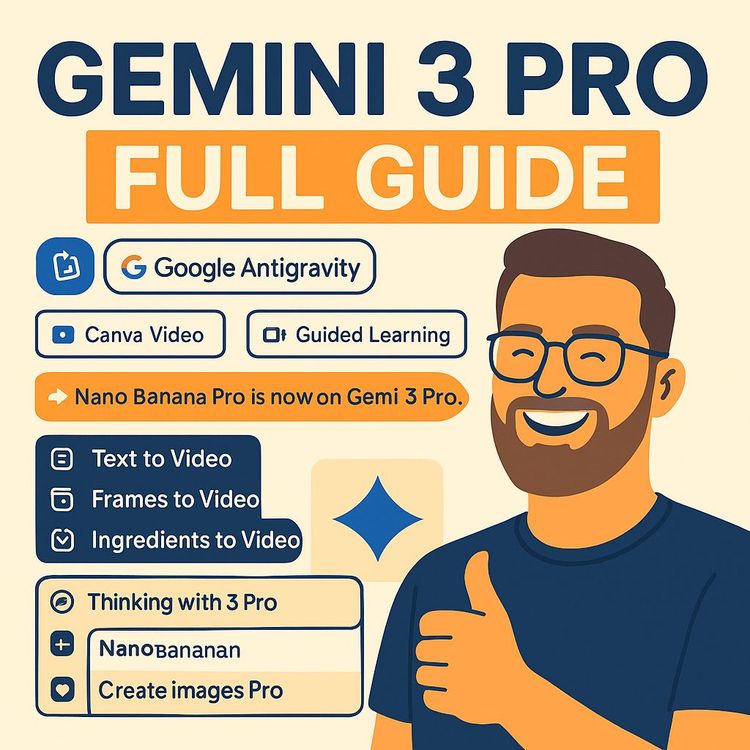
Also includes Access to All:
What You Will Learn
- Master Gemini 3.0 Pro for multimodal, long-context reasoning
- Create on-brand, high-resolution images with Nano Banana Pro
- Produce short, synced videos using VO 3.1 and scene extension
- Build end-to-end workflows and automate tasks with Agent Mode
- Write effective prompts, verify outputs, and follow ethical best practices
Study Guide
Ultimate Gemini 3.0 Pro Guide: How to Use Google AI For Beginners
You don't need to be a coder, a data scientist, or a creative director to use AI well. You need a mental model, a repeatable workflow, and a few proven prompts. This course gives you all three. We'll demystify Google's advanced AI suite,Gemini 3.0 Pro at the center, with Nano Banana Pro for images and VO 3.1 for video,so you can build, analyze, and create with confidence. You'll learn the fundamentals, then stack on practical techniques to go from "curious" to deploying full, end-to-end workflows for work, school, or your business.
Here's what you'll get: a clear explanation of how the ecosystem works together; step-by-step use cases for strategy, content, research, and automation; prompts that actually work; and best practices for quality, ethics, and speed. Expect to leave with a system that saves you time, elevates your output, and makes creative execution feel effortless.
The Stack: A Simple Way To Think About Google's AI Ecosystem
Think of Gemini 3.0 Pro as the brain. It reasons, plans, and understands huge amounts of text, images, audio, video, PDFs, and code all at once. When you need visual assets, you hand off to Nano Banana Pro for images. When you want motion and sound, you hand off to VO 3.1 for video. All three work together so you can go from strategy to finished assets without context switching.
Two more tools round out the experience. Notebook LM turns dense documents into interactive learning sessions (including a podcast-style audio breakdown). And Agent Mode lets Gemini plan and execute multi-step tasks autonomously with tools like browsing, email, and calendars.
Example 1:
Plan a product launch with Gemini, generate on-brand image sets with Nano Banana Pro, then produce short promo videos with VO 3.1,without rebuilding your brief each time.
Example 2:
Upload a research PDF into Notebook LM, listen to a conversational summary, ask follow-up questions, then have Gemini produce a slide deck and VO 3.1 craft a short explainer video to share key insights.
Key Concepts & Terminology (So You Never Feel Lost)
Multimodal AI: The ability to understand and generate across text, images, audio, video, PDFs, and code in a single conversation.
Long Context Understanding: Gemini 3.0 Pro handles a one-million-token window, so you can feed it entire reports, books, or large codebases and still get accurate, contextual answers.
Agentic Tasks (Agent Mode): You set a goal; the AI plans steps, uses tools, and executes without needing hand-holding.
High Thinking Level: A deeper reasoning mode where Gemini spends more time planning before answering, giving you structured, thoughtful, and actionable outputs.
Native Audio Generation (VO 3.1): Automatically creates synced dialogue, ambient noise, and sound effects that match the video, no manual audio editing needed.
Image-to-Video: Animate a static image into a smooth video clip with chosen camera moves.
Scene Extension: Add new video segments that connect seamlessly with existing clips to build longer narratives.
Gemini 3.0 Pro: The Core Intelligence Engine
Gemini 3.0 Pro is a fully multimodal model that understands and generates across text, images, audio, video, PDFs, and code. It's designed for complex reasoning and long-context work, making it effective for real-world tasks like strategy design, research analysis, interactive explanations, and autonomous workflows.
Benchmarks & Performance: It performs strongly on expert benchmarks: GPQA Diamond at 91.9%, Screen Spot Pro (UI comprehension) at 72.7%, and Humanity's Last Exam (without tools) at 37.5%. In practice, that means it's skilled at knowledge-heavy problem-solving and understanding interface layouts from screenshots.
Multimodality In Action (Text, Images, Video, Code, PDFs)
Multimodality is the new baseline. You can drop a video, an image of a dashboard, and a 30-page PDF into one prompt and get a coherent, actionable answer that integrates all of it.
Example 1:
Upload a customer analytics dashboard screenshot, a CSV of transactions, and a product demo video. Ask: "Identify the top segments by LTV, explain the retention dip in weeks 4-6, and suggest two video edits to improve watch time." Gemini will reconcile the visuals, the data, and the media to give you a plan.
Example 2:
Provide a PDF of quarterly results, a photo of competitor pricing, and ask for a pricing strategy with projected ROI. It will extract numbers, cross-reference trends, and output a tiered plan, complete with a forecast and risks.
Tip:
Point Gemini at the ground truth. Upload your PDFs, screenshots, and code snippets. Then ask it to cite from them. Better inputs produce sharper outputs.
Long-Context Understanding: Work With Huge Inputs
With a one-million-token window, Gemini 3.0 Pro can process entire reports and long form content without chunking. That means fewer gaps, fewer contradictions, and precise references to the exact sections you care about.
Example 1:
Dump a company handbook, product specs, and release notes into a single prompt, then ask for a unified onboarding guide for new hires. Gemini will pull policies, key workflows, and essential product knowledge into one concise manual.
Example 2:
Upload a codebase overview, a few modules, and issue logs. Ask: "Map the module dependencies and suggest a migration plan to TypeScript with milestones." It will keep the whole system in mind and propose a step-by-step path.
Best Practice:
When you submit long documents, include a short instruction like: "Cite section and page when referencing," or "Extract only what's needed for [goal]." This keeps outputs clean.
Advanced Reasoning + High Thinking Level
Switching on a deeper planning mode lets Gemini spend more time scaffolding its answer. You get structure, logic, and clear next steps. Use it for strategy, financial decisions, or prioritization.
Example 1:
"Evaluate three go-to-market options, calculate expected ROI, list assumptions, then rank by upside vs. execution risk. Use a decision matrix and provide a one-page summary for executives."
Example 2:
"Compare two curriculum designs for a course. Estimate learner outcomes, time-to-competence, and resource needs. Propose an iterative rollout plan with checkpoints."
Tip:
Ask for intermediate steps: "Think step by step," "Show your plan first," or "List assumptions before you calculate." You'll get more inspectable reasoning.
Gemini For Analysis: From Images And Videos To Answers
Gemini can interpret dashboards from static images, summarize entire videos, and propose next steps. It doesn't just describe what's there; it recommends what to do next.
Example 1 (Dashboard Image):
"Analyze this KPI dashboard screenshot. Identify trends, anomalies, and any KPI thresholds missed. Suggest three experiments to increase weekly active users by 10%."
Example 2 (Video):
"Watch this product walkthrough video. Create chapter markers with timestamps, highlight emotional peaks, and list edits to improve clarity and demo pacing."
Best Practice:
Give goals and constraints with your analysis prompt. For example: "Target CAC under $50," or "Keep video under 60 seconds."
AI-Powered Search (AI Mode): Turn Queries Into Insight
Integrated into Search, Gemini synthesizes information into structured, visual answers. It can create diagrams, charts, and actionable layouts,not just lists of links.
Example 1:
"How to improve YouTube CTR." You'll get thumbnail patterns, title frameworks, benchmark ranges, and a testing plan you can run immediately.
Example 2:
"Explain quantum entanglement visually." It generates diagrams and step-by-step visuals that make complex ideas digestible.
Example 3:
"Visualize compound interest for $500/month at 8%." It outputs an interactive-style growth chart, yearly breakdowns, and final sums so you can compare contribution strategies.
Tip:
Ask for formats: "Give me a diagram + a 3-step checklist," or "Provide a comparison chart + plain-English summary."
Voice Mode & Live Mode: Real-Time Collaboration
Voice Mode lets you brainstorm and plan hands-free. Live Mode uses your camera to interpret the world in real time. Both turn Gemini into a companion you can talk with and show things to.
Example 1 (Voice):
"I'm driving. Brainstorm 10 short-form video hooks for my niche. Ask me two questions to refine the angle after each round." Gemini iterates with you on the fly.
Example 2 (Live):
Point your camera at a whiteboard sketch of a flowchart. Ask: "Find logical errors and rewrite it in a clean diagram with clear decision points." It will critique and clarify in real time.
Best Practice:
In Live Mode, narrate what you want: "Ignore the top-left notes; focus on the highlighted steps." The model will prioritize appropriately.
Agent Mode: Autonomy For Multi-Step Workflows
Agent Mode lets Gemini plan and execute complex workflows. You set the goal and constraints; it breaks down tasks, uses tools, and produces deliverables. This is where AI shifts from answering to accomplishing.
Example 1:
"Research Q3 marketing performance across our reports and analytics. Draft a summary email for leadership with charts, 3 wins, 3 risks, and 3 prioritized recommendations. Schedule a review meeting for Wednesday afternoon."
Example 2:
"Plan a podcast launch: research competing shows, draft a season outline, write descriptions, create guest outreach emails, and place tasks on my calendar over four weeks."
Best Practice:
Start with constraints and approval gates: "Ask for confirmation before emailing," "Use only these sources," "Work in a shared doc and tag me at each checkpoint."
Educational Content Generation: Visuals, Simulations, And Code
Gemini can build educational material that's interactive and visual,from diagrams to runnable code that simulates real phenomena. This changes how you teach, learn, and present concepts.
Example 1 (Visuals):
"Create a visual walkthrough of projectile motion. Label axes, show initial velocity vectors, and annotate how angle affects range. Include two real-world examples."
Example 2 (Simulations):
"Write Python code for an Ohm's Law simulator with sliders for voltage and resistance that updates current in real time. Explain the code inline."
Tip:
Ask Gemini to "explain it to a beginner" first, then "explain it to a domain expert." The contrast helps you refine complexity for the audience.
Nano Banana Pro: Advanced Image Generation And Editing
Nano Banana Pro creates professional-grade images with high control and accuracy. It's built for marketing, design, product mockups, and any use case where brand integrity and legible text matter.
Key features to master: Legible text rendering for thumbnails and ads, real-time fact-checking via Search, advanced editing, reference blending up to 14 images, multi-image fusion for ads, and high-resolution outputs at 1K, 2K, or 4K.
Example 1 (Ad With Text):
"Create a 4K product ad for a stainless steel water bottle on a marble countertop, brand color accents in teal, headline: 'Hydrate. Dominate.' Include legible small print: 'BPA-free, lifetime warranty.'"
Example 2 (Fact-Checked Infographic):
"Design a weather infographic for Tokyo with live data: current temperature, humidity, and a 3-day forecast. Use our brand palette and a minimalist style."
Example 3 (Advanced Editing):
"Transform this bright day scene into a moody night shot with cinematic rim lighting. Add light rain and reflections on the street."
Example 4 (Reference Blending):
"Blend these 8 reference lifestyle shots, keep the same model and lighting, and generate a cohesive set of banner images for web, mobile, and print."
Best Practices:
Provide logos, product shots, and a style guide as references. State your resolution target. Specify text exactly as it should appear. If you care about brand continuity, keep reference images consistent across prompts.
VO 3.1: High-Fidelity Video Generation With Native Audio
VO 3.1 produces short, coherent video clips (often around 8 seconds) at 720p or 1080p, generating synchronized audio that fits the scene,dialogue, ambient sound, and effects. It also animates still images, creates keyframe transitions, extends scenes, and keeps character/style consistency using references.
Example 1 (Image-to-Video):
"Animate this product hero shot with a slow 360° rotation, soft studio lighting, and subtle lens flare. Add a clean sound bed with a faint ambient hum."
Example 2 (Keyframe Transition):
"Between these two frames of a runner,arms at sides to arms raised,create a natural motion transition. Add footsteps synced to pavement and city ambience."
Example 3 (Scene Extension):
"Continue this coffee shop scene with a smooth push-in, barista placing a latte, and a brief dialogue: 'Latte for Alex?' Include background chatter and clinking cups."
Example 4 (Reference Consistency):
"Use these three reference images to keep the same character and café style across three scenes: entering, ordering, and sitting down."
Best Practices:
State mood, camera moves, and pacing. Provide reference images for style and characters. If you need longer content, build it clip by clip using scene extension for continuity.
Notebook LM: Turn Documents Into Interactive Learning
Notebook LM converts static reading into an interactive study experience. You upload PDFs, notes, or articles. It creates summaries, answers questions, and can generate a podcast-style audio conversation between two AI hosts who break down the ideas, ask clarifying questions, and debate key points from your sources.
Example 1:
Upload three research papers. Ask for a podcast episode where two hosts discuss the main arguments, explain terms in plain language, and highlight disagreements between authors.
Example 2:
Upload a technical manual and your notes. Ask for a quiz, a glossary, and a 5-minute "listen-and-learn" audio recap for your commute.
Tip:
Tell Notebook LM your learning goal: "I'm preparing for a client pitch," or "I need a beginner's view first, then an expert summary." It adapts to your intent.
Integrated Workflow: Strategy To Images To Video (End-To-End)
The real power is moving seamlessly from plan to assets. Here's a practical flow you can reuse across projects like launches, course creation, or brand refreshes.
Step 1 , Strategy with Gemini:
"Create a social campaign strategy for launching a new fitness tracker. Target: millennials, 25-35. Include messaging pillars, posting schedule, platform-specific ideas, and hashtags. Constrain to 8 weeks and a $5k budget."
Step 2 , Image Assets with Nano Banana Pro:
Upload product photo, logo, and brand guide. "Generate lifestyle scenes (jogging at sunrise, desk productivity, nighttime city run). Include on-image text callouts from our messaging."
Step 3 , Video with VO 3.1:
"Create three 8-second clips referencing the images: product close-up rotation, runner POV shot with upbeat music, and a wrist check-in moment with synced notification sound."
Step 4 , Extend & Refine:
Use scene extension to build a sequence for social ads in different aspect ratios. Create variations for A/B testing, keeping character and brand consistency with reference images.
Example 1 (Launch Variation):
For a skincare brand, pivot the same system: strategy in Gemini, clean 4K product flats plus ingredient infographics in Nano Banana Pro, then serene 8-second ritual clips in VO 3.1 with soft ambient audio.
Example 2 (Course Promo):
For an online course, have Gemini outline the curriculum and content calendar, generate thumbnail sets and slide visuals with Nano Banana Pro, then produce short "lesson teaser" videos with VO 3.1 in your consistent visual style.
Best Practices:
Centralize your "source of truth" brief. Reuse references for brand continuity. Iterate quickly using small changes (text, camera angle, color grade) rather than rebuilding from scratch.
Gemini For Business & Analytics
Gemini helps analysts and operators move from static dashboards to decisions. It understands screenshots, CSVs, and documentation,then proposes experiments, forecasts, and roadmaps.
Example 1:
"From this revenue dashboard and attached monthly CSV, identify drivers of growth, cohort anomalies, and make a 90-day plan to lift LTV/CAC. Include quick wins and a high-ROI project."
Example 2:
"Given our product metrics and last quarter's roadmap, build a prioritization matrix for features, with estimated effort and user impact. Recommend sequencing and dependencies."
Tip:
Tell Gemini your risk tolerance and constraints,budget, bandwidth, deadlines. It will tailor the plan to real-world limits.
Gemini For Design & Development
For design, Gemini and Nano Banana Pro accelerate concepting and iteration. For devs, Gemini reads code, proposes refactors, and generates prototypes.
Example 1 (Design):
Upload a UI mockup and ask for feedback on contrast, spacing, and hierarchy. Then request on-brand alternatives for the hero section with three visual directions.
Example 2 (Dev):
"Read this repo structure and error logs. Explain the failure modes, propose a TypeScript migration plan, and generate a script to automate linting and tests in CI."
Best Practice:
When prototyping, ask for "small, composable modules" and "clear comments for maintainers." It keeps outputs adaptable.
Prompt Engineering For This Ecosystem
Prompts are briefs. The better the brief, the better the output. Use structure, constraints, references, and explicit deliverable formats.
Example 1 (Analysis Prompt):
"Goal: Reduce churn under 3%. Inputs: churn report PDF, dashboard screenshot, support ticket CSV. Deliverables: 1-page summary, 3 hypotheses, 5 experiments with expected impact, and a 4-week plan. Cite sections and rows for evidence."
Example 2 (Creative Prompt):
"Create 4K product photos with consistent lighting and minimal props, three angles each. Include these exact on-image texts and logo placement. Adhere to our brand guide (uploaded). Export in web and print formats."
Best Practices:
Include examples you love; state what to avoid; define success metrics; ask for two to three variations; request a rationale so you can learn how to improve the next prompt.
Quality Control: Benchmarks, Trust, And Verification
Benchmarks signal strengths: strong performance on GPQA Diamond and UI comprehension tests suggest Gemini handles expert knowledge and interface reasoning well. But you still want to verify facts and assumptions.
Example 1:
When you get a market analysis, ask Gemini to provide sources and citations, then spot-check two or three claims manually.
Example 2:
When generating financial projections, ask for the underlying calculations and parameters. Adjust assumptions and see how the forecast changes.
Tip:
Adopt a "trust, but verify" loop: request citations, review assumptions, iterate with tighter constraints.
Education & Training: Make Learning Dynamic
Pair Gemini's visual explanations with Notebook LM's audio discussions to give learners multiple ways to absorb information.
Example 1 (Science):
"Create diagrams explaining DNA replication. Then have Notebook LM generate a podcast where two hosts clarify the steps and discuss common misconceptions."
Example 2 (Economics):
"Build an interactive supply-and-demand simulation in Python with sliders for price, supply, and demand. Provide prompts for classroom debates based on the outcomes."
Best Practice:
Always finish with a "teach-back" prompt: "Explain this to a friend in two minutes." It reveals what learners truly grasp.
Ethics, Safety, And Responsible Use
High-fidelity images, videos, and audio raise real ethical considerations. Treat consent, attribution, and transparency as non-negotiables.
Example 1:
When creating a realistic character video, get explicit permission from any person whose likeness you use. Label content as AI-generated when appropriate.
Example 2:
For fact-based visuals or claims, use real-time fact-checking and include citations or data notes on the asset itself.
Best Practices:
Obtain consent and licenses; avoid misleading representations; disclose AI assistance in sensitive contexts; and audit datasets or references for bias and fairness concerns.
Key Insights & Takeaways From The Ecosystem
There are a few truths worth memorizing, because they'll guide your usage and your strategy:
"We're moving from manually asking AI to analyze data to simply showing it the world and letting it draw conclusions on its own."
"Multimodality isn't the future of analytics. It's the new baseline."
"This isn't just about reading explanations. It's about creating visual, interactive learning experiences on demand."
What this means for you: multimodality as standard, autonomous agents that execute, and pro-grade creative tools baked into the same workflow. Strategy in Gemini, images in Nano Banana Pro, video in VO 3.1,one integrated system.
Practice Lab: Apply What You Learned
Multiple-Choice
1) Which feature allows Gemini 3.0 Pro to analyze a 30-page PDF in a single pass? a) Multimodal AI b) Agent Mode c) Long Context Understanding d) High Thinking Level
2) What's the primary advantage of Nano Banana Pro for marketing materials? a) It can only create 4K images b) It generates images with clear, legible text c) It can generate 30-second videos d) It is a text-only model
3) VO 3.1's Native Audio Generation refers to its ability to: a) Transcribe audio b) Let users upload their own track c) Automatically generate synchronized dialogue, ambience, and effects d) Translate audio into different languages
Short Answer
1) Define "multimodal AI" and provide two ways Gemini uses it in practice.
2) Describe Agent Mode and how it differs from a prompt-and-response interaction.
3) Why use reference images in VO 3.1 for a multi-scene video?
Discussion
1) You're a teacher. How would you use Gemini to build an interactive simulation for a complex topic in your subject?
2) Pick a project in your field. Map a workflow using Gemini for strategy, Nano Banana Pro for images, VO 3.1 for video. What steps would you take?
3) What ethical challenges could arise with highly realistic AI images, videos, and audio? How would you mitigate them?
Advanced Applications: Two Full Walkthroughs
Walkthrough 1 , Market Analysis To Content Campaign
Inputs: competitor PDFs, pricing screenshots, customer survey CSVs.
Process: Gemini analyzes market position, identifies gaps, and drafts a GTM plan. Nano Banana Pro creates infographics with live market data. VO 3.1 generates short product explainer clips with synchronized narration. Agent Mode drafts outreach emails, schedules campaign tasks, and coordinates a review meeting.
Deliverables: 1-page strategy doc, 3 infographics, 3 short videos, launch checklist, calendar plan.
Walkthrough 2 , Learning Product Build
Inputs: research articles, outline of course modules, brand style guide.
Process: Notebook LM summarizes each article via audio conversations for quick review. Gemini designs curriculum and writes module scripts. Nano Banana Pro produces on-brand slides and thumbnails. VO 3.1 generates lesson teasers with subtitles and ambient tracks. Agent Mode creates a production schedule and drafts marketing emails.
Deliverables: curriculum plan, slides, thumbnails, teaser videos, email sequence, project schedule.
Troubleshooting & Optimization
When outputs feel generic:
Add brand voice, examples you love, and "what to avoid." Feed real data and references. Ask for the rationale behind choices.
When images miss the mark:
Provide higher quality references. State exact text, position, and size. Iterate with micro-edits: lighting, angle, color grade.
When videos lack coherence:
Supply keyframes and references. Specify camera moves, pacing, and audio mood. Use scene extension for continuity.
When analysis is off:
Attach your dashboard screenshots and raw CSVs. Set constraints and goals. Ask for citations and show-your-work steps.
Security, Privacy, And Source Control
Best Practices:
Only share data you're authorized to use. Redact sensitive fields when possible. Keep a clean repository of "approved references" (brand guides, product specs, compliance language) and always point Gemini at that source of truth.
Example 1:
Before letting Agent Mode email stakeholders, set a rule: "Draft in a shared doc first; I'll approve before sending."
Example 2:
Keep a "fact vault" file with verified stats and quotes. Instruct Gemini: "Only use stats from this vault unless otherwise specified."
Using Gemini With Teams: Collaboration Patterns
Make AI work the way your team works. Treat it like a teammate that needs context and feedback.
Example 1:
Strategy sprint: one person writes the master brief, everyone adds examples and constraints, Gemini drafts the first version, the team comments, then Gemini revises to consensus.
Example 2:
Content pipeline: Gemini creates the editorial calendar, Nano Banana Pro produces image sets, VO 3.1 generates videos, Agent Mode posts drafts to your shared drive and schedules approvals.
Tip:
Use naming conventions for references. Keep a "starter prompt" library so the team stays consistent, even as you iterate.
Integration Scenarios Across Domains
Education & Training:
Gemini builds visual explanations and simulations; Notebook LM turns readings into podcast-style breakdowns. You can generate lesson plans, quizzes, and recap audio in one session.
Marketing & Content:
Gemini drafts messaging and strategy; Nano Banana Pro creates ads and infographics with real-time data; VO 3.1 builds promos with synced audio and consistent branding across scenes.
Business & Analytics:
Gemini interprets dashboards from screenshots, proposes experiments, and writes updates. Agent Mode automates admin: scheduling, emails, and document organization.
Design & Development:
Designers get on-brand variations and UI critiques; developers get code reviews, migration plans, and prototypes with clear comments.
Prompts You Can Copy Today
Strategy (Gemini):
"You are my strategy partner. Using the uploaded reports, produce a one-page growth plan with three pillars, expected ROI, resources required, and first-week actions. Flag assumptions and ask me two questions to close gaps."
Dashboard Analysis (Gemini):
"Analyze the attached dashboard screenshot and CSV. Identify trends, outliers, and drivers. Provide 5 experiments, estimated impact, and metrics to monitor. Keep CAC under $50."
Ad Creative (Nano Banana Pro):
"Generate three 4K ad images for [product], with headline text: '[Exact Text].' Keep text highly legible. Use our uploaded style guide. Show logo bottom-right, 10% margin. Provide one light, one dark, one color-pop version."
Video Teaser (VO 3.1):
"Create an 8-second video referencing the attached hero image: slow push-in, soft ambient music, subtle foley that matches on-screen actions. Add a clear end-frame with the tagline: '[Exact Text].'"
Live Critique (Live Mode):
"I'll show a whiteboard plan. Identify gaps, suggest improvements, and rewrite the flow in clean steps. Ask me clarifying questions after your first pass."
Agent Mode Task:
"Goal: Draft a QBR email. Use the uploaded docs. Create a first draft with charts, ask for approval, then schedule the review meeting for next week and share the doc with the team. Do not send without my OK."
Additional Resources For Continued Learning
Google AI Official Blog:
Explore research highlights, product updates, and case studies.
Google AI For Developers:
APIs, examples, and tutorials for building with the models.
Prompt Engineering Guides:
Learn pattern-based prompting, constraints, and iterative refinement.
AI Ethics & Safety:
Read up on consent, attribution, bias reduction, and transparency practices.
Complete Coverage Check: Did We Hit Every Point?
We covered Gemini 3.0 Pro as the core intelligence engine, its multimodality across text, images, audio, video, PDFs, and code; advanced reasoning and High Thinking Level; performance benchmarks (GPQA Diamond 91.9%, Screen Spot Pro 72.7%, Humanity's Last Exam 37.5%); and long-context understanding at a one-million-token window. We demonstrated data and video analysis, Search in AI Mode with visual responses and data visualizations, educational content generation with diagrams and interactive simulations (including code), conversational Voice and Live Modes, and Agent Mode for autonomous multi-step tasks. We detailed Nano Banana Pro's capabilities: accurate text rendering, real-time fact-checking, advanced editing, reference blending up to 14 images, multi-image fusion, and 1K/2K/4K output. We explored VO 3.1's high-fidelity video, native audio synthesis, image-to-video, keyframe animation, scene extension, and reference consistency. We included Notebook LM's podcast-style audio discussions. We emphasized key insights: multimodality as baseline, autonomous agents, pro-grade creativity, integration across the stack, and AI as interactive educator. We mapped implications across education, marketing, business, and design. Finally, we walked through the recommended end-to-end workflow and provided practice questions and resources.
Conclusion: How To Make This Useful, Now
AI becomes practical when you stop dabbling and start working from a simple system. Use Gemini for strategy, analysis, and long-context reasoning. Use Nano Banana Pro for crisp, on-brand visuals with legible text and real-time data. Use VO 3.1 for short, coherent videos with synced audio and consistent style. Tie it together with Agent Mode to execute steps and Notebook LM to learn faster from your sources.
Remember the core loop: define a clear outcome, provide strong inputs, constrain the format, and iterate with feedback. Ask for the plan before the answer. Request citations. Use references for style and consistency. Build small, then extend.
You now have the mental model, the workflows, and the prompts. The next step is simple: pick one project and run the end-to-end process today. Learn by doing, refine your prompts, and let the integrated stack do the heavy lifting while you guide the direction. That's how you compound skill, output, and results,deliberately and fast.
Frequently Asked Questions
About this FAQ
This FAQ is built to answer the most common and useful questions people ask about using Gemini 3.0 Pro, Nano Banana Pro, and VO 3.1,step by step, from basics to advanced workflows. The focus is practical: how business professionals can think, plan, and ship with Google's AI stack while avoiding bottlenecks, errors, and wasted cycles.
I. Foundational Model: Gemini 3.0 Pro
What is Gemini 3.0 Pro?
Short answer
Gemini 3.0 Pro is Google's flagship multimodal AI model that acts as the core "brain" across tools and workflows. It handles complex reasoning, long inputs, and multi-step tasks with high reliability.
In practice, it's your strategic analyst, researcher, copywriter, and junior ops assistant in one place. It can plan a campaign, analyze a 30-page report, compare scenarios, and produce structured outputs. Key benefits: deeper reasoning, long-context processing, and seamless integration across Google Search, Workspace, and creative tools.
Use cases include go-to-market planning, financial analysis with assumptions and sensitivity checks, product research summaries, and operations playbooks.
What does it mean for an AI model to be "multimodal"?
Short answer
Multimodal means the model can read and generate across text, images, audio, video, PDFs, and code within one session.
With Gemini 3.0 Pro, you can upload a dashboard screenshot for analysis, drop in a video for chapterization and highlights, or feed in a long PDF for synthesis. It can cross-reference formats,like matching chart trends (image) with claims in a report (text),to produce a clear, actionable answer. Why it matters: business problems are rarely one file type; you need a single brain that connects them.
Example: upload a monthly KPI deck (PDF), a support call clip (audio), and a product screenshot (image). Ask: "Where are customers stuck and what fix will move activation metrics next month?"
How does Gemini 3.0 Pro's reasoning capability differ from previous models?
Short answer
It can be prompted to use a higher "thinking level," meaning it plans before it answers.
Expect outputs that break problems into parts, analyze trade-offs, and deliver structured recommendations with assumptions. For business users, that means scenario plans, risk flags, and decision trees instead of a generic paragraph. Tip: ask it to show its plan, criteria, and confidence,then refine the plan, not just the final answer.
Example: "Rank 3 pricing strategies by projected revenue, churn risk, and support load. Show assumptions and a simple model I can paste into Sheets."
What is the significance of the 1 million token context window?
Short answer
The large context window lets Gemini hold and reason over very long inputs without losing the thread.
Instead of chunking a 30-page report or a sizable codebase, feed it in one pass and ask for a single synthesis tied to your goals. Result: fewer context breaks, better recall, and more consistent logic.
Example: "Read this research report, our QBR notes, and product roadmap. Produce a 1-page exec brief with the three moves most likely to improve retention, with dependencies and owners."
How does Gemini 3.0 Pro integrate with Google Search?
Short answer
Extended AI Mode turns search from a link list into synthesized, visual answers.
You'll see structured layouts, diagrams for complex topics, and charts for numeric questions. Use it for: fast overviews, concept visuals, and data summaries you can iterate on.
Example: "Explain compounding with examples at three savings rates and show the growth curves." Or "Clarify entanglement with a diagram and a plain-language analogy for 10th graders."
II. Practical Applications & Features of Gemini 3.0 Pro
How can Gemini 3.0 Pro be used for data analysis?
Short answer
Upload screenshots or files, and ask for trends, anomalies, and next-step recommendations.
It reads charts, tables, and notes together, then proposes hypotheses with evidence. Best practice: include the business question and success metric in your prompt.
Example: "Here's the dashboard screenshot. Identify the 2 metrics most off-target, diagnose causes, and list 3 tests expected to lift conversion by at least 10%."
Can Gemini 3.0 Pro understand and analyze video content?
Short answer
Yes. It can chapterize, summarize, flag key moments, and suggest edits or pacing tweaks.
Think of it as a smart assistant editor for long calls, webinars, or brand videos. Output ideas: highlight reels, talk-track outlines, and timestamped notes to hand off to your team.
Example: "Summarize this 45-minute sales call, extract objections by segment, and draft follow-up email templates for each objection."
What are "Agent Mode" and "Live Mode" in Gemini?
Short answer
Agent Mode executes multi-step goals using tools like web, Gmail, and Calendar. Live Mode uses your camera/screen for real-time context.
Agent Mode example: "Research 5 competitors, compare pricing pages, and draft an internal brief + intro email."
Live Mode example: Point at a whiteboard flowchart; Gemini critiques logic, points out missing steps, and suggests improvements while you iterate.
How can Gemini 3.0 Pro be used for educational purposes?
Short answer
It builds visual explanations, runnable simulations, and simple interactive apps on request.
For teachers/trainers: generate diagrams, stepwise walkthroughs, and code-based demos.
Example: "Create a Python sim of supply/demand with sliders for price elasticity, then write a 200-word explainer and 5 quiz questions." Use it to convert dense theory into hands-on learning.
What is Voice Mode?
Short answer
Voice Mode lets you talk to Gemini hands-free. You can chain tasks in one request and get a full response.
Use cases: brainstorm outlines, refine scripts, or ask for content + distribution plans while you're on the move.
Example: "Draft a webinar outline, suggest 10 hooks, and map a 7-day promo sequence for LinkedIn and email."
III. Image Generation: Nano Banana Pro
What is Nano Banana Pro?
Short answer
Nano Banana Pro is Google's advanced image generation and editing model. It's built for high-quality, controllable visuals,ads, thumbnails, product shots, and infographics.
Standouts: accurate text in images, style consistency, high-res output, and strong edit tools.
Example: give it your product photo, brand colors, and a style reference; get a set of ad variations sized for social, web, and print.
What makes Nano Banana Pro's text generation in images unique?
Short answer
It produces clean, legible typography directly inside generated images.
Why it matters: most generators struggle with text; this model handles thumbnail headlines, poster copy, and ad CTAs reliably.
Example: "Create a YouTube thumbnail with 'How To Cut CAC In Half' in bold, on-brand type, with our logo and a clean, high-contrast background."
How does Nano Banana Pro ensure factual accuracy in generated images?
Short answer
It can connect to Google Search to verify facts before placing data inside visuals.
Use it for: infographics, current stats, and dynamic visuals where correctness matters.
Example: "Generate a weather card visual for Tokyo with the current temperature and conditions." Always review sources and citations where applicable for sensitive use cases.
What editing capabilities does Nano Banana Pro have?
Short answer
It can transform mood, lighting, and style with a prompt, plus perform targeted edits.
Example: "Convert this sunny street photo into a moody night scene with neon reflections and wet pavement."
It supports high-resolution output for professional deliverables and can align visuals to brand guidelines using references.
How can I maintain a consistent style or character across multiple images?
Short answer
Provide reference images: character design, background, lighting, and brand elements.
Workflow: upload 3-14 references, specify what each controls (face, attire, scene, palette), and request a batch in multiple sizes.
Example: "Keep the same model and outfit, change the setting from office to gym, keep teal-accent lighting and our product placement on the right third."
IV. Video Generation: VO 3.1
What is VO 3.1 and what are its key features?
Short answer
VO 3.1 creates short, high-fidelity video clips with synchronized audio.
Highlights: native audio, image-to-video animation, keyframing, and scene extension.
Think product demos, social ads, logo reveals, and short narrative beats you can chain together into longer sequences.
How does VO 3.1 handle audio in generated videos?
Short answer
It generates synchronized sound automatically,dialogue, ambience, and effects aligned to the visuals.
Benefit: faster drafts with fewer tools. You can still layer custom music or VO later in your editor.
Example: a cafe scene with natural chatter, cup clinks, and door chimes,no manual mixing required.
How can I create a video from a static image using VO 3.1?
Short answer
Upload an image and prompt the motion: camera moves, rotations, lighting pulses.
Example: "Animate this product shot with a slow 360° turn, soft rim light flicker, and a gentle push-in, add upbeat music." Great for turning static ads into motion assets.
What are "keyframing" and "scene extension"?
Short answer
Keyframing: you set start/end frames; VO 3.1 generates the in-between movement. Scene extension: chain clips seamlessly to build longer flows.
Use cases: smooth transitions between poses or camera angles, plus step-by-step product sequences that appear continuous.
Example: start with a hand opening a box → extend into a hero shot → end on a logo sting.
How does VO 3.1 maintain character and style consistency?
Short answer
Provide reference images for character, location, and lighting.
Tip: reuse the same reference pack across scenes and keep your prompts consistent per attribute (hair, outfit, palette).
Example: "Same spokesperson, same wardrobe, downtown backdrop at golden hour across all shots."
V. Integrated Workflows & Other Tools
What is Notebook LM and how can it be used for studying?
Short answer
Notebook LM turns your uploaded sources into an interactive study environment.
Features: summaries, Q&A on your documents, and an audio overview,like a mini podcast,explaining the core ideas.
Great for compressing dense papers, generating quizzes, and clarifying methodology or limitations before decision-making.
How do Gemini 3.0 Pro, Nano Banana Pro, and VO 3.1 work together?
Short answer
Strategy → Images → Video in one loop.
Example workflow: use Gemini for GTM plan and messaging → feed copy and brand references to Nano Banana Pro for image assets → animate a hero image with VO 3.1 into a short product reel.
Result: a complete campaign from planning to finished creative without tool sprawl.
VI. Access, Pricing, and Setup
How do I get access to these tools?
Short answer
Use them through Google interfaces (Search, Workspace integrations, creative tools) or via APIs.
Paths: personal accounts for experimentation, Workspace for team use, or developer access for custom apps.
Check your organization's admin settings for permissions, data controls, and add-ons before rolling out to teams.
What are the typical costs or pricing models?
Short answer
Expect a mix of free tiers, usage-based billing (API calls, tokens, media generation), and enterprise plans with admin controls.
Tip: pilot with a capped budget, log usage by team, and track ROI against time saved or revenue impact. For media tools, factor in render times and asset volumes when estimating cost.
How does Gemini integrate with Google Workspace (Docs, Sheets, Gmail, Calendar)?
Short answer
Gemini can read/write content, draft emails, propose schedules, and analyze Sheets,subject to permissions you grant.
Practical flow: generate a brief in Docs → ask Gemini to build a task plan → schedule milestones in Calendar → draft stakeholder emails in Gmail → track KPIs in Sheets with formulas Gemini suggests.
VII. Prompting & Best Practices
Certification
About the Certification
Get certified in Google Gemini 3.0 Pro. Prove you can design reliable prompts, run AI search, and turn ideas into image and video assets with Nano Banana Pro and VO 3.1. Build agents, streamline workflows with Notebook LM, and ship projects faster.
Official Certification
Upon successful completion of the "Certification in Building Search, Image & Video Apps with Google Gemini 3.0 Pro", you will receive a verifiable digital certificate. This certificate demonstrates your expertise in the subject matter covered in this course.
Benefits of Certification
- Enhance your professional credibility and stand out in the job market.
- Validate your skills and knowledge in cutting-edge AI technologies.
- Unlock new career opportunities in the rapidly growing AI field.
- Share your achievement on your resume, LinkedIn, and other professional platforms.
How to complete your certification successfully?
To earn your certification, you’ll need to complete all video lessons, study the guide carefully, and review the FAQ. After that, you’ll be prepared to pass the certification requirements.
Other AI Video Courses

Video Course: What is Generative AI and how does it work?

Video Course: How to Use ChatGPT from Beginner to Professional

Video Course: How to Use Google Gemini for Google Workspace to Boost Productivity

Video Course: How to Use Claude 3.7 AI - Tips for Beginners!

Video Course: ChatGPT for Data Analytics: Full Course - from Beginners to Professional

Video Course: Generating Images and photos With ChatGPT?

Video Course: Generating Images & Photo's with MidJourney

Video Course: Generating Design's with Microsoft Designer and AI

Video Course: Generating Design's with Canva.com and AI
Join 20,000+ Professionals, Using AI to transform their Careers
Join professionals who didn’t just adapt, they thrived. You can too, with AI training designed for your job.







