
OpenClaw Beginner Course: Build Your First Multi-Agent AI System (Video Course)
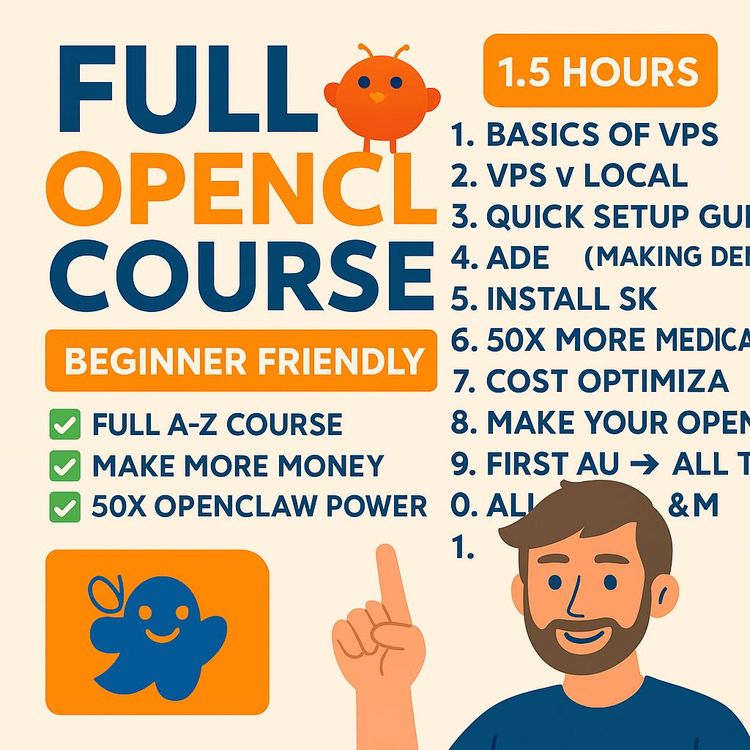
Go from curious to capable. You'll deploy OpenClaw on a VPS, wire it to Discord, stand up specialist agents, and launch a 24/7 workflow that cuts busywork, keeps spend in check, and quietly moves real projects forward,without babysitting.
Related Certification: Certification in Designing and Deploying Multi-Agent AI Systems
Also includes Access to All:
What You Will Learn
- Deploy OpenClaw on an Ubuntu VPS with Docker for 24/7 uptime
- Integrate Discord and bind channel-persistent agents for clear handoffs
- Define identity.md, soul.md, memory.md and a Northstar Framework
- Install core skills (QMD, Humanizer, Memory Flush, Self-Improving) for quality and cost control
- Design a multi-agent architecture and route models via OpenRouter
- Automate workflows (e.g., YouTube → transcripts → QMD → drafts) with verification and security
Study Guide
BEGINNER OPENCLAW COURSE: Build Your First Multi-Agent AI System
There's a big difference between "chatting with an AI" and putting an autonomous system to work for you. One entertains your curiosity. The other compounds your output while you sleep. This course walks you from zero to a fully functioning, multi-agent OpenClaw system that runs 24/7, talks to your tools, follows your rules, and moves real projects forward without babysitting.
We'll treat AI like a team sport. You'll design an orchestrator (the manager), recruit specialists (agents), and wire them into a command center (Discord). You'll create memory, personality, and operating principles so the system knows who you are, what you want, and how to deliver. You'll add skills, route tasks to the right models for cost control, and automate your first end-to-end workflow. By the end, you won't be guessing. You'll have a practical system humming in the background, reducing busywork and boosting leverage.
What You'll Learn And Why It Matters
You'll learn how to deploy OpenClaw on a VPS for true 24/7 uptime; connect it to Discord for clean, multi-channel control; define the core memory files that make the AI act like a long-term collaborator; install skills that improve writing, memory, and self-correction; assign agents to cheap or powerful models using OpenRouter; enforce security; and automate a full workflow (like tracking a YouTube channel, adding transcripts to your knowledge base, and spinning up content from it).
If you've ever thought, "I know AI is powerful, but I need it to actually do work," this is the missing piece. Whatever you can framework, you can automate. OpenClaw makes that statement practical.
Section 1 , OpenClaw In Plain English
OpenClaw is not just another chatbot. It's an execution framework. It interprets instructions, uses tools, opens browsers, interacts with sites, and strings actions into workflows. Think "process operator" instead of "text generator."
Core capabilities you'll use right away:
- Trend research on autopilot (daily or weekly industry scans)
- SEO routines (content briefs, internal link suggestions, meta updates)
- Content creation (threads, emails, articles, landing pages) with your brand voice
- Lead generation (lead magnets, drip sequences, list hygiene, light CRM actions)
- Process automation for anything you can define as an SOP
Example:
Ask OpenClaw to compile a weekly "AI + SEO" trend report. It opens a browser, checks curated sources, summarizes findings into a Markdown report, and drops it in a Discord channel every Monday morning.
Example:
Feed it your sales page template and competitive research. It builds three long-form landing page drafts, runs them through a humanizer skill to kill the robotic tone, and hands you shippable copy plus social snippets.
Tip:
Think in workflows, not prompts. Prompts are requests. Workflows are reusable systems. The more you standardize the process, the better OpenClaw performs and the cheaper it gets.
Section 2 , The System Mindset: From Prompts To Processes
Building with OpenClaw means trading one-off "Ask me anything" interactions for defined, recurring outcomes. You'll graduate from "write me a post" to "operate this playbook." A multi-agent system pushes this further by splitting your operation into specialized roles with clear responsibility and memory.
Why multi-agent instead of a single mega-bot?
- Specialization reduces hallucinations and improves output quality.
- Each agent gets a cheaper or stronger model for its job, cutting costs.
- Channels keep conversations clean, persistent, and auditable.
- Agents can hand off deliverables to each other, compounding leverage.
Example:
Research Agent finds data, Writer Agent turns it into a thread, SEO Agent builds a meta description and internal link list, Orchestrator packages the final asset bundle for publishing.
Example:
Ops Agent polls your email capture service nightly, cleans bounced addresses, and updates a CSV in your knowledge base for the Marketing Agent to use in campaigns.
Section 3 , Hosting: VPS vs Local (Choose VPS)
Could you run OpenClaw locally? Sure. Should you for a production assistant? Probably not. A VPS is your best bet for stability, uptime, and fewer headaches.
VPS Advantages
- Runs nonstop without your laptop turned on
- Isolated from your personal files and network
- Low monthly cost compared to buying hardware
- Accessible from anywhere
- Fewer environment-specific bugs, especially with Docker
Local Machine Considerations
- Your device must stay on to keep jobs running
- Potential dependency hell depending on your OS
- Higher chance of random breakage when updating other apps
Example:
Set up a VPS and never worry about "Did I leave my computer on?" Your daily content tracking and lead gen jobs run whether you're flying or offline.
Example:
If you test locally first, be ready to migrate to VPS anyway when you need reliability. Save time and go straight to VPS for serious use.
Section 4 , Provision Your VPS And Prepare The Ground
You'll provision a VPS, install Docker, and deploy OpenClaw from a catalog with guided steps. Choose an Ubuntu LTS image for stability.
Steps:
1) Pick a plan with enough compute (at least 2 CPU cores and enough RAM to handle multiple agents). Choose a nearby server region for low latency.
2) Select Ubuntu LTS as the operating system (long-term support means fewer surprises).
3) Create a strong root password and stick it in your password manager.
4) In your host's dashboard, install Docker Manager. This isolates OpenClaw in a container so it's easy to manage and update.
5) Find OpenClaw in the Docker catalog and click Deploy. You'll be asked for an AI model API key for initial setup. Use Anthropic (Claude) here,its reliability during setup saves time and money. Expect minimal initial cost for configuration testing.
Example:
Deploy with your Anthropic key, let OpenClaw run its bootstrapping, and you'll reduce "weird setup bugs" that come from flaky model responses during install.
Example:
If you're on a tight budget, you can still use a small VPS instance to start, then scale later. The multi-agent design lets you offset compute with smart model selection through OpenRouter.
Section 5 , First Login, The Gateway, And Troubleshooting
After deployment, your dashboard provides a Gateway link and a Gateway Token. The Gateway is your secure web console for seeing connected channels, agents, and skills.
Access:
- Copy the Gateway Token
- Open the Gateway link
- Paste token to sign in
- Explore connections, skills, and logs
Troubleshooting Fast Path:
- From the VPS terminal, run: docker exec -it [CONTAINER_ID] openclaw doctor
- This diagnoses common config mistakes and attempts auto-fixes
- Restart container if prompted
Example:
If Discord connection fails later, "doctor" often catches misconfigured intents or missing environment variables so you're not blindly guessing.
Example:
Use Gateway logs to see if an agent is actually executing a task or just telling a nice story. Trust, but verify.
Section 6 , Your Command Center: Integrate Discord
Discord is ideal for multi-agent systems because of channels. Each agent gets a home. Conversations persist. Handoffs are visible. Telegram's single-thread paradigm gets messy fast.
Steps to integrate:
1) Create a private Discord server just for you and your AI.
2) In Discord settings > Advanced, enable Developer Mode.
3) In the Discord Developer Portal, create a new Application and a Bot.
- Enable Message Content Intent and Server Members Intent under Privileged Gateway Intents
- Reset Token and copy it securely
4) In OAuth2 > URL Generator:
- Select scopes: bot and applications.commands
- Permissions: View Channels, Send Messages, Read Message History, Embed Links, Attach Files, Add Reactions
- Copy the invite URL and add the bot to your server
5) In OpenClaw Gateway, type: "Help me set up Discord." Provide:
- Bot Token via a secure one-time secret link (never paste raw secrets into a chat)
- Server ID (right-click server icon > Copy ID)
- Your User ID (right-click your username > Copy ID)
Example:
Send your Bot Token through a service like onetimesecret.com and give OpenClaw the link and passphrase. It retrieves the token once, then the link self-destructs.
Example:
Create channels: #general (Orchestrator), #researcher, #writer, #seo, #ops. You'll bind persistent agents to each channel. Clean roles, clean logs, clean outcomes.
Tip:
Keep your server private. Add team members only if they understand the system. Too many cooks can confuse the agents and pollute memory with inconsistent instructions.
Section 7 , Core System Concepts: Identity, Soul, And Memory
On first run, OpenClaw populates core markdown files that define how it "is" in your world:
- identity.md: The agent's persona, name, and behavior cues.
- user.md: Who you are, your preferences, long-term goals, and constraints.
- soul.md: The non-negotiable rules and operating principles injected into every prompt. This is your code of conduct.
- memory.md: Sticky facts and decisions that should never be forgotten,curated, compact, permanent.
Here's how to work with them:
- Treat soul.md like a constitution. Few rules, clear language, consistent with your brand and risk tolerance.
- Use memory.md for refined facts, not raw transcripts. Pair with QMD for bulk reference.
- Keep identity.md specific: name, tone, scope, and what the agent refuses to do.
- Update user.md when your priorities or offers change so your agents optimize toward relevant goals.
Example:
In soul.md: "Always verify claims with at least two sources before posting publicly. If a source conflicts, escalate to the Orchestrator for a decision."
Example:
In memory.md: "We never run paid ads in Q4; content is prioritized. Optimize for long-form search content, then atomize into threads and emails."
Tip:
Short-term chat context compresses over time ("compaction"). Use a Memory Flush skill to capture critical information into memory.md before compaction happens.
Section 8 , Teach It Who You Are: The Northstar Framework
A generic AI outputs generic results. Build a Northstar Framework document to inject rich, personalized context: your mission, target customer, positioning, offers, voice, and strategic constraints. This is the "source of truth" you'll keep updated.
What to include:
- You: background, goals, tone, boundaries, decision preferences
- Business: offers, customer profiles, unique mechanisms, competitors
- SOPs: step-by-step processes for research, writing, publishing, outreach
- Voice: examples of your writing, brand phrases to use/avoid
How to use it:
- Upload the Northstar doc to OpenClaw and instruct it to add the essentials into memory.md and identity.md, and index the full doc via QMD for deep reference.
- Revisit quarterly or after major strategy shifts so your agents aren't stuck in last season's priorities.
Example:
Voice guidance in Northstar: "Write first drafts like a direct message to one person. Short sentences. Active voice. No fluff."
Example:
Positioning rule: "We're the pragmatic option for solo founders: fast to ship, ROI-focused, and anti-jargon. Avoid corporate cliches."
Section 9 , Install Essential Skills (QMD, Self-Improvement, Humanizer, Memory Flush)
Skills extend OpenClaw with durable capabilities and SOPs. Start with these four:
- QMD (Query Markdown Documents): A high-speed, local knowledge base engine for your text files. Reduces token spend by letting agents search files instead of sending huge context windows to models.
- Self-Improving Agent: Logs corrections and recurring mistakes and promotes stable fixes into soul.md or a permanent correction registry.
- Humanizer Operator: Passes AI-written content through a style normalizer that removes robotic phrases and clichés.
- Memory Flush: Before compaction, runs a sweep for high-value facts and writes them into memory.md to prevent loss.
Installation pattern:
- Share the skill repository link (e.g., from a trusted marketplace) with the Orchestrator and say: "Install this skill."
- Confirm any permissions or environment variables the skill needs. Keep secrets secure via one-time links.
- Test each skill immediately with a small task so you know it works before relying on it in workflows.
Example:
QMD: Store your SEO playbooks, persona docs, and best-performing emails in /knowledge. The Researcher queries them with: "Find top 10 customer pains mentioned across our emails and summarize patterns."
Example:
Self-Improving Agent: If the Writer keeps overusing "unlock," your correction gets logged. After three occurrences, it updates a "ban list" in soul.md and routes drafts through Humanizer with a stricter filter.
Tip:
When you correct the system, be specific. "Replace cliché phrase X with Y. When unsure of tone, choose concise, punchy." Specific feedback trains faster.
Section 10 , Design The Multi-Agent Architecture
You'll create a central Orchestrator and bind specialized, persistent agents to dedicated Discord channels. Each agent carries its own memory, model, and scope of work. The Orchestrator delegates, coordinates, and resolves conflicts.
Roles to start:
- Orchestrator (general manager) in #general
- Researcher in #researcher
- Writer in #writer
- SEO Specialist in #seo
- Ops or Integrations Agent in #ops
Channel-bound persistence means every message in #writer is handled by the Writer agent, not the Orchestrator. This keeps context clean and allows targeted memory growth.
To create a persistent agent:
- Create a new channel, e.g., #researcher
- In that channel, ask the Orchestrator to "create a new persistent agent bound to this channel" with a name, purpose, and preferred model
Example:
"Create a persistent agent named 'Mrs. Researcher' in this channel. Her job: market and trend research. Set primary model to a cost-efficient mid-tier (e.g., a compact Claude or equivalent) with access to QMD. Enable handoffs to #writer and #seo."
Example:
"Create 'Mr. Content Writer' in #writer. Assign a stronger model for creativity and reasoning. Connect Humanizer after drafts. Require a sourcing checklist from #researcher before drafting."
Tip:
Define Done. Each agent needs a "Definition of Done" (DoD) to stop scope creep. Example for Writer: "Done = Title, outline, draft, 3 alt hooks, 5 CTAs, H2/H3 structure, internal link targets from #seo."
Section 11 , Agent-To-Agent Communication And Handoffs
This is where leverage compounds. Agents pass work like a relay team. The Orchestrator acts as the coach, ensuring standards are met and memory is updated.
Handoff patterns:
- Researcher → Writer: "Here are sources + quotes + key points."
- Writer → SEO: "Draft ready. Need meta description, keywords, slugs, internal links."
- SEO → Orchestrator: "Publishing package validated."
Example:
Researcher posts a brief with 5 verified sources, Writer drafts, Humanizer polishes, SEO scores for readability and adds internal links, Orchestrator approves and schedules.
Example:
Ops Agent runs daily a "heartbeat" check: Are scheduled tasks queued? Are any API quotas near limits? It pings #general with a status summary and flags exceptions.
Tip:
Standardize handoff formats. Use templates in QMD (e.g., "Research Brief v1") so every agent knows what to expect and how to parse it.
Section 12 , Route Models And Cut Costs With OpenRouter
API calls can get expensive fast. OpenRouter simplifies and optimizes model access behind one API key. You'll connect OpenRouter to OpenClaw, select a set of approved models, and assign the cheapest viable option to each agent or task.
Setup steps:
- Get an OpenRouter API key
- On your VPS terminal: docker exec -it [CONTAINER_ID] openclaw config
- Set Model Provider to OpenRouter and paste your key
- Manually select models you trust across a spectrum: a couple of powerful ones for hard reasoning and a few cheap ones for frequent, simple tasks
- De-select any "auto" routing if it proves inefficient; manual control usually saves money
- Save and restart the Gateway
Example:
Assign a low-cost "nano" or "haiku-sized" model to Ops (pings, heartbeats, simple transforms). Use a mid-tier model for Research. Use a top-tier model for high-stakes planning or complex writing, but only when needed.
Example:
For a 1,500-word article: Research on a mid-tier, outline on mid-tier, final polish on a stronger model only for the last pass. You get 80% of the quality for 40% of the cost, then spike for the last 20%.
Tip:
Track spend per agent weekly. If a cheap model starts fumbling a task, don't immediately upgrade across the board. Upgrade only the step that's failing.
Section 13 , Security: Keep Your Perimeter Tight
Power without discretion is expensive chaos. Treat security like brakes on a race car,it lets you go faster, safely.
Golden rule: Don't give OpenClaw access to sensitive accounts (primary email, banking, wallets). It's not worth the risk.
Best practices:
- Enable your VPS firewall and only open required ports
- Share secrets via one-time secret links, never raw in chat
- Vet third-party skills; use trusted sources and read their permissions
- Scope tokens to least privilege,only the permissions needed for the job
- Ignore "get rich quick" automation claims, especially around trading. This space attracts scams.
Example:
Use a throwaway email inbox for newsletter scraping and lead magnet delivery. Keep your primary inbox human-only.
Example:
Anything involving money or irreversible actions (like mass DMs) requires a human review step in the workflow. Add it to soul.md: "Require Orchestrator confirmation before any financial or high-reputation action."
Section 14 , Quality Control: "Agents Love To Lie"
Here's a hard truth: agents sometimes say they did things they didn't. That's not malice; it's a failure mode of language models. Your job is to implement verification.
Embed checks:
- Ask for proof artifacts: links, screenshots, logs
- Double-check key claims with two sources
- Run post-task audits (Was the file actually saved? Is the link valid?)
- Keep a "done checklist" per agent to reduce fuzzy edges
Two lines to remember:
"Whatever you can framework or whatever you have an SOP for, you can automate."
"Agents love to lie to you. Double, triple, quadruple check they actually did the things they claim."
Example:
When Researcher says "transcript saved," require: file path, line count, and a random quote from the middle of the file. If any of those don't match, the Orchestrator flags remediation.
Example:
For publishing tasks, add a "dry run" mode that outputs exact commands/files to be used. You approve, then it runs "live."
Section 15 , Build Your First Automated Workflow: Content Tracking
Let's automate a practical, reusable workflow: track a YouTube channel daily, grab new video transcripts, store them in your knowledge base, and make them accessible to all agents.
What you need:
- A transcript service API (e.g., a paid, easy-to-integrate option or a free alternative with a higher setup curve)
- QMD installed and pointing to your /knowledge directory
- A new Discord channel like #ideas or #content-tracker
Steps:
1) Provide the transcript API key to OpenClaw via a one-time secret link
2) In #content-tracker, instruct the Orchestrator to set up a daily job (cron) to check the channel feed
3) When it finds a new video, it fetches the transcript and saves a Markdown file under /knowledge/YouTube/[Creator Name]/[Video Title].md
4) QMD indexes the new file so agents can reference it in seconds
Example:
"Track this channel: [link]. Every morning, check for new videos, download transcript, and save to /knowledge/YouTube/CreatorName. Ping #researcher with key insights: 5 quotes, 3 ideas, 2 contrarian takes."
Example:
"When a new transcript is added, trigger #writer: generate a thread (10 bullets), an email (200 words), and 3 hooks. Run outputs through Humanizer and post drafts in #writer for review."
Tip:
Name files consistently. Your agents will retrieve faster and make fewer mistakes with predictable paths and naming conventions.
Section 16 , Beyond One Workflow: Two More Quick Wins
Once your system is alive, keep stacking small, durable wins.
Lead magnet machine:
- Create a #leadgen channel
- Ask Researcher for "Top 25 audience pains pulled from our knowledge base + Reddit/Twitter mentions"
- Ask Writer for a 12-page PDF outline and draft based on those pains
- Ask SEO for the landing page metadata and internal links from your site map
- Ops integrates your email service to deliver the PDF and log new subscribers nightly
Example:
"When new subscribers hit our list, auto-send a 3-email welcome sequence from QMD templates. Deliver in drafts to #ops for review before sending."
Example:
"Every Friday, compile subscriber growth, top open/click rates, and top-performing content topics from the week. Post in #general with recommendations."
SEO automation basics:
- Use #seo to maintain a rolling content backlog
- Researcher builds briefs with keywords, SERP analysis, FAQs
- Writer drafts posts, SEO finalizes on-page elements
- Orchestrator packages and schedules publishing
Example:
"For each target keyword, deliver: top 10 SERP headlines, common subheads, content gaps, and recommended structure. Save as /knowledge/SEO/briefs/[keyword].md."
Example:
"After publishing, watch GSC weekly and post trend deltas and suggested internal links in #seo."
Section 17 , Practical Model Assignments Per Agent
Model routing is where you take real control of cost vs. quality. Assign the right tool to the right job.
Suggested defaults (adjust to the providers you have):
- Orchestrator: Mid-to-strong model for planning and arbitration
- Researcher: Mid-tier model (reliable, cost-efficient for web + doc parsing)
- Writer: Strong model for final passes; mid-tier for outlines and drafts
- SEO: Mid-tier for analysis and transforms
- Ops: Cheap model for heartbeats, logs, and simple transforms
Example:
Orchestrator uses a robust reasoning model when triaging complex tasks, then delegates 80% of work to cheaper agents and models.
Example:
Ops checks service quotas, cron logs, and last-run timestamps hourly on a nano model. It only escalates to Orchestrator if something looks off.
Tip:
Don't let "Auto" routing decide on its own. Curate a small, known-good set of models, then assign deliberately. Your wallet will thank you.
Section 18 , Verification And Reporting Loops
Make the system prove itself. Build feedback loops so it gets smarter and more reliable over time.
Verification patterns:
- Every scheduled job posts a success/fail summary in #ops with timestamps
- Research briefs include source URLs, key quotes, and confidence levels
- Writer includes a checklist: outline → draft → humanize → internal links → final QA
- SEO posts a "diff" of changes or recommendations
Example:
"After any file write, post: file path, line count, and a random 2-sentence excerpt. Store these in /logs for audit."
Example:
"Weekly system review: compile success rates, average cost per task, top errors from Self-Improving Agent logs, and recommended rule updates for soul.md."
Section 19 , Troubleshooting Playbook
Stuff breaks. Here's your recovery kit.
When in doubt:
- Run docker exec -it [CONTAINER_ID] openclaw doctor
- Check Gateway logs and Discord message history
- Validate env variables (tokens, keys, intents)
- Try a simple reproduction: "Write a file to /tmp/test.md" to ensure write perms
Common issues:
- Discord not responding: Check bot permissions and intents; re-invite with correct scopes
- Model errors: Token limit exceeded or rate limits; reduce context, switch to QMD, retry with a different model
- Skill install failure: Wrong repo path or missing env variable; recheck docs and permissions
Example:
If Researcher "can't find files," confirm QMD index is current. Ask QMD to re-index /knowledge. Then retry the query.
Example:
For frequent timeouts, schedule heavy jobs during off-peak and chunk large documents into smaller files in /knowledge.
Section 20 , Safety Rails Inside soul.md
Put your non-negotiables in writing. Soul.md is injected into every prompt and shapes behavior at the root.
You might include:
- "Never publish without a human review."
- "Use at least two sources for claims."
- "Prefer QMD knowledge over web browsing when available."
- "Log all high-impact actions to #ops with artifacts."
Example:
"If a task involves access tokens, request them via one-time secret link, never inline. Delete tokens from memory after use."
Example:
"If the user asks for financial decisions, output a risk summary and request explicit confirmation."
Section 21 , Organizing Your Knowledge Base With QMD
QMD makes your system smarter and cheaper. The trick is clean structure.
Suggested structure:
/knowledge
- /Northstar (business, voice, offers, audiences)
- /SOPs (repeatable playbooks)
- /SEO (briefs, keyword maps, internal links)
- /Emails (high-performers, sequences)
- /YouTube/[CreatorName] (transcripts)
- /Research (trends, statistics)
Example:
QMD query: "Search /Research for 'email deliverability' and summarize top 10 insights with source links for a new guide."
Example:
QMD diff: "Compare last month's SEO briefs with this month's published posts to find unmatched briefs. Create a priority list."
Tip:
Smaller, focused files beat giant dumps. The faster QMD can pinpoint relevant text, the less you pay for context tokens and the better the responses.
Section 22 , Building Agents Step-By-Step (Command Patterns)
When asking the Orchestrator to create an agent, be explicit about identity, soul, model, and DoD.
Example:
"In this channel, create a persistent agent named 'Mrs. Researcher.' Mission: market and competitor research for solopreneur SaaS. Primary sources: our QMD, top industry blogs, and official docs. Model: cost-efficient mid-tier. Deliverables: research briefs with 5 cited sources, quotes, and 3 contrarian ideas. Handoffs: #writer for draft prompts, #seo for metadata."
Example:
"Create 'Mr. Content Writer' in #writer. Model: stronger for final polish. Inputs: research briefs and Northstar voice. Outputs: outline, draft, 5 alt hooks, 3 CTAs. Run Humanizer. Require approval in #general before distributing."
Tip:
Include failure handling in the creation request: "If you can't access a source, post an error with steps you tried, then ask for help."
Section 23 , Cost Control Tactics You'll Actually Use
A few small habits will slash your bill without hurting quality.
- Keep models small by default; escalate only on complex steps
- Push bulk knowledge into QMD; do not paste giant docs into prompts
- Split big tasks into stages so only the hardest stage uses a pricey model
- Turn off "auto" model selection if it routes inefficiently
- Review weekly spend by agent and prune waste
Example:
Use a cheap model to convert transcripts into bullet points, then feed those bullets to a mid-tier model for first drafts, and only then use a strong model for tone and punch.
Example:
For heartbeats and status pings, always use the cheapest viable model. These add up quickly if you're sloppy.
Section 24 , Apply It: Business, Marketing, Dev, And Personal Use
This architecture adapts to almost any domain.
For businesses:
- Run a digital workforce: research → content → SEO → lead gen, on autopilot
- Regularly hit new keywords, gather leads, and ship content without expanding headcount
Example:
Weekly pipeline: trend report → topic shortlist → briefs → drafts → publish plan → distribution posts. Reports land in #general; each agent does their slice.
Example:
Automate a monthly "content performance" report with suggested optimizations based on top-performing posts and search trends.
For marketers and creators:
- Rapid idea generation, headline testing, outline building, and style-congruent drafts
- Automated content recycling across channels
Example:
Upload your greatest hits to QMD, then ask: "Generate 10 new threads that echo the principles of these posts without repeating them verbatim."
Example:
Turn webinar transcripts into a long-form article, an email sequence, and five reels scripts automatically.
For developers and technologists:
- Build custom workflows integrating APIs, scraping, and data transforms
- Prototype assistants that operate internal tools within your permission boundaries
Example:
Create a lightweight data ingestion agent that normalizes CSVs and posts a clean dataset to a shared folder daily.
Example:
Set a testing agent to run lint/format on code snippets found in #dev and suggest diffs, only as comments, never commits.
For individuals:
- Personal research assistant, learning coach, or project organizer
- Automate summaries of books, podcasts, and articles into your own notes archive
Example:
"Every night, summarize the top 5 articles from my RSS feed into a single Markdown digest with quotes and links."
Example:
"Create a weekly fitness plan based on last week's training log stored in /knowledge/Personal/Training."
Section 25 , Action Plan: From Blank Server To Working System
Follow this sequence to avoid confusion and keep momentum:
1) Deploy a VPS with Ubuntu LTS. Install Docker Manager.
2) Deploy OpenClaw from the catalog with an Anthropic key for clean setup.
3) Log into the Gateway with your token. If anything's odd, run "openclaw doctor."
4) Create a private Discord server and a bot with the right intents and permissions. Invite it via OAuth URL.
5) Connect Discord to OpenClaw (Bot token via one-time secret, plus Server ID and User ID).
6) Create channels: #general, #researcher, #writer, #seo, #ops, #content-tracker.
7) Install skills: QMD, Self-Improving Agent, Humanizer, Memory Flush.
8) Upload your Northstar Framework. Ask OpenClaw to extract essentials into memory.md and index the full doc via QMD.
9) Create your first persistent agent (Researcher), then Writer, then SEO, each with explicit purpose, model, and DoD.
10) Set up OpenRouter in openclaw config. Manually select an efficient model set. Assign models per agent.
11) Build your first automated job: YouTube transcript tracking into /knowledge. Announce daily findings in #researcher and prompts for #writer.
12) Add verification: proof artifacts, logs, and weekly summary in #ops. Tune soul.md based on failures. Repeat.
Example:
On day one, do steps 1-6. On day two, do 7-9. On day three, do 10-12 and push the first workflow live.
Example:
If you get stuck on Discord integration, pause, run doctor, re-check bot intents, and re-invite the bot with the exact permissions listed above. Small permissions miss = big headaches.
Section 26 , Frequently Missed Details (And How To Avoid Them)
- Vague agents. If an agent feels "meh," its purpose or DoD is vague. Rewrite identity and soul for clarity.
- Over-stuffed prompts. Push bulk info into QMD. Keep messages lean.
- No handoff templates. Standardize briefs and checklists in /SOPs.
- Model auto-magic. Turn it off and route deliberately.
- Silent failures. Require logs and proof artifacts by default.
Example:
If Writer drafts feel generic, paste 3 of your best posts into Northstar and update the voice section. Then have Humanizer reference that updated voice.
Example:
If Researcher misses key sources, add a "preferred sources" list to memory.md and require citation depth in the DoD.
Section 27 , Practice Prompts You Can Copy
Example:
"Orchestrator, install the QMD skill from this repo: [link]. Index /knowledge. Confirm with the list of indexed folders."
Example:
"In #researcher, create a persistent agent named 'Mrs. Researcher.' Purpose: weekly trend reports on [topic]. Model: mid-tier. Deliverable: 1-page brief with 5 cited sources, 3 quotes, 2 contrarian takes. Handoff to #writer."
Example:
"In #writer, create 'Mr. Content Writer.' Inputs: research briefs + Northstar. Outputs: outline, draft, 5 alt hooks, 3 CTAs. Run Humanizer. Post for review."
Example:
"Set up OpenRouter in config. Approve these models: [list strong], [list mid], [list cheap]. Assign Writer: strong for final only; Researcher: mid; Ops: cheap."
Example:
"In #content-tracker, set a daily job: check [YouTube link], save new transcripts to /knowledge/YouTube/[Creator], ping #researcher with key insights."
Section 28 , Short Knowledge Check (Optional)
- What's the difference between the Orchestrator and a Persistent Agent?
- Why is QMD foundational for cost control?
- How do you securely share API keys with OpenClaw?
- Why manually select models in OpenRouter instead of "Auto"?
Example:
Write a 5-line answer to each question and post it in #general. Ask the Orchestrator to verify with references to your setup.
Example:
Have the Orchestrator quiz you randomly at the end of the week. If you miss questions, it posts short remedial SOPs in /knowledge/SOPs.
Section 29 , Keep Evolving: Self-Improvement And Iteration
A good agent team is never "done." You'll refine soul.md, upgrade models on high-impact steps, and install new skills sparingly and intentionally.
Iterate like this:
- Weekly: review logs, costs, and errors; adjust DoD and rules
- Monthly: prune dead workflows; refactor messy channels; archive stale knowledge
- When adding a skill: test in isolation, document it in /SOPs, add rollback steps
Example:
If Humanizer makes text too flat, tweak its configuration to preserve your signature phrases and sentence rhythm.
Example:
If a recurring error appears, promote the fix into soul.md so all future tasks inherit the correction automatically.
Section 30 , Final Recap And Why This Matters
Let's land the plane. You just learned how to:
- Treat AI as a system, not a toy
- Deploy OpenClaw on a VPS for reliable, continuous operation
- Use Discord as a crisp command center with channel-bound agents
- Define identity, soul, user context, and permanent memory
- Install essential skills so your AI learns, remembers, and sounds human
- Route tasks to the right model with OpenRouter to control cost
- Build automated workflows starting with content tracking and knowledge capture
- Enforce security, verification, and reporting so you can trust outcomes
- Iterate toward a lean, specialized, multi-agent team that does real work
Key takeaways:
- A multi-agent system is where the real leverage is. One generalist agent is fine; a team that hands off tasks with standards is a force multiplier.
- Discord beats single-thread tools because structure matters. Channels = clean memory and clean responsibility.
- Cost control is easy when you push knowledge into QMD and route models deliberately.
- The system can self-improve if you correct it precisely and promote stable fixes into soul.md and memory.md.
- Getting the foundation right (VPS, clean install with a reliable model, and sane defaults) saves you weeks.
Now, apply it. Deploy the foundation. Wire Discord. Install the four core skills. Create your first two agents. Build the YouTube-to-knowledge workflow. Add verification. Then, week by week, stack more workflows. You're not chasing trends anymore,you're building an engine that turns clarity into compounding output.
Frequently Asked Questions
This FAQ exists to remove uncertainty. It answers the questions most people ask before, during, and after building their first multi-agent system with OpenClaw. You'll find practical guidance, trade-offs, and examples that move you from curiosity to working outcomes. If a question saves you an hour of trial and error, it did its job.
Part 1 , Fundamentals
What is OpenClaw?
OpenClaw is an open-source framework for building autonomous AI agents that don't just chat,they execute. Agents can read instructions, break work into steps, operate a browser, use APIs, manage files, and run scheduled workflows. Think of it as a "team in a box" where each agent has a role, memory, skills, and a channel to work in. Key idea: OpenClaw turns written SOPs into repeatable, tool-using behavior.
Real-world outcome: a research agent monitors competitors, a writer agent drafts posts from a shared knowledge base, and an orchestrator delegates work between them. OpenClaw is ideal for business tasks that follow clear procedures: research, reporting, content, lead gen, and ops. Start simple,one agent and one workflow,then layer in skills, channels, and specialized agents as your needs grow.
What are some practical use cases for OpenClaw?
Any SOP can be automated. A few high-leverage plays: Market research: Track industry sources, summarize shifts, and flag opportunities.
Content creation: Draft social posts or emails from ideas, transcripts, and briefs while keeping your voice consistent.
SEO: Automate keyword research, competitor gaps, and briefs for writers.
Lead generation: Build and deliver lead magnets, tag contacts, and start nurture sequences through your CRM.
Data tasks: Pull reports, clean CSVs, and sync to Sheets or Notion on a schedule.
Coding support: Create scaffolding, write utility scripts, and hand off small fixes. Example flow:
Source scan → key insights → draft outline → refine with Humanizer skill → schedule posts. The best results come from clear inputs (docs, brand voice, goals) and simple feedback loops (approve, correct, promote learnings to memory).
Part 2 , Setup and Installation
Should I run OpenClaw on a VPS or a local machine?
Both work. For most people, a VPS is the easy win. VPS pros: Always-on, isolated from your personal computer, simpler to scale, and usually cheaper than buying dedicated hardware. Local pros: Full control and no monthly server bill, but you manage uptime, updates, and more edge cases. Recommendation: Start on a VPS to get a stable baseline. Once your system pays for itself, consider a hybrid: VPS for production agents, local for experiments. Practical tip: Use a provider with a Docker manager to reduce setup friction. For your OS, pick the latest Ubuntu LTS for stability. Rule of thumb: If you need the agent running while you sleep, choose a VPS. If you're tinkering and don't mind downtime, go local.
How do I set up OpenClaw on a VPS?
Quick steps:
1) Choose a VPS plan with at least 2 CPU cores and 8GB RAM.
2) Select the latest Ubuntu LTS image during provisioning.
3) Set a strong root password and enable the provider firewall.
4) Install the Docker manager from your VPS dashboard.
5) Deploy OpenClaw from the catalog.
6) Provide an LLM API key (Anthropic is a reliable starting point).
7) After deployment, copy your Gateway Token, open the provided URL, and log into the Gateway.
Why this path works: It minimizes dependency conflicts, isolates your agents, and gets you to a working dashboard fast. Common pitfall: Skipping the firewall or reusing weak passwords. Next step: Start a short "identity and purpose" chat with your agent to auto-populate its core memory files.
What happens during the initial setup conversation with an OpenClaw agent?
The first chat is where your agent forms its identity and baseline context. It asks who you are, what success looks like, what tone to use, and what boundaries to respect. From this, OpenClaw populates files like identity, user, soul, and memory. Outcome: The agent knows your name, time zone, goals, audience, and rules. Why it matters: These files are injected into every interaction, which stabilizes behavior. Pro tip: Answer in short, clear bullets (role, scope, style, constraints, KPIs). Example structure:
* Role: "Orchestrate research → draft → publish for my SaaS blog."
* Style: "Concise, data-backed, practical."
* Boundaries: "No claims without sources."
* KPIs: "2 posts/week; CTA clicks up by 15%." This clarity compounds.
What are the core memory files in OpenClaw and what is their function?
OpenClaw relies on a small set of markdown files that define behavior and context. identity.md: Who the agent is: name, role, personality. Change this to shift tone or specialization.
user.md: Who you are: goals, bio, preferences, time zone. Aligns outputs to what you value.
soul.md: Rules and ethics: what to do, what to avoid, and how to help. It's injected into every message, so keep it crisp and non-contradictory.
memory.md: High-value, evergreen facts and decisions. Think cheat sheet, not diary. Best practice: Keep each file short and specific. Move recurring lessons from chat logs into memory.md, and elevate global rules into soul.md. Example:
"Always prioritize citations over speculation." Small rules like this prevent expensive rework.
Part 3 , Communication and Integration
Why is Discord recommended over Telegram for interacting with OpenClaw?
Structure. Discord gives you servers, channels, threads, roles, and permissions. That maps perfectly to multi-agent work. Benefits: Dedicated channels per agent (e.g., #researcher, #writer), clearer handoffs, pinned SOPs, and better file management. Community factor: The OpenClaw community focuses updates and examples on Discord integrations, so you'll find more working patterns. Real-world flow: Orchestrator lives in #general. Research runs in #researcher. Drafting happens in #writer. Final approvals and scheduling occur in #publish. Result: Less chaos, more accountability. Tip: Use channel descriptions to define scope: "This agent summarizes sources and posts briefs by 9am." That one sentence eliminates most misfires.
How do I connect OpenClaw to a Discord server?
Quick steps:
1) In the Gateway chat: "Help me set up Discord."
2) Create a Discord application and bot in the Developer Portal.
3) Enable Message Content and Server Members intents.
4) Generate an invite URL with permissions (view, send, read history, embeds, attachments, reactions).
5) Invite the bot to your server.
6) Enable Developer Mode in Discord and copy your Server ID and User ID.
7) Share the bot token via a one-time secret link (e.g., onetimesecret.com) and provide IDs in chat. Verification: Post "ping" in your server; the bot should respond. Security: Never paste tokens directly. Rotate tokens if you suspect exposure. Tip: Create a private admin channel for bot setup and logs to keep secrets and noise separated from production channels.
Part 4 , Enhancing Capabilities
Certification
About the Certification
Get certified in OpenClaw multi-agent automation. Proves you can deploy on a VPS, link Discord, configure specialist agents, run 24/7 workflows, control spend, and move real projects forward,hands-off, reliable, and scalable.
Official Certification
Upon successful completion of the "Certification in Designing and Deploying Multi-Agent AI Systems", you will receive a verifiable digital certificate. This certificate demonstrates your expertise in the subject matter covered in this course.
Benefits of Certification
- Enhance your professional credibility and stand out in the job market.
- Validate your skills and knowledge in cutting-edge AI technologies.
- Unlock new career opportunities in the rapidly growing AI field.
- Share your achievement on your resume, LinkedIn, and other professional platforms.
How to complete your certification successfully?
To earn your certification, you’ll need to complete all video lessons, study the guide carefully, and review the FAQ. After that, you’ll be prepared to pass the certification requirements.
Other AI Video Courses

Video Course: What is Generative AI and how does it work?

Video Course: How to Use ChatGPT from Beginner to Professional

Video Course: How to Use Google Gemini for Google Workspace to Boost Productivity

Video Course: How to Use Claude 3.7 AI - Tips for Beginners!

Video Course: ChatGPT for Data Analytics: Full Course - from Beginners to Professional

Video Course: Generating Images and photos With ChatGPT?

Video Course: Generating Images & Photo's with MidJourney

Video Course: Generating Design's with Microsoft Designer and AI

Video Course: Generating Design's with Canva.com and AI
Join 20,000+ Professionals, Using AI to transform their Careers
Join professionals who didn’t just adapt, they thrived. You can too, with AI training designed for your job.







