MCP server · Health and learning
Wellness Nourish MCP server
by davidmosiah
Lets your AI look up foods, estimate meal calories, and keep a local food and water log for you.
Wellness Nourish is a small helper that gives your AI a nutrition skill. You can ask it to look up a food, guess the calories in a meal, or note what you ate and drank today. It is handy for anyone who wants to keep a simple food diary without opening a separate app.
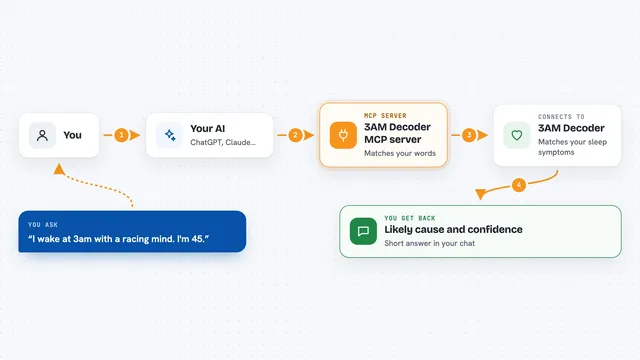
What is an MCP server? The 30-second version
On its own, your AI can only chat. An MCP server is a small helper program that gives your AI a new skill or a connection to a service. This one connects your AI to nutrition data and a local food log. Once it is set up, your AI can look foods up, estimate a meal, and write down what you ate when you ask.
What this MCP server does
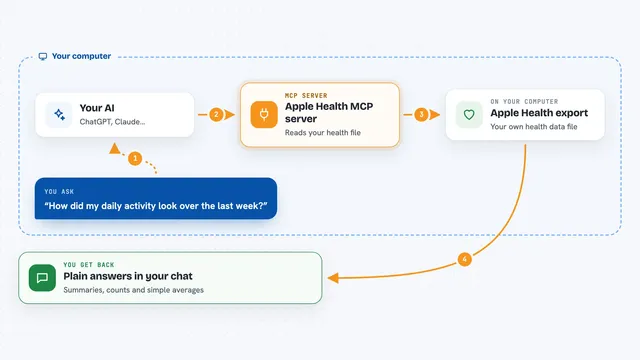
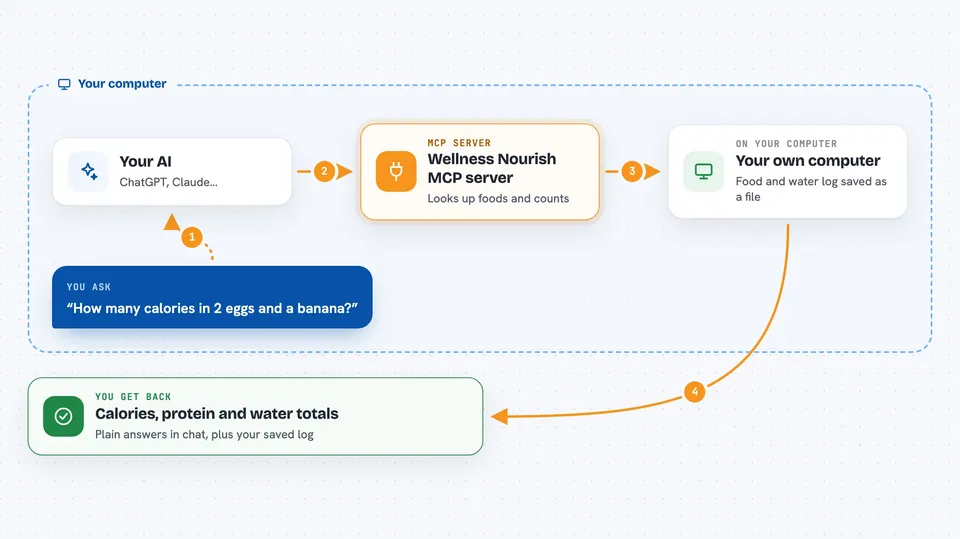
You ask your AI something like how many calories are in two eggs and a banana. Your AI passes that to this helper. The helper looks the foods up in public nutrition databases, or reads a barcode you give it, and works out the numbers. It can also save the meal and your water to a small file on your own computer. Later you can ask for a summary of your day and your AI will read that file back to you.
 Click to zoom
What you can do with it
- Search a food by name and see its calories and nutrients
- Look up a product by its barcode number
- Estimate the calories and protein in a described meal
- Log what you ate and drank for the day
- Track how much water you drank
- Set simple nutrition goals
- Get a daily or weekly summary of your intake
Try asking your AI
- “Estimate the calories and protein in 2 eggs, a banana and black coffee”
- “Look up the barcode 737628064502 and tell me what it is”
- “Log that I drank two glasses of water”
- “How many calories have I had today so far”
What it gives back to you
You get answers in plain text in the chat. A food search comes back as a short list with names and calories. A meal estimate comes back as a total with a rough breakdown. A daily summary comes back as numbers for calories, protein and water. When you log something, it tells you what it saved.
Before you start
What you need
- The Claude desktop app or another AI app that supports MCP servers
- Node.js installed on your computer
- Nothing else for the offline demo mode
Good to know
It can save and change entries in your food and water log, so check with your AI before you let it write anything, and remember the nutrition numbers are rough estimates, not medical advice.
Install it with your AI
Add Wellness Nourish MCP server to your AI, no technical skills needed
You don't install anything by hand. You copy one prompt, paste it into an AI that can work on your computer, and it checks, installs and connects the server for you, asking you when it needs something.
Sign in to get the install prompt
Members get a ready-made prompt that lets the Claude desktop app check Wellness Nourish MCP server, install it and connect it for them, step by step. You don't need any technical skills: you copy, paste and answer a few questions. Your connected AI can also find and install any of the 4,609 MCP servers here for you.
Who it's for
People who want a simple food and water diary kept by their AI, without a separate nutrition app or account.