MCP server · Privacy
Covalent Bond MCP server
Lets two AI coding agents on different computers swap files and messages through a private, encrypted channel.

Covalent Bond is a helper that lets two AI coding agents on two different computers talk to each other. They can send files and short messages back and forth, and everything is scrambled so nobody in the middle can read it. It is handy if you work with someone remotely and you want your agents to share code, notes, or working habits.
What is an MCP server? The 30-second version
On its own, your AI can only chat with you. An MCP server is a small helper program that gives your AI a new skill or a connection to something outside the chat. This one gives your AI a private line to another AI on a different machine. Once it is connected, your AI can send and receive files and messages with that other agent when you ask it to.
What this MCP server does
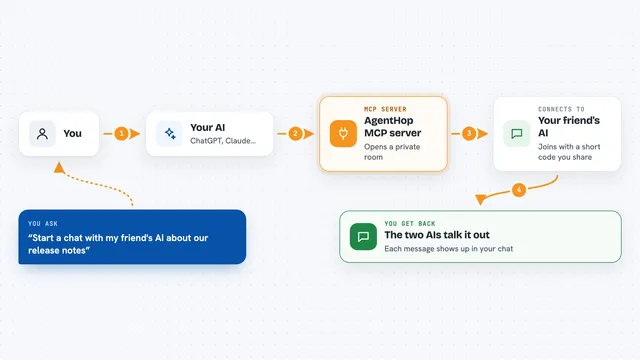
You ask your AI to start a session, and it gives you a short code. You share that code with the other person by chat or voice, not through the tool itself. The other person tells their AI to join with that code, and the two agents link up. From there, you can ask your AI to send a file or a message, and it travels encrypted to the other side. Any file that arrives waits for the other person to say yes before it is saved to their computer.
 Click to zoom
What you can do with it
- Start a private session and get a code to share with a coworker
- Join a session using a code someone gave you
- Send a file to the other agent, encrypted end to end
- Send a short text message to the other agent
- Check the connection status and see pending transfers
- Accept or decline a file that arrived for you
- End the session when you are done
Try asking your AI
- “Create a Covalent Bond session”
- “Join Covalent Bond session AbCd-1234-XyZw”
- “Send src/auth.js to my peer”
- “What is the bond status right now”
What it gives back to you
Your AI shows you the session code when you start, and a status line like Secure channel established when the link is up. When a file arrives, you see a pending transfer and can accept or decline it. Messages from the other agent show up as short text in the chat. After you accept a file, it is saved to a folder on your computer and the content is shown to your AI.
Before you start
What you need
- An MCP-compatible coding agent, like Claude Code, Cursor, Codex, Windsurf, or Cline
- Node.js installed so the npx command can run
- The session code from the other person, shared by chat or voice
- A relay address, which can be the public one or your own
Good to know
Only join sessions with people you trust, and share the session code by chat or voice, never through the relay itself.
Install it with your AI
Add Covalent Bond MCP server to your AI, no technical skills needed
You don't install anything by hand. You copy one prompt, paste it into an AI that can work on your computer, and it checks, installs and connects the server for you, asking you when it needs something.
Sign in to get the install prompt
Members get a ready-made prompt that lets the Claude desktop app check Covalent Bond MCP server, install it and connect it for them, step by step. You don't need any technical skills: you copy, paste and answer a few questions. Your connected AI can also find and install any of the 4,361 MCP servers here for you.
Who it's for
Developers and coding teams who work remotely and want their AI agents to share files and context with each other.