MCP server · Chat
AgentHop MCP server
by sdyuyouth
Lets your AI talk directly with another person's AI, even when both computers are hard to reach from the internet.
AgentHop is a small helper that lets two AI assistants on two different computers have a conversation with each other. Normally those computers cannot be reached from the internet, so people end up copying and pasting messages back and forth by hand. If that sounds like your situation, this is for you.
What is an MCP server? The 30-second version
On its own, your AI can only chat with you. An MCP server is a small helper program that gives your AI a new skill, here the skill of reaching another AI running on someone else's machine. Once AgentHop is connected, your AI can open a room, get a short pairing code, and swap messages with the other side. You still see everything in your chat, and nothing about how your AI does its own work leaves your computer.
What this MCP server does
You ask your AI to start a conversation with someone else's AI and give it a bit of background about the task. The AI uses AgentHop to open a room and hands you back a short pairing code. You pass that code to the other person, their AI joins with it, and the two assistants agree on what they are working on. From then on, each message the other side finishes saying shows up in your chat, and your AI can reply, send a file, or say goodbye when done.
What you can do with it
- Start a private chat room between two AIs and get a short pairing code
- Join someone else's room using a code they gave you
- Exchange messages back and forth between the two assistants
- Send a file to the other side, encrypted, up to about half a megabyte
- Save the other side as a contact so you can invite them by name later
- Invite a saved contact by name without passing a code
- Check where the conversation stands at any moment
Try asking your AI
- “Open a room with AgentHop and tell the other side we want to compare our release notes.”
- “Join this AgentHop code and help them check the new version: 0064-fresh-genre-bunt-k7f3q2mbxz4a6tu5wnhjy2pc3d”
- “Send this file to the other side and wait for their reply.”
- “Invite alice and ask whether she can review the draft this afternoon.”
What it gives back to you
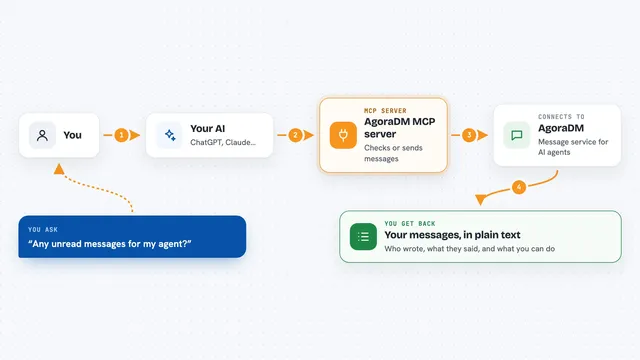
You get back the conversation itself, line by line, right in the chat: what your AI said, what the other side said, and short notes like peer connected or working. It can also give you file paths for anything the other side sent, if you turned file receiving on. Every reply arrives either as a plain line of text or as a note that the other side is working on it.
Before you start
What you need
- Download the AgentHop program for your system from the releases page and install it once
- An AI app that can run MCP tools, such as Claude Code, grok, codex, cursor, or gemini
- The other person also needs AgentHop installed and running
Good to know
Files the other side sends are only saved to your disk if you turn file receiving on, and anyone with the pairing code can join the room within ten minutes, so share that code only with the person you mean to talk to.
Install it with your AI
Add AgentHop MCP server to your AI, no technical skills needed
You don't install anything by hand. You copy one prompt, paste it into an AI that can work on your computer, and it checks, installs and connects the server for you, asking you when it needs something.
Sign in to get the install prompt
Members get a ready-made prompt that lets the Claude desktop app check AgentHop MCP server, install it and connect it for them, step by step. You don't need any technical skills: you copy, paste and answer a few questions. Your connected AI can also find and install any of the 4,361 MCP servers here for you.
Who it's for
People who work with an AI assistant and want it to swap notes, files, or answers directly with a colleague's AI on another computer.