MCP server · Research
Google Flights Deals MCP server
by HasData
Describe a trip in plain words and your AI brings back dated flight deals with typical prices and booking links.
This is a helper that connects your AI assistant to a Google Flights deals search. Instead of filling in a search form, you describe the trip you are dreaming about and your AI comes back with real dates, real prices and links to book. It is handy for anyone planning a holiday, a work trip or just curious about what a trip would cost.
What is an MCP server? The 30-second version
On its own, your AI can only chat with you. An MCP server is a small helper program that gives your AI a new skill or a connection to an app or service. This helper connects your AI to Google Flights deals, run for you by a company called HasData. Once it is connected, your AI can look up flight deals for you and answer with real fares instead of guessing.
What this MCP server does
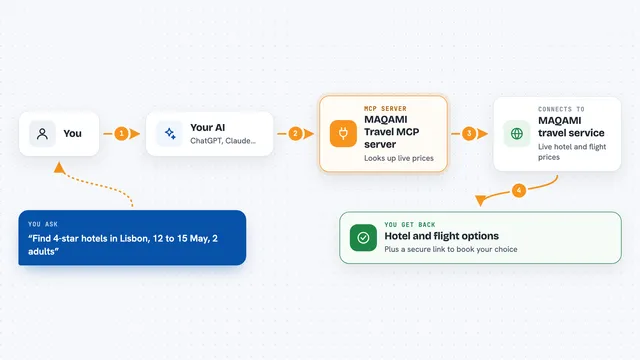
You describe a trip to your AI in normal words, like cherry blossom in Japan from LAX. Your AI passes that description to this helper, along with the airport you are flying from. The helper asks Google Flights for deals and sends the results back. Your AI then shows them to you in the chat: dates, fares, the usual price for that route, the airline, how many stops and a link to book. You can then ask follow-up questions, like comparing a different airport or a different month.
What you can do with it
- Find the cheapest dates for a trip idea from one airport
- See a fare next to the typical price for that route, so you know if it is a good deal
- Get the airline, number of stops and flight duration for each deal
- Pin a specific destination, like Tokyo, instead of letting Google choose
- Filter by cabin class, trip length, stops or a maximum price, once a destination is pinned
- Get a booking link for any deal you like
- Compare the same trip idea from two different airports, one search each
Try asking your AI
- “I want to see cherry blossom in Japan, flying from LAX. What are the cheapest dates?”
- “Beach escape from London in February, direct only.”
- “Find me a ten day business class trip to Tokyo from JFK.”
- “Same cherry blossom idea, but compare LAX and JFK.”
What it gives back to you
You get a list of dated deals, each with a fare, the typical price for that route, the length of the trip, how many stops, which airline flies it and a Google Flights booking link. It also tells you which dates and destinations Google understood from your description, so you can see if it read you correctly. Your AI usually turns this into a short table or a plain summary in the chat. If a filter does not make sense, like direct flights while letting Google choose the destination, you get a clear error message instead of a wrong answer.
Before you start
What you need
- An MCP client, like Claude Desktop, Claude Code, Cursor or VS Code
- A HasData API key from their dashboard, free to create with no card (a kind of password for apps; the site gives you one when you sign up)
- The free plan covers about 66 searches a month, no card needed
Good to know
Each successful search uses credits from your HasData account, so about 66 free searches a month, and it only reads public flight deals, it does not book anything for you.
Install it with your AI
Add Google Flights Deals MCP server to your AI, no technical skills needed
You don't install anything by hand. You copy one prompt, paste it into an AI that can work on your computer, and it checks, installs and connects the server for you, asking you when it needs something.
Sign in to get the install prompt
Members get a ready-made prompt that lets the Claude desktop app check Google Flights Deals MCP server, install it and connect it for them, step by step. You don't need any technical skills: you copy, paste and answer a few questions. Your connected AI can also find and install any of the 4,361 MCP servers here for you.
Who it's for
Anyone planning a trip or comparing travel options, from holiday planners and travel agents to people booking a work trip.