MCP server · Finance and crypto
InstaDomain MCP server
by nach-dakwale
Let your AI check domain availability, buy a domain, and set up its DNS, all in one chat.

InstaDomain is a helper that lets your AI assistant look up domain names, tell you the price, and buy one for you without you opening a browser. It is handy if you are starting a project and need a web address, but you would rather not jump between tabs and forms. Your domain is registered in your name, and the DNS is set up for you.
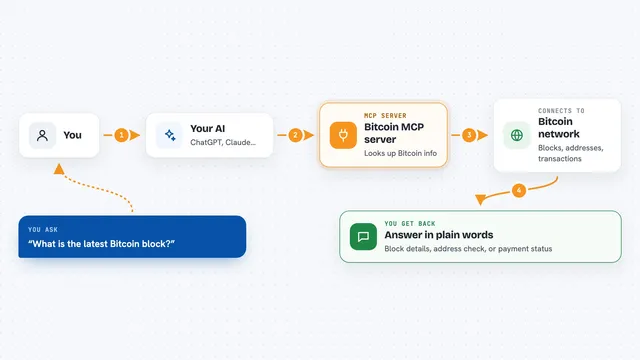
What is an MCP server? The 30-second version
On its own, your AI can only chat with you. An MCP server is a small helper program that gives your AI a new skill or a connection to an app or service. This one connects your AI to a domain registration service, so it can check if a name is free, show you the price, and buy it when you say yes. You stay in the conversation, and the helper does the clicking behind the scenes.
What this MCP server does
You ask your AI for a domain, maybe for a coffee subscription idea. The AI uses this helper to check if the name is available and what it costs. If you like it, the AI collects your registration details and creates a payment link. Once you pay, the helper registers the domain in your name and sets up a Cloudflare DNS zone for it, then hands you back a token so you can use it. You end up with a working domain and DNS, without leaving the chat.
 Click to zoom
What you can do with it
- Check if a single domain name is available and see its price
- Check up to 50 domain names at once
- Get AI-generated name ideas for a keyword and check them
- Buy a domain with a card through Stripe checkout
- Buy a domain with USDC crypto (x402 on Base), no signup needed
- Get the transfer code and unlock your domain if you want to move it
- Renew a domain you already bought
Try asking your AI
- “Find me a domain for a coffee subscription service”
- “Is brewbox.io available, and how much does it cost?”
- “Check these 10 names for my new bakery and tell me which are free”
- “Buy coffeecrate.com for me”
What it gives back to you
You get back plain answers in the chat: whether a name is free, its price, and a list of suggestions if you asked for ideas. When you buy, you get a payment link to complete, and then a confirmation that the domain is registered. It also gives you a Cloudflare DNS token and the status of your order. For transfers, it hands you the code you need.
Before you start
What you need
- The Claude desktop app, Claude Code, Cursor, or Windsurf
- Your registration details (name, email, address) when you buy
- A card for Stripe payment, or a crypto wallet with USDC on Base for the crypto option
Good to know
This server can spend real money and register a domain in your name, so only confirm a purchase when you are sure about the name and the price.
Install it with your AI
Add InstaDomain MCP server to your AI, no technical skills needed
You don't install anything by hand. You copy one prompt, paste it into an AI that can work on your computer, and it checks, installs and connects the server for you, asking you when it needs something.
Sign in to get the install prompt
Members get a ready-made prompt that lets the Claude desktop app check InstaDomain MCP server, install it and connect it for them, step by step. You don't need any technical skills: you copy, paste and answer a few questions. Your connected AI can also find and install any of the 4,361 MCP servers here for you.
Who it's for
People who build things with AI assistants and want a domain quickly, like indie developers, founders, and anyone starting a small project.