MCP server · Research
Chelaile MCP server
by PeanutSplash
Ask your AI for real-time bus and metro info in China: arrival times, nearby stops, and routes.

This is a small helper that connects your AI assistant to Chelaile, a live bus and metro data service in China. Once it is set up, you can just ask things like how long until your bus arrives, and your AI will look it up for you. It is handy for anyone who commutes or travels by bus and metro in Chinese cities.
What is an MCP server? The 30-second version
On its own, your AI can only chat with you using what it already knows. An MCP server is a small helper program that gives your AI a new skill or a connection to an app or service. This one connects your AI to Chelaile, so it can look up live bus and metro information for you. You ask a question in plain words, and the helper fetches the answer from Chelaile.
What this MCP server does
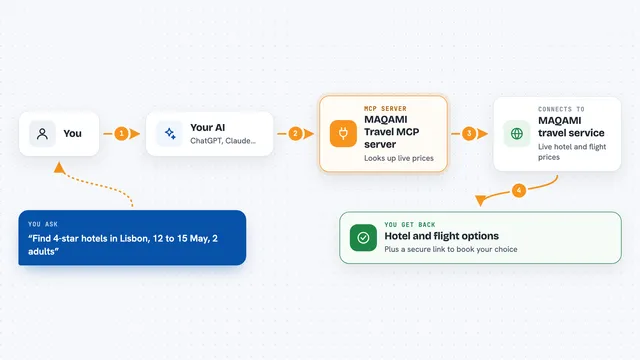
You ask your AI something like when your bus will arrive. The AI passes your question to this helper, which talks to the Chelaile service. Chelaile sends back the live data, such as arrival times, vehicle positions, or a route plan. The helper hands that back to your AI, and your AI explains it to you in the chat. No login or account setup is needed.
 Click to zoom
What you can do with it
- Check how many minutes until your bus reaches a stop
- Find bus stops and metro stations near a location
- See all the lines that pass through a stop
- Look up a line's full stop list and where its buses are right now
- Get first and last bus times and how often buses run
- Search for a line, stop, or place by keyword
- Plan a trip that mixes bus and metro between two points
Try asking your AI
- “How long until the next bus on line 300 arrives at my stop?”
- “What bus stops are near me right now?”
- “Show me the full stop list for bus line 1 in Beijing.”
- “Plan a bus and metro route from here to the train station.”
What it gives back to you
You get answers in the chat, usually as a short list or summary. For example, it might list nearby stops with arrival times, or show the stops along a line with where the buses currently are. It can also give you a route plan with the steps to take. If you prefer, it can return the raw data in a structured form instead of a written summary.
Before you start
What you need
- The Claude desktop app, Claude Code, or another app that supports MCP servers
- Node.js installed on your computer (the helper runs through a tool called npx)
Good to know
It only reads public bus and metro data, so it does not change or delete anything, but arrival times can be estimates and may not always be exact.
Install it with your AI
Add Chelaile MCP server to your AI, no technical skills needed
You don't install anything by hand. You copy one prompt, paste it into an AI that can work on your computer, and it checks, installs and connects the server for you, asking you when it needs something.
Sign in to get the install prompt
Members get a ready-made prompt that lets the Claude desktop app check Chelaile MCP server, install it and connect it for them, step by step. You don't need any technical skills: you copy, paste and answer a few questions. Your connected AI can also find and install any of the 4,361 MCP servers here for you.
Who it's for
People who commute or travel by bus and metro in Chinese cities and want quick live answers without opening a separate app.