MCP server · Security
DSH plugin certification lookup
by PerryLink
Check a DeepSeek Harness plugin's certification grade and evidence before you install or recommend it.
This is a small helper that lets your AI look up certification records for DeepSeek Harness (dsh) plugins. You ask about a plugin, and your AI comes back with its grade, the date of the check, and the evidence behind it. It is handy if you install dsh plugins and want a quick sanity check first, or if you just want to know what a grade actually means.
What is an MCP server? The 30-second version
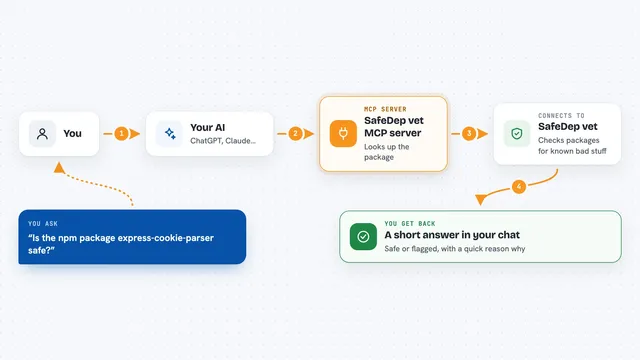
On its own, your AI can only chat with you. An MCP server is a small helper program that gives your AI one new skill or connection. This one connects your AI to the dsh-plugin-certification registry, a public list of plugin certification records. Once it is connected, your AI can look up a plugin's grade and evidence for you when you ask, without you opening a browser.
What this MCP server does
You ask your AI something like whether a certain dsh plugin has a certification record. Your AI passes the plugin's owner and repo name to this helper. The helper looks the name up in a snapshot of the public registry that ships with it, and tries a quick refresh first if the snapshot is more than five minutes old. Then it hands back the record: grade, snapshot date, the five evidence dimensions, and any veto or notes. If there is no record, it says so plainly instead of guessing.
What you can do with it
- Look up the certification grade for a specific dsh plugin
- See the five evidence dimensions behind a grade
- Check the snapshot date of a certification record
- List every plugin currently in the registry
- Read the coverage notes so you do not mistake a short list for the whole ecosystem
- Read the full certification spec to understand what a grade means
- Check whether a record was self-assessed by the plugin's own author
Try asking your AI
- “Does PerryLink/dsh-auto-review have a certification record, and what grade did it get?”
- “List all the plugins in the dsh certification registry and their grades.”
- “Show me the evidence behind the grade for PerryLink/dsh-auto-review.”
- “What does grade A actually mean in the dsh certification spec?”
What it gives back to you
You get a clear answer in the chat: the plugin's grade, the snapshot date, and a breakdown of the five evidence dimensions. For a listing request you get a short table of plugins with their grades and snapshot dates, plus a note that the registry is a voluntary subset, not a full census. If nothing is found, you get a plain sentence saying there is no record for that name in the current snapshot.
Before you start
What you need
- Node.js version 22.19 or newer (or 24.9 or newer)
- An MCP client that can start a local server, such as Claude Desktop or Claude Code
- Nothing else: no account, no key, no sign-in
Good to know
It is read-only and cannot change anything, but a missing record does not mean a plugin is uncertified, and a high grade is an evidence record, not a safety guarantee.
Install it with your AI
Add DSH plugin certification lookup to your AI, no technical skills needed
You don't install anything by hand. You copy one prompt, paste it into an AI that can work on your computer, and it checks, installs and connects the server for you, asking you when it needs something.
Sign in to get the install prompt
Members get a ready-made prompt that lets the Claude desktop app check DSH plugin certification lookup, install it and connect it for them, step by step. You don't need any technical skills: you copy, paste and answer a few questions. Your connected AI can also find and install any of the 4,960 MCP servers here for you.
Who it's for
People who install or recommend DeepSeek Harness plugins and want a quick, honest look at a plugin's certification record before trusting it.