MCP server · Security · official
Draugr MCP server
by draugr-dev · official
Lets your AI run security scans on your project and tell you which findings to fix first.
Draugr is a security scanner that runs other well-known scanners for you and then puts the results in order of what actually matters for your app. Instead of a flat list of scary warnings, you get findings ranked P1 to P4 based on how exposed and how important each part of your app is. It is handy if you ship software and want a straight answer to the question: is this safe to release?
What is an MCP server? The 30-second version
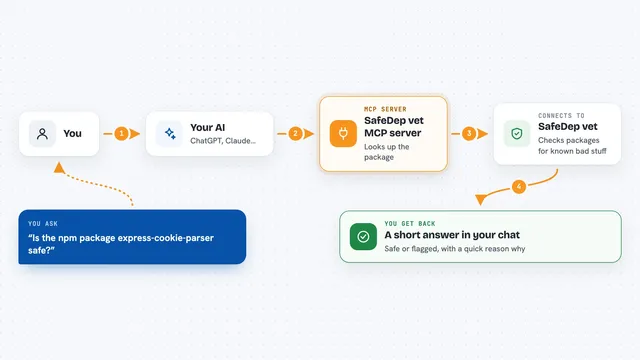
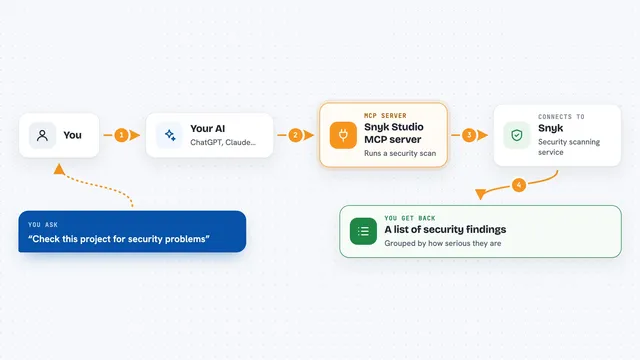
On its own, your AI can only chat with you. An MCP server is a small helper program that gives your AI a new skill or a connection to another tool. This one connects your AI to Draugr, so when you ask it to check your project for security problems, it can actually run Draugr and read the results. Without this helper, your AI would just guess or pick whatever scanner it happens to find.
What this MCP server does
You ask your AI to check a change or a project for security issues. The AI uses this helper, which reads the descriptor file you committed to your project (a file that describes what you built and what it exposes). Draugr then runs the right scanners for that scope, like Trivy for libraries and containers, Semgrep for code patterns, and Gitleaks for accidentally committed passwords. It ranks every finding P1 to P4 based on exposure and criticality, and hands the list back to your AI. If a scan would do something beyond reading your files, like probing a live site or sending data to a third party, Draugr asks you first.
What you can do with it
- Scan your project for security findings and get them ranked P1 to P4
- Check a change or pull request for new findings only, so old ones do not block you
- Find passwords and keys that were committed by accident
- Look for known flaws in the libraries and container images you depend on
- Check your infrastructure files (Terraform, Kubernetes, Dockerfiles) for open doors
- Get a summary you can hand to someone else, in formats like JSON or SARIF
Try asking your AI
- “Check this project for security problems and tell me what to fix first”
- “Scan my latest change and show me only the new findings”
- “Are there any passwords or keys committed in this repository?”
- “What are the P1 findings in this project right now?”
What it gives back to you
You get a ranked list of findings, ordered P1 (fix now) down to P4 (backlog), with a short description of each. Draugr also tells you which scanner found it and where in your project it sits. If you ask for a report, it can write files like report.json or results.sarif. Your AI then reads that back to you in the chat as a summary or a list.
Before you start
What you need
- The Draugr tool installed on your computer (the install script is one line, no admin rights needed)
- The scanners you want to use, which Draugr can fetch and verify for you with one command
- A descriptor file in your project (draugr init writes a first draft for you)
Good to know
Draugr can run scanners that probe live endpoints or send data to third parties, and it will ask you first before doing that, so read the prompt before saying yes.
Install it with your AI
Add Draugr MCP server to your AI, no technical skills needed
You don't install anything by hand. You copy one prompt, paste it into an AI that can work on your computer, and it checks, installs and connects the server for you, asking you when it needs something.
Sign in to get the install prompt
Members get a ready-made prompt that lets the Claude desktop app check Draugr MCP server, install it and connect it for them, step by step. You don't need any technical skills: you copy, paste and answer a few questions. Your connected AI can also find and install any of the 4,960 MCP servers here for you.
Who it's for
Developers and teams who ship software and want a clear, ordered answer about which security findings to fix first, without having to run and compare several scanners by hand.