MCP server · Security · official
AppLedger security check MCP server
by contentasoftware · official
Your AI can scan your app for security problems and explain them in plain words, then write a fix request.
AppLedger is a security checker for apps that people build with AI tools like Claude Code, Codex, Cursor or Lovable. It looks through your app folder with independent scanners and tells you, in everyday words, what is wrong and what to do about it. It is handy for anyone who has built or is building an app with AI help and wants to know if it is safe to share.
What is an MCP server? The 30-second version
On its own, your AI can only chat with you. An MCP server is a small helper program that gives your AI a new skill or a connection to a service. This one connects your AI to AppLedger, a security checking service. Once it is connected, you can ask your AI to check your app, and it will use AppLedger behind the scenes to scan your files and bring back the results.
What this MCP server does
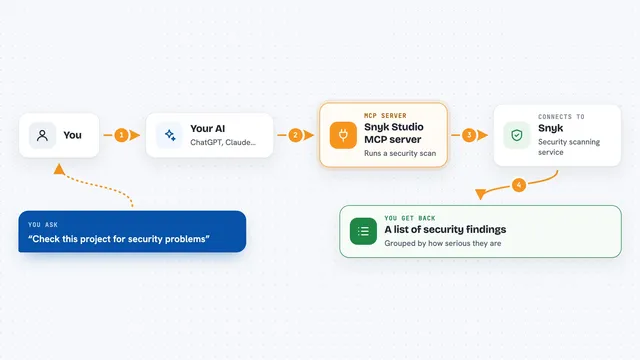
You ask your AI to check your app for security problems. The AI uses this helper to send your app files to AppLedger, which runs scanners like Trivy and Opengrep on them. AppLedger looks for leaked passwords, outdated libraries and dangerous code patterns. It then writes a report in plain English and a fix request you can hand to your coding agent. Your AI shows you the results right in the chat.
What you can do with it
- Scan your app folder for security problems
- Get a plain-English explanation of each problem found
- See a score and who can safely use your app right now
- Get a ready-made fix request to give to your coding agent
- Check again after fixes to see if the problems are gone
- List exactly which files would be sent before uploading anything
- Connect your checks to a free AppLedger dashboard
Try asking your AI
- “Is my app safe to share?”
- “Check my app for security problems”
- “What did the last scan find?”
- “Write a fix request for the problems in my app”
What it gives back to you
You get a report with a score, a note about who can use the app right now, and every problem explained in plain words. It also gives you a fix-prompt.md file you can hand to your coding agent. The findings are also saved as findings.json for tools. In the chat, your AI will summarise the results and point you to the report file.
Before you start
What you need
- Python 3.10 or newer (for the command line version)
- uv (for the MCP server only version)
- A free AppLedger account if you want to save results to a dashboard
Good to know
In hosted mode, files that Git would commit are sent to AppLedger's servers for scanning, so make sure you are allowed to upload the code if it belongs to your employer or a client.
Install it with your AI
Add AppLedger security check MCP server to your AI, no technical skills needed
You don't install anything by hand. You copy one prompt, paste it into an AI that can work on your computer, and it checks, installs and connects the server for you, asking you when it needs something.
Sign in to get the install prompt
Members get a ready-made prompt that lets the Claude desktop app check AppLedger security check MCP server, install it and connect it for them, step by step. You don't need any technical skills: you copy, paste and answer a few questions. Your connected AI can also find and install any of the 4,960 MCP servers here for you.
Who it's for
People who build apps with AI tools and want a simple security check without being technical.