MCP server · Research
Hacker News MCP server
by pskill9
Lets your AI pull the latest Hacker News stories, with titles, links, points and comment counts.

This is a small helper that connects your AI assistant to Hacker News, the popular tech news site. Once it is set up, you can just ask your AI things like "what is on Hacker News right now" and it will go and read the site for you. It is handy if you follow tech news but do not want to keep refreshing the page yourself.
What is an MCP server? The 30-second version
On its own, your AI can only chat with you using what it already knows. An MCP server is a small helper program that gives your AI one extra skill. This helper gives your AI a connection to Hacker News, so it can go and look up the current stories for you. You stay in the chat and just ask in normal words.
What this MCP server does
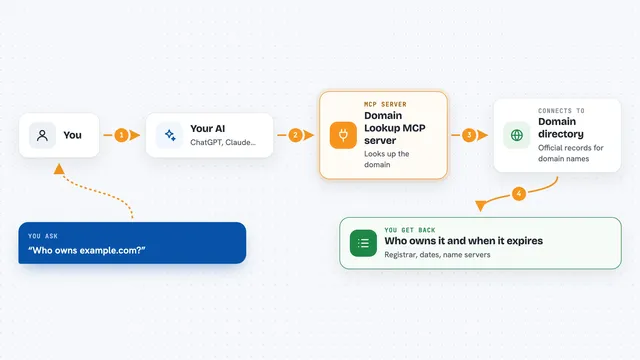
You ask your AI something about Hacker News, like the top stories or the newest Ask HN posts. Your AI passes that request to this helper program. The helper visits the Hacker News website, reads the page, and picks out the details. It then hands back a tidy list of stories with titles, links, points, authors, times and comment counts. Your AI shows you that list in the chat, in whatever format you asked for.
 Click to zoom
What you can do with it
- Fetch the current top stories on Hacker News
- Get the newest stories as they come in
- Pull Ask HN posts, where people ask the community questions
- Pull Show HN posts, where people share projects they made
- List the latest job postings on Hacker News
- Choose how many stories you want, from 1 to 30
- Get each story's title, link, points, author, time and comment count
Try asking your AI
- “Show me the top 5 stories on Hacker News right now”
- “What are the latest Ask HN posts?”
- “Get me the top 10 Show HN submissions”
- “List the newest Hacker News stories, just 3 please”
What it gives back to you
You get back a list of stories, each with its title, link, points, author, posting time and number of comments. Your AI can show this as a simple list, a table, or a short summary, depending on how you ask. It only reads the site, so nothing on Hacker News is changed. If something goes wrong, like the site being unreachable, you get a plain error message instead of a list.
Before you start
What you need
- The Claude desktop app or the Claude extension in VS Code
- Node.js installed on your computer
- A copy of this server's code, downloaded from its GitHub page and built once
Good to know
It only reads public pages on Hacker News, so there is nothing risky to watch out for.
Install it with your AI
Add Hacker News MCP server to your AI, no technical skills needed
You don't install anything by hand. You copy one prompt, paste it into an AI that can work on your computer, and it checks, installs and connects the server for you, asking you when it needs something.
Sign in to get the install prompt
Members get a ready-made prompt that lets the Claude desktop app check Hacker News MCP server, install it and connect it for them, step by step. You don't need any technical skills: you copy, paste and answer a few questions. Your connected AI can also find and install any of the 4,609 MCP servers here for you.
Who it's for
Anyone who follows tech news and wants a quick way to check Hacker News without leaving their AI chat.