MCP server · No-code
Home Assistant MCP server
by tevonsb
Let your AI check and control your smart home devices, like lights, switches and thermostats.

This is a small helper program that connects your AI assistant to your own Home Assistant setup. Home Assistant is the free app many people use to run their smart home, and this helper lets your AI talk to it. It is handy if you already run Home Assistant and want to control things by just typing a sentence instead of tapping around in an app.
What is an MCP server? The 30-second version
On its own, your AI can only chat. It cannot see your home or flip a switch. An MCP server is a little helper program that gives your AI one new skill, and here that skill is talking to your Home Assistant. Once it is connected, you can ask your AI about your devices or tell it to change something, and the helper passes that along to Home Assistant for you.
What this MCP server does
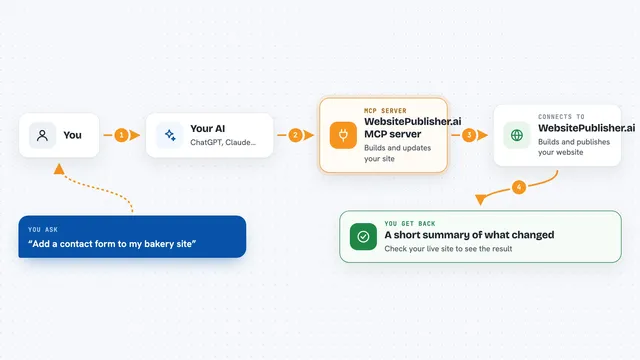
You type a request in plain words, like asking whether the kitchen light is on. Your AI sends that request to this helper program running on your computer. The helper then talks to your Home Assistant, which knows all your devices. Home Assistant answers, the helper passes the answer back, and your AI tells you the result in the chat. If you asked it to change something, the helper makes that change in Home Assistant.
 Click to zoom
What you can do with it
- Turn lights on or off, and set brightness or color
- Check the current state of sensors, switches and contacts
- Adjust your thermostat, including temperature and modes
- Control covers, fans, locks and media players
- Create, edit, enable or disable automations
- Browse and manage add-ons and HACS packages
Try asking your AI
- “Is the living room light still on?”
- “Turn off all the lights downstairs and set the thermostat to 20 degrees”
- “What is the temperature in the bedroom right now?”
- “Create an automation that turns on the hallway light when motion is detected”
What it gives back to you
You get answers in plain chat text, like whether a device is on or what a sensor reads. When it looks things up, it can give you a list of your devices or automations. When you ask it to change something, it tells you what it did, such as turning a light off. You do not get files or downloads, just replies and the changes it made in Home Assistant.
Before you start
What you need
- A running Home Assistant instance
- A long-lived access token from Home Assistant (a kind of password the Home Assistant settings page gives you)
- Node.js 20.10.0 or newer, or Docker if you prefer the Docker setup
- HACS installed if you want to manage packages, and Supervisor access for add-ons
Good to know
This helper can change your home and your Home Assistant setup, including installing add-ons and packages and editing automations, so check before you let it make big changes.
Install it with your AI
Add Home Assistant MCP server to your AI, no technical skills needed
You don't install anything by hand. You copy one prompt, paste it into an AI that can work on your computer, and it checks, installs and connects the server for you, asking you when it needs something.
Sign in to get the install prompt
Members get a ready-made prompt that lets the Claude desktop app check Home Assistant MCP server, install it and connect it for them, step by step. You don't need any technical skills: you copy, paste and answer a few questions. Your connected AI can also find and install any of the 4,361 MCP servers here for you.
Who it's for
People who already run Home Assistant at home and want to control their smart home by chatting with an AI instead of using the app.