MCP server · Research
GraphQL Forge MCP server
Lets your AI run pre-approved GraphQL queries against an API you choose, using tools you define in simple files.

GraphQL Forge is a small helper program that connects your AI to a GraphQL API. You decide which questions the AI is allowed to ask by writing them in plain configuration files. It is handy for teams who want their AI to look things up in a company API without giving it free rein over everything.
What is an MCP server? The 30-second version
On its own, your AI can only chat with you. An MCP server is a small helper program that gives your AI a new skill or a connection to an app or service. This one connects your AI to a GraphQL API, which is a way for apps to ask a service for specific pieces of data. Once it is connected, your AI can run the queries you set up and bring the answers back into the chat.
What this MCP server does
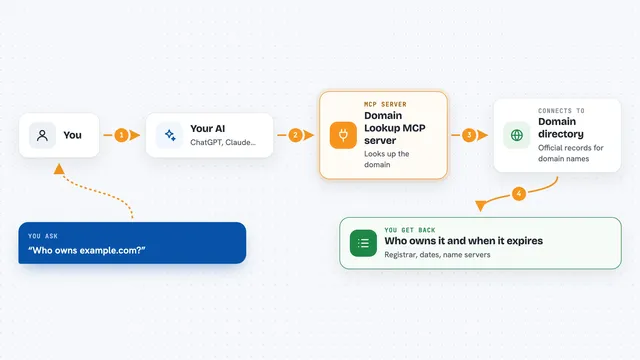
You ask your AI a question in normal words. The AI picks one of the tools you defined and fills in the details, like a username. This helper then sends that request to the GraphQL API you pointed it at. The API sends back data, and the helper hands it to your AI. Your AI then shows you the answer in the chat, as a list, a summary, or raw data.
 Click to zoom
What you can do with it
- Look up a user's name, profile link, and location in a GraphQL API
- Fetch a list of items from an API by searching with a keyword
- Read details about a specific record using its ID
- Run only the queries you have approved in your configuration files
- Get answers back in a compact format to save space in the chat
- Connect over a local web address if your setup needs that instead of a direct connection
Try asking your AI
- “Look up the GitHub user octocat and tell me their name and location”
- “Find the profile for user jane-doe in our company API”
- “Get the details for record 4821 from the customer service”
- “Show me the name and URL for the user called dev-team”
What it gives back to you
You get back whatever the GraphQL API sends, shown in the chat. That could be a name, a link, a location, a list of records, or a block of raw data. If you set the output format to json or toon, the answer comes back more compact so it uses less room. The helper does not change anything on its own; it just brings the data back.
Before you start
What you need
- A GraphQL API address you want to connect to
- A folder with your forge.yaml file and one YAML file per tool
- A way to get a login token if the API needs one, such as a command that prints it
- Either the pre-built program for your computer or Go installed to build it yourself
Good to know
Debug mode prints your login token and full request details to the error log, so avoid leaving it on in shared or recorded sessions.
Install it with your AI
Add GraphQL Forge MCP server to your AI, no technical skills needed
You don't install anything by hand. You copy one prompt, paste it into an AI that can work on your computer, and it checks, installs and connects the server for you, asking you when it needs something.
Sign in to get the install prompt
Members get a ready-made prompt that lets the Claude desktop app check GraphQL Forge MCP server, install it and connect it for them, step by step. You don't need any technical skills: you copy, paste and answer a few questions. Your connected AI can also find and install any of the 4,361 MCP servers here for you.
Who it's for
Teams and developers who want their AI to safely query a GraphQL API using only the requests they have approved in advance.