AI Productivity Meets "Brain Fry": What HR and Managers Need to Do Now
AI promised less grunt work. Many teams got something else: constant supervision, context switching, and a new kind of cognitive drain researchers call "brain fry."
A recent study published in Harvard Business Review found a split reality. AI reduces stress when it offloads repetitive tasks. But when employees juggle multiple tools and constantly babysit outputs, decision fatigue and errors spike.
As one researcher put it, "The AI can run out far ahead of us, but we're still here with the same brain we had yesterday." Consider that your early warning signal: the way we manage AI matters as much as the tools we pick.
The productivity paradox
- AI that automates well-scoped, repetitive tasks reduces burnout.
- AI that demands intensive oversight increases mental load and slows decisions.
- Expanded capability often becomes expanded accountability. Without guardrails, people take on more than their brain bandwidth allows.
What "brain fry" feels like on the ground
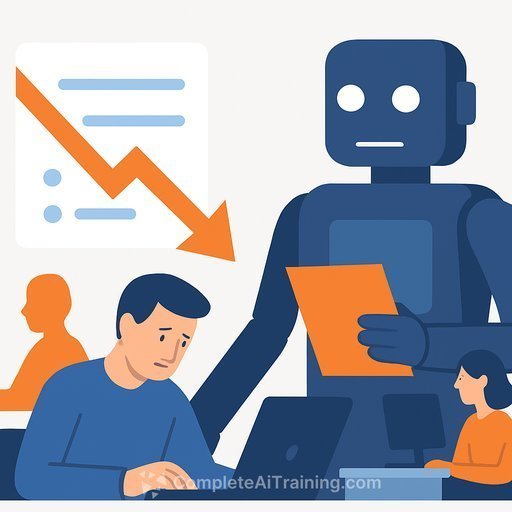
Practitioners describe a specific strain: "You're constantly waiting… and you're changing gears." One task takes five seconds, another fifty, another five minutes-so people spin up parallel work, bounce between windows, and never fully focus.
Perfectionism makes it worse. With "one more prompt" always possible, teams spend hours optimizing instructions instead of shipping. Time-boxing and clear "stop rules" are essential.
Why HR and leaders should care
Workers reporting AI brain fry make more mistakes, move slower, and feel more fatigued. That hurts quality, throughput, and retention.
The fix isn't to abandon AI. It's to redesign work so humans supervise less and automate more-on purpose.
Your playbook to prevent AI brain fry
1) Simplify the toolstack
- Pick a primary model and a small set of approved tools per workflow. Cap concurrent tools at two per task.
- Turn off features your team doesn't need. Fewer knobs, fewer decisions.
2) Redesign the workflow (don't just bolt AI on top)
- Map each task: what the AI does, what the human checks, and when the human stops.
- Batch steps so people aren't waiting on AI in micro-intervals. Queue work, then review in focused blocks.
3) Set "supervision limits"
- Define a maximum of three iteration loops before escalation or a human-takes-over rule.
- Time-box prompts: e.g., 10 minutes ideation, 20 minutes build, 10 minutes review. Ship the draft, improve next cycle.
4) Standardize prompts and templates
- Maintain a shared prompt library for common tasks. Lock in inputs, style, and acceptance criteria.
- Use checklists for review so oversight is fast and consistent.
5) Train managers first, then teams
- Managers set pace and norms. Train them to assign AI-ready tasks, limit context switching, and model time-boxing.
- Teach when to offload work to AI vs. when to do it manually. Default to automation for repetitive steps.
6) Protect focus
- Adopt "focus blocks" with AI runs queued, notifications muted, and no new tabs.
- Schedule AI-heavy work earlier in the day; use lighter tasks when mental energy dips.
7) Build stop rules
- Define "good enough" for each task (quality bar, word count, format). When met, stop.
- If output quality declines across iterations, revert to the best prior version and move on.
8) Measure and adjust
- Track error rates linked to AI, decision time per ticket, tools used per task, and after-hours rework.
- Review weekly: What to automate next? What to kill? Where are people stuck supervising?
Team norms you can roll out this week
- Two-Tool Rule: No more than two AI tools open per task.
- Prompt Sprint: 15 minutes to draft prompts, lock the best one, then run.
- Review Blocks: Check AI outputs at set times, not continuously.
- Cooldown: 5-minute screen break after every 50 minutes of AI-heavy work.
- Stoplight Status: Green = create, Yellow = review, Red = ship. Don't add steps mid-phase.
One-week pilot plan
- Day 1-2: Baseline three workflows. Count tools used, handoffs, and review time.
- Day 3: Cut tools to the essentials. Add prompts, checklists, and supervision limits.
- Day 4: Train managers; run one live workflow with time-boxing.
- Day 5: Retro. Compare error rates and cycle time. Keep what worked, drop the rest.
Policy templates to copy
- Human-in-the-loop levels: Level 0 (no review), Level 1 (spot check), Level 2 (full review), Level 3 (co-create, human lead). Assign by risk.
- Iteration cap: Max three AI rewrites before shipping or escalating.
- Focus protection: 90-minute blocks, notifications off, no new tools mid-task.
- Quality gates: Define acceptance criteria. If unmet, revert or escalate-don't endlessly refine.
If you need a quick rationale for leadership
- Less brain fry = fewer errors and faster cycle time.
- Clear norms cut decision fatigue and reduce shadow tool use.
- Training managers multiplies impact across teams.
Further reading and practical help
For broader context on AI at work, see Harvard Business Review's coverage of AI.
The promise of AI may be big. The question is how far we ask the human brain to stretch. Design the work first. Then let the tools serve it.
Your membership also unlocks: