YouTube brings conversational AI to the TV: what viewers and builders should expect
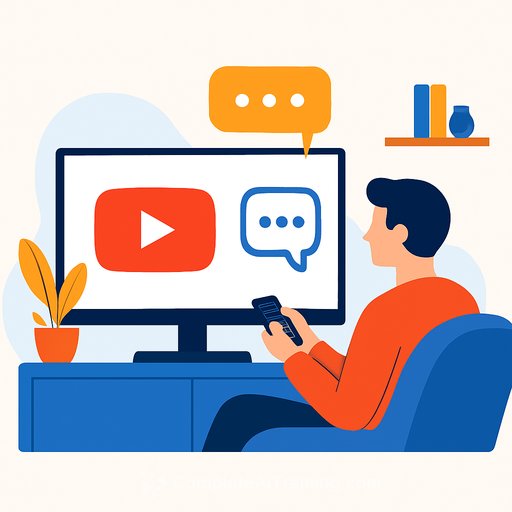
YouTube is moving its conversational AI from phones and the web to the biggest screen in the house. An experimental "Ask" button now appears on smart TVs, consoles, and streaming devices, letting you ask questions without leaving the video.
It's simple: click "Ask" on your TV, pick a suggested prompt, or hold the remote's mic to speak. You'll get instant answers related to what you're watching-like recipe ingredients or the story behind song lyrics-while the video keeps playing.
How it works on TV
The assistant appears as an overlay, with context-aware prompts pulled from the video. Viewers can also ask anything related to the content using the remote's microphone.
It's built for quick, in-the-moment questions that keep you watching instead of bouncing to a phone. That small shift matters for retention and discovery.
Availability and languages
The feature is currently available to a select group of viewers over 18. It supports English, Hindi, Spanish, Portuguese, and Korean.
Rollout spans smart TVs, gaming consoles, and streaming devices. Expect staged expansion as usage and quality data roll in.
Why this matters
More people now watch YouTube on a TV than ever. A Nielsen report from April 2025 found YouTube reached 12.4% of total television audience time, ahead of major streaming platforms.
Bringing Q&A to the couch turns passive viewing into interactive discovery. For product teams, the living room is no longer "watch-only." It's search, context, and action-on one screen.
Competitive push on the big screen
Amazon rolled out Alexa+ on Fire TV for natural, back-and-forth queries-think scene-finding, actor info, and personalized picks. Roku upgraded its assistant to handle open-ended questions like "What's this movie about?" or "How scary is it?"
Netflix is testing an AI search experience as well. Everyone's racing to own the question that happens during the watch.
YouTube's broader AI bets for TV
Beyond the conversational assistant, YouTube is shipping features that sharpen the viewing experience. There's automatic enhancement that upscales lower-res videos to full HD, a comments summarizer to catch up on discussions, and an AI-driven results carousel for faster discovery.
On the creator side, YouTube announced AI-generated versions of a creator's likeness for Shorts. And there's now a dedicated app for Apple Vision Pro to watch videos on a theater-sized virtual screen. For deeper context on video-focused AI, see Generative Video.
What builders should note (product, IT, and engineering)
- Grounding and context: Tie answers to video metadata, timestamps, captions, chapters, and channel info. Show citations or "learn more" links where possible.
- Latency budget: Aim for sub-200 ms ASR, sub-1 s reasoning, and lightweight overlays. If it lags, users stop asking.
- Voice UX: Remote mics vary. Add clear prompts, confirmation beeps, and an edit field for corrections. See Speech-To-Text for the building blocks.
- Quality and safety: Use intent classifiers, guardrails, and fallback answers. Prefer grounded facts over broad web responses.
- Multilingual support: Language auto-detect, code-switching in households, and localized intents matter more on TV than mobile.
- Privacy: Keep voice snippets minimal, expire quickly, and let users view/delete history. Make it obvious when the mic is listening.
- TV platform sprawl: Account for OS differences (Android TV, Fire TV, Roku, console browsers). Normalize capabilities behind a thin abstraction.
- Resilience: Work offline where feasible (caching captions/chapters). Offer graceful error states instead of dead-ends.
- Compliance and brand safety: Respect age gates, content ratings, and regional rules. Keep responses aligned with the video's context.
Metrics to track
- Ask-button CTR and voice-trigger rate
- Question completion rate and average time to answer
- Session length and watch-time while the overlay is active
- Deflection from mobile searches (same-session)
- Repeat usage, satisfaction score, and complaint rate
- Error types: ASR mishears, off-topic answers, and abandoned prompts
Practical rollout checklist
- Define top intents by category (recipes, music, sports, education, movies).
- Ground the model with captions, chapters, and structured metadata first; then add web fallback.
- Ship language support in waves, starting with high-coverage locales and models.
- Instrument everything: latency, answerability, hallucination flags, user corrections.
- Run controlled AB tests on copy, placement, and mic prompts. Protect watch-time.
- Publish a clear privacy explainer and visible mic indicator on every screen.
Where this heads next
Expect deeper, context-aware overlays (chapters, product references, artist bios) and smoother handoffs between phone and TV. Commerce hooks and richer metadata partnerships are likely.
For teams building similar features, treat the TV as a conversational surface, not just a big display. Keep answers tight, grounded, and fast-and the viewer will stay right where you want them: watching.
Your membership also unlocks: