Solving AI's Blind Spot in Support: Cobrowse Adds Visual Intelligence
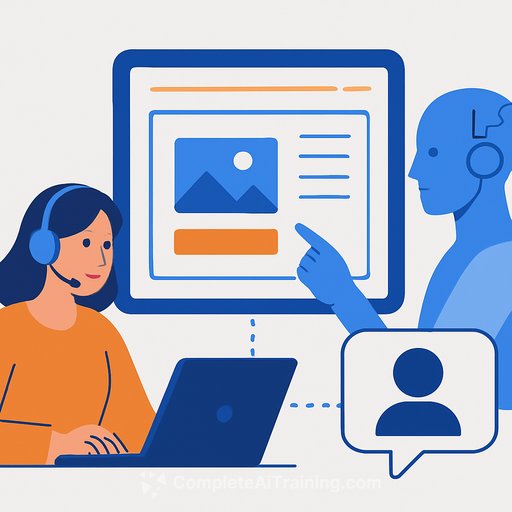
Cobrowse has launched an AI-powered visual intelligence product that lets virtual agents see the user's screen in real time. The goal: cut escalations and deliver faster, more accurate resolutions across web and mobile.
Agents can now read on-page elements, spot friction, guide with on-screen annotations, and pass full context to a human when needed. All of this ships with enterprise-grade redaction, auditing, and privacy controls.
The "Context Gap" That Stalls Containment
LLMs handle intent and respond naturally. But they still can't see what the customer sees. As Zac Scalzi, Director of Sales at Cobrowse, put it: "AI agents transformed how customers communicate, but they still lack the context required to actually solve problems. Until AI can see what the user sees, every answer is an educated guess."
Cobrowse calls this the "context gap." Without visual grounding, AI behaves like a searchable knowledge base. It can talk, but it can't pinpoint the exact blocker on the screen or the error the user is staring at.
What Cobrowse AI Adds to Your Virtual Agents
- Real-time visibility into UI state: Agents can observe the customer's session to identify errors, confusing elements, and where the user is stuck.
- Situation-aware guidance: Draw and annotate directly on the screen so customers get step-by-step direction, not generic instructions.
- Intelligent friction analysis: Interpret UI behavior and flags in real time to offer precise, timely next steps.
- Seamless escalation: Hand off to a human with full visual and conversational history-no rehashing for the customer.
- Enterprise safeguards: Redaction controls, audit logging, and deployment options for regulated environments.
As Cobrowse frames it: "LLMs can interpret and relay information, but without visual context they cannot reason. They behave like a searchable knowledge base, not an intelligent support agent."
Why This Matters for Support Leaders
Many teams poured time into assistants and copilots, yet still see low containment and inconsistent accuracy. The common response is to feed the bot more FAQs, docs, and logs-or to build custom APIs that reveal product state. Those projects are engineering-heavy, fragile, and can introduce privacy risk.
Giving AI a live view of the session is simpler. Fewer guesses. Fewer back-and-forths. More issues finished in one interaction.
Expected Outcomes Support Teams Can Target
- Higher containment: More tickets closed by AI, end-to-end.
- Greater accuracy: Intent plus screen awareness beats assumptions.
- Improved CSAT: Guidance that feels timely and relevant.
- Higher FCR: Fewer transfers and multi-step loops.
- Better digital adoption: Customers learn workflows as they're guided through them.
How to Pilot This in Your Org
- Pick 2-3 high-volume, visual flows: Password resets, checkout issues, profile updates, KYC steps.
- Define success criteria: Containment, FCR, AHT, CSAT, and escalation rate. Baseline them first.
- Set strict privacy rules: Mask PII fields by default. Log access. Require explicit customer consent.
- Start with annotated guidance: Let AI draw and highlight before attempting full automation of actions.
- Instrument everything: Track where AI hesitates, where humans jump in, and what screens create friction.
Privacy, Consent, and Control
Visual context is powerful, so guardrails matter. Cobrowse includes redaction controls and audit logs to keep sessions compliant and reviewable. If you need a governance framework for policy and process, the NIST AI RMF is a solid reference point.
NIST AI Risk Management Framework
What This Signals for Agentic AI
Conversational systems have long lacked shared visual context-the thing that makes human-to-human support quick and intuitive. Cobrowse closes that gap so agents can see, reason, and guide based on the actual interface in front of the customer.
As Scalzi summed it up: "Without context, AI is little more than a smart FAQ. With visual intelligence, it can finally operate with real understanding."
Next Steps for Support Teams
- Run a 60-90 day pilot on your top visual use cases.
- Compare pilot metrics to your baseline and expand by flow, not by channel.
- Formalize privacy and consent, and train agents on escalation from AI to human.
If you're investing in skills for your team to build and run agentic support, we've curated practical paths for CX roles here: AI upskilling for support teams.
Your membership also unlocks: