Enterprise AI: What it is and how to make it work across your company
Leaders want AI to boost results, cut waste, and free teams to do meaningful work. That promise is real-if you implement it with intent. For Customer Support and Product Development, the advantage is simple: fewer manual tasks, clearer insights, and faster decisions that move the roadmap and the customer experience forward.
You can't sprinkle AI on top of messy processes and expect results. You need a plan, a proof of concept, and clear metrics. Here's how to think about it-and where to start.
What is enterprise AI?
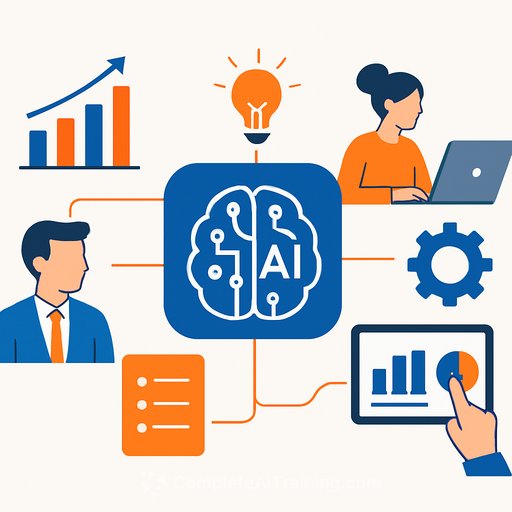
Enterprise AI is the use of advanced models and AI agents across large organizations to solve complex, cross-team challenges. It analyzes massive datasets, automates multistep workflows, and supports decisions that affect revenue, reliability, and customer experience.
- Data insights: Pulls from many sources to surface patterns, trends, and correlations humans miss.
- Process automation: Removes repetitive, error-prone work with end-to-end workflows across your stack.
- Predictive analytics: Forecasts demand, risk, churn, and outcomes from historical and live data.
- Personalization: Delivers context-aware recommendations and support at scale.
8 enterprise AI use cases (built for Support and Product teams)
1) AI for Operations (AIOps)
IT in large companies is a constant stream of alerts, slowdowns, and tickets. AIOps platforms analyze logs, metrics, and traces to forecast incidents, reduce alert noise, and auto-resolve common issues. One global payroll platform reported automating millions of routine tasks-freeing engineers to ship improvements instead of chasing fires.
- Spot issues early: Pattern detection predicts outages before they hit customers.
- Automate the boring: Patching, restarts, and common ticket resolutions handled by runbooks and agents.
- Cut alert fatigue: Deduplicate, prioritize, and route alerts with context.
2) AI for customer service
Support teams deal with high volume across channels and languages. AI reduces queue time, improves first-contact resolution, and gives agents the right context at the right moment. Let bots handle simple requests while humans focus on edge cases and escalations.
- 24/7 coverage: Chatbots and voice bots answer common questions and process routine actions.
- Faster routing: Auto-triage by intent, language, priority, and account value.
- Assist agents: Suggested replies, knowledge surfacing, and live summaries in the thread.
- Trend spotting: Sentiment and topic analysis to flag product issues and deflectors.
3) AI for marketing that Product and Support actually need
Use AI to sharpen audience segmentation, test messages faster, and feed product decisions with real signals. This helps reduce noise and focuses teams on what converts and retains.
- Smarter segmentation: Cluster users by behavior and value, not just demographics.
- Creative support: Headline options, visual suggestions, and short-form drafts for quick iteration.
- SEO guidance: Surface search gaps and competitor moves to inform content and product docs.
- Budget clarity: Tie spend to outcomes with model-driven attribution and trend analysis.
4) AI for market research
Classic research is slow. AI cuts research cycles from weeks to days and surfaces non-obvious opportunities. Generative tools can synthesize findings, draft personas, and propose experiments.
- Validate fast: Scan trends, competitors, and sentiment to vet ideas quickly.
- Persona depth: Generate personas, then refine with real chat data and surveys.
- Competitive sweeps: Consolidate feature sets, pricing, positioning, and gaps.
- Predictive signals: Forecast demand and churn risks to guide your roadmap.
Quality in equals quality out. Ask precise questions, feed your own data, and keep a human in the loop to verify claims and dates.
5) AI for HR (with people first)
HR teams manage volume and sensitive decisions. AI helps with admin work while teams focus on culture, retention, and fairness.
- Admin automation: Records, payroll checks, and initial resume screens.
- People analytics: Spot engagement dips and burnout risks from surveys and signals.
- Onboarding: Personalized checklists, learning paths, and "day 1-30-90" guidance.
Guard against bias, document how models are trained, and keep humans accountable for final decisions.
6) AI for engineering
Your best engineers shouldn't be stuck on boilerplate. AI assistants accelerate coding, code review, test generation, and documentation. Non-developers can ship smaller automations without blocking the dev team.
- Speed: Generate scaffolding, tests, and refactors in minutes.
- Knowledge boost: In-line explanations and examples reduce ramp time.
- Clear docs: Summaries, diagrams, and ADR drafts improve handoffs.
7) AI for logistics
If you ship physical products, AI cuts waste across routes, inventory, and maintenance. That means fewer delays, less capital locked in shelves, and happier customers.
- Routes that save time: Optimize against traffic, weather, and fleet limits.
- Demand forecasting: Balance stock to prevent stock-outs and overstock.
- Warehouse efficiency: Smarter slotting and robotics coordination.
- Predictive maintenance: Use sensor data to fix before failure.
8) AI for enterprise orchestration
Point solutions in silos stall outcomes. Orchestration connects AI tools, data warehouses, CRMs, ticketing, and agents into workflows that actually finish the job. It also centralizes governance and makes scaling easier.
- Unified workflows: Trigger multi-app, multi-team processes from one event.
- Governance: Central permissions, audit, usage, and model choices. See the NIST AI Risk Management Framework for a solid baseline. For leadership and governance guidance on deploying enterprise AI, see the AI Learning Path for CIOs.
- Cost control: Reduce tool sprawl and duplicate effort.
How to implement AI across your enterprise
1) Define goals that matter
Pick a few concrete problems: reduce average handle time, increase deflection, shorten PRD cycles, improve release quality, or cut incident MTTR. Tie each goal to business outcomes and set a realistic timeline. Publish the KPIs up front.
2) Consult internal teams early
PMs, Support leaders, ops, security, and data teams know the friction points. Bring them in before tool selection so solutions fit your stack, policies, and budget.
3) Build a culture of experiments
Open office hours. Short trials. Clear guidelines. Let teams test safely on real workflows, then promote what works. Curiosity beats compliance-only adoption.
4) Log pain points-and price them
Quantify time lost to manual tasks, rework, and slow decisions. Put a cost on delays, churn, and incidents. This builds the business case and keeps everyone honest.
5) Pick tools that fit your stack
Avoid shiny objects. Choose tools that solve the logged problems and connect cleanly to your data and apps. For niche needs, consider light customization or agents that call your internal APIs.
6) Create a long-term budget
Include implementation, data prep, training, change management, monitoring, and model costs. Plan for scale. Invest in team education so the gains stick.
7) Prove value with data
Run a pilot with clear baselines. Track cost per ticket, time to resolution, CSAT, PRD cycle time, incident MTTR-whatever ties to your goals. Share wins in plain language.
8) Address concerns with transparency
Clarify that AI augments jobs and opens new roles. Document data flows, retention, and access. Prefer explainable approaches where decisions affect people.
9) Schedule rollout in stages
Start small, train users, and expand only after you hit targets. Celebrate quick wins and fix gaps fast. Keep the feedback loop open.
What to look for in an enterprise AI platform
- Scale: Handles large data and more complex workflows as you grow.
- Integrations: Pre-built connectors or APIs for your core apps and data warehouse.
- Security and privacy: Meets your regulatory needs with clear data governance.
- Ease of use: Simple interfaces for nontechnical teams and strong admin controls.
- Implementation speed: Reasonable setup time and a realistic learning curve.
- Support: Docs, training, and implementation help that shorten time to value.
Start with the highest-impact problems, prove ROI, then expand. This keeps costs in check and momentum high.
Next step
If you're building AI skills for Support or Product roles, explore practical courses and certifications here: AI courses by job.
Your membership also unlocks: