AI at Work: Why Execs Bank Hours While Employees Don't
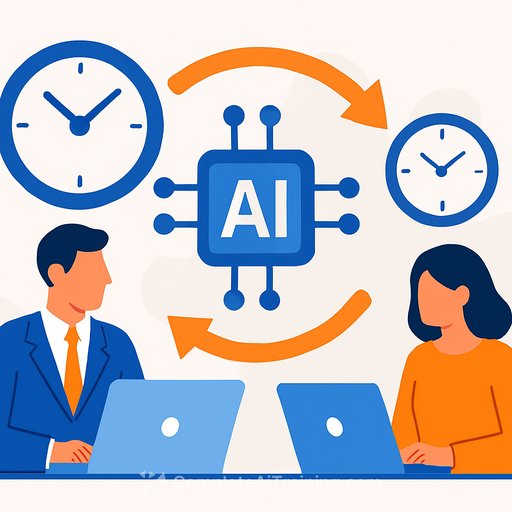
There's a growing gap between how leadership and frontline teams feel about AI at work. Over 40% of C-level executives say AI saves them more than eight hours a week. Meanwhile, two-thirds of non-managers report it saves less than two hours-or no time at all.
Leaders looking to align governance, strategy, and IT with practical adoption steps can follow the AI Learning Path for CIOs.
Employees say the tooling is stressful, easy to misuse, and often creates extra work because outputs need to be checked, edited, or fully redone. And at the business level, the payoff isn't obvious yet. In a global CEO survey by PricewaterhouseCoopers, only 12% reported both cost savings and increased revenue from AI, while over half saw no clear benefit at all. Source
Why the Gap Exists
- Unclear workflows: AI is dropped into messy processes, so "time saved" turns into rework.
- Quality control adds friction: Outputs need fact checks and formatting, so cycle times don't shrink.
- Tool sprawl: Multiple apps, no integration, and poor fit for the actual job to be done.
- Skill gaps: Teams lack prompt patterns, templates, and examples that match their work.
- Risk roadblocks: Confusion about data privacy and approvals leads to hesitation or shadow use.
What Leaders Should Do This Quarter
- Pick 3 repeatable tasks with high volume and measurable outputs (e.g., email drafts, call summaries, brief first drafts).
- Define the "done" standard with examples. No standard, no savings.
- Build prompt templates and checklists. Make the "right way" the easy way.
- Integrate into the workflow (shortcuts, CRM/Docs add-ins) so usage fits the flow of work.
- Set a simple review protocol: AI first pass, human final pass, time-boxed to minutes-not hours.
- Assign AI champions per team to coach, collect examples, and maintain templates.
- Reward reduced cycle time and quality-not tool usage. Incentives drive behavior.
Design AI Workflows That Actually Save Time
- Input: Standard fields for context (audience, tone, key facts, constraints).
- Prompt: A template with variables and a short rubric (what "good" looks like).
- Output: Required structure (headings, length, call to action, links).
- Review: A 60-120 second checklist: facts verified, names/titles correct, formatting consistent.
- Escalation: If it misses the mark twice, stop and do it manually; log the miss.
- Library: Save wins and misses. Update templates weekly.
Measure ROI With Simple, Hard Metrics
- Time per task: Baseline vs. post-AI (validated by time sampling, not self-report only).
- Rework rate: % of AI outputs requiring >2 edits or full redo.
- Quality score: Peer-rated 1-5 against the "done" standard.
- Throughput: Tasks completed per person per week.
- Cost per task: Model usage + labor minutes.
- Adoption: % of eligible tasks started with AI templates.
- Sentiment: Monthly pulse on stress and usefulness.
Reduce Risk Without Slowing Teams
- Classify data sensitivity and set tool rules by tier (public, internal, restricted).
- Require citations or uploaded sources for factual outputs; prohibit guessing on regulated content.
- Keep human approval for customer-facing and legal content until quality metrics prove reliability.
- Use a lightweight governance checklist aligned to recognized guidance like the NIST AI Risk Management Framework.
Training That Sticks
Training should be job-specific and example-heavy. Teach patterns for the top tasks your teams do every day, then practice on real work with live feedback.
If you're building a focused upskilling plan, consider role-based learning paths such as the AI Learning Path for Project Managers to design pilots and workflows, and the AI Learning Path for Vice Presidents of Finance to align on ROI and measurement.
A 30-60-90 Day Rollout
- 30 days: Choose 3 workflows, write standards, build templates, run pilots with 10-15 users, start measuring time and rework.
- 60 days: Integrate with core tools, refine prompts weekly, publish a playbook, add two more workflows, set incentives.
- 90 days: Scale to the broader team, automate reporting, formalize QA and risk checks, and cut what doesn't move the metrics.
The Takeaway for Management
Executives see hours saved because their work fits AI's strengths: summarizing, drafting, and decision support. Many employees don't see the same benefit because the process around AI is missing.
Treat AI like a new workflow, not a shiny tool. Standardize inputs, define "done," measure rework, and train against real tasks. That's how you turn perceived value into actual time savings and business outcomes-without adding stress or noise.
Your membership also unlocks: