NZ Corrections flags misuse of Microsoft Copilot: HR's playbook for safe, useful AI
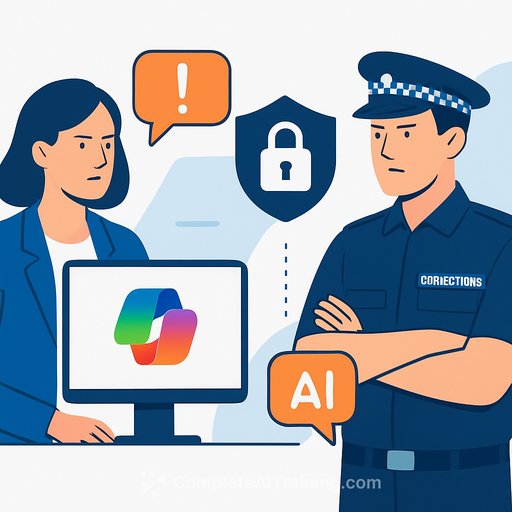
New Zealand's Department of Corrections has called out "unacceptable" use of Microsoft Copilot after identifying small incidents where staff stepped outside approved guidelines. Action was taken quickly, and the message to the workforce was clear: approved use only, no exceptions.
For HR, this is a timely case study. AI can speed up reporting and admin, but it also raises real privacy and compliance risks if the guardrails aren't tight and constantly reinforced.
What happened
Microsoft Copilot rolled out at Corrections late last year as part of its Microsoft 365 licence. Around 30% of employees have engaged with the tool so far-still a relatively low uptake, but enough to surface misuse risks.
"We've taken action as soon as we've become aware of these instances and made it extremely clear that any use of Copilot outside of its approved use is unacceptable," said chief probation officer Toni Stewart.
The department's AI policy states that personal information-including identifying details, health or medical data, or information about people under Corrections' management-must not be entered into Copilot Chat. An AI assurance officer oversees safe adoption, backed by an AI working group that governs ethics, standards, and consistent guidance. Privacy teams are also active in setting boundaries for use within Community Corrections.
"Our leaders, particularly within Community Corrections where staff write a number of reports, are actively working to ensure proper AI use is an ongoing conversation with staff," Stewart added. "We are committed to protecting the privacy of the people we work with and maintaining the professional integrity of our assessments, reports, and case documentation."
The move aligns with New Zealand government guidance for safe, transparent use of generative AI in the public sector, issued last year.
Why HR should care
HR owns the human side of AI adoption: policy clarity, training, behavioral norms, and consequences. Incidents rarely start with bad intent-they start with vague rules and rushed workflows. The fix is practical: set clear no-go zones, enable safe use cases, and keep the conversation going.
Practical steps HR can implement now
- Define "approved use." List the exact tasks Copilot can support (summaries of non-sensitive docs, draft outlines, meeting notes) and what it cannot (anything containing personal, health, or case-related data).
- Make data rules unmissable. Prohibit entering personal or sensitive information. Add examples employees actually see day to day. Require an annual attestation.
- Set roles and accountability. Nominate an AI assurance lead, name data owners, and appoint team champions who field questions and flag risks early.
- Build in technical guardrails. Use Microsoft 365 controls: data loss prevention, sensitivity labels, conditional access, and audit logs. Scope Copilot access by role and approved scenarios.
- Train with real scenarios. Short, practical modules: "Can I paste this?" "How do I redact?" "What's safe to summarize?" Include quick-reference checklists inside the tools people already use.
- Create a simple incident path. One channel to report misuse, no-blame triage, fast retraining, and documented outcomes. Share sanitized learnings with teams.
- Measure usage and nudge. Review Copilot engagement, types of prompts, and policy exceptions. Managers hold 10-minute monthly check-ins focused on safe productivity wins.
- Keep privacy front and center. Refresh privacy notices, align retention rules, and validate that AI-generated content doesn't introduce new personal data or bias into reports.
- Address worker trust. Be explicit: AI assists, it doesn't replace judgment. Clarify performance expectations and where human review is mandatory.
Metrics to watch
- Copilot adoption by team and role against approved use cases
- Policy exceptions and incident rates (trend and time-to-remediate)
- Training completion and scenario quiz scores
- Manager check-in frequency and flagged questions
- Quality checks on AI-assisted outputs (accuracy, privacy, tone)
Policy language you can adapt
- Prohibited data: "Do not enter any personal, health, case, or identifying information into Copilot or AI chat features."
- Human review: "All AI-assisted drafts must be reviewed and approved by the document owner before sharing."
- Approved tasks: "Permitted uses include: summarizing non-sensitive documents, drafting outlines, reformatting content, and generating checklists."
- Consequences: "Breaches may lead to access removal, retraining, or disciplinary action, depending on severity."
Helpful resources
- New Zealand public sector Generative AI guidance
- Microsoft 365 Copilot privacy, security, and compliance
- AI Learning Path for HR Managers
- Microsoft AI Courses
Bottom line for HR
AI rollouts don't fail on tech-they fail on clarity and habits. Corrections' response shows the blueprint: explicit rules, active leadership, and steady reminders. Put the guardrails in place, teach people how to use AI safely, then keep the feedback loop tight.
Your membership also unlocks: