Starlink adds Grok AI to customer support: what it means for your team
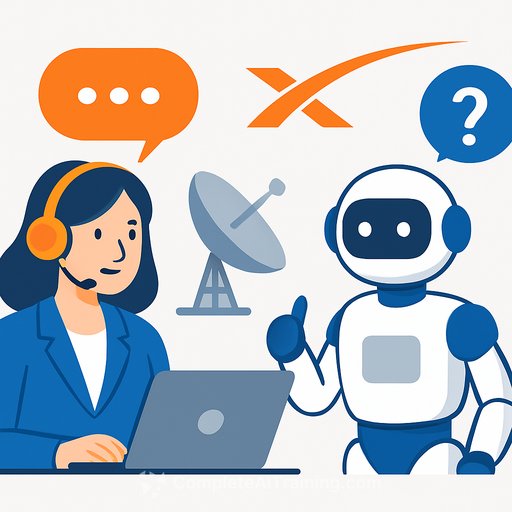
Starlink is bringing the Grok AI chatbot into its support flow. For support leaders, this move signals a shift: automate the repetitive, free humans for the high-stakes, and tighten the loop between issues, knowledge, and product fixes.
Here's how to turn that idea into practical wins without creating new headaches.
What Grok will likely handle
- Account basics: onboarding steps, password resets, billing questions, plan changes.
- First-line triage: check service status, collect environment details, verify device model/firmware.
- Guided troubleshooting: structured flows for weak signal, dish alignment, cabling, power cycling.
- Order and hardware: shipping updates, returns, warranty policies.
- Multilingual FAQs: quick answers in the customer's language, with links to the right articles.
What should stay with humans
- Safety or property risk: roof installs, hazardous setups, damaged equipment.
- Account disputes: fraud, chargebacks, complex billing errors.
- Edge cases: recurring intermittent drops, line-of-sight interference, regulatory or regional constraints.
- High-value customers: VIP, enterprise SLAs, mission-critical uptime.
Rollout plan (first 90 days)
- Days 0-30: Define 10-15 high-volume intents. Map guardrails. Limit Grok to read-only data. Add an "always escalate" phrase and one-click handoff. Shadow mode in your ticketing tool.
- Days 31-60: Enable responses for safe intents. Require confirmation for actions that change settings. Track deflection rate, CSAT, and recontact. Daily review of 20-50 transcripts.
- Days 61-90: Expand intents. Introduce controlled write actions (e.g., resending activation email). Launch multilingual flows. Create a weekly model update based on newly found gaps.
Project teams can structure rollout and playbooks using the AI Learning Path for Project Managers.
Guardrails and privacy essentials
- Minimize PII: redact email, phone, address, payment tokens before sending to the model.
- Retention: set clear log retention windows and access rules. Keep an audit trail of actions the bot suggests or triggers.
- Consent and disclosure: tell users they're chatting with AI and offer an instant human option.
- Policy checks: block unsafe instructions (roof climbing, hardware modification, bypassing TOS).
- Red-team weekly: test prompts that try to extract secrets, policy violations, or unsafe steps.
For privacy, retention, and audit controls, consult the AI Learning Path for Regulatory Affairs Specialists.
Metrics that matter
- First response time (FRT) and time to resolution (TTR): aim for 30-50% faster on covered intents.
- Containment rate: percent resolved by Grok without human touch. Pair with CSAT to watch for silent churn.
- Escalation accuracy: handoffs that arrive with clean context and correct intent tags.
- Recontact rate: customers who return within 3 days for the same issue. Keep this low.
- Error rate: incorrect steps or misleading answers flagged by QA.
Prompt and flow design tips
- Bias to ask, then answer: if confidence is low, ask one clarifying question before suggesting steps.
- Step-by-step troubleshooting: one action at a time, confirm the result, then continue.
- Ground every answer: cite the exact knowledge article or device spec you used.
- Safe defaults: if hardware reset is risky, require human override or photo/video verification.
- Auto-summarize for agents: when escalating, pass a bullet summary, logs, and attempted steps.
Knowledge base tune-up
- Make articles atomic: one topic per page, clear preconditions, numbered steps, success criteria.
- Standardize format: issue, cause, steps, warnings, links to parts or RMA policy.
- Add "do-not-say" snippets: known wrong fixes, old firmware steps, region-specific constraints.
- Version everything: tie articles to firmware or hardware revisions; deprecate on release.
Outage and surge handling
- Single source of truth: bot pulls status from the same page your agents use to avoid mixed messages.
- Proactive mode: detect a cluster of similar reports and switch responses to a short status update with ETA.
- Queue triage: move impacted tickets to an incident view; pause standard troubleshooting until resolved.
Team impact and training
- Shift focus: agents handle judgment calls, empathy-heavy moments, and tricky diagnostics.
- New roles: conversation designer, KB editor, QA analyst for AI responses.
- Playbooks: teach agents how to correct the bot, tag gaps, and request KB updates fast.
Tooling and integrations
- Ticketing: create intents, labels, and macros in Zendesk/Salesforce/Freshdesk for clean routing.
- Logging: capture prompts, responses, final actions, and customer confirmations.
- Search: connect to your KB, device telemetry, and order system with read scopes first.
Risks and how to reduce them
- Overconfidence: require citations, confirmations, and safe-mode suggestions.
- Wrong fixes: limit physical troubleshooting steps; escalate if the user reports any abnormal noise, smell, or heat.
- Privacy drift: quarterly audits of data flows and retention policies.
- Bias and tone: run multilingual QA; enforce brand voice and accessibility standards.
What this means for support leaders
Automating the routine lets you give faster answers while reserving people for moments that actually move loyalty. The win comes from clean scopes, strong guardrails, and relentless QA. Start small, measure honestly, and expand only where the data supports it.
For governance and enterprise-scale considerations tied to policy and guardrails, see the AI Learning Path for CIOs.
If you're setting policy or compliance, the NIST AI Risk Management Framework offers a helpful baseline for controls and reviews.
Your membership also unlocks: