
Generative Video Feels Too Fast-Here's How Creatives Can Keep Up
AI video tools aren't waiting for anyone. TIME recently spotlighted AI founders, and for good reason: the pace is blistering, and the gap between "toy" and "tool" has closed.
I started testing image models right after ChatGPT went public. Since then, I've met artists using generative tools in galleries, spoken with engineers and professors, and pushed the tech myself. Books help, but this is hands-on-pay for a plan, run real projects, and the value clicks. It starts feeling like a smart assistant at your hip.
From Still Photos to Living Scenes
Recent tests with Grok 4.1 turned single photos into short moving clips-free tier included, with limits. The outputs are startlingly lifelike: people, statues, animals, even museum artifacts "wake up." A clear-day street photo becomes traffic flowing; the woman in a building ad starts fixing her hair. Used chairs in a vintage shop get a pouring sequence as if someone just cleaned the space.
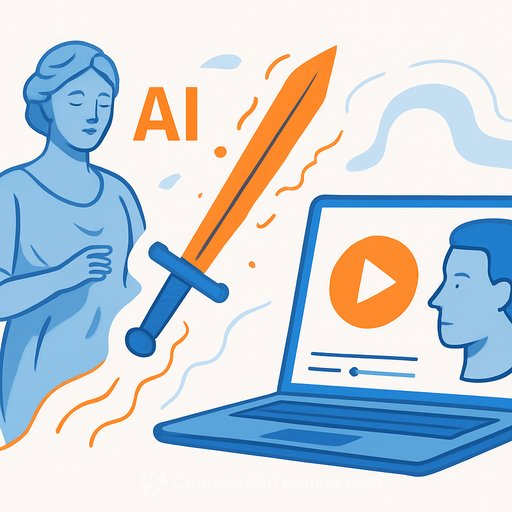
It's far from flawless. Close inspection reveals oddities: a historic statue's long sword morphs into a medieval knight's blade; sleeves narrow mid-motion because the model "corrected" itself across frames. You can nudge it with prompts, but artifacts still slip through.
I also tested Google's Veo 3. Give it a sunny street and it can flip the scene to sudden snow, gusty rain, or fog with a believable mood shift. Different engines have different strengths-worth knowing before you commit a shot list.
This Doesn't Kill Real Photography
If you create with a camera, your work stands. Real footage keeps its place-maybe gains more. What changes is the palette: now you have a new lane for concept frames, previsualization, mood tests, and motion studies that were expensive or impossible a year ago.
Why Grok 4.1 Matters
- Short videos from a single image, even on free tier (with usage slowing after many runs).
- Better-than-expected motion on non-human subjects: statues, ceramic figures, historical pieces.
- Great for ideation and previs; treat it as a sketchbook, not the final cut.
Other tools I've used: Midjourney, Runway, Kling, and Sora. Each has a lane. Grok 4.1 just made "turn a photo into movement" accessible and quick.
What I Learned (So You Don't Waste Weeks)
- First outputs rarely land. If you like 80% of it, expect dozens of tweaks for the last 20%-and some shots won't materialize at all.
- Results improve as you use the tool. Partly you get sharper; partly the system adapts to your patterns. It's helpful-and a little eerie.
- Policy and law are lagging. Rain from clear skies? Some engines nail it. Others still give nonsense. Standards haven't caught up either.
- Don't avoid this. Use it. I've shot film, then digital, and now phones. Tools change. Output matters.
A Simple Workflow for Creatives
- Start with your own photos. You control style, rights, and continuity.
- Describe small, grounded motions: "subtle hair movement," "light breeze across sleeves," "cars roll through the intersection." Keep it humble first.
- Fix artifacts in passes. Hands, eyes, shadows, reflections, typography-these break often. Re-prompt with clear corrections (e.g., "keep sword as Joseon-era style," "maintain wide sleeves throughout").
- Keep shots short. Export, then cut in your editor. Stitching multiple short clips beats praying for a perfect long take.
- Model match your scene. Use Grok 4.1 for living motion from stills; try Veo 3 for weather and mood flips. Test both on the same image before you lock your plan.
- Label provenance. Keep originals and mark AI-assisted clips in your project notes. Your future self-and your clients-will thank you.
Guardrails Worth Keeping
- Respect likeness and IP. Statues and brand ads moving on their own can cross lines in client or public contexts.
- Be clear with clients. Show both the original image and the animated version. Set expectations about artifacts and revisions.
- Store prompts with deliverables. Treat prompts like edit decisions-they're part of the creative record.
Tools to Explore
- Grok by xAI for photo-to-video motion tests.
- Google Veo for weather and atmosphere shifts.
Keep Learning, Keep Shipping
The tech moves fast, but the game is the same: ideas, taste, delivery. Treat AI like a rice cooker-don't study the manual forever. Press buttons, taste, adjust, repeat.
Want a shortlist of current video tools and practical courses? Start here:
Keep your camera close, your prompts clear, and your expectations flexible. The best work will blend craft with smart tooling-and that's a lane creatives own.
Your membership also unlocks:



