
AI news ·
Teachers guide students to use artificial intelligence as a collaborative tutor for technical skills
Teachers can use AI as a collaborative tutor by teaching prompt engineering and debugging. This shifts focus from policing shortcuts to building verifiable technical skills.
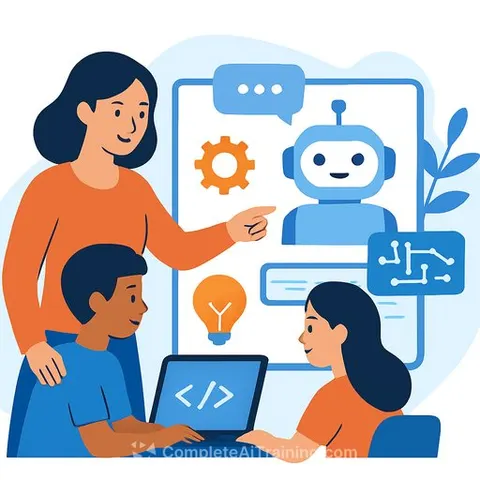
Teachers can reframe AI as a responsive learning partner that helps students practise technical skills, explain complex algorithms, and receive instant feedback on projects. The approach shifts AI from a shortcut for answers into a collaborative tutor that reinforces concepts through structured interaction, as students increasingly adopt these tools in their coursework.
Prompt engineering as a foundational skill
Teaching students to craft specific prompts yields better technical results. Role-playing techniques encourage students to instruct AI to "act as a senior developer" or a "helpful tutor" to set the right tone and depth. Iterative refining matters too - students learn that the first answer is often just a starting point and that follow-up questions produce sharper outcomes.
For educators building these skills, structured training pathways exist. An AI Learning Path for Teachers covers methods for integrating prompt engineering and AI-assisted learning into classroom practice. The goal is not to replace foundational knowledge but to teach students how to extract precise, useful responses from AI systems.
Debugging and code explanation
Students can paste error messages into AI tools and ask for explanations and suggested fixes, building troubleshooting skills through practice. When a working solution emerges, asking the AI for alternative approaches exposes students to more efficient methods they might not have considered. To combat "blank page syndrome," teachers can suggest requesting a step-by-step logic outline in pseudocode rather than the final answer.
AI also serves as a tool for explaining complex code. Students input confusing snippets and ask the AI to break down what each line does. This turns a moment of confusion into a teachable interaction rather than a dead end.
Interactive learning and deeper comprehension
Treating AI as a virtual tutor lets students discuss, brainstorm, and clarify technical concepts through step-by-step explanations instead of final answers. The technology can explain concepts like recursion or JavaScript scope in simple terms or through analogies, and generate practice quizzes or coding challenges that test understanding.
Broader applications in AI for Education show how these interactive methods extend beyond coding into other subjects where conceptual clarity matters. The principle remains consistent: AI supports comprehension, not completion.
Critical evaluation and ethical use
Teachers should require students to verify AI-generated code or information against official documentation. One effective task has students generate an answer using AI and then find evidence to support or debunk it. Another compares a human-written solution to an AI-generated one to identify nuances, subtle errors, or creative touches the machine missed.
Clear boundaries matter. Teachers need to specify when AI is permitted - for brainstorming or debugging - and when it is not, such as during core assessment tasks. Requiring students to keep a log of their prompts, interactions, and modifications fosters transparency and responsible use while helping them improve how they work with AI tools over time.
Why this matters for educators
The strategies outlined here give teachers a concrete framework for guiding AI use in the classroom rather than policing it. Students already use these tools. Teaching prompt engineering, debugging workflows, and critical evaluation turns that usage into a structured skill-building process. For educators, the shift means less time spent on enforcement and more time developing students' ability to question, verify, and refine AI-generated output - skills that transfer directly to professional environments where AI tools are becoming standard.