ChatGPT and Other AI Chatbots Approved for Official Use in the US Senate
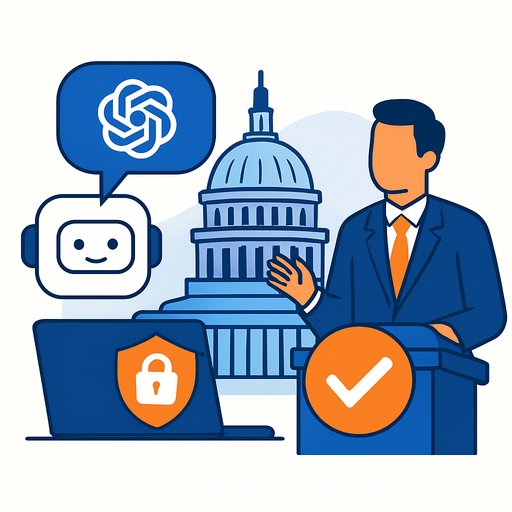
The US Senate now permits the official use of ChatGPT and selected AI chatbots for defined, low-risk tasks. This is a practical shift: use AI to speed up research, drafting, and admin work-without exposing sensitive data.
For government operations leaders, the message is clear. AI is entering formal workflows, but with guardrails. The goal is productivity, not shortcuts.
What the policy allows
Senate staff can use approved AI chatbots for non-sensitive work. That includes research support, early drafting, summarization, and general productivity tasks.
- Summarizing long policy reports and research documents
- Drafting early versions of memos or briefing notes
- Organizing complex legislative information into concise summaries
- Assisting with speech preparation and communications
- Helping staff ramp up on technical topics
All AI outputs require human review. No confidential or classified inputs. No protected government data in public AI systems.
Approved tools
- ChatGPT - research and writing assistance, flexible conversational interface
- Claude AI - analysis, long-document summarization
- Microsoft Copilot - integrated productivity features within workplace software
These tools were selected for utility and enterprise safeguards. Use remains limited and controlled.
Why this matters for government operations
Legislative teams process huge volumes of information every day. AI can cut time spent on first drafts, document review, and content organization. That frees staff to focus on analysis, stakeholder engagement, and decision support.
When the Senate formalizes AI use, it signals trust in structured workflows with human oversight and data protection at the core.
Guardrails you should follow (and enforce)
- Zero sensitive data: No classified, confidential, PII, or protected communications in public or consumer AI tools.
- Use enterprise controls: Prefer enterprise or government-grade offerings with admin controls, logging, and data retention settings.
- Human in the loop: Require review and approval before AI-assisted content is used in any official capacity.
- Defined use cases: Limit to research support, summarization, and first-draft writing. No policy decisions, no legal determinations.
- Accountability: Log prompts and outputs for auditability. Tag AI-assisted drafts in your document workflow.
- Access management: Role-based access, least privilege, and periodic entitlement reviews.
- Public records: Coordinate with counsel and records officers on retention/FOIA implications for AI-assisted work.
- Security posture: Treat AI like any new vendor: DPIAs, vendor risk assessments, and regular policy refreshers.
Suggested 30-60-90 day rollout for office leads
- Days 1-30: Select approved tools. Define allowed use cases. Train a small pilot group. Set up logging and review checkpoints.
- Days 31-60: Expand to additional teams. Measure time saved on summaries and drafts. Refine prompts and templates.
- Days 61-90: Standardize workflows, update SOPs, and publish do/don't examples. Report outcomes and lessons learned.
Risks and how to manage them
- Hallucinations or inaccuracies: Always verify sources. Require citations for factual claims.
- Bias: Apply structured review checklists. Use diverse reference materials and second-review on sensitive topics.
- Data leakage: Restrict inputs. Prefer enterprise configurations. Monitor usage patterns.
- Overreliance: Treat AI as a drafting and research aid, not a decision-maker.
For a governance baseline, see the NIST AI Risk Management Framework.
Broader adoption across government
Public institutions worldwide are testing AI for efficiency: faster summaries, pattern detection in large datasets, and routine automation. Forecasts suggest generative AI could drive over $1 trillion in economic impact over the next decade. That has downstream effects on cloud, chips, and enterprise software demand.
Practical tips for staff
- Use prompt templates for recurring tasks (e.g., "2-paragraph summary with three bullets on implications").
- Keep source text available for quick verification.
- Ask for structured outputs: bullet lists, tables (when permitted in your tools), or sectioned briefs.
- Mark AI-assisted drafts so reviewers know where to scrutinize.
- Capture lessons learned in a living playbook.
Future role in government work
If controlled use continues to deliver value, expect broader applications: policy analysis support, economic brief generation, public communications drafting, and structured research summaries. The principle won't change: clear scope, strict data hygiene, and human oversight.
Training and resources
For frameworks and playbooks on secure AI use in the public sector, explore AI for Government.
Additional federal guidance and updates are available at the White House's AI page: whitehouse.gov/ai.
FAQs
- Why did the US Senate approve ChatGPT for official use?
To help staff improve productivity on research, drafting, and information analysis while operating under strict data security rules. - Can Senate staff enter confidential information into ChatGPT?
No. Staff are prohibited from entering sensitive or classified information into AI chatbots. - Which AI tools are allowed?
ChatGPT, Claude AI, and Microsoft Copilot-within clearly defined, non-sensitive use cases. - How can ChatGPT help government staff?
By summarizing documents, assisting research, drafting reports, and organizing complex information into simpler summaries-always with human review. - Will more agencies adopt AI tools?
Likely yes, as capabilities mature and safeguards strengthen across government.
Disclaimer
The content shared by Meyka AI PTY LTD is solely for research and informational purposes. Meyka is not a financial advisory service, and the information provided should not be considered investment or trading advice.
Your membership also unlocks: