WhatsApp bans third-party AI chatbots: What customer support teams need to do now
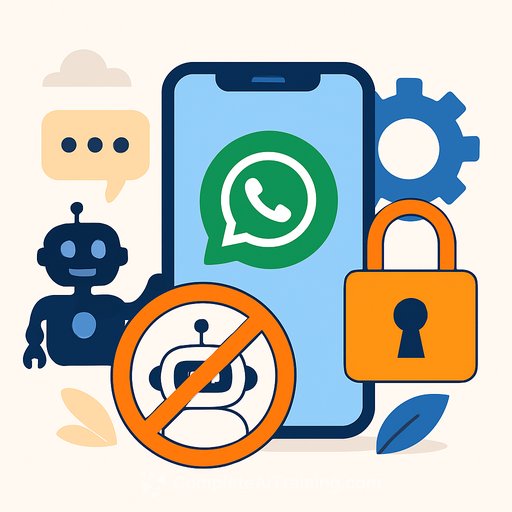
Meta has blocked general-purpose AI chatbots from the WhatsApp Business API. Its own Meta AI remains the only assistant allowed on a platform used by 3 billion people.
If your support flow depends on GPT-style bots inside WhatsApp, this creates real risk. The fix is straightforward, but it requires fast, clean execution.
What changed
- Ban: Third-party, general-purpose AI chatbots are no longer permitted on the WhatsApp Business API.
- Exception: Meta AI stays. Other assistants won't be allowed as the primary bot.
- Scope: Impacts vendors and teams running AI agents that converse freely with customers on WhatsApp.
Who is affected
- Support orgs using WhatsApp as a first-line AI agent for triage, FAQs, and basic troubleshooting.
- Vendors who sell "AI agent on WhatsApp" as a standalone product.
- Brands relying on fully autonomous bot flows for lead capture or order lookups on WhatsApp.
What you can still do on WhatsApp
- Agent-first chat: Human-led support with automation around routing, FAQs, and case lookups.
- Structured automation: Menu flows, quick replies, and template messages for common tasks.
- System-triggered support: Order updates, reminders, and issue status within policy limits.
Review the latest WhatsApp Business policies to keep your templates and workflows compliant. Official policy
Immediate actions for support leaders
- Inventory your flows: List every WhatsApp entry point, template, and automation. Flag anything that relies on a general-purpose AI chatbot.
- Stabilize the front line: Shift first response to human agents or approved structured flows. Keep SLAs intact.
- Contain risk: Pause experiments that present non-approved AI as a WhatsApp assistant.
- Update copy: Remove "AI assistant" language from welcome messages, templates, and Help Center screenshots.
- Notify legal and privacy: Confirm consent flows and data processing are still valid under the new constraints.
Redesign your automation stack (without a third-party AI bot)
For practical patterns on designing support flows and automation stacks, see Design.
- Routing logic: Use intent keywords, menu choices, or account context to route to the right queue fast.
- Smart FAQs: Keep answers concise and link to deeper help content when needed.
- Agent assist (off-channel): Use AI to help agents behind the scenes (suggested replies, summaries, knowledge lookups) in your CRM-then send messages via WhatsApp.
- Clear handoffs: If automation stalls, escalate to a human by default. Make the handoff obvious.
- Template hygiene: Keep templates specific, transactional, and within policy. Avoid open-ended "chat with our bot" copy.
Compliance checkpoints
- Opt-in and consent: Confirm you have channel opt-in per use case. Keep audit trails.
- 24-hour window: Respect response windows and category rules for templates.
- Data minimization: Don't collect sensitive data in free-text. Use secure forms or verified flows.
- Vendor review: Update DPAs and SOWs to reflect the no-bot policy on WhatsApp.
Metrics to watch while you transition
- First response time: Rising times signal you need better routing or staffing.
- Containment rate (automation): Track completion of structured flows without agent help.
- Handoffs and reopens: Spikes show confusion in menus or unclear copy.
- CSAT and resolution time: Validate that the new flow helps customers finish the job.
Channel strategy if WhatsApp becomes constrained
- Web or in-app chat: Keep your AI assistant here where policy allows, then deep-link back to WhatsApp for follow-ups if needed.
- Email/SMS/RCS: Use for notifications and asynchronous updates that don't need live chat.
- Messenger/Instagram: Reuse your structured automation where policies align, but confirm compliance per channel.
Playbook: fast replacement for a banned AI bot flow
- Step 1: Replace the WhatsApp welcome with a concise menu (Order status, Account, Returns, Something else).
- Step 2: Map each option to a short form or a specific template response.
- Step 3: Auto-escalate "Something else" to a human with queue-aware routing.
- Step 4: Use AI behind the scenes to draft agent replies and summarize long threads.
- Step 5: QA daily for a week. Tighten copy. Remove dead ends.
Vendor impact and contracts
- Ask directly: Will your provider remove general-purpose chatbots from WhatsApp? When?
- Get the plan: Migration path, feature parity, and dates. No vague roadmaps.
- Adjust billing: If a core feature is gone, renegotiate or switch.
Customer messaging
- Update your help pages and in-app prompts to reflect the new WhatsApp experience.
- Set expectations: "You'll chat with our team. Short menu to get you to the right person."
- Keep the tone clear and friendly. Customers care about speed and accuracy, not the tech behind it.
FAQ (quick)
- Can I still use automation? Yes-structured flows, templates, and routing are fine. The restriction targets general-purpose AI chatbots on WhatsApp.
- Can I use AI for agents? Yes-use AI tools in your help desk to assist agents, then reply via WhatsApp.
- Do I need to rebuild everything? Likely not. Replace the open-ended bot with clear menus and human handoffs. Keep your data and logic.
Helpful resources
- WhatsApp Business Policy
- Design
Bottom line
This is a constraint, not a crisis. Keep automation where it's allowed, push AI to agent assist, and make human handoffs fast and obvious.
Do this well and your support will feel simpler, faster, and more trustworthy-without depending on a general-purpose bot inside WhatsApp.
Your membership also unlocks: