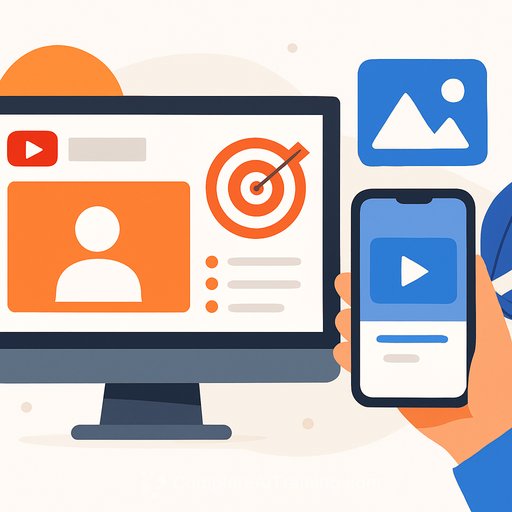
YouTube Adds Interest Targeting to Promote and Tests Image-to-Video Shorts
YouTube just made two practical moves for marketers: new interest targeting in Promote, and a test that turns images into 8-second video clips using its Veo GenAI models. Both updates point to faster testing and easier content production.
What's new in YouTube Promote
You can now boost a video to viewers based on interests like gaming, beauty, or travel. That means you can seed a clip inside a relevant community without building a complex ad set.
Interest targeting is available on desktop during setup and will expand to mobile soon.
Why this matters
- Better fit: Show content to people who already care about your topic.
- Faster testing: Validate hooks, thumbnails, and titles before pushing bigger spends.
- Channel lift: Use Promote as an on-ramp for early traction and audience discovery.
How to use interest targeting (quick start)
- In YouTube Studio, choose the video you want to boost and open Promote.
- Select your goal (e.g., more views), then pick interest categories that match your niche.
- Set budget, duration, and confirm placement details in the flow.
- Track views, watch time, CTR, and subs added. Pause what underperforms; double down on what sticks.
Tip: Test two versions of the same video with different thumbnails or titles. Keep budgets small until you see a clear winner.
Image-to-video "Ingredients" for Shorts
YouTube is also testing "Ingredients," a feature that turns up to three still images into an 8-second video clip. You can add a text prompt and optional sound to guide the look and pacing.
It uses Google's latest Veo models under the hood, part of the broader Veo 3.1 rollout. Expect more visual consistency and fewer odd transitions than earlier-gen tools.
Where this helps
- Product teases: 2-3 angles, quick text overlays, beat-synced audio.
- Event recaps: Logo + speaker photo + crowd shot to announce a longer upload.
- UGC highlight reels: Stitch customer photos into a simple Shorts montage.
- Concept moodboards: Convey a vibe or theme before full production.
Make the 8 seconds count
- Front-load the hook in the first second.
- Use bold on-screen text; most viewers watch without sound.
- Keep motion continuous-no dead frames.
- A/B test background tracks and captions to lift retention.
Note: The feature is still rolling out. Availability and quality will vary as YouTube expands access.
Practical rollout plan
- Pick one video that already performs well organically. Boost it to a tight interest segment.
- Cap daily budget and review results after 24-48 hours. Adjust creative first, then budget.
- Create three "Ingredients" clips from existing image assets and publish as Shorts. Track 3-second views and completion rate.
- Promote the best-performing Short to the closest matching interest group.
If Shorts are new for your team, skim YouTube's overview to align on specs and best practices: YouTube Shorts basics.
Want deeper training on AI video tools?
Explore curated tools and courses to speed up your workflow: Generative Video and the AI Learning Path for Video Editors.
Bottom line: interest targeting in Promote helps you test smarter, and image-to-video gives you quick, on-brand Shorts without a full shoot. Use both to learn faster and feed the content flywheel.
Your membership also unlocks: