AI agent for nurse practitioners
Abnormal Result Follow-up Agent
Every abnormal result ends with a documented plan, patient contact and completed next step
What it does
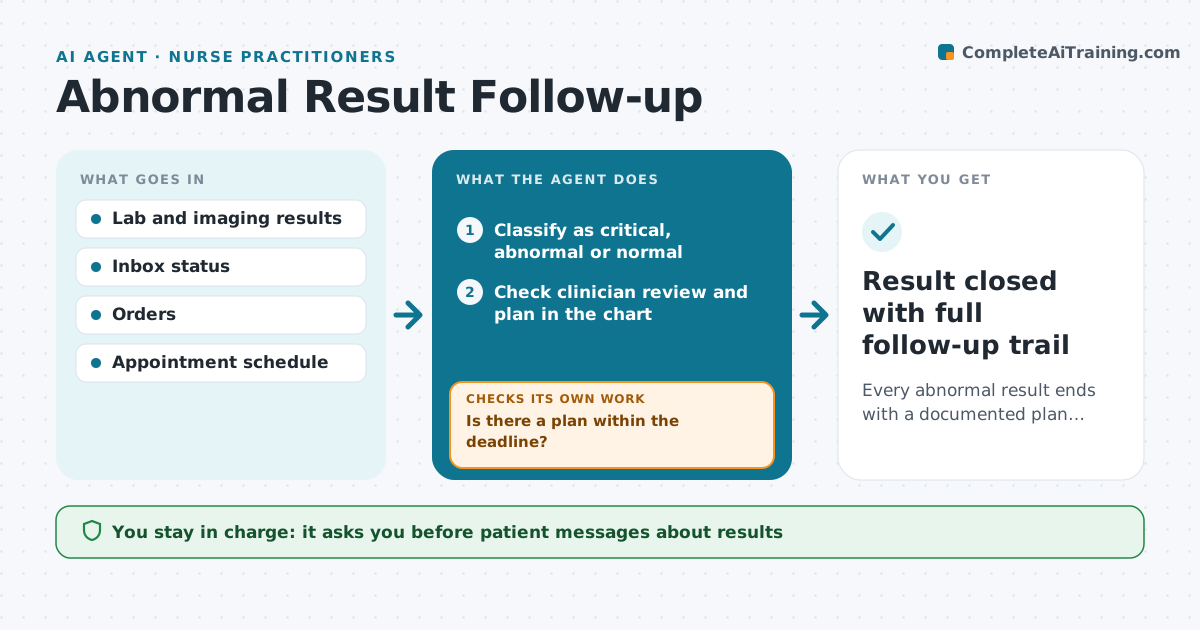
Results land in the inbox all day, and an abnormal one can be missed or acknowledged without action. This agent watches incoming results and classifies each as critical, abnormal or normal. Critical values are never left in a queue; they go to the on-call clinician right away. For abnormal results, it checks whether the clinician has reviewed them and placed a follow-up plan within 3 business days. If not, it sends a reminder and checks again the next day. It drafts a plain-language patient message for the clinician to approve. It then tracks that the patient was contacted and that any repeat test or referral was booked. Three failed contact attempts trigger a letter. Edge case: a critical value posted overnight pages the on-call clinician, not the ordering clinician's inbox.
How it works
Follow the arrows from top to bottom. The orange dashed arrow is the loop: when a check fails, the agent goes back and tries again.
Read the steps as a list
- Result posts to the chart
- Classify as critical, abnormal or normal
- Check clinician review and plan in the chart
- Is there a plan within the deadline?If not: remind the clinician and recheck the next day. Back to step 3.
- Draft a plain-language patient message
- Clinician approves the patient messageThe agent waits here for your OK.
- Track contact and booking of repeat test or referral
- Was the patient reached and the follow-up booked?If not: remind the responsible person, send a letter after three attempts. Back to step 7.
- Result closed with full follow-up trail
How it decides
Results are sorted into critical, abnormal and normal. Abnormal results are tracked through review, patient contact and next step, each with a deadline.
- Critical values page the on-call clinician right away
- Abnormal results need a plan within 3 business days
- Three failed contact attempts trigger a letter
Make it yours
Every agent is a starting point. You choose these settings for your own situation.
- Days allowed per step
- Which result types are tracked
- Contact attempts before a letter
- Who gets reminders
What keeps you in control
It always asks you first
- Patient messages about results
- Any change to the follow-up plan
Hard limits
- The agent never interprets results for patients
- Critical values are never batched
It stops when
- Done: next step completed
- Stop: patient declines follow-up, document and notify clinician
Set it up
We guide you through the set-up, step by step
Members get the full set-up guide for this agent. No technical skills needed: you copy, paste and upload.
- One set of instructions to paste into your AI, with the clicks for ChatGPT, Claude, Microsoft 365 Copilot, Gemini and Grok
- The agent then walks you through connecting your own data, one source at a time
- A downloadable copy with the flow chart, the rules and the full guide