AI agent for systems analysts
Acceptance Test Scenario Agent
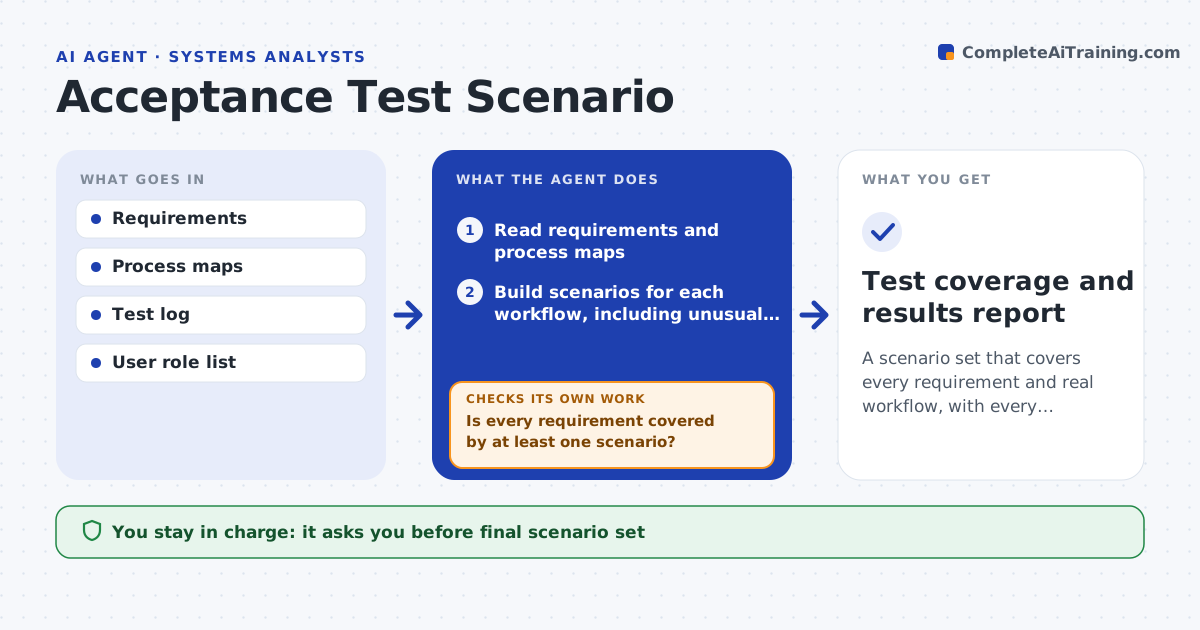
A scenario set that covers every requirement and real workflow, with every failure retested
What it does
Acceptance tests often follow the requirements list and miss how people really work, such as returning to an old record or switching between screens. This agent reads the requirements and process maps and builds step-by-step scenarios that follow real workflows, including unusual paths. It maps each scenario to the requirements it covers and checks coverage, listing requirements with no scenario. It drafts new scenarios to fill gaps and checks the map again. During testing, it reads results from the test log. For each failure it reopens the linked requirement, groups failures by cause and drafts a retest scenario once the fix is delivered. It keeps going until all scenarios pass or are accepted as known issues. The analyst approves the set and the closure. Edge case: a requirement is covered only by a happy path.
How it works
Follow the arrows from top to bottom. The orange dashed arrow is the loop: when a check fails, the agent goes back and tries again.
Read the steps as a list
- Requirements are signed off for acceptance testing
- Read requirements and process maps
- Build scenarios for each workflow, including unusual paths
- Map scenarios to requirements
- Is every requirement covered by at least one scenario?If not: draft new scenarios for each uncovered requirement. Back to step 4.
- Analyst approves the scenario setThe agent waits here for your OK.
- Read test results as testers log them
- Did every scenario pass?If not: reopen the linked requirement and group failures by cause. Back to step 7.
- Rerun retest scenarios for each delivered fix and update results
- Analyst approves closure or accepted known issuesThe agent waits here for your OK.
- Test coverage and results report
How it decides
Coverage counts only if a scenario exercises the requirement, including at least one unusual path for important ones.
- Add an unusual-path scenario for every high-priority requirement
- Reopen a requirement when any linked scenario fails
- Group failures with the same cause
- Treat requirements covered only by a happy path as partly covered
Make it yours
Every agent is a starting point. You choose these settings for your own situation.
- Priority levels needing unusual paths
- Scenario format
- Test log source
- Roles included
What keeps you in control
It always asks you first
- Final scenario set
- Closure of failed items
Hard limits
- Never edits the requirements
- Never marks a test as passed
It stops when
- Done: all requirements covered and scenarios passed or accepted
- Stop: requirements change during testing and need review
Set it up
We guide you through the set-up, step by step
Members get the full set-up guide for this agent. No technical skills needed: you copy, paste and upload.
- One set of instructions to paste into your AI, with the clicks for ChatGPT, Claude, Microsoft 365 Copilot, Gemini and Grok
- The agent then walks you through connecting your own data, one source at a time
- A downloadable copy with the flow chart, the rules and the full guide