AI agent for online sellers
Account Health Guard Agent
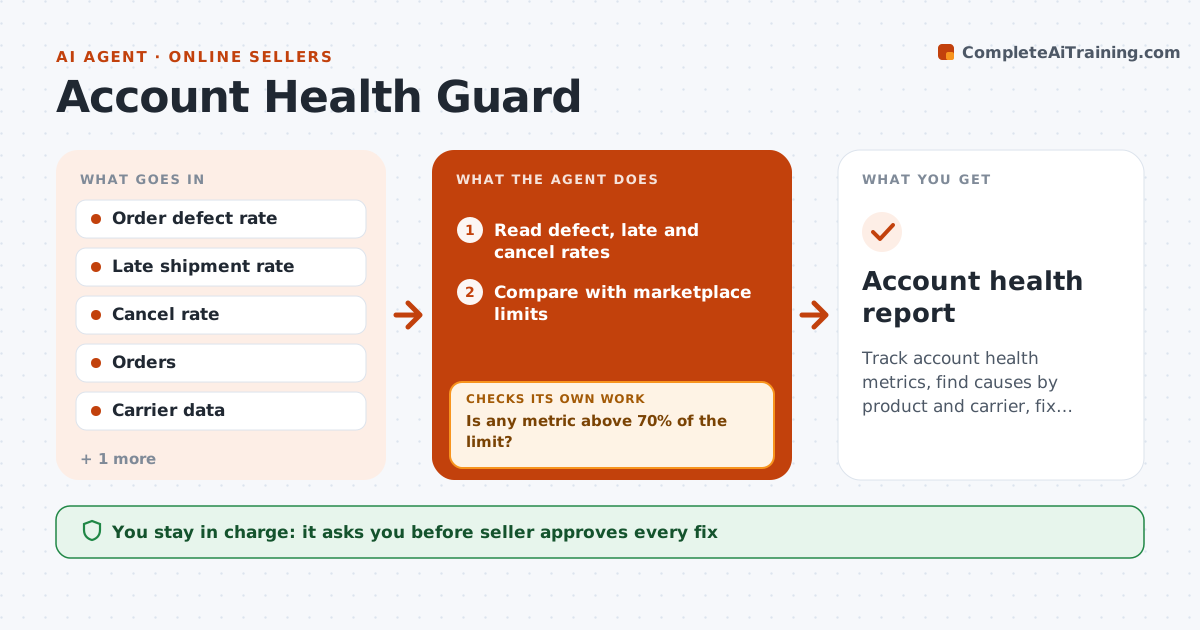
Track account health metrics, find causes by product and carrier, fix them and check the next period
What it does
Late shipments and defects push marketplace accounts toward suspension. The agent reads defect, late shipment and cancellation rates each day and compares them with the marketplace limits. When a metric nears a limit, it breaks it down by product, carrier and ship day to find the cause. It proposes fixes, such as moving a slow carrier, adding handling time or pausing a defective product. After the seller approves, it checks the next period and reports whether the metric improved. If risk remains, it escalates. Edge case: one carrier causes 70% of late shipments on Mondays.
How it works
Follow the arrows from top to bottom. The orange dashed arrow is the loop: when a check fails, the agent goes back and tries again.
Read the steps as a list
- Daily metrics arrive
- Read defect, late and cancel rates
- Compare with marketplace limits
- Is any metric above 70% of the limit?If not: Recheck the data for errors, then continue monitoring. Back to step 2.
- Break down by product, carrier and ship day
- Propose fixes for the biggest causes
- Seller approves the fixesThe agent waits here for your OK.
- Track the next 7 days
- Did the metric improve?If not: Test the next cause and propose another fix. Back to step 4.
- Escalate if the metric nears the limit
- Account health report
How it decides
Causes are found by product, carrier and warehouse; a fix stays only if the next period's metric improves.
- Act at 70% of a limit
- Rank causes by share of problems
- Test one fix per cause
- Escalate at 90% of a limit
Make it yours
Every agent is a starting point. You choose these settings for your own situation.
- Action level (default 70% of limit)
- Escalation level (default 90%)
- Metrics tracked
- Report timing
What keeps you in control
It always asks you first
- Seller approves every fix
- Seller approves pausing a product
Hard limits
- Never change a carrier without approval
- Never hide data from the marketplace
It stops when
- Done: metrics back below 50% of limits
- Stop: the account is suspended and the seller must appeal
Set it up
We guide you through the set-up, step by step
Members get the full set-up guide for this agent. No technical skills needed: you copy, paste and upload.
- One set of instructions to paste into your AI, with the clicks for ChatGPT, Claude, Microsoft 365 Copilot, Gemini and Grok
- The agent then walks you through connecting your own data, one source at a time
- A downloadable copy with the flow chart, the rules and the full guide