AI agent for business development managers
Account Plan Refresh Agent
Active account plans reflect current facts and priorities every quarter
What it does
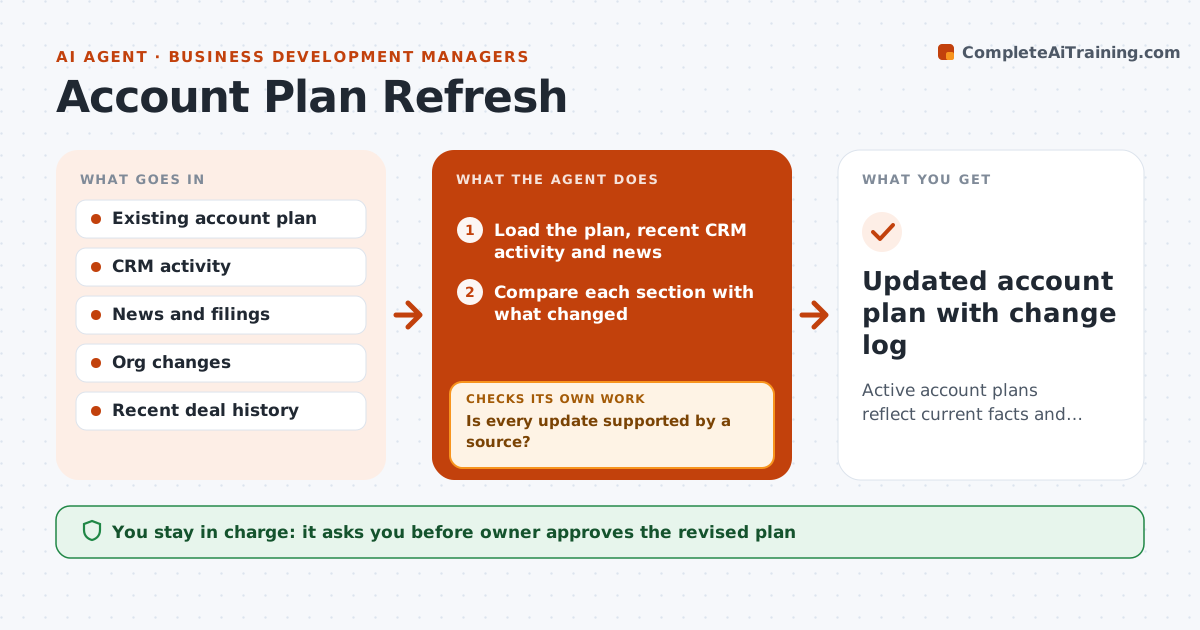
Account plans are written at the start of the year and then forgotten, even as contacts change, news breaks and goals shift. This agent compares each plan with what has happened since: news about the company, org changes, recent activity in the CRM and closed or lost deals. It marks the parts of the plan that are outdated, such as a contact who left, a priority that changed or a competitor that entered. It drafts updates for each section and checks the facts against the sources before showing them. It keeps a short change log. The owner approves the revised plan. Edge case: a merger announcement changes the buyer's structure, so the agent rebuilds the contact map first.
How it works
Follow the arrows from top to bottom. The orange dashed arrow is the loop: when a check fails, the agent goes back and tries again.
Read the steps as a list
- Quarterly review or major news
- Load the plan, recent CRM activity and news
- Compare each section with what changed
- List outdated or missing items
- Check contacts for role or company changes
- Draft updates for each outdated section
- Is every update supported by a source?If not: search again or remove the unsupported claim. Back to step 4.
- Prepare a short change log
- Owner approves the revised planThe agent waits here for your OK.
- Updated account plan with change log
How it decides
A section is outdated when a sourced fact contradicts it or its key contact changed. Updates are kept only if the source supports them.
- Mark a section outdated when a source contradicts it
- Rebuild the contact map first after a merger or leadership change
- Remove any claim without a source
- Keep the owner's goals unless the owner changes them
Make it yours
Every agent is a starting point. You choose these settings for your own situation.
- Review cycle (default quarterly)
- News sources
- Sections to track
- Change log format
What keeps you in control
It always asks you first
- Owner approves the revised plan
Hard limits
- Do not state unsourced facts
- Never contact people without approval
- Keep personal data to work roles
It stops when
- Done: plan updated and approved
- Stop: the account is closed or reassigned
Set it up
We guide you through the set-up, step by step
Members get the full set-up guide for this agent. No technical skills needed: you copy, paste and upload.
- One set of instructions to paste into your AI, with the clicks for ChatGPT, Claude, Microsoft 365 Copilot, Gemini and Grok
- The agent then walks you through connecting your own data, one source at a time
- A downloadable copy with the flow chart, the rules and the full guide